Author: Jason W. Ellis

  • Lexikon-Sonate 3.0, an Algorithmic Music Generator for Macintosh

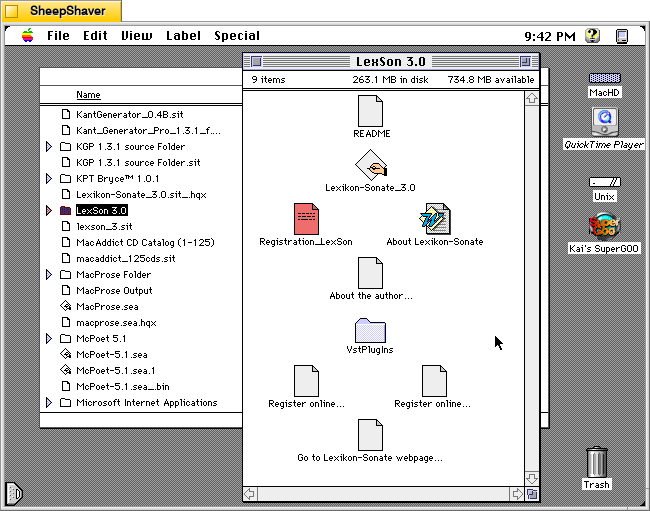
    Lexikon-Sonate 3.0 application folder on Macintosh System 7.5.5 system emulated in SheepShaver.

    Lexikon-Sonate 3.0 is a program that generates music algorithmically. Karlheinz Essl, the Austrian composer and performer, began developing this software in 1992 and released it as Shareware. Essl continued developing the software until 2020 and released the latest versions for Windows and MacOS as freeware with a Creative Commons Attribution-NonCommercial-NoDerivs 3.0 License.

    In the included Word doc named “About Lexikon-Sonate,” Essel writes that the software is “An Interactive Realtime Composition for Computer-Controlled Piano.” He expands on this in the abstract for the software, “Lexikon-Sonate is a work in progress which was started in 1992. Instead of being a composition in which the structure is fixed by notation, it manifests itself as a computer program that composes the piece – or, more precisely: an excerpt of a virtually endless piano piece – in real time. Lexikon-Sonate lacks two characteristics of a traditional piano piece: 1) there is no pre-composed text to be interpreted, and 2) there is no need for an interpreter. Instead, the instructions for playing the piano – the indication “which key should be pressed how quickly and held down for how long” – are directly generated by a computer program and transmitted immediately to a player piano which executes them. In this paper I will describe from where I started and how I arrived at the concept of an infinite interactive realtime composition.” The rest of the Word doc file is a detailed guide that explains its origins, how it works, and how to use it.

    For this post, I tried out Lexikon-Sonate 3.0 on Macintosh System 7.5.5 with Quicktime 4.1.2 installed so that it had access to Quicktime Instruments instead of MIDI output playback.
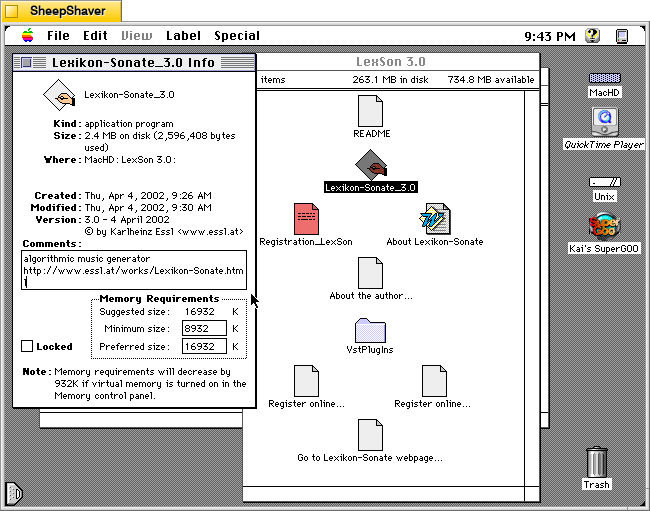
    Lexikon-Sonate 3.0 application info window on Macintosh System 7.5.5 system emulated in SheepShaver.

    The Lexikon-Sonate_3.0 application Get Info window reports that it is version 3.0 dated 4 April 2002. It is 2.4MB in size, and its minimum memory requirement is 8,932K and its preferred size is 16,932K. The Comments box includes a brief description of “algorithmic music generator” and a link to Essl’s website for Lexikon-Sonate.
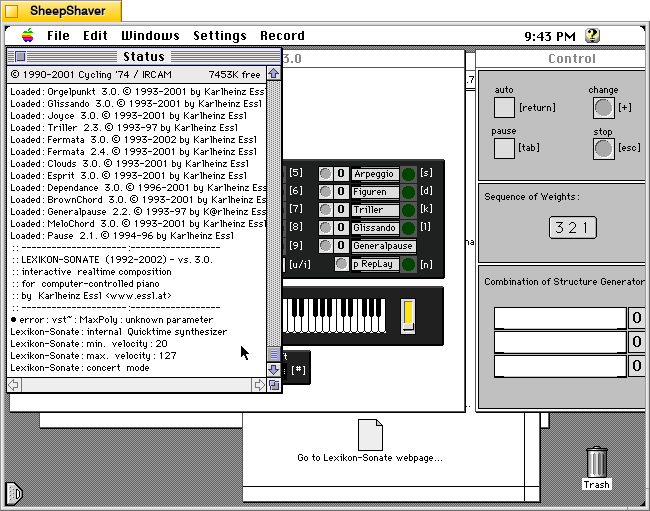
    Lexikon-Sonate 3.0 application Status window on Macintosh System 7.5.5 system emulated in SheepShaver.

    When you first open Lexikon-Sonate, the Status window on the right serves as a console reporting information like settings, loading modules, and the amount of free memory. It falls into the background when the primary interactive windows load below.
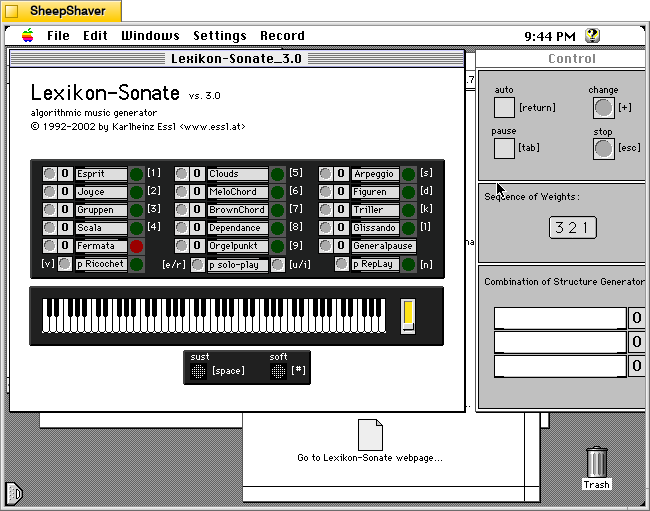
    Lexikon-Sonate 3.0 application main window and Control window on Macintosh System 7.5.5 system emulated in SheepShaver.

    The main Lexikon-Sonate_3.0 window is on the left and the Control window is on the right. The main window shows the available algorithm music generating modules at the top, which can be selected in a sequence of up to 3 by clicking the grey circle to the left of each module. The selected modules will appear in the “Combination of Structure Generator” box at the bottom of the Control window on the right.
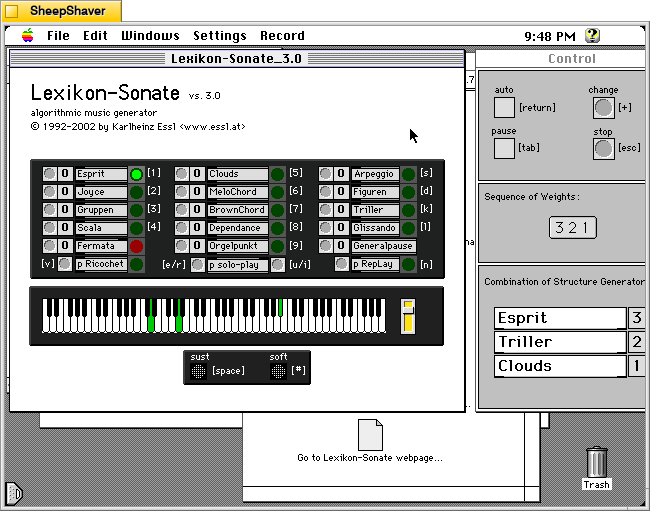
    Lexikon-Sonate 3.0 three modules selected are playing notes on the keyboard on Macintosh System 7.5.5 system emulated in SheepShaver.

    As the program begins to play music created by these algorithms, the keys illuminate to show what keys and chords are being played along with the dynamic slider. The sustain and soft pedals can be activated by the user by pressing the Space Bar or # respectively. Pressing the Escape key halts the current music generation.
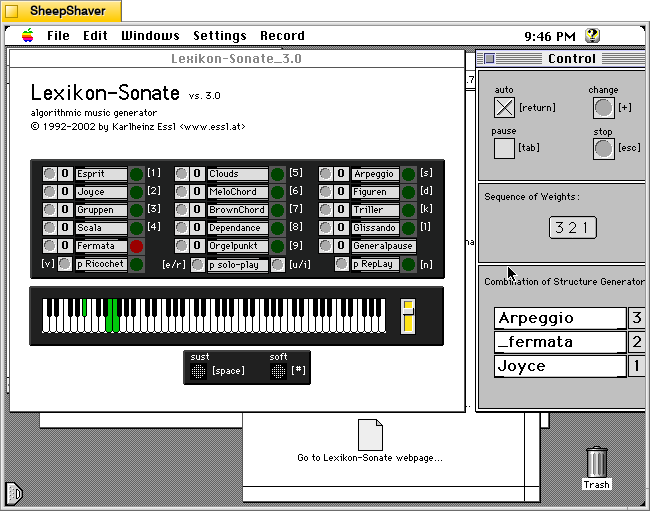
    Lexikon-Sonate 3.0 is in auto mode selecting modules and playing notes on the keyboard Macintosh System 7.5.5 system emulated in SheepShaver.

    If the user clicks on “auto” in the Control window or presses the Return key, the software will cycle through modules on its own giving the software total control of the music generation process.
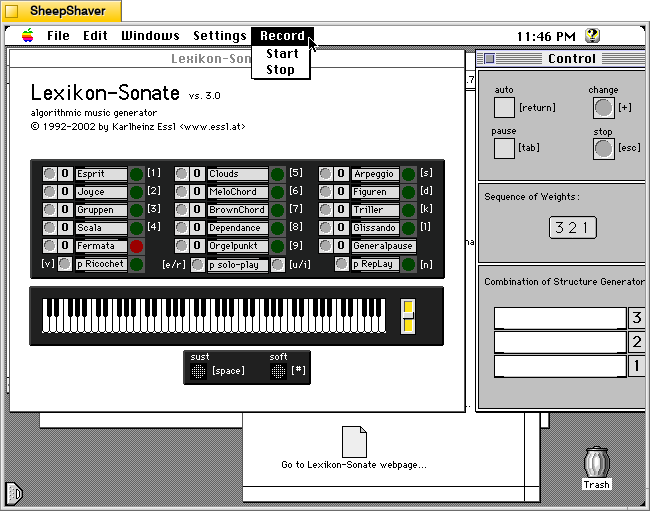
    Lexikon-Sonate 3.0 > Record Menu > Start or Stop on Macintosh System 7.5.5 system emulated in SheepShaver.

    If this version of the software were registered, you have access to the Record > Start or Stop feature.
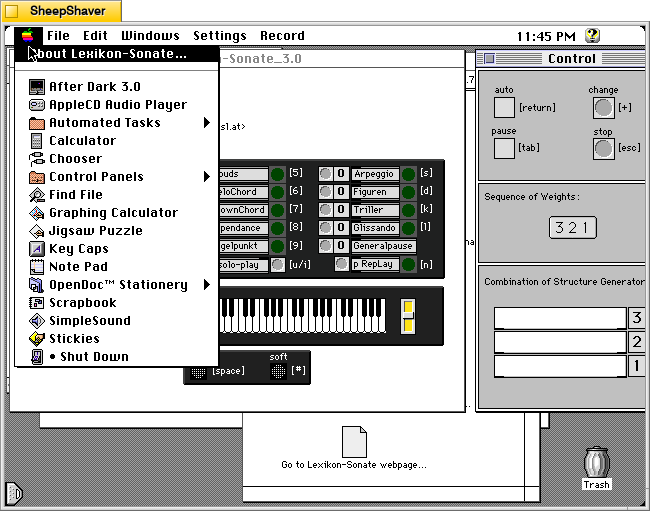
    Lexikon-Sonate 3.0 > Apple Menu > About Lexikon-Sonate on Macintosh System 7.5.5 system emulated in SheepShaver.

    The Apple menu > About Lexikon-Sonate has a detailed window summarizing how the software works.
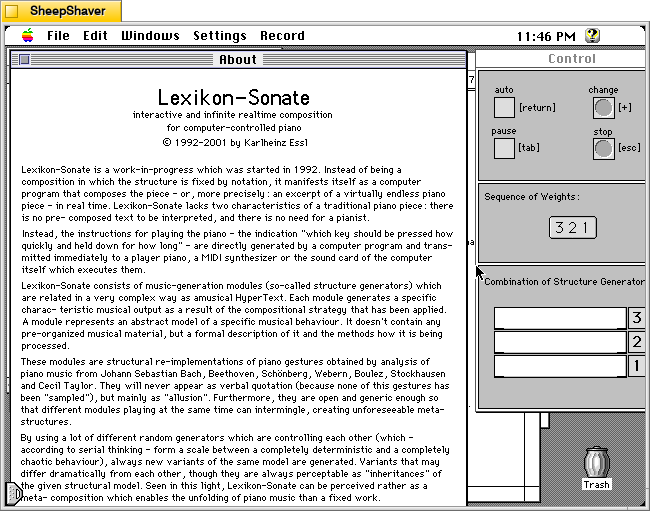
    Lexikon-Sonate 3.0's About window on Macintosh System 7.5.5 system emulated in SheepShaver.

    The descriptive About window in Lexikon-Sonate 3.0.
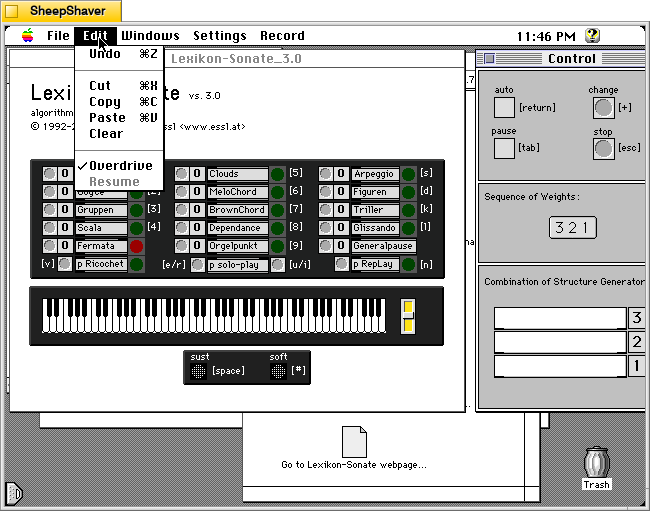
    Lexikon-Sonate 3.0 > Edit menu on Macintosh System 7.5.5 system emulated in SheepShaver.

    The Edit menu with an option for “Overdrive” pre-selected.
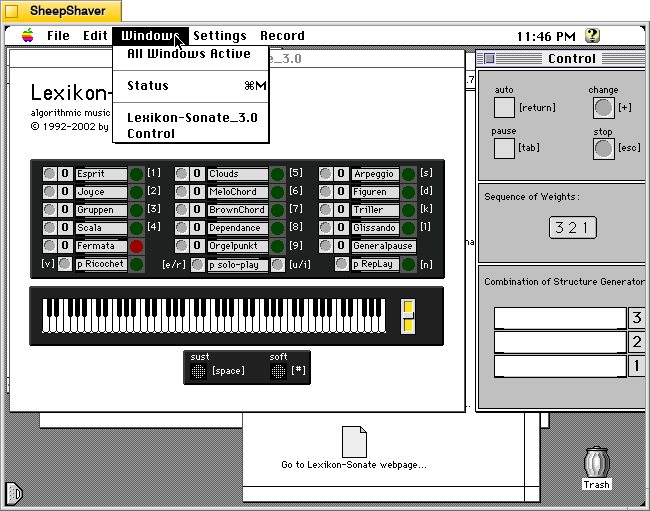
    Lexikon-Sonate 3.0 > Windows menu on Macintosh System 7.5.5 system emulated in SheepShaver.

    The Windows menu listing its three windows: Status (the console in the background), Lexikon-Sonate_3.0 (main window on the left), and Control (the main control window for starting and stopping play on the right).
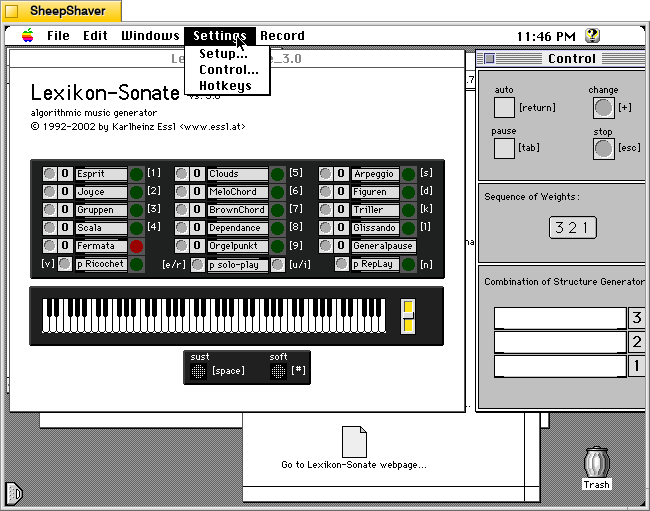
    Lexikon-Sonate 3.0 > Settings menu on Macintosh System 7.5.5 system emulated in SheepShaver.

    From the Settings menu, Setup opens a new window with settings for playback and MIDI (see below). The Control option opens the Control window. Hotkeys does not seem to do anything on my installation.
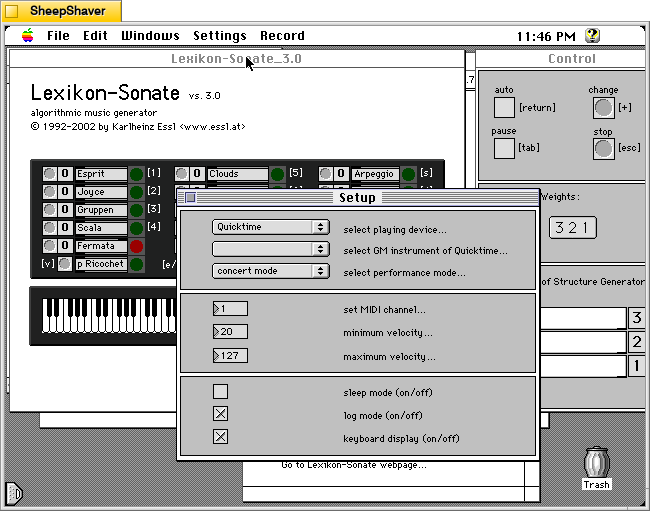
    Lexikon-Sonate 3.0 > Setup window on Macintosh System 7.5.5 system emulated in SheepShaver.

    Since I don’t have a MIDI device (and they can be difficult to configure with Sheepshaver anyways), I opted to play through Quicktime (automatically selected by default). There are other settings for MIDI and logging on this window, too.

    Lexikon-Sonate seems like a remarkable piece of software that I wish that I had known about many years ago. It would have been something I would have enjoyed experimenting with.

    Also, Essl has created remarkable recordings and made interesting performances using his software, some of which are shared in videos on his website here.


  • Mose Wonders

    Mose the black and white cat is looking up.

    Our Mose doesn’t always know what’s going on, but he seeks to understand with wide eyed wonder.

  • New OER Launched: Yet Another Science Fiction Textbook (YASFT)

    Woman astronaut wearing an exosuit is reading a book in a futuristic library. A tall alien male is standing in the background selecting a book off the shelf. Image created with Stable Diffusion.

    I’m very happy to announce the launch of a new open educational resource (OER) that I’ve been working on for awhile!

    It’s called Yet Another Science Fiction Textbook (YASFT). It’s over 60,000 words and includes additional resources that can be helpful for readers, students, and instructors.

    YASFT is released under an Attribution-NonCommercial-ShareAlike 4.0 International Creative Commons License. It’s freely available to be read as it is. However, if anyone would like to use it in another way, there are licensing terms that must be followed: “This license requires that reusers give credit to the creator. It allows reusers to distribute, remix, adapt, and build upon the material in any medium or format, for noncommercial purposes only. If others modify or adapt the material, they must license the modified material under identical terms.”

    You can find YASFT under the Teaching menu above or directly here.

    Its abstract and table of contents are included below.

    Abstract

    Yet Another Science Fiction Textbook (YASFT) is an open educational resource or OER, meaning it is freely available for anyone to use and learn with. It provides a chronological history of Science Fiction (SF) with an emphasis on literature and film, and it includes other useful resources, such as a glossary of terms, an extensive list of SF definitions, additional resources, a syllabus with hyperlinked readings available online, and video lectures. It tells a story, but not the only story, about SF history. It’s also an experiment in using generative artificial intelligence (AI) to assist with editing a large body of text, in this case over 60,000 words.

    Table of Contents

        Front Matter
    What is YASFT?
    Who made YASFT?
    Why was YASFT made?
    Why is it called YASFT?
    How can YASFT be used?
    How was YASFT made?
    Acknowledgements
    Preface
    Origins of Science Fiction
    Early Fantastic Stories
    Scientific Revolution
    Age of Enlightenment
    Romanticism
    The Gothic
    Mary Shelley’s Frankenstein
    Science-Saturated Novel
    Victor Frankenstein’s Hubris
    Critique of the Age of Enlightenment
    Tabula Rasa
    Proto-SF
    Historical Context
    Edgar Allan Poe
    Nathaniel Hawthorne
    Jules Verne
    H. G. Wells
    E. M. Forster
    Pulp SF
    Historical Context
    Overview of Pulp SF
    Hugo Gernsback
    E. E. “Doc” Smith
    C. L. Moore
    Edgar Rice Burroughs
    H. P. Lovecraft
    SF Film Serials of the 1930s and 1940s
    Buck Rogers
    Flash Gordon
    Golden Age SF
    Historical Context
    Overview of Golden Age SF
    John W. Campbell, Jr.
    Isaac Asimov
    Ray Bradbury
    Robert A. Heinlein
    Frank Herbert
    Tom Godwin
    SF Film Through the 1950s
    Film vs. Literature
    Early SF Film
    1950s SF Film Boom
    Forbidden Planet
    New Wave SF
    Historical Context
    Overview of New Wave SF
    J.G. Ballard
    Harlan Ellison
    Philip K. Dick
    Samuel R. Delany
    Star Trek
    “The City on the Edge of Forever”
    Feminist SF
    Historical Context
    Beginnings of Feminist SF
    Definitions of Feminist SF
    Joanna Russ
    Marge Piercy
    Pamela Zoline
    James Tiptree, Jr.
    Ursula K. Le Guin
    Octavia E. Butler
    Afrofuturism
    Steven Barnes
    Tananarive Due
    Nalo Hopkinson
    Nnedi Okorafor
    Cyberpunk
    Historical Context
    Coining the Cyberpunk Term
    Cyberpunk Characteristics
    William Gibson
    Sprawl Trilogy and Stories
    Hermes 2000 and Floppy Disk eBooks
    The X-Files, “Kill Switch”
    Bruce Sterling
    Pat Cadigan
    Contemporary Science Fiction
    Historical Context
    Ted Chiang
    N. K. Jemisin
    Cory Doctorow
    Charlie Jane Anders
    Martha Wells
    Mary Robinette Kowal
    Ken Liu
    R. F. Kuang
    SF Film from 1960 Onward
    1960s
    1970s
    1980s
    1990s
    2000s
    2010s
    Global Perspective: Taiwanese SF
    Brief Taiwanese History
    Taiwanese SF Overview
    Taiwanese Fandom
    Cultural Comparisons
    Issues with Translation
    How to Keep Up With Science Fiction
    Appendices
    Appendix 1: Glossary of Science Fiction Terms
    Appendix 2: Chronological List of SF Definitions of Science Fiction with MLA Citations
    Appendix 3: Further Reading
    Textbooks
    Readers
    Teaching
    Online Research
    Appendix 4: Sample Syllabus with Hyperlinked Readings
    Appendix 5: Lecture Videos
    Appendix 6: Version History
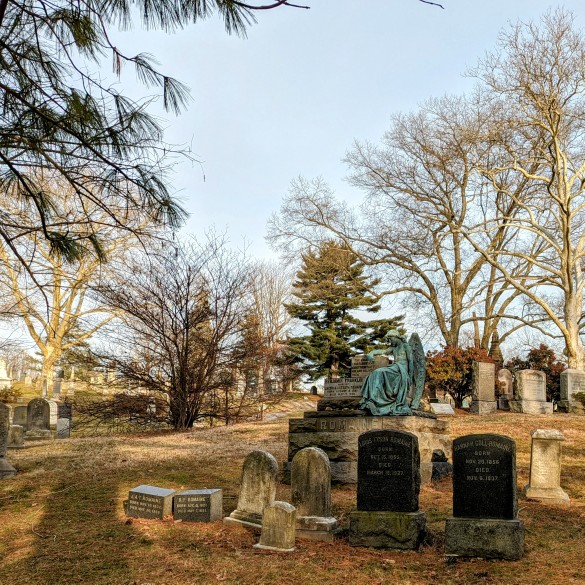
  • Bronze Angel Memorial for Benjamin Franklin Romaine in Green-Wood Cemetery

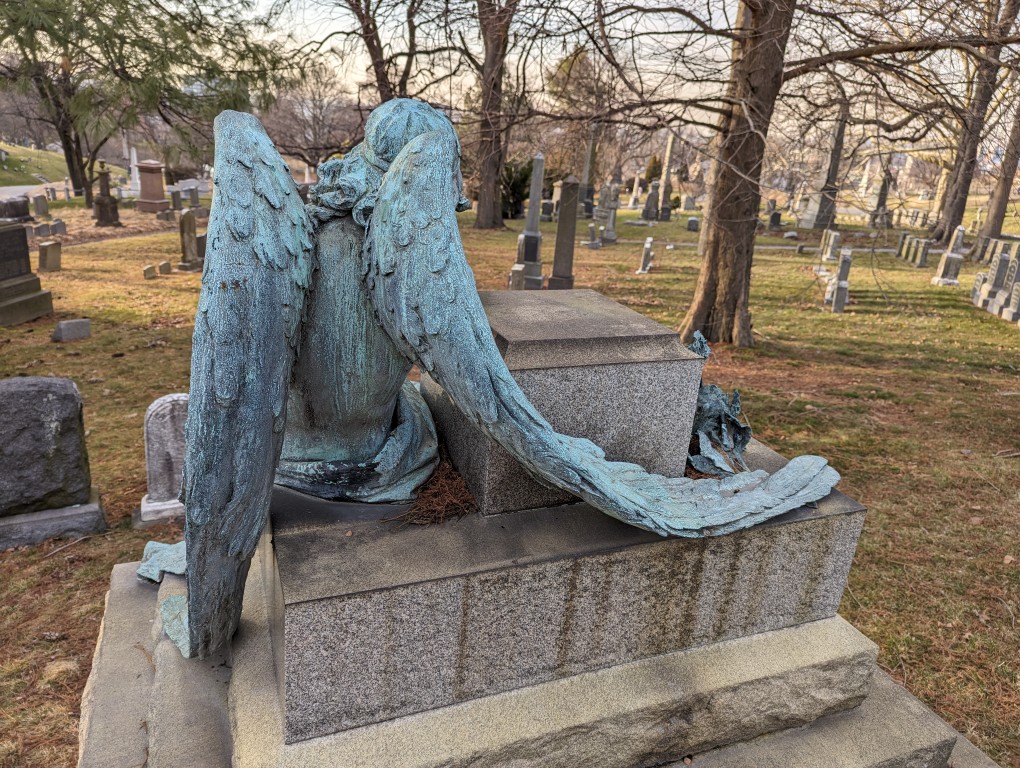
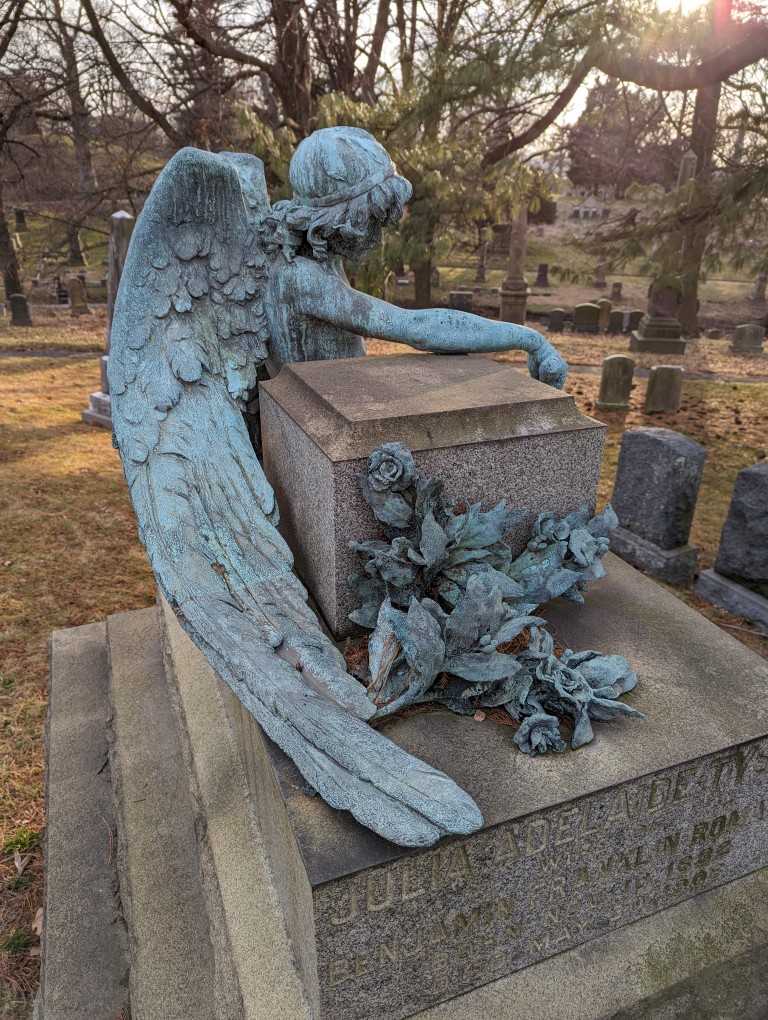
    Benjamin Franklin Romain memorial with bronze angel statue in repose. In Green-Wood Cemetery, Brooklyn, New York.

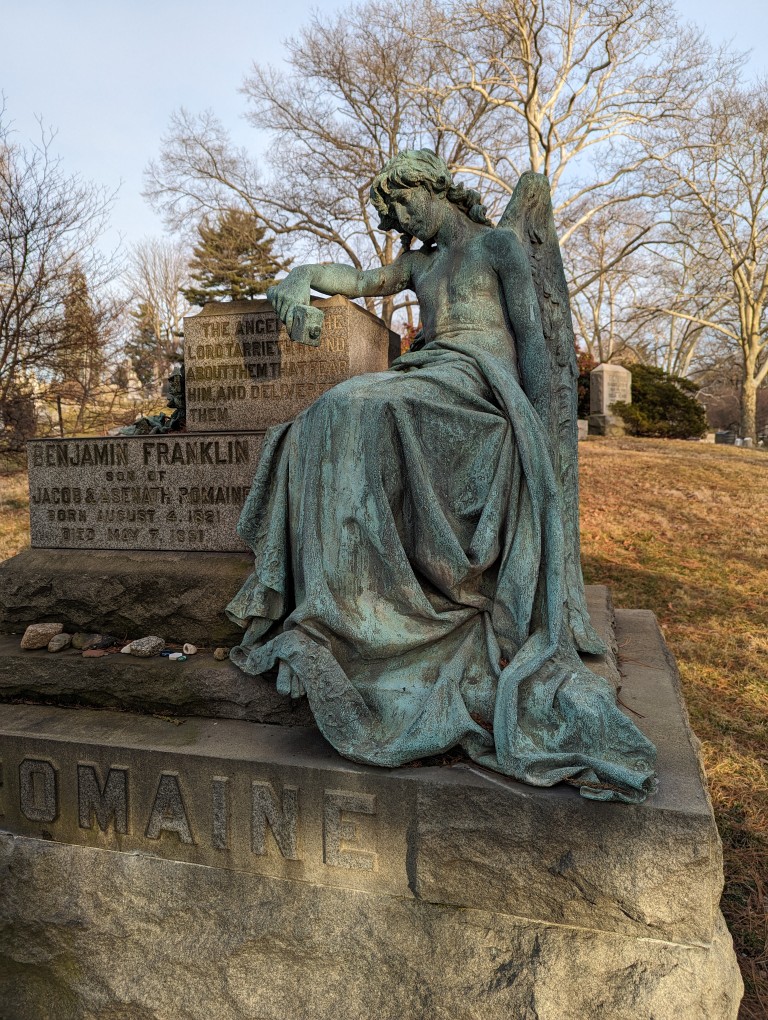
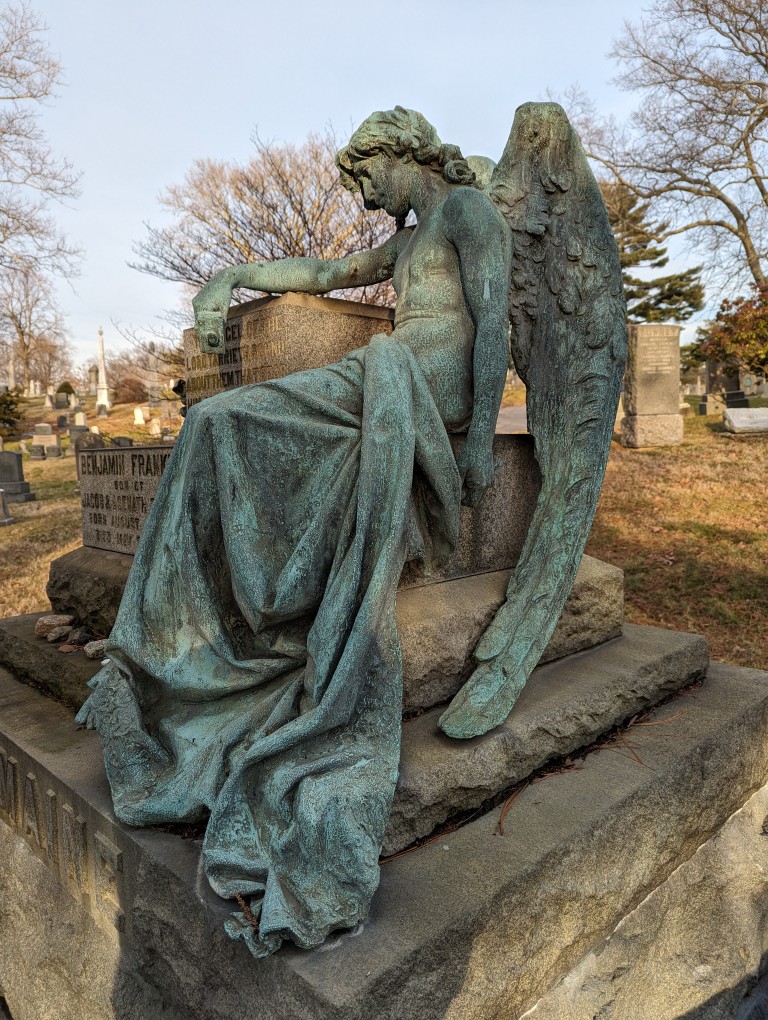
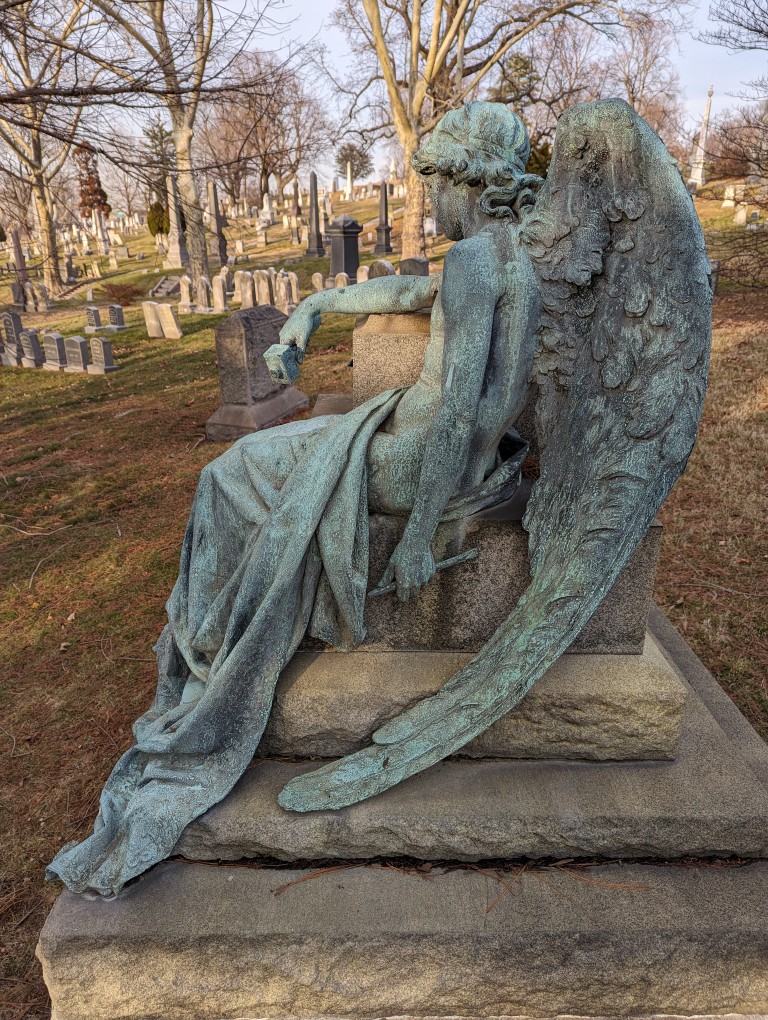
    While walking in Green-Wood Cemetery, I recently approached this beautiful memorial for Benjamin Franklin Romaine. A bronze angel holding a hammer and chisel sits in repose of its completed work creating this monument.

    Jeff Richman discovered the name of the angel’s sculptor as Raffaello Romanelli. He explains how he worked it out in this blog post on the official cemetery’s website.

    Below are close-up photos of the sculpture.

    Benjamin Franklin Romain memorial with bronze angel statue in repose. In Green-Wood Cemetery, Brooklyn, New York.
    Benjamin Franklin Romain memorial with bronze angel statue in repose. In Green-Wood Cemetery, Brooklyn, New York.
    Benjamin Franklin Romain memorial with bronze angel statue in repose. In Green-Wood Cemetery, Brooklyn, New York.
    Benjamin Franklin Romain memorial with bronze angel statue in repose. In Green-Wood Cemetery, Brooklyn, New York.
    Benjamin Franklin Romain memorial with bronze angel statue in repose. In Green-Wood Cemetery, Brooklyn, New York.
  • Life Finds a Way

    Paper wasp nest attached to one of the bolts holding the car door hinge to the driver side front door of a 2013 Toyota Corolla.

    When I began working on my 2013 Toyota Corolla in December 2023, I discovered this paper wasp nest built onto a bolt connecting the door hinge to the driver side front door. It was a tiny marvel of engineering in a sheltered area of an otherwise inhospitable environment.