These past two weeks, I’ve been working on a sabbatical side project. I put my primary research project on hold so that I could think about it some more before proceeding. In the meantime, I’m using generative AI to help accelerate my work on an open educational resource (OER) focused on Science Fiction (SF) that I plan to launch soon. The writing is done on the project. What I am doing now is using an large language model (LLM) that I’m running on my desktop workstation to help me with editing. I think the end product will be pretty cool, and it will be something anyone is free to use after it’s launched. Stay tuned!
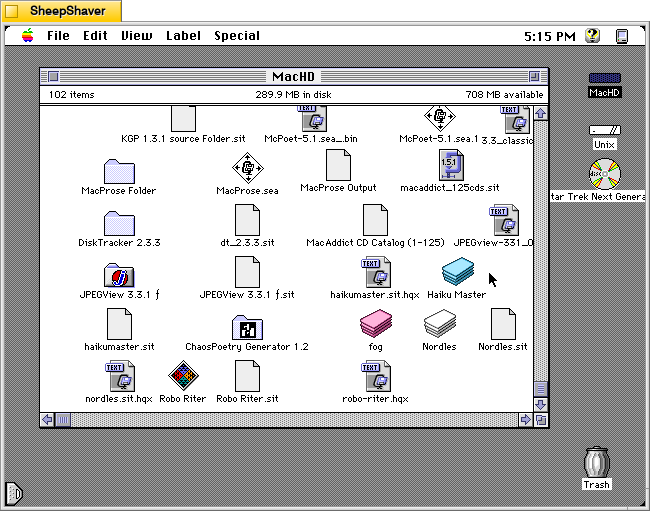
Continuing my work exploring pre-AI generative technologies, I found a copy of Andrew Stone’s Haiku Master, a HyperCard stack for Macintosh that generates haikus, on the archived version of TextWorx Toolshed page, which links to other text generating and manipulating programs for Macintosh and MS-DOS. Haiku Master requires the user to have a copy of Apple’s HyperCard Player installed on the system. I have HyperCard Player 2.4.1 installed on the emulated System 7.5.5 installation on SheepShaver used for these screenshots.
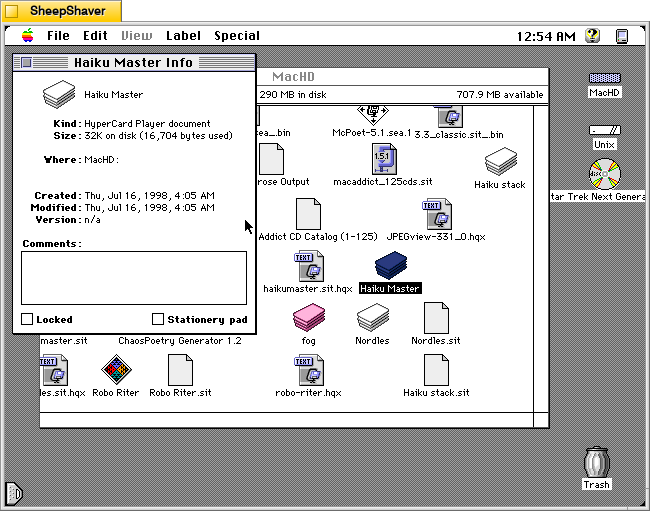
Haiku Master is a lean HyperCard stack at only 32K on disk and 16,704 bytes actually used. It was created on 16 July 1998.
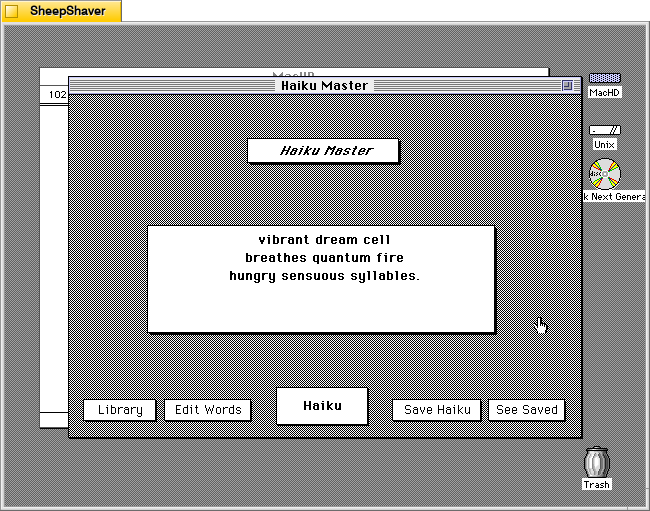
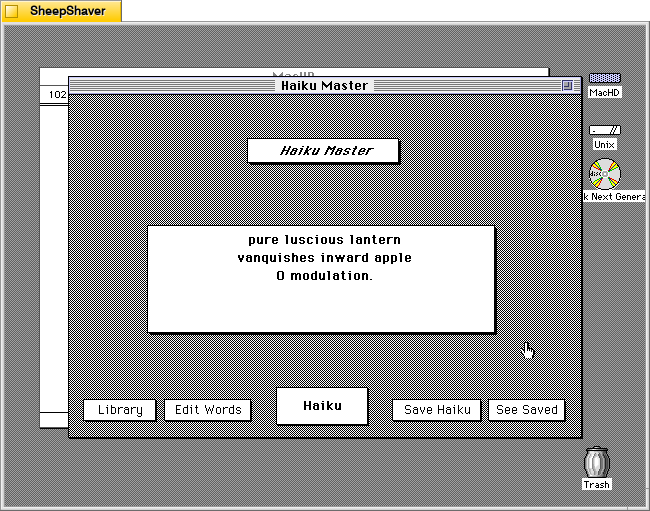
After double clicking on Haiku Master, the stack automatically launches HyperCard Player and the user is presented with this main window. In the center, a haiku is already generated.
vibrant dream cell breathes quantum fire hungry sensuous syllables.
Instead of a 5-7-5 syllable line arrangement, it seems to generate haiku that are a total of 17 syllables.
Unlike some of the other text generators that I’ve looked at here, Haiku Master has a singular focus to just create haikus of a certain variety. Other text generators from this era seem to do several different types of text generation, perhaps because once one kind of assembly algorithm is made, it might not be too challenging to alter it for a different kind of text generation, or it might be over time those other programs acquired new features with subsequent new versions.
By clicking on the Haiku button in the bottom center, another haiku is generated.
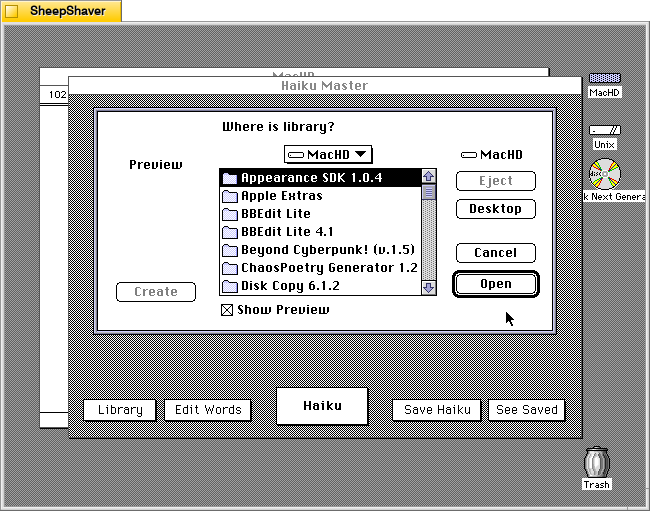
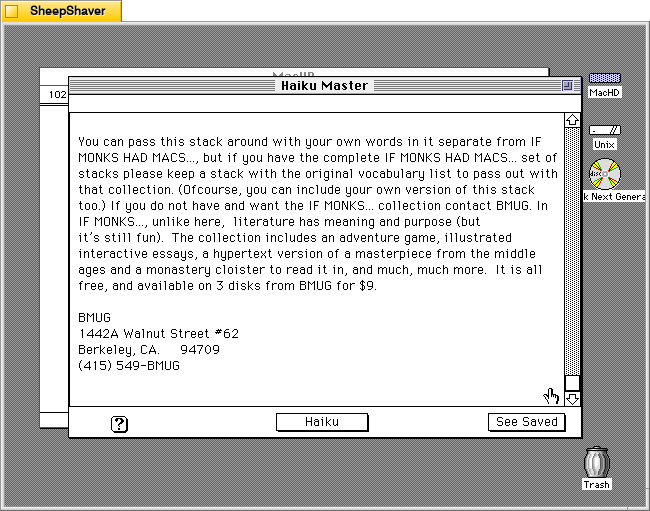
Clicking on Library prompts the user to open a file, perhaps a corpus of words? The documentation built into the stack doesn’t explain what a library is or how it is used, and there is no additional documentation or files included in the downloaded archive.
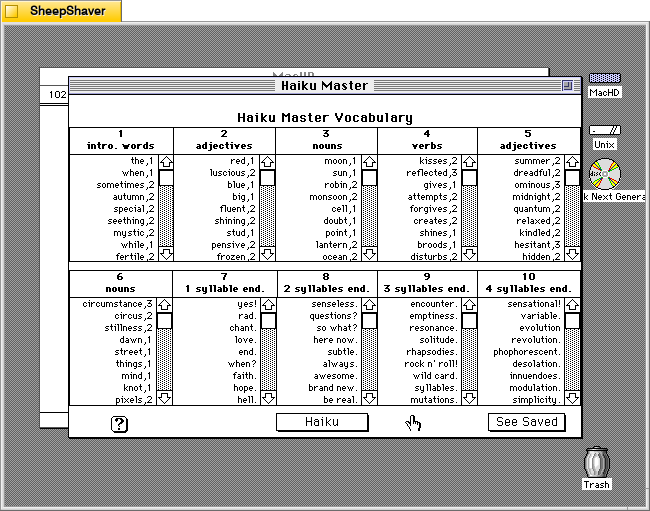
Clicking on Edit Words opens this screen titled Haiku Master Vocabulary with lists of word lists broken down into 10 sections: 1) intro. words, 2) adjectives, 3) nouns, 4) verbs, 5) adjectives, 6) nouns, 7) 1 syllable end, 8) 2 syllables end, 9) 3 syllables end, and 10) 4 syllables end.
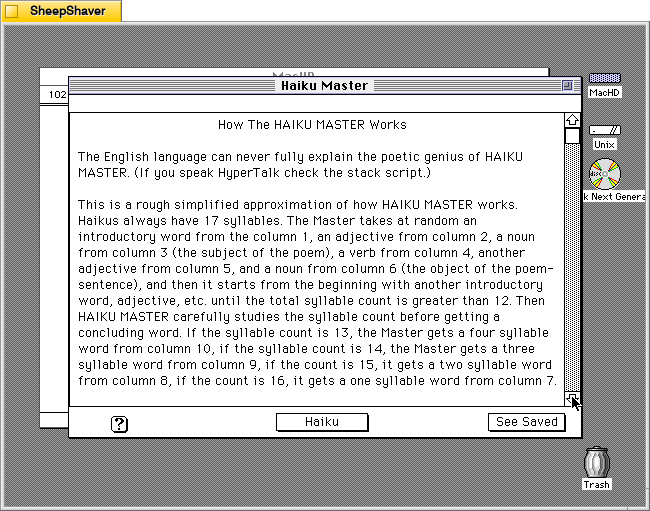
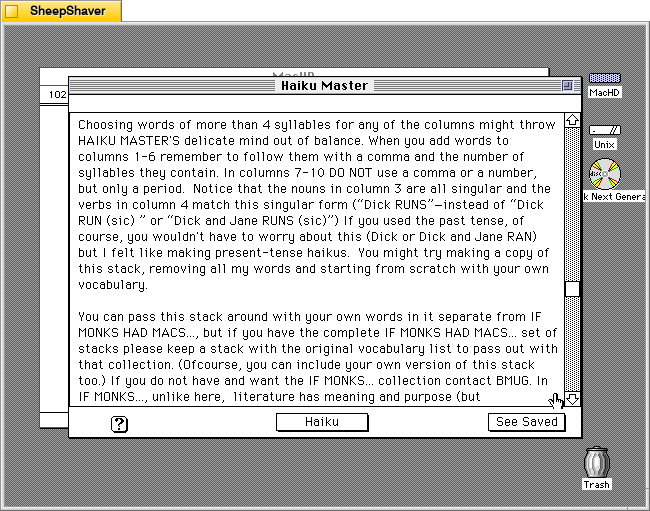
Clicking on the Help/? question mark icon in the lower left opens this screen of text titled “How the HAIKU MASTER Works.” It explains how it pieces together a haiku of 17 syllables using the words from the 10 categories of word lists as needed. The following two images continue the explanation.
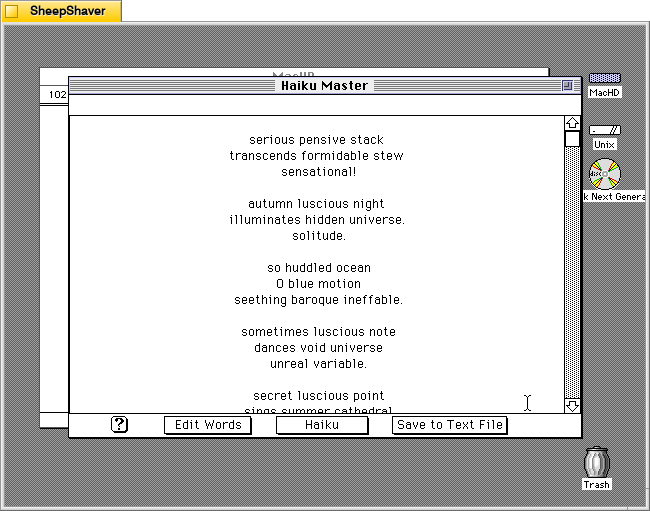
Clicking on “See Saved” on the screen above or from the main haiku composition window leads you to a running list of previously generated and saved haikus shown below.
From this screen, you can click on “Save to Text File” to save the haikus in an editable text file, or you can click on “Haiku” on the bottom of this screen to take you back to the main composition window shown below.
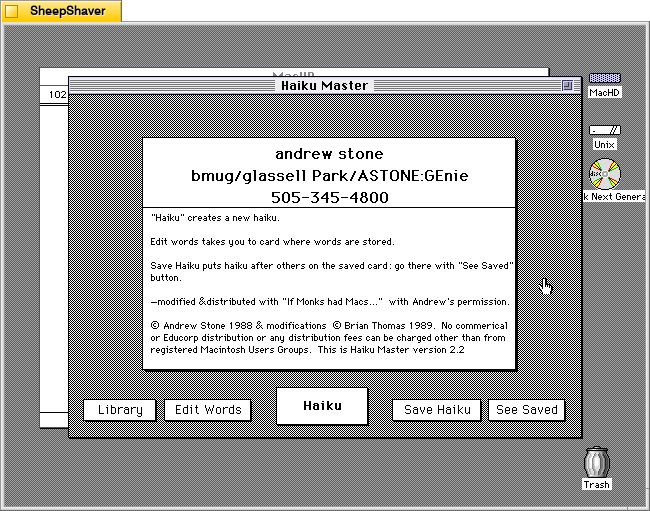
Clicking on “Haiku Master” above the haiku composition area leads you to the about screen shown below.
The about screen provides Andrew Stone’s contact information, including his GEnie username. It noes that this copy was “modified & distributed with ‘If Monks had Macs…’ with Andrew’s permission.” The modifications were made by Brian Thomas in 1989. It notes this is Haiku Master version 2.2.
Brian Thomas is the developer who put together If Monks Had Macs . . .. It was distributed by The Voyager Company, a company that innovated early ebooks for Macintosh called Expanded Books and multimedia CD-ROM titles, which I’ve written about previously here, here, here, here, and here.
This reminds me that during my first year in Brooklyn, Bob Stein, co-founder of Voyager Company, co-founder of The Criterion Collection, and co-director of The Institute for the Future of the Book, reached out to me (I think on Twitter–I hadn’t left the platform yet at that time–as I had shared some things about William Gibson’s Sprawl Trilogy Expanded Book published by Voyager) and graciously spoke with me at his home in Williamsburg one snowy afternoon about Voyager Company, Expanded Books, and personal computer pioneers he was friends with.
Continuing my exploration of pre-AI text and image generating software, I would like to share some screenshots and information about Robo Riter 3.1, a text-generating program for Macintosh that specializes in haiku, French lai, ballade, and limericks, created by Douglas L. Lieberman, a writer and producer in television, film, and computer multimedia projects.
Robo Riter has the tag line, “Composes poetry at the click of a button!” And, on his archived website’s contact page, he offers it for download if “you can’t afford to hire a writer.”
Lieberman wrote the follow abstract when he submitted his program to the pre-1999 info-mac archive (there was a massive purge of software on info-mac that removed Robo Riter and other software from later versions of the info-mac archive after 1999):
From: (Douglas L. Lieberman) rocketriter@earthlink.net Subject: Robo Riter
Robo Riter -- the automatic poetry machine! Composes poems at the click of a button, no two ever alike. Robo Riter can create profound and deeply moving Haiku, French Lai, Ballades and even Limericks. Amaze your friends! Mystify your neighbors! Be the first on your block to own Robo Riter, for Poetry On Demand!
Created with SuperCard 3.0
System requirements: * System 7.6 and above * Power Macintosh or 680X0 with at least 16 MB of RAM * 2 MB of hard drive space
-- Douglas L. Lieberman Rocket Riter, Inc. Screenwriting for Interactive Media, Stage & Screen Visit my website at: http://home.earthlink.net/~rocketriter/
I am indebted to adespoton on MacintoshGarden.org for finding a copy of Robo Riter stored in a 1998 archive of info-mac that was once hosted by Apple Computer. You can browse the directory of programs that includes Robo Riter here.
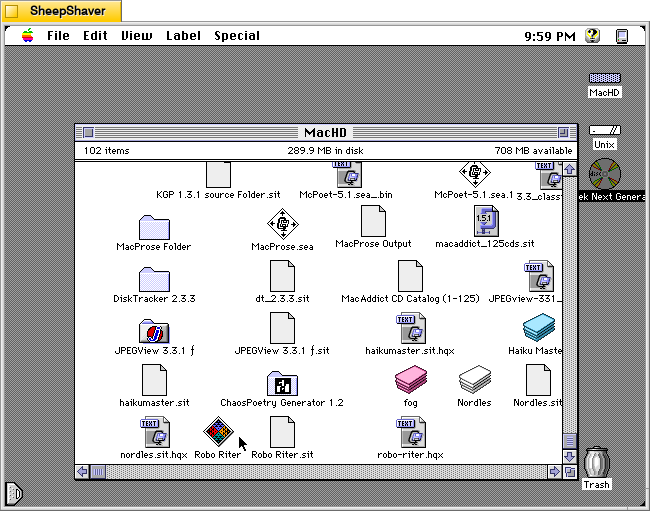
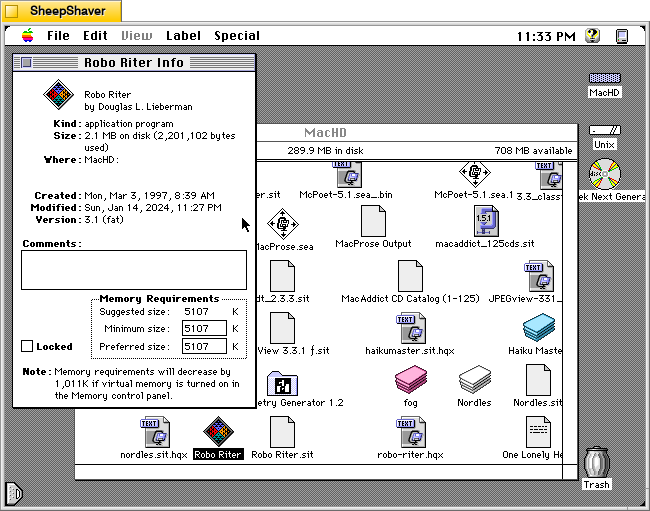
Before launching Robo Riter, the Get Info window shows that it was created on 3 Mar. 1997. It is a “fat” application, meaning that it can be run on 68k and PPC Macs. It’s suggested memory size is 5,107 K, and its minimum and preferred memory sizes are populated with that value. As I’m running this in SheepShaver, I can’t turn on virtual memory to realize that 1,011 K memory savings mentioned in the Note at the bottom of the window.
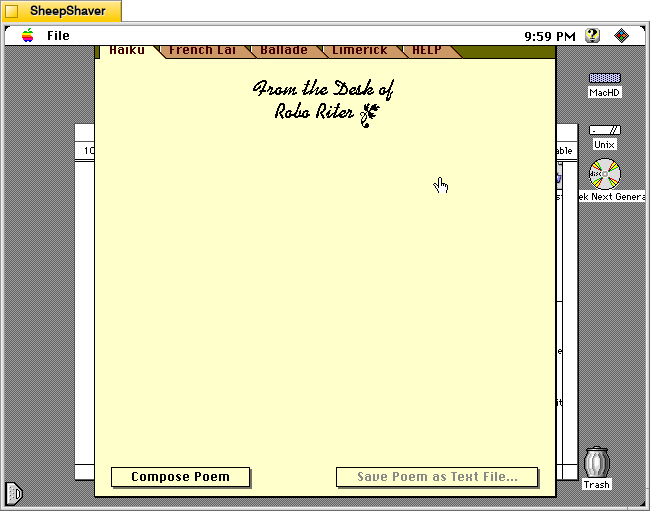
When Robo Riter is first launched, the window above serves as the main interface for the program. It has tabs across the top of the window for Haiku, French Lai, Ballade, Limerick, and HELP. Below the tabs is the monogram, “From the Desk of Robo Riter” followed by a blank space. At the bottom of the window are two buttons: Compose Poem and Save Poem as Text File. Unlike some of the other text generating programs, there are no options and there are no editable corpus or word lists external to the program itself.
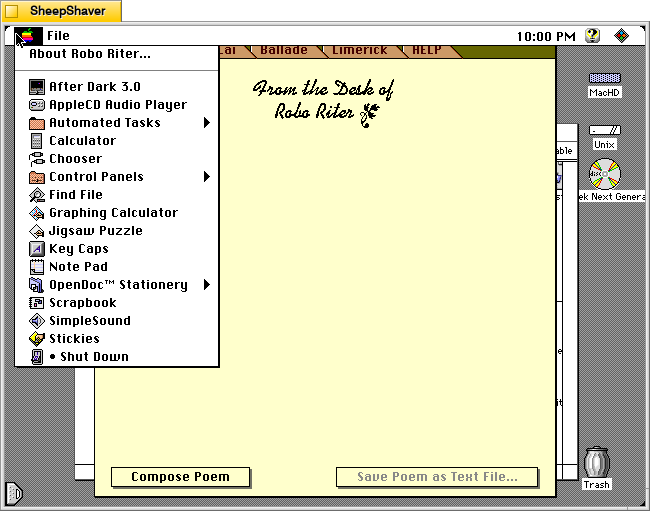
Before looking at Robo Riter’s compositions, let’s check out the two menus. The Apple menu yields “About Robo Riter.”
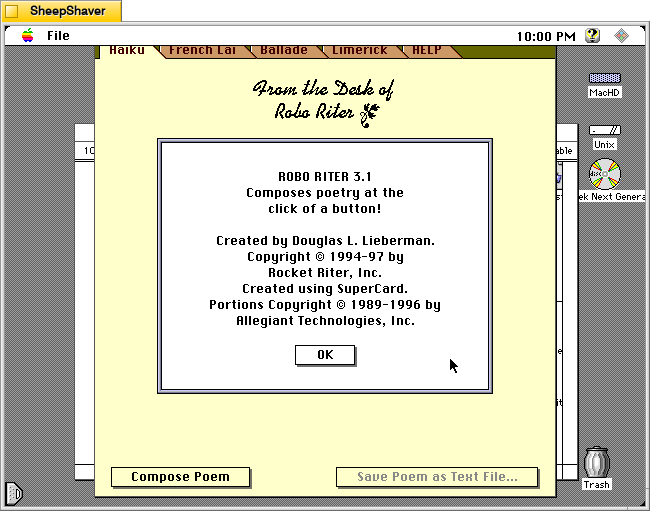
The About Robo Riter window indicates that it was built using SuperCard, an application development environment that is like HyperCard on steroids. At the time, Allegiant Technologies had acquired SuperCard.
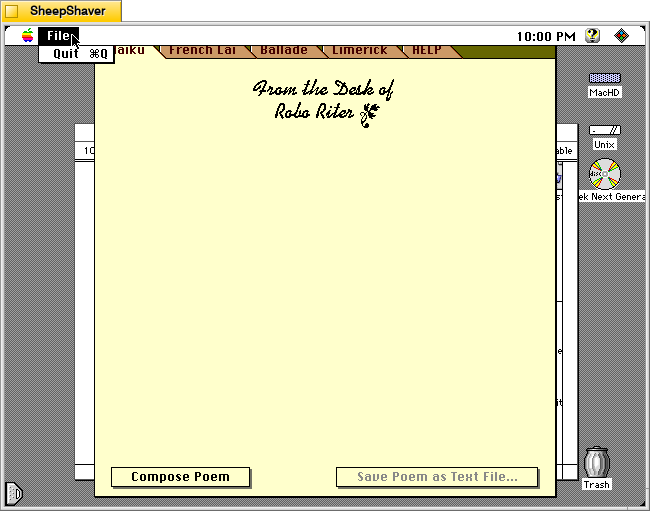
Robo Riter’s File menu only has the option to Quit the program.
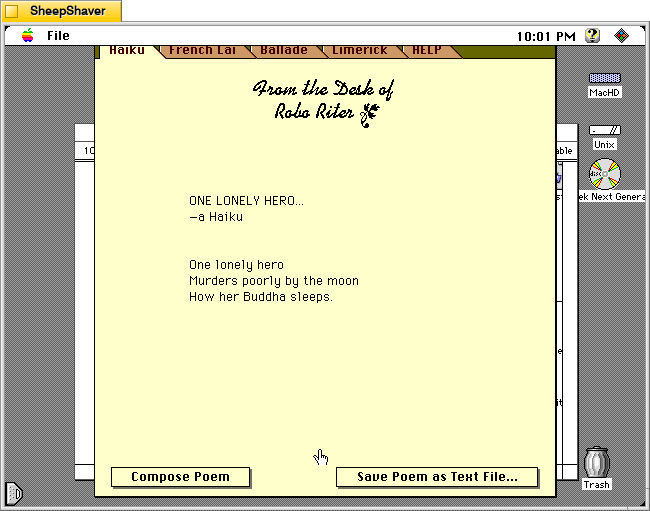
Returning to the main window and the Haiku tab, clicking on the Compose Poem button results in a haiku written by the program after the program shows a series of three messages or thoughts with corresponding musical notes. For example, it displayed “Letting my mind go whoosh!,” “Counting syllables on my chins,” and “Meditating with profound fervor” before showing the resulting “ONE LONELY HERO” haiku, which appears a word-at-a-time like watching an LLM reply in a chat.
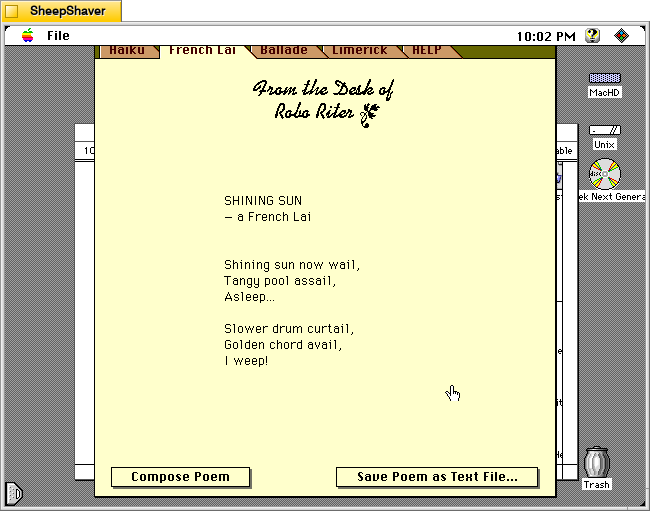
After clicking on the French Lai tab, I clicked on Compose Poem. It’s pre-generation text was: “Researching a rather violent subject,” “Illuminating its dynamic aspects,” and “Developing theosophical influences.” Then, the “SHINING SUN” French Lai played across the screen.
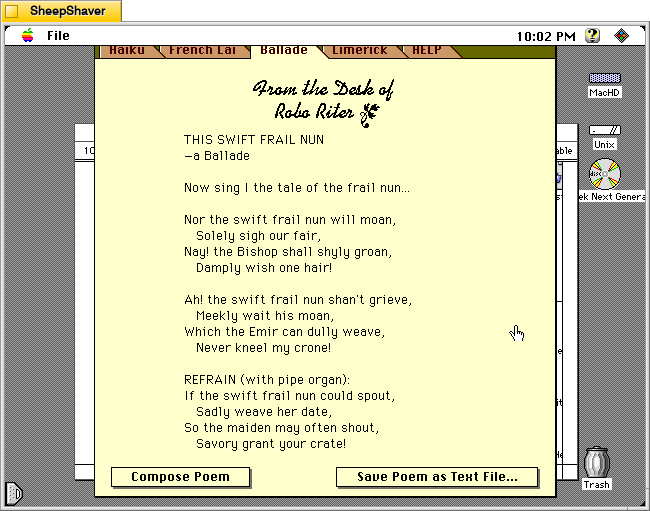
Next, I clicked on the Ballade tab and selected Compose Poem. It’s pre-generation text was: “Developing a down to earth topic,” “Overlaying sea-faring themes,” and “Selecting perfectly matched rhymes, and rhythms.” Then, “THIS SWIFT FRAIL NUN” appeared in the composition area in the window.
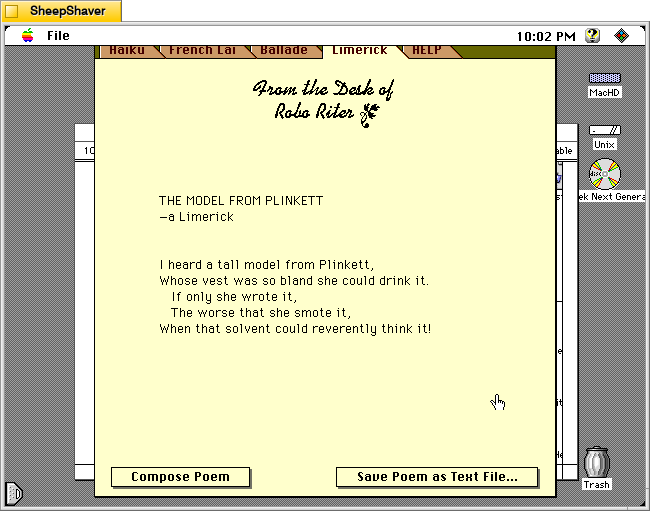
The Limerick tab proved a little irreverent compared to the other composition tabs, which is fitting, I suppose, given the genre. After pressing Compose Poem,” “Selecting a theme and a punch line” appeared with a corresponding musical tone. Then, “Assembling ill-considered rhymes” appeared with a fart sound, and finally, “Convulsing at my own jokes” with a recorded “whoops” sound before showing “THE MODEL FROM PLINKETT” limerick.
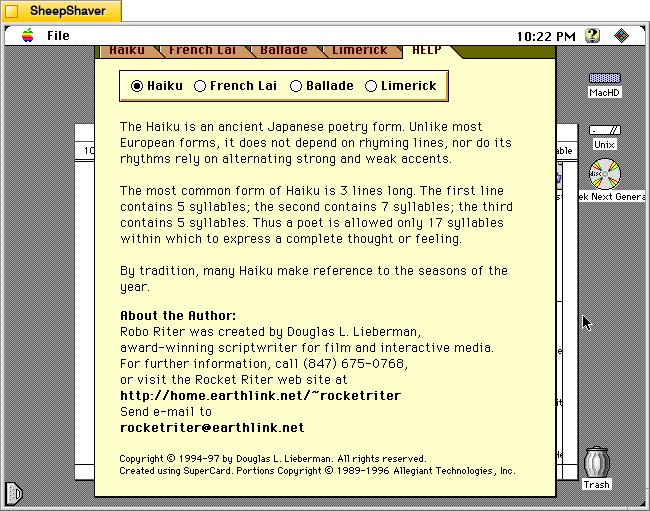
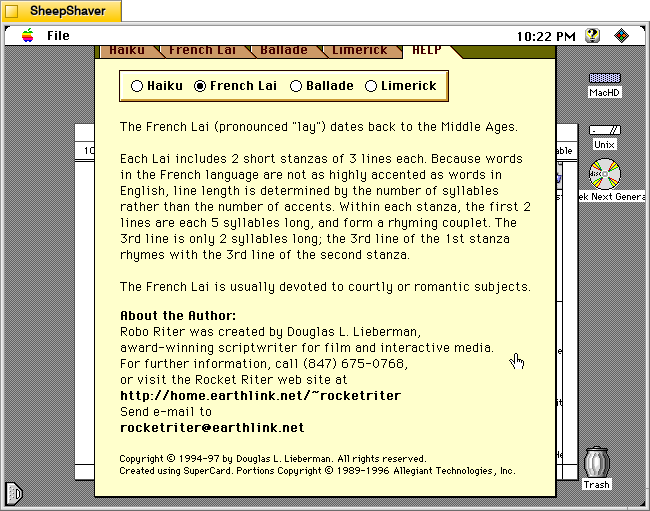
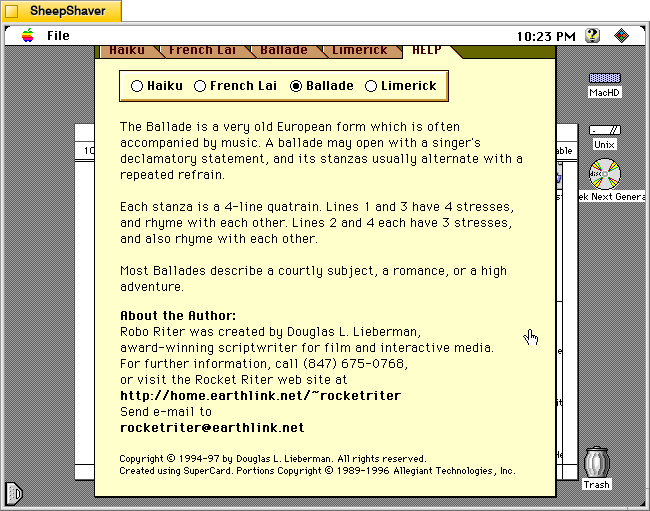
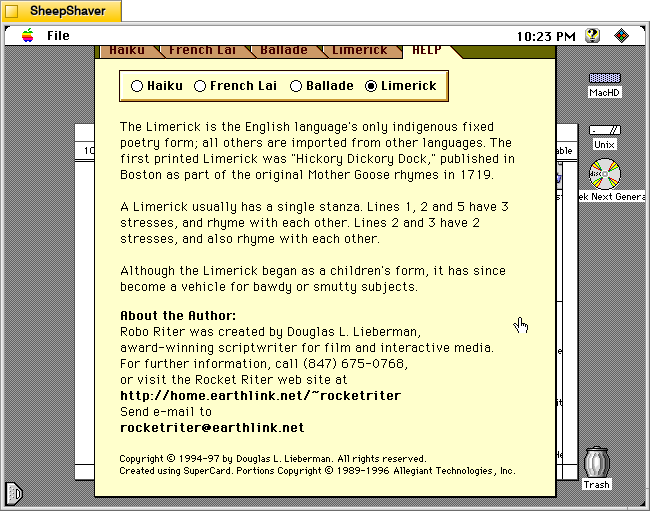
The HELP tab has sub sections accessible via selecting the radio button next to Haiku, French Lai, Ballade, or Limerick.
Each of these help sections provide an explanation of that genre of poem’s construction, context, and purpose.
Robo Riter is more a black box than some of the other text generating applications that I’ve written about before. But, it’s compositions through several iterations seem quite good and interesting. Lieberman seems to have done good work behind the scenes to make his program produce what I read on the few trials that I did.
These images are called Brain in a Box 1, 2, and 3. The idea behind them was a electronic-organic computer assemblage that fit into a 19″ server cabinet. The brains are modeled on my fMRI scans, and the background cabling and box perspective come from another controlnet layer using a snapshot of a networking setup with bundles of ethernet cables. The lighting details and computing element details varied based on my prompt.
I liked how #2 seems like a universe of constellations of lights and wires beneath a transparent brain-shaped cover.
Number 3 is the brightest of the series. Its brain combines the previous two aspects–transparency and brain folds.
This is another image from the series that includes this previous post. I call it Brain Connections. I made it with A1111 and controlnet configured with an image from my fMRI scan. Thinking about how generative AI systems are building up different expert combos to best respond to queries and how they are linking together different kinds of systems that handle different multimodal aspects of advanced systems (e.g., STT/speech recognition > input > generative AI > TTS > output), it reflects how many such brains will make up the generative AI systems we will be using going into the future. This is opposed to singular, monolithic AI systems depicted in films like WOPR in WarGames (1983).