Category: Equipment

  • Ditched Roku for a Discounted Origimagic Ryzen 5 Mini PC

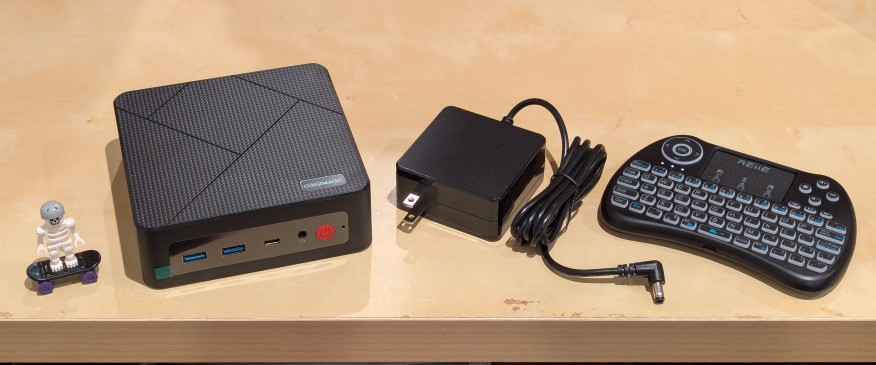
    lego minifigure skeleton on skateboard next to origimagic c4 mini pc, power adapter, and handheld keyboard with trackpad

    I’ve been unhappy with Roku’s increasing advertising through images and now full-motion video and their lack of support for a variety of codecs in their media player app. So, I’ve been looking for awhile for a good deal on a mini pc that could replace the Roku for playing media and also support some light gaming. Also, considering the impending tariffs (i.e., a tax on Americans), I hoped to find something as soon as possible.

    After tracking several mini pcs on Amazon and eBay for a few weeks, I finally pulled the trigger when Amazon offered the Origimagic C4 Mini PC with a Ryzen 5 3550H (4 core, 8 threads) on sale for $153. It’s CPU has a lot more horsepower while using 25 watts of power than Intel’s similarly priced mini pc processors. It came stock with 16GB DDR4 RAM, 512GB PCIe SSD, 1 x Type-C USB, 4 x Type-A USB (3 are USB 3 and 1 is USB 2), headphone jack, HDMI, DisplayPort, and dual ethernet.

    To operate it from the sofa, I got a $10 reiie H9+ Mini Keyboard with Touchpad that uses a wireless USB adapter to connect to the mini pc.
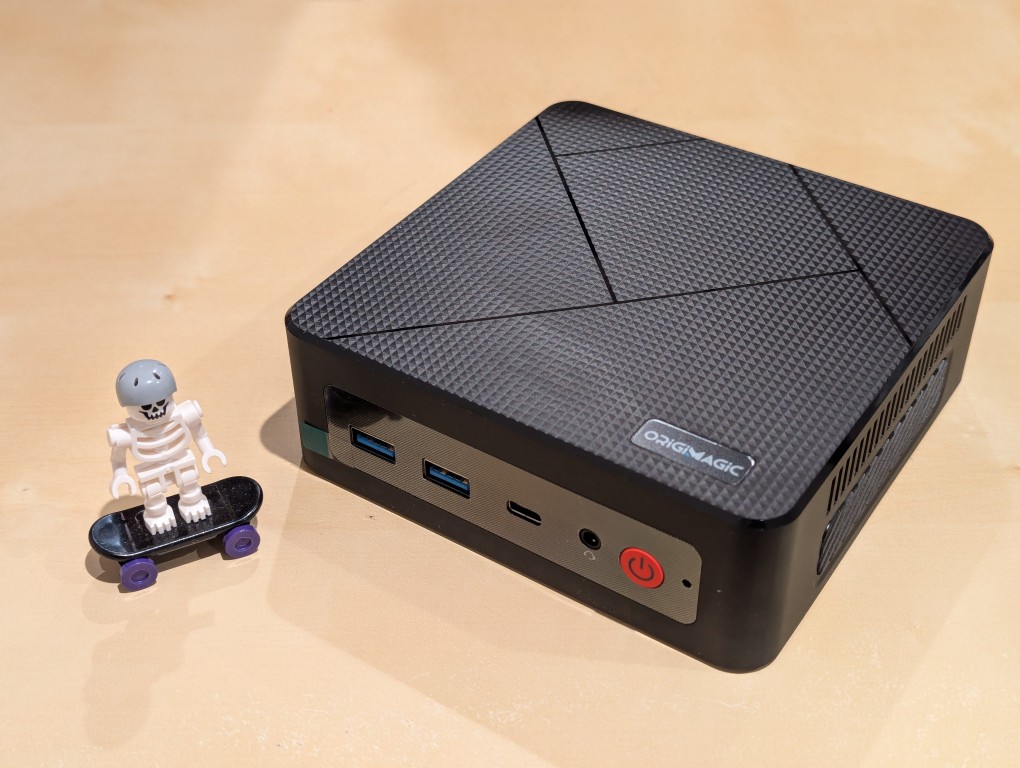
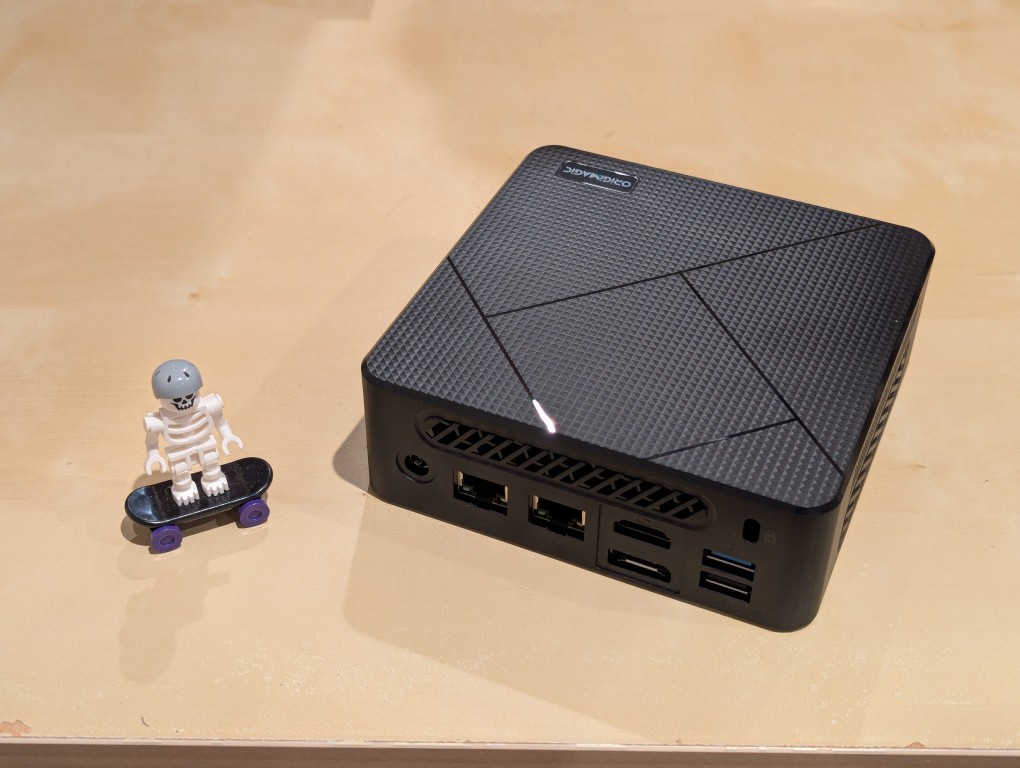
    lego minifigure skeleton on skateboard next to origimagic c4 mini pc
    lego minifigure skeleton on skateboard next to origimagic c4 mini pc

    Before setting anything up, I created a flash drive with Debian 13 Trixie, the latest version that was released over the weekend on Saturday.

    To do this, I inserted a 16GB flash drive into my workstation, but I didn’t mount the device. I downloaded the network install ISO for Debian 13 from here. Then, I ran lsblk in a terminal window to see what device address corresponded to the flash drive. It’s important to not make a mistake here, because it’s easy to overwrite another drive using this method. lsblk lists the devices, which are all in the “/dev/” folder, so when I saw that my flash drive was assigned the address “sdb”, I knew that its full address was “/dev/sdb”. With that info, I then wrote the downloaded Debian 13 netinstall ISO directly to the flash drive using this command:

    sudo cp debian-13.0.0-amd64-netinst.iso /dev/sdb

    After the copying to the flash drive had finished, I ejected it from my workstation and took it over to the mini pc. I plugged in the power adapter, ethernet cable (I arbitrarily picked the one furthest from the power plug), HDMI cable to the TV, the keyboard receiver USB, and the Debian 13 installation flash drive.

    I did experience some frustration with getting the Debian 13 flash drive to boot the mini pc. As soon as the mini pc booted, I was unable to enter BIOS or open the boot menu. Instead, it kept booting into the Windows 11 setup, which I did not want to use. At first, I thought it might be a problem with the tiny wireless keyboard and trackpad, so I switched to my Logitech keyboard and trackball, which are both tied to one Logitech USB receiver. I tried different USB plugs on the front and rear of the mini pc until I was finally able to enter bios (pushing DEL at boot) when the keyboard USB receiver is in the top-right USB port on the rear of the mini pc as shown below (it is a USB3 port). It might have been bad luck on my part with the other ports, so I can’t say this is a peculiarity with this hardware for certain. Nevertheless, it’s good to exhaust all possibilities like this.
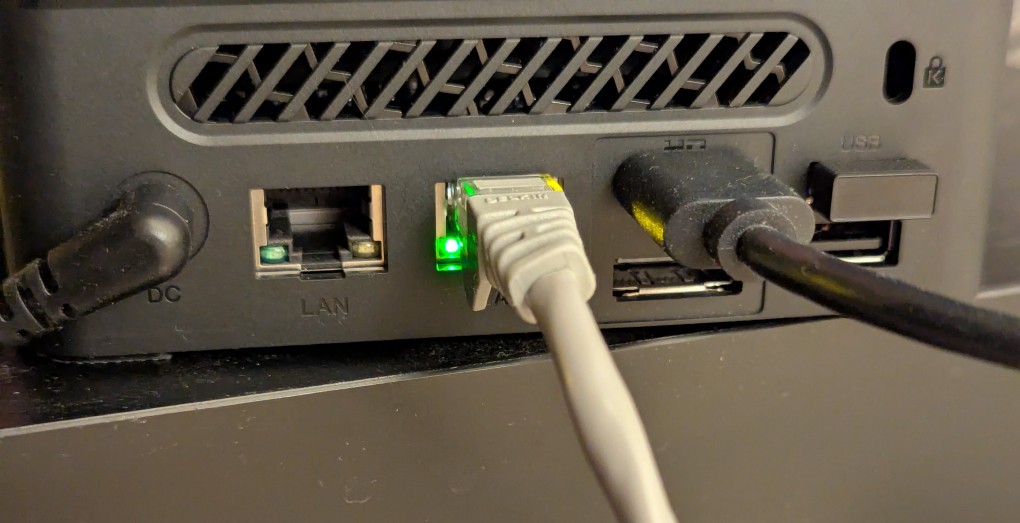
    back of mini pc: power plug, two ethernet ports (one plugged in), HDMI (plugged in), display port, and 2 usb ports (one has a tiny device plugged in)

    Once in the BIOS, there’s not many options except for disabling hardware (I disabled WiFi), turning off Secure Boot and the Trusted Computing Module, and other odds and ends. I saved the settings, rebooted, and went into the Boot Menu (F7), selected the Debian 13 netinstall flash drive, and began the installation (a full nuke-and-pave: erasing the NVMe drive and setting up Debian 13 as the only operating system).

    While I use XFCE on my laptop and workstation, I opted for the GNOME desktop environment on the mini pc, because I thought its screen controls and overall user interface would be easier to see and navigate from across the room. If I don’t like it, I can always install XFCE.

    Because two of the main sources of media for us is Netflix and YouTube, I installed Chrome to handle those sites. I have VLC and Kodi for everything else.
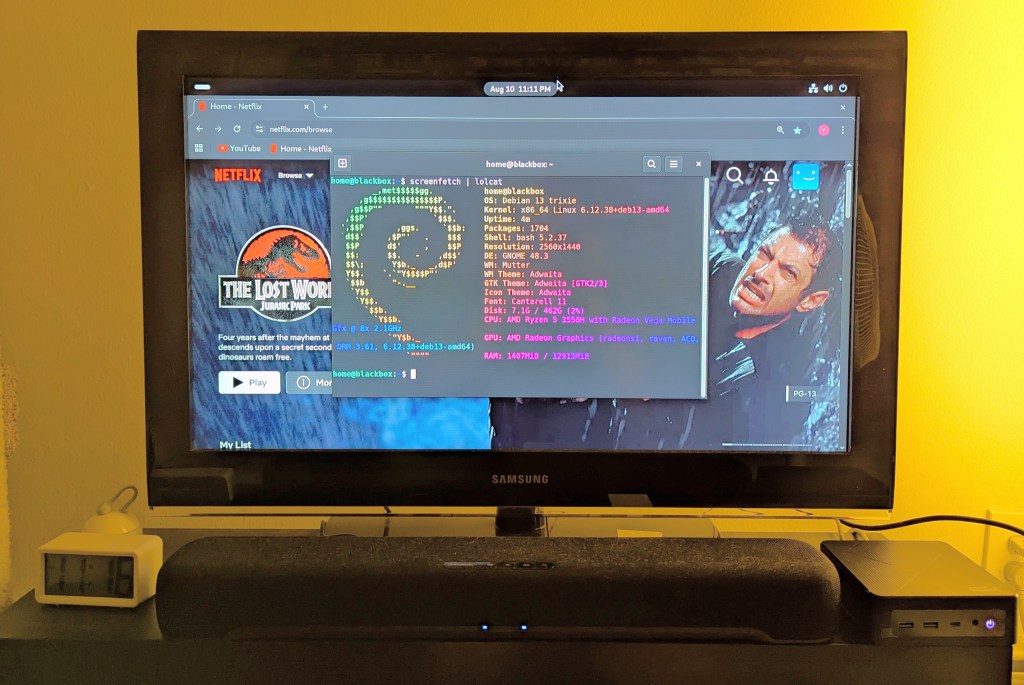

    samsung tv and soundbar with a mini pc on the right side of the tv stand. the screen is showing netflix Jurassic Park the lost world in the background while the foreground terminal shows the pc's info, which is also in the second paragraph above.
  • Tait Feed and Seed in Brunswick, GA

    a large plastic rat next to a wood sign that says Tait Feed & Seed, 50 years

    When I was visiting my folks a few weeks ago, one of our first stops was to Tait Feed and Seed in downtown Brunswick, Georgia. We needed to get three new blades for my dad’s 61″ cut Skag Tiger Cat II mower. We changed the blades and cut the grass twice while I was there. Even with such a wide cut, it takes about an hour and a half to cut the yard around their house, metal building, and the driveway from the gate, along the field, and to the house.

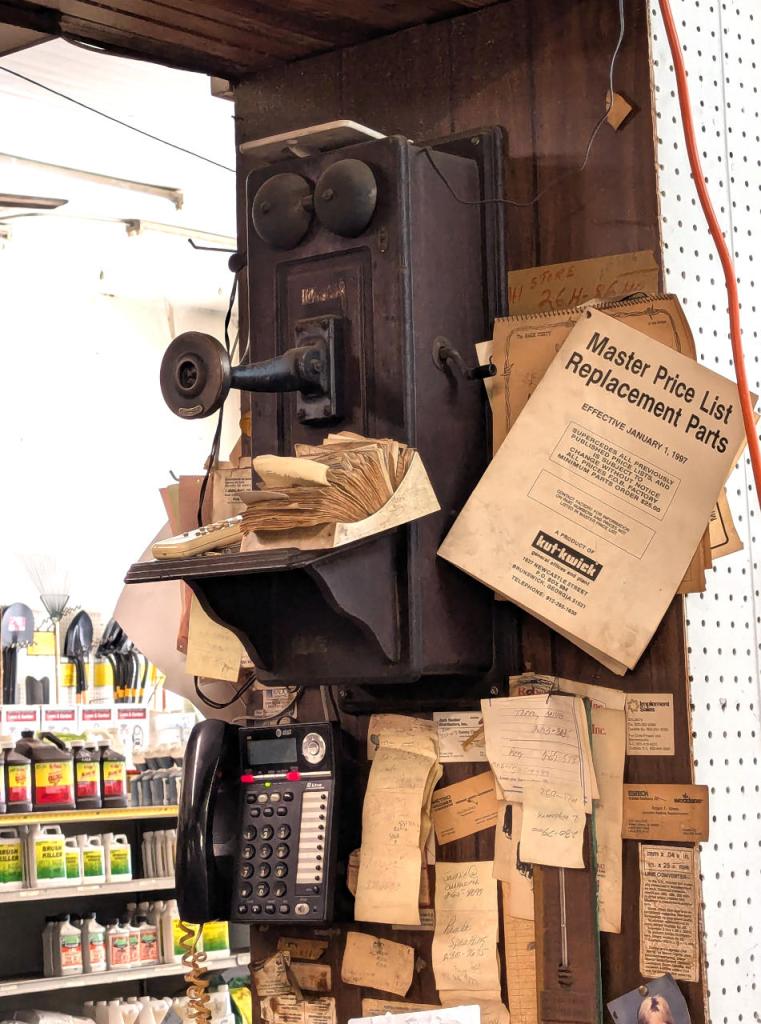
    an antique telephone mounted on a wall above a modern corded phone

    Besides the giant rat shown above, two other things caught my attention in the shop while we were there. First, they have an antique hand-crank phone stationed above their modern AT&T phone. Second, the Master Price List Replacement Parts catalog for Kut-Kwick mowers, which are designed and manufactured in Brunswick, reminded me of the first riding brush mower that I learned to use at Ellis Auto Parts on 341 Highway. I don’t know the year model, but the one I used many times was an updated version of this one from the 1960s.

  • Dorman Products Orange Metal Parts Drawers

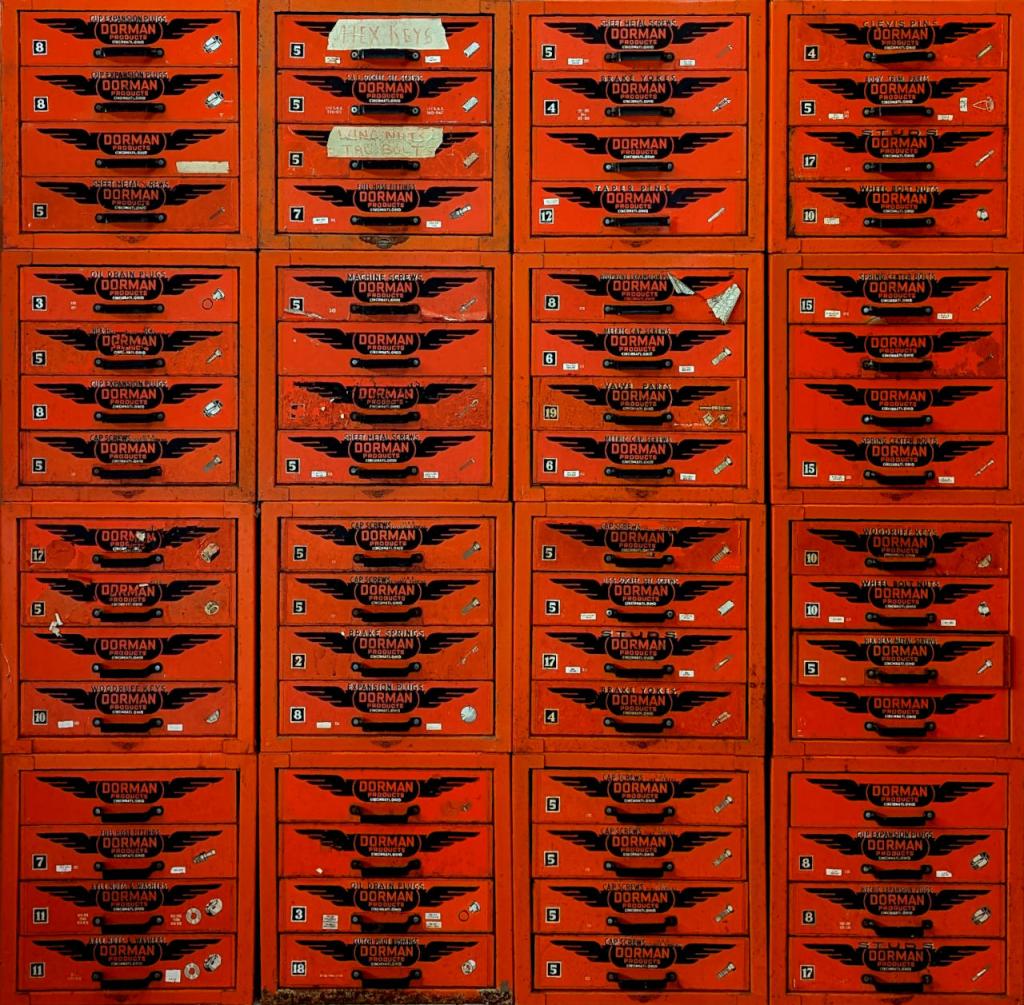
    a 4 x 4 grid of Dorman Products orange metal drawers

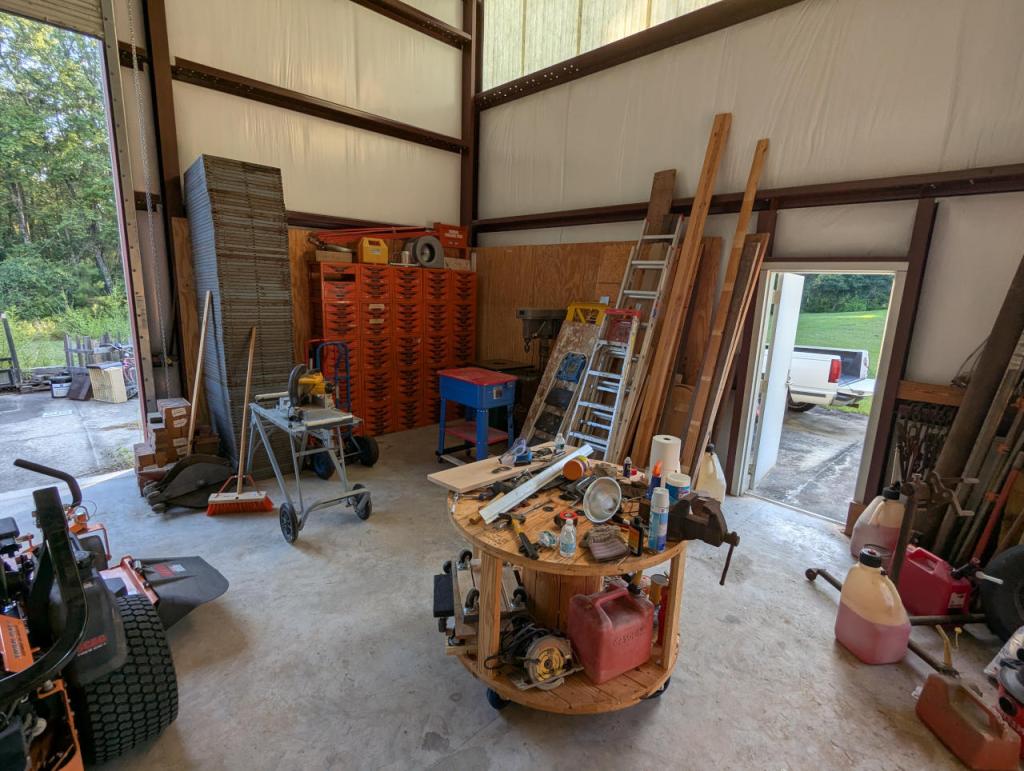
    Ellis Auto Parts, my family’s business that closed down in 1996 when my parents retired, used to carry Dorman Products, a line of automotive hardware such as bolts, nuts, washers, pins, caps, and a variety of other kinds of parts. While my dad sold a lot of our remaining stock when he closed the store, he kept a lot of unsold product and the metal drawers that we kept the stock in. When I was at home, I stacked up more of these drawers to create a grid against one wall. The full grid is 5 x 5, but I took a photo of 4 x 4 because one of the corner bins was missing a drawer that I couldn’t find–it is likely somewhere in the shop but waits to be rediscovered. I’m glad that we had access to all of these parts during my trip this time, because we made use of them in our many projects.

    inside corner of a metal building with tools, equipment, ladders, and other work related items
  • A Simple Moveable Platform for an Oscillating Spindle Sander

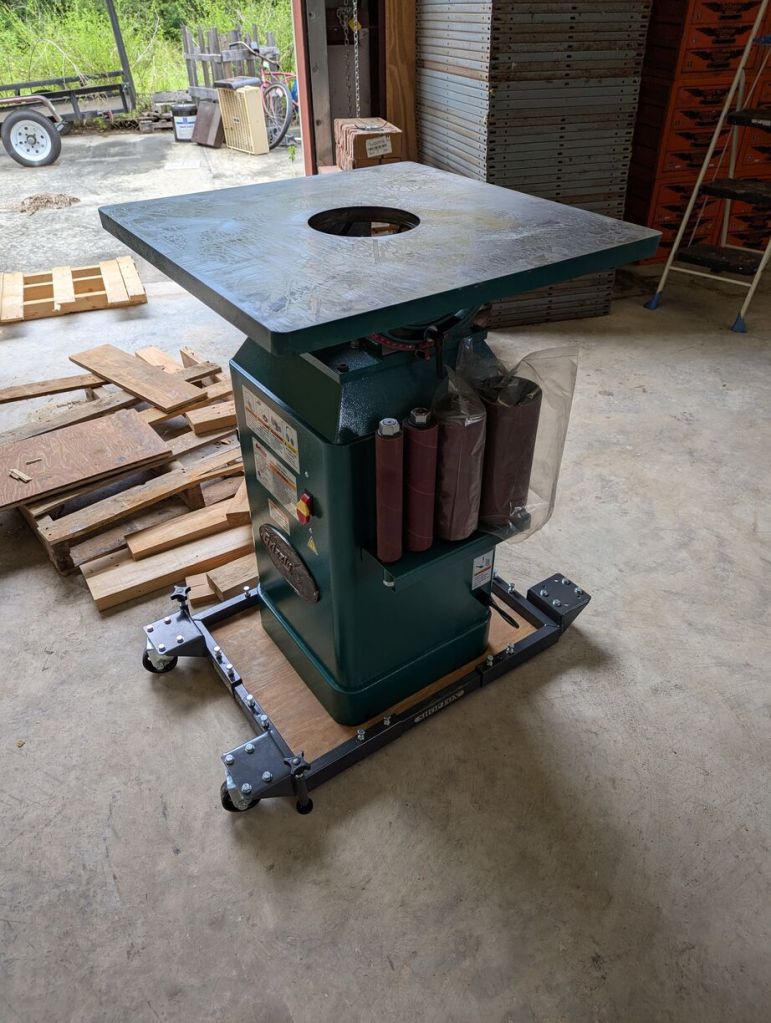
    Another project for my dad and I was setting up his Grizzly oscillating spindle sander, which had been sitting on a broken pallet for some time.

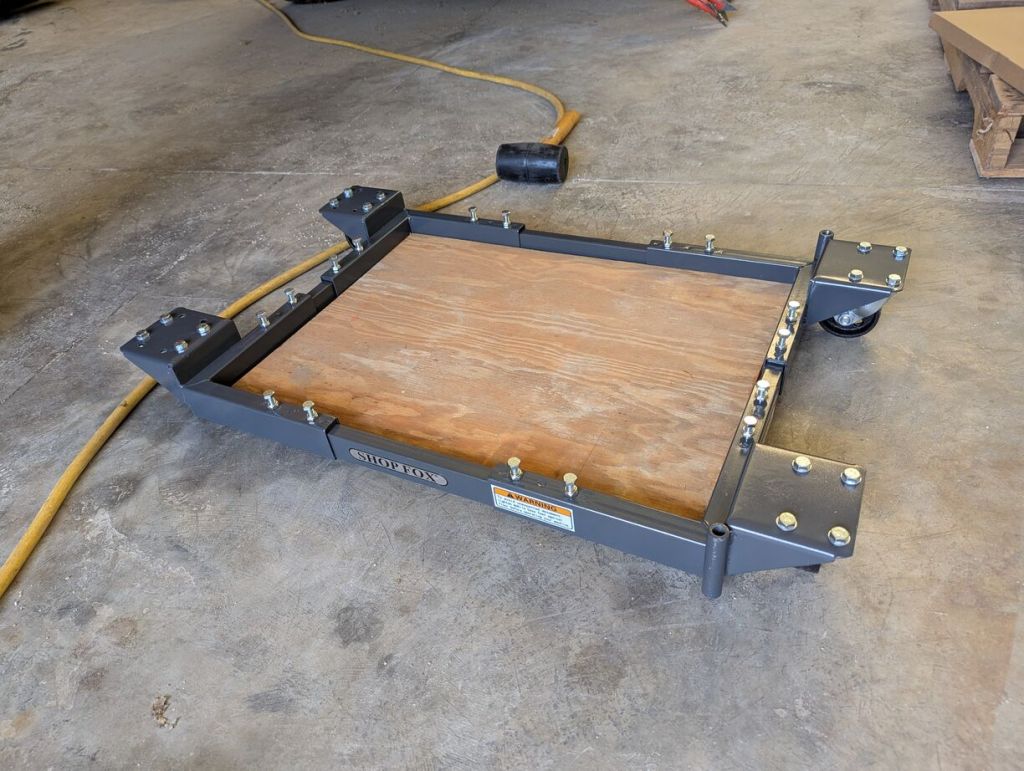
    He had a rolling Shop Fox equipment stand, but it was slightly too large for the sander’s base. So, we cut a piece of 3/4″ plywood to fill its support area and distribute the weight of the sander.

    Then, we layered some boards to create a ramp from the pallet the sander was on down to the Shop Fox equipment mover.

    When he’s ready to use the sander, the Shop Fox mover has floating feet that can be lowered to take the weight off the front caster wheels.

  • How to Lift and Lower Heavy Equipment with Car Screw Jacks

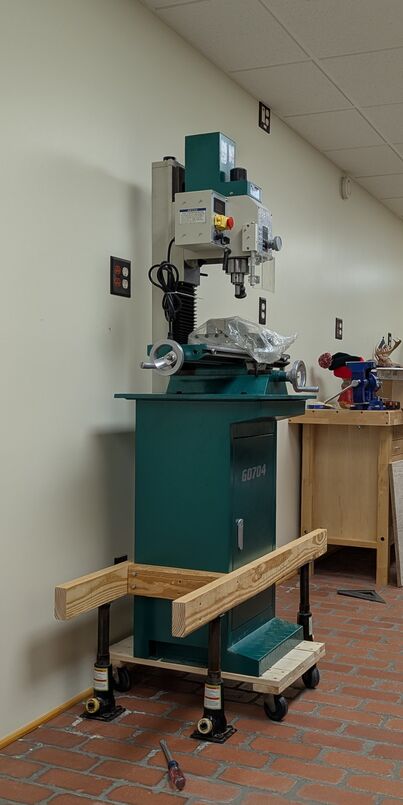
    My dad has a dozen or two of screw bottle car jacks that he used to press and hold every tongue-and-groove cypress board covering the walls and ceiling of the upper floors of their house. We made use of four of them to move two pieces of his heavy machinery into place in his shop.

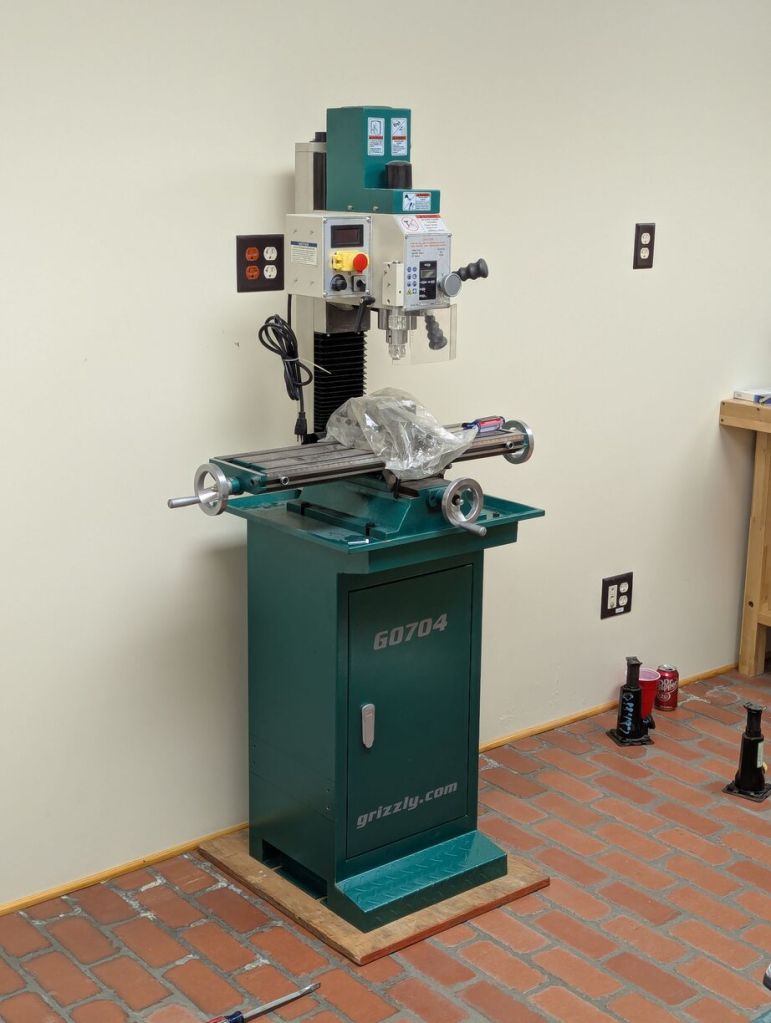
    Some time back, he purchased a milling machine and lathe from Grizzly. He had managed to get them into his shop on furniture movers. Of course, they can’t be run on those platforms, so we needed to find a way to place them flat on the shop’s floor.

    For the milling machine, which was heavier than the lathe, we drilled four holes through the metal cabinet and constructed a wood box with bolts going through the short sides of the wood box into the metal cabinet. We placed the four jacks under the long arms of the box, raised it a fraction of an inch to remove the furniture mover and then lowered the jacks until the cabinet rested on a 3/4″ plywood base that we cut to fit. Then, we removed the box from the cabinet after unbolting it and unscrewing the deck screws we had built the box with.

    If you do something similar to this, be mindful of the total reach/height of the jack and its minimum. We built the box around the cabinet at a height that allowed for a slight lift and enough lowering to allow the jacks to be removed after the cabinet was lowered.

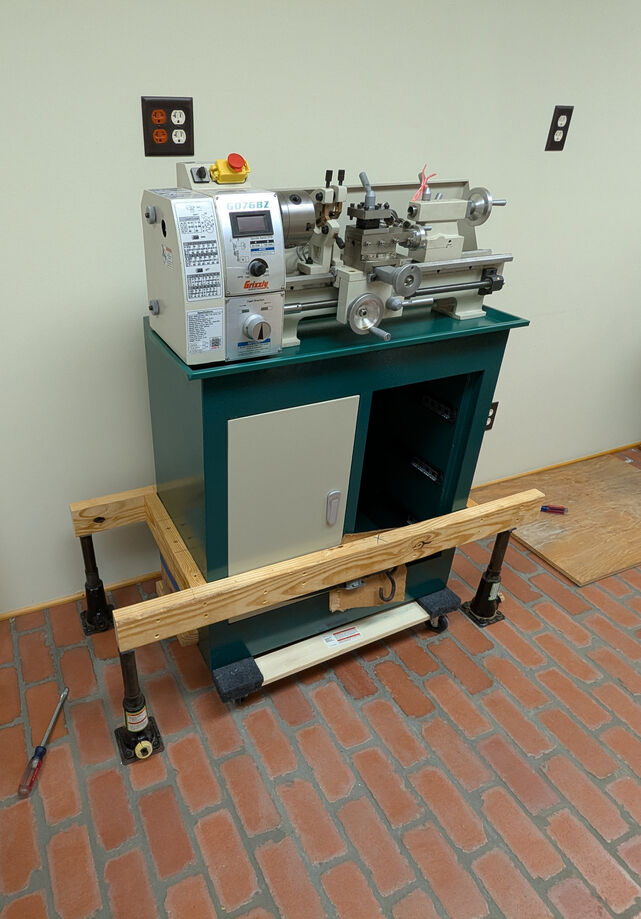
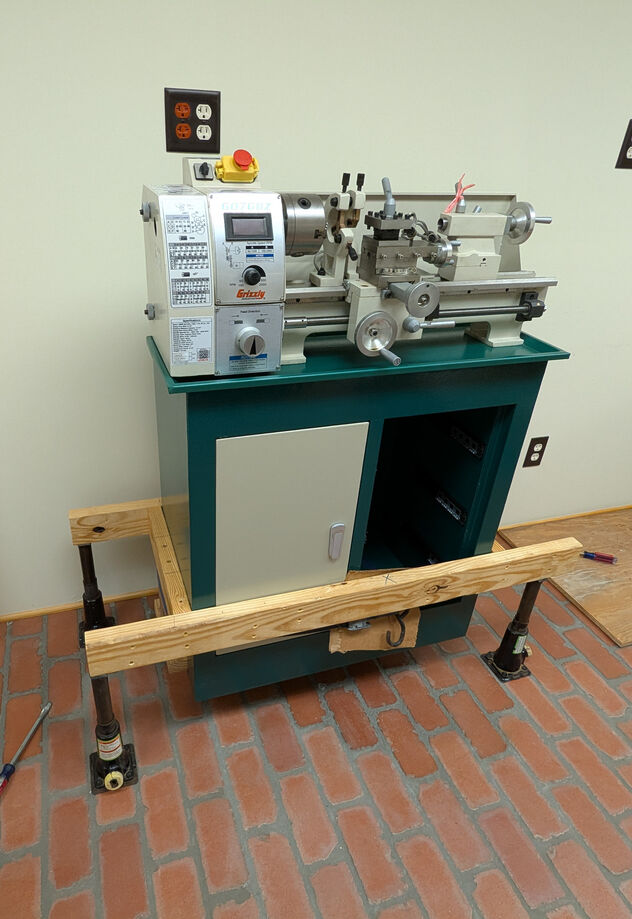
    For the lathe, we did something similar, except we couldn’t drill through its cabinet to bolt the box to the cabinet as we had done with the milling machine because it is double walled and could potentially create problems with bolt alignment (and we would need much longer bolts).

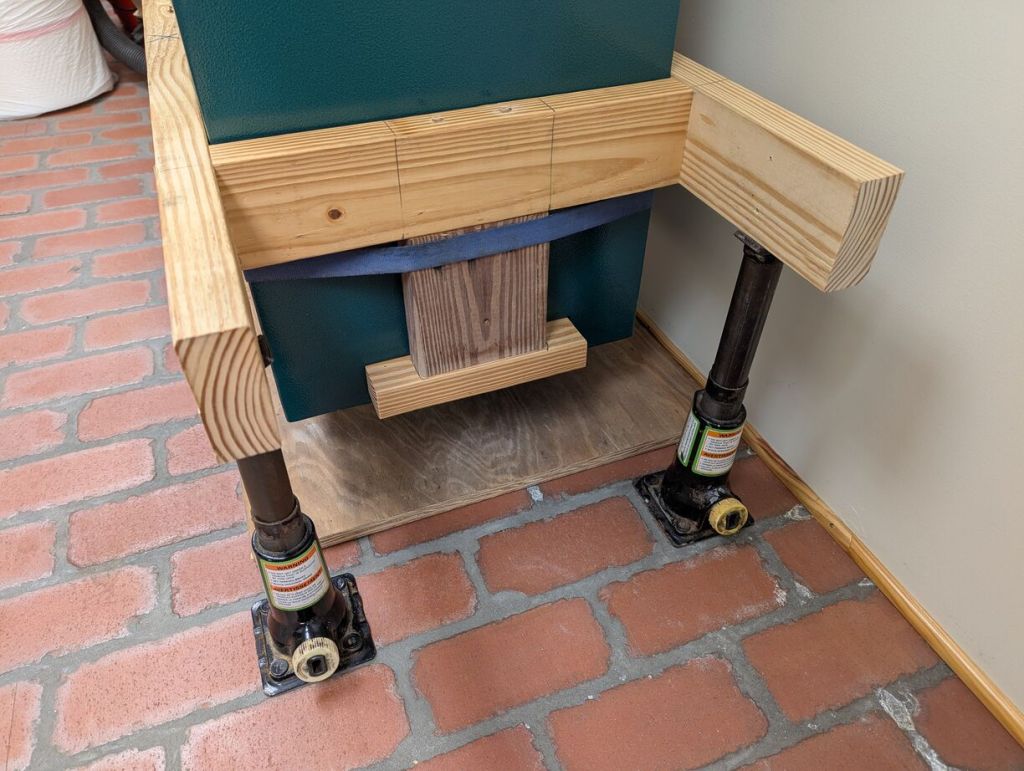
    With the lathe being lighter than the milling machine, we felt safe building the box around the lathe’s cabinet and adding two “tongs” that fit into the recesses at the bottom of the cabinet. To make sure the tongs remained in place, we put a tie strap around these and the cabinet.

    We lifted the lathe slightly to remove the furniture mover.

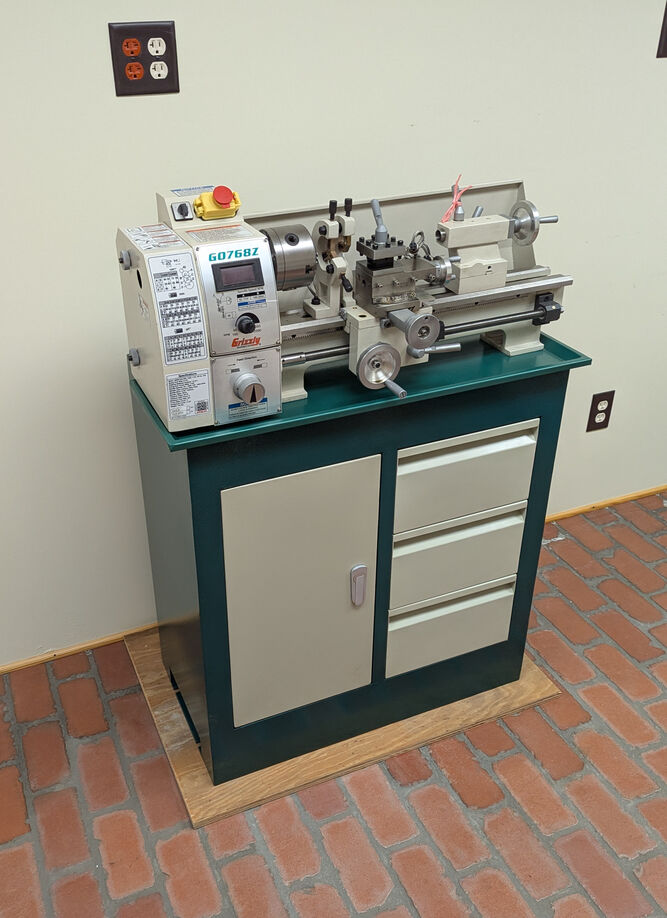
    And then lowered it onto a custom piece of plywood for it to rest on the floor.

    When you don’t have the muscle or manpower, use the tools at hand to get things done. As William Gibson writes, “the street finds its own use for things.”