Category: Equipment

  • How to Build a Moveable Workbench Out of a Wood Wire Spool

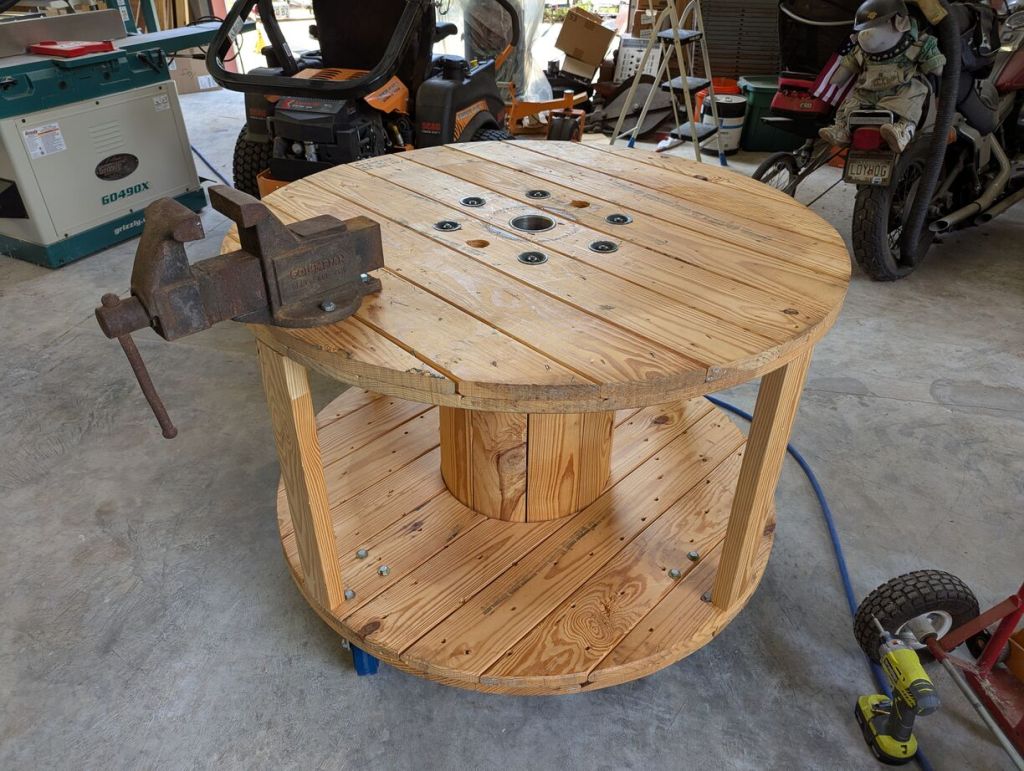
    round wood workbench on caster wheels with a metal vice mounted on top

    When I recently visited my folks in Georgia, one of my projects was helping my dad clean up his shop so that he could more easily work in it. Over the years, it had become more and more cluttered. Perhaps most urgently, many tools were strewn about on the floor. I proposed turning a 48″ diameter wood spool that he had gotten from an electrical supply company into a moveable workbench. While the spool would take up roughly the same space, it would create two surfaces for storing tools and getting work done at elbow height. And, giving him a place to put tools when not in use where he could get them without bending over, would be a positive development, too.
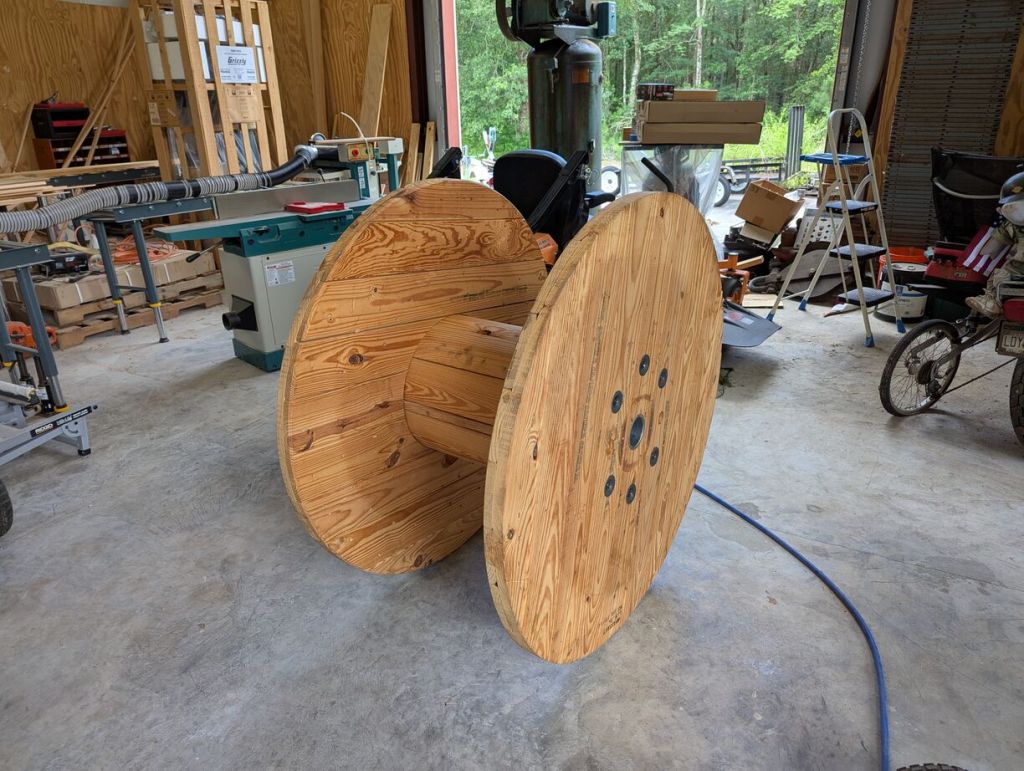
    48" wood spool for holding electrical wire

    The wood spool is approximately 48″ diameter and 28″ tall.
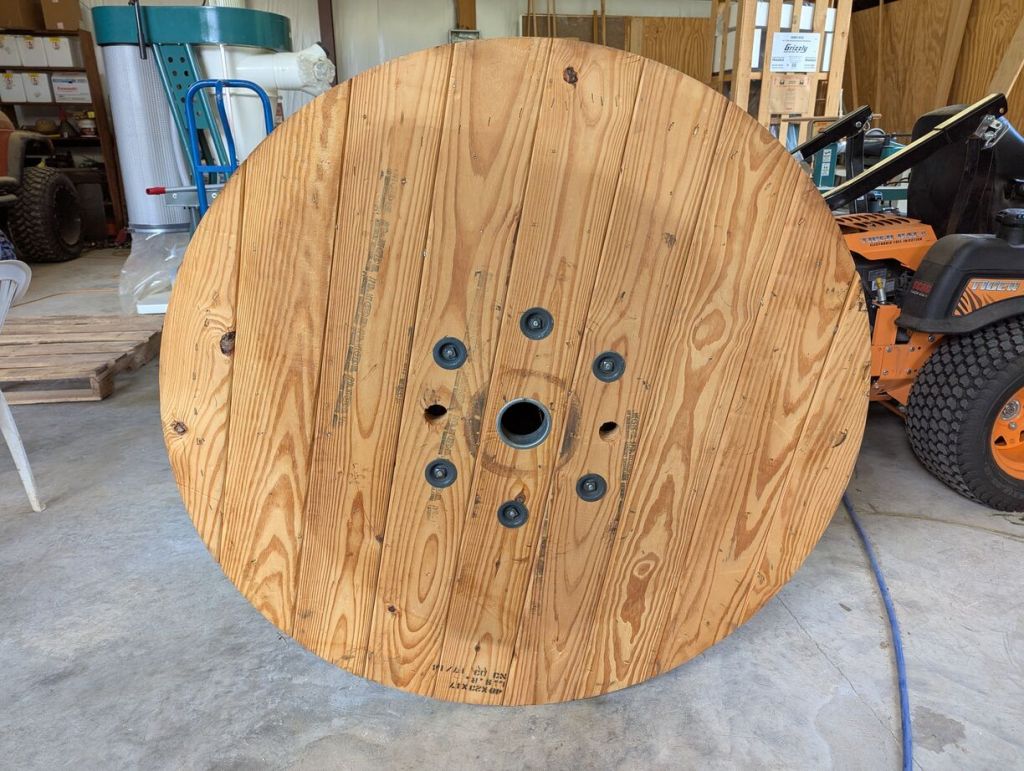
    top surface of round wood spool

    This side was cleaner and had no obvious problems for working on a roughly flat surface. It would be the top of the workbench.
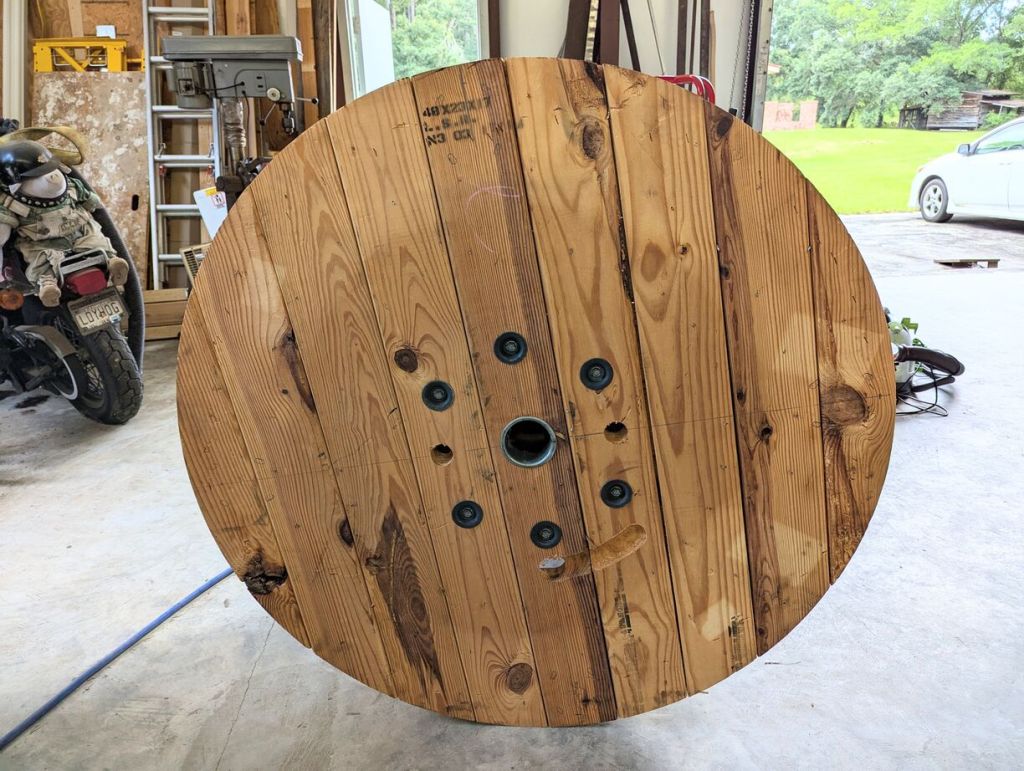
    bottom surface of wood spool

    We designated this side the bottom due to its rougher appearance and extra hole with arced routing (to secure the wire it once held?).
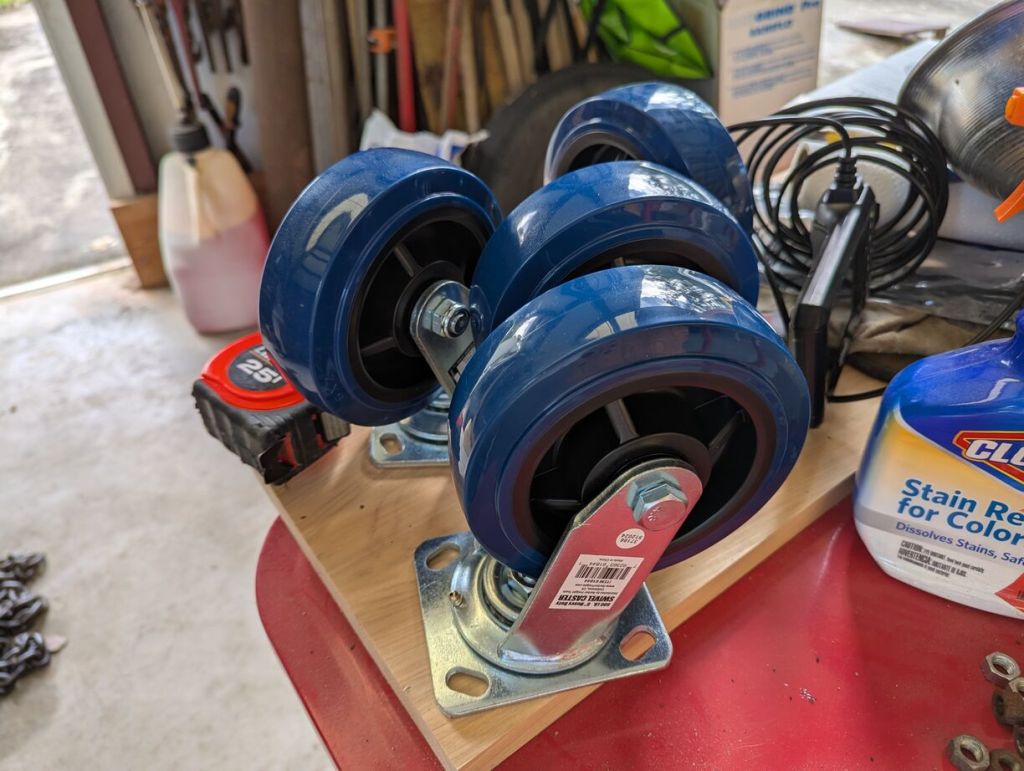
    set of four 6" caster wheels

    We picked up four 6″ caster wheels with grease fittings from Harbor Freight. These measure approximately 7″ tall including the base. Connected to the spool, these wheels will give the completed workbench an approximately 35″ height.
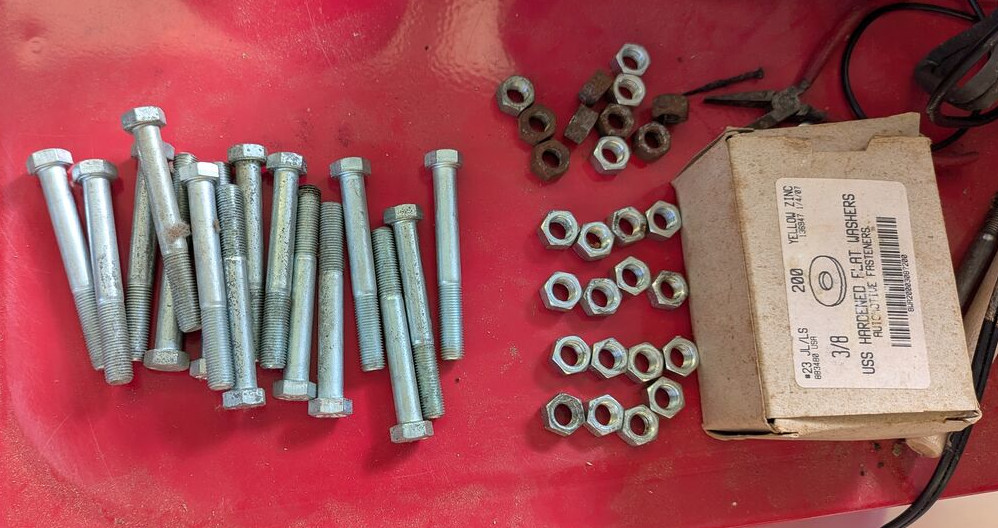
    bolts, nuts, and washers on a red metal surface

    After closing Ellis Auto Parts, my dad kept a lot of hardware that wasn’t sold, so we were able to find all of the bolts, nuts, and washers that we needed. To connect the wheels to the wood spool, we used 3/8″ x 3″ bolts with washers on top and bottom, and we used two nuts per bolt to lock the bolt (we couldn’t find any 3/8″ lock washers).
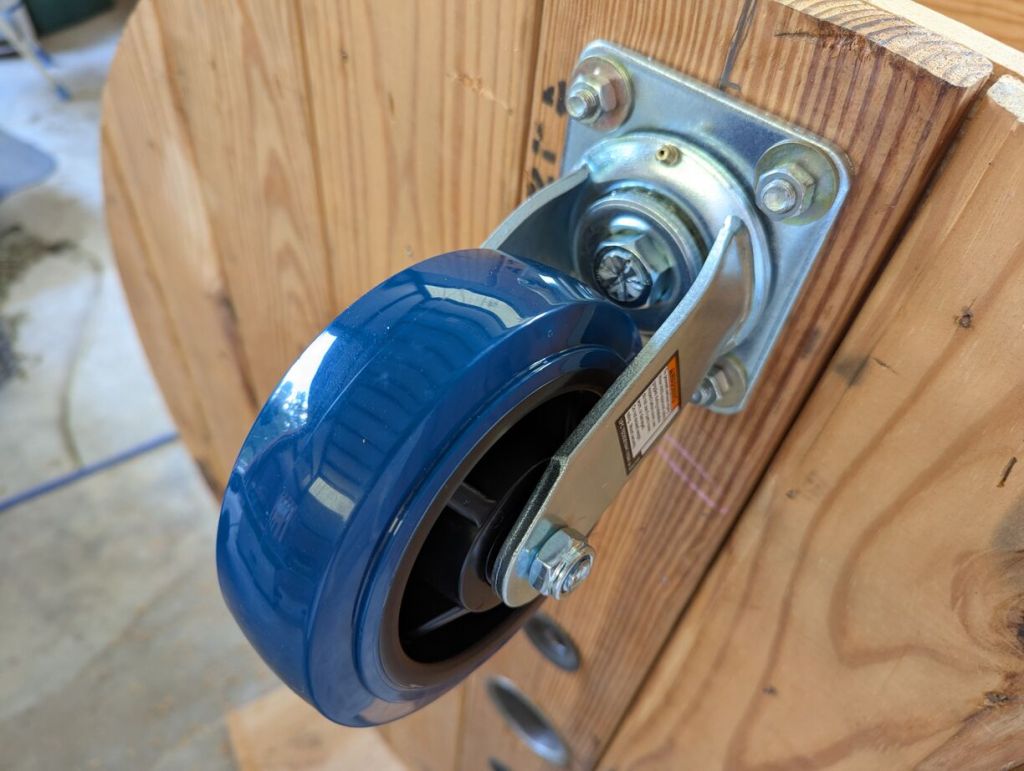
    caster wheel installed with one set of nuts before locking nuts installed

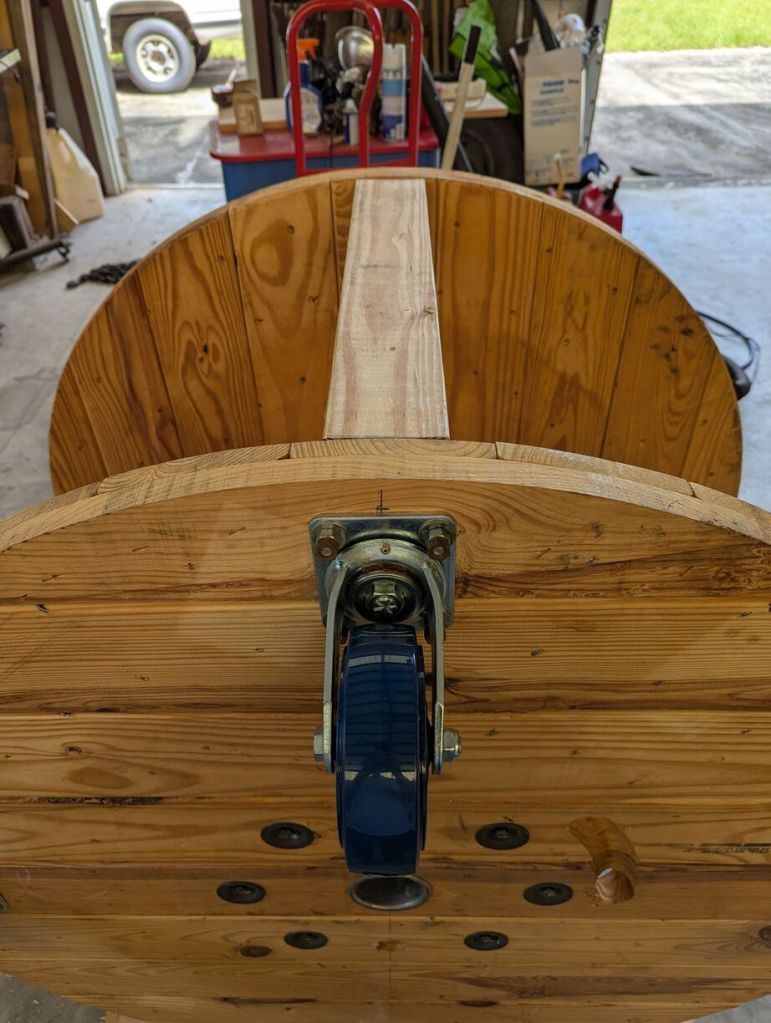
    To install the wheels on the bottom of the spool, I first selected one diameter line and marked it with a pencil. Using a square, I drew a perpendicular line through the center for the other two wheels. I knew that we were going to reinforce the workbench top with 2″ x 4″ boards cut to length, so I allowed enough room for drilling holes and driving screws through the spool ends into the 2″ x 4″s. I marked that distance (2″) from the outer edge along the diameter lines that I previously drew. Then for each wheel placement, I held a wheel where I had marked, centered it, and used a pencil to draw in the four holes at the corner of the caster wheel base.
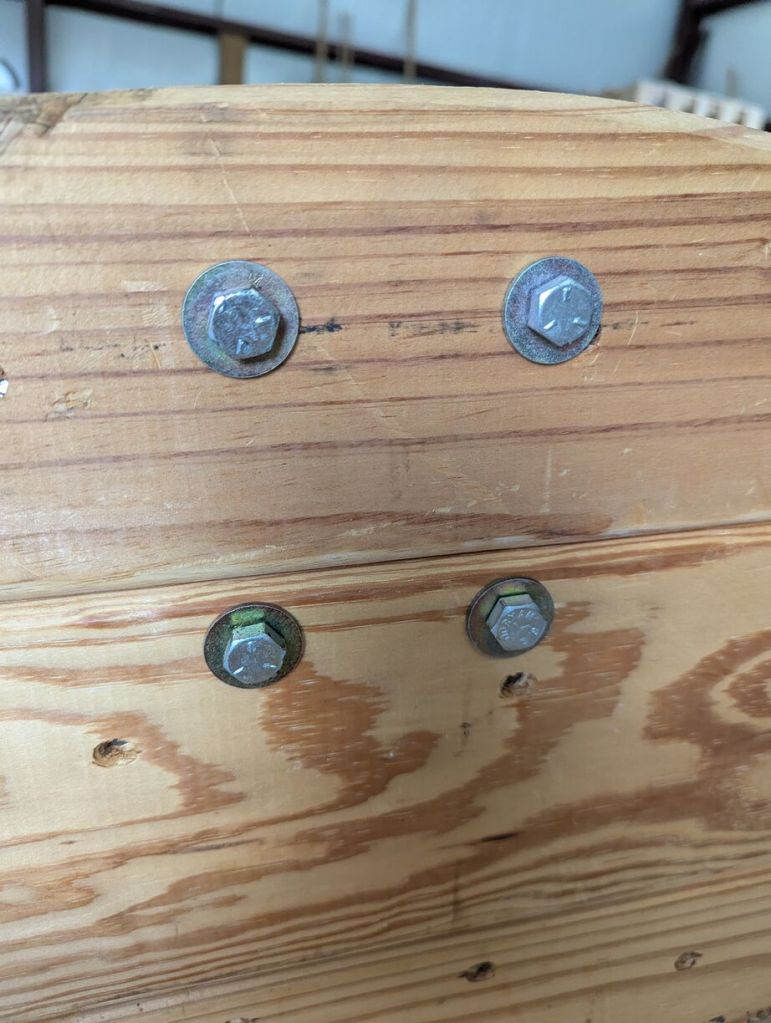
    closeup of bolts and washers through lower surface of workbench holding the wheels on

    I drilled the four holes with a 7/16″ bit and installed the wheels with the 3/8″ bolts with a washer on top, a washer on bottom, and two nuts per bolt.
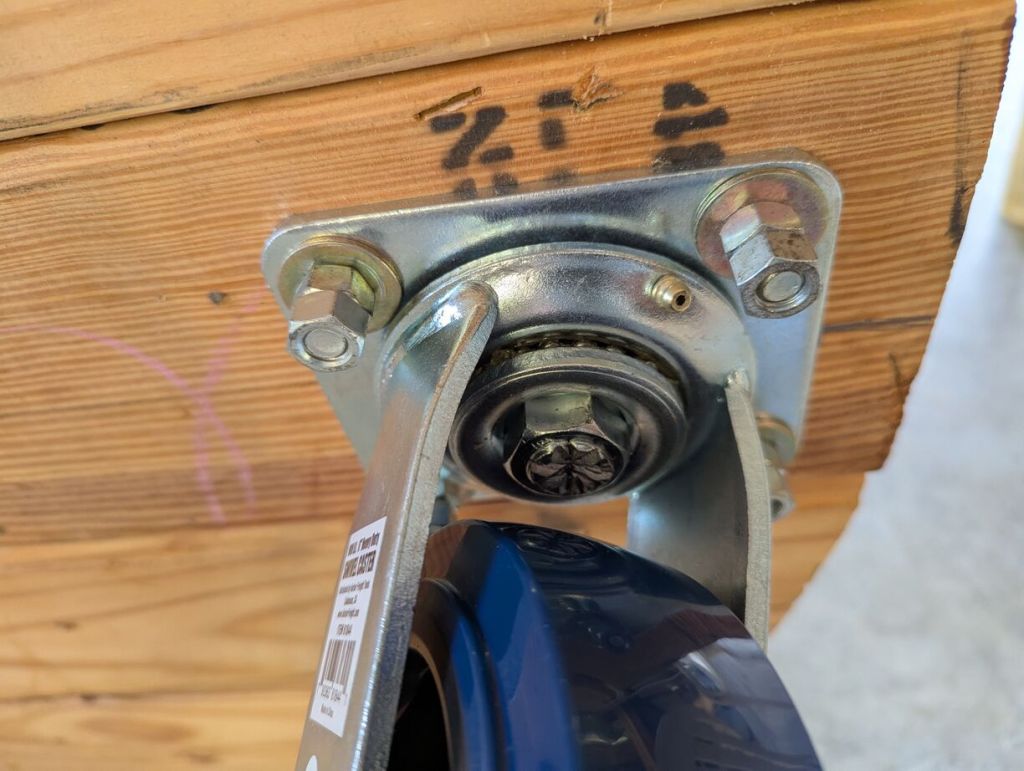
    closeup of 2 sets of nuts on each bolt holding caster wheels on bottom of workbench

    Since we didn’t have 3/8″ lock washers, we opted to use two nuts on each bolt to lock them in place.
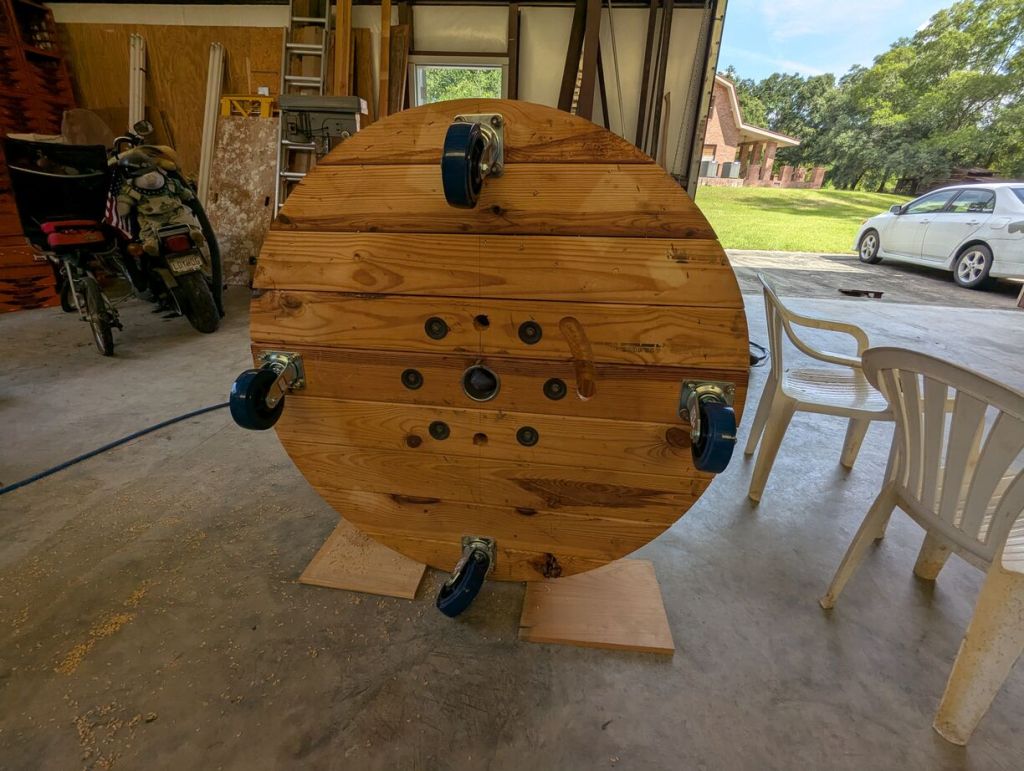
    workbench wheels are installed on bottom of round workbench

    With the wheels installed, we began installing the 2″ x 4″ supports inline with each wheel.
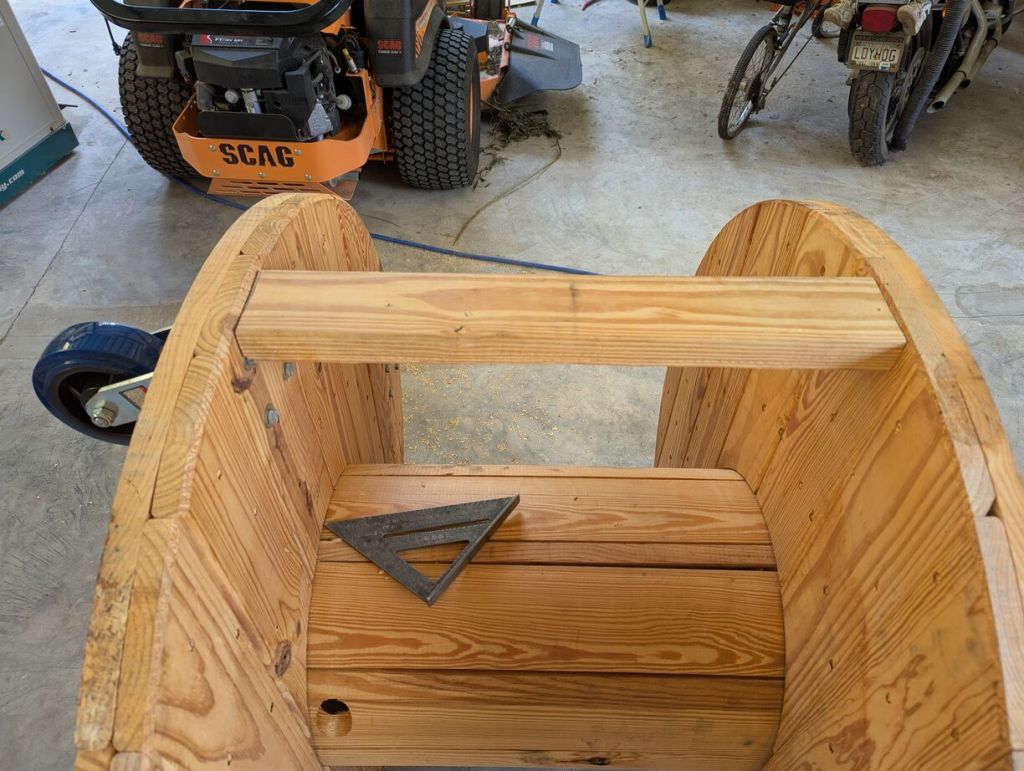
    fitting 2x4 before installing
    2x4 in place before installation

    Because the spool was built imperfectly, we cut each 2″ x 4″ support to length as needed. We cut them about 1/16″ – 1/32″ too long so that we could wedge them into place with a mallet for a tight fit.
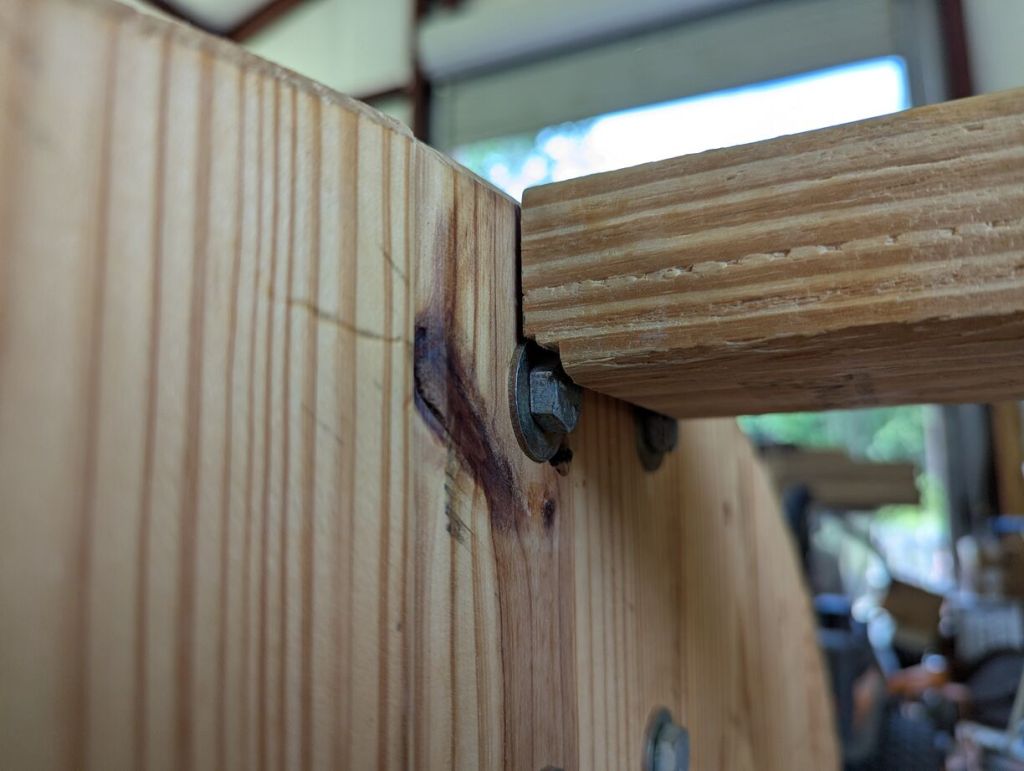
    2x4 notched to allow space for bolts and washers

    Using a table saw, we cut notches as needed on each 2″ x 4″ support to clear the wheel’s bolt heads and washers.
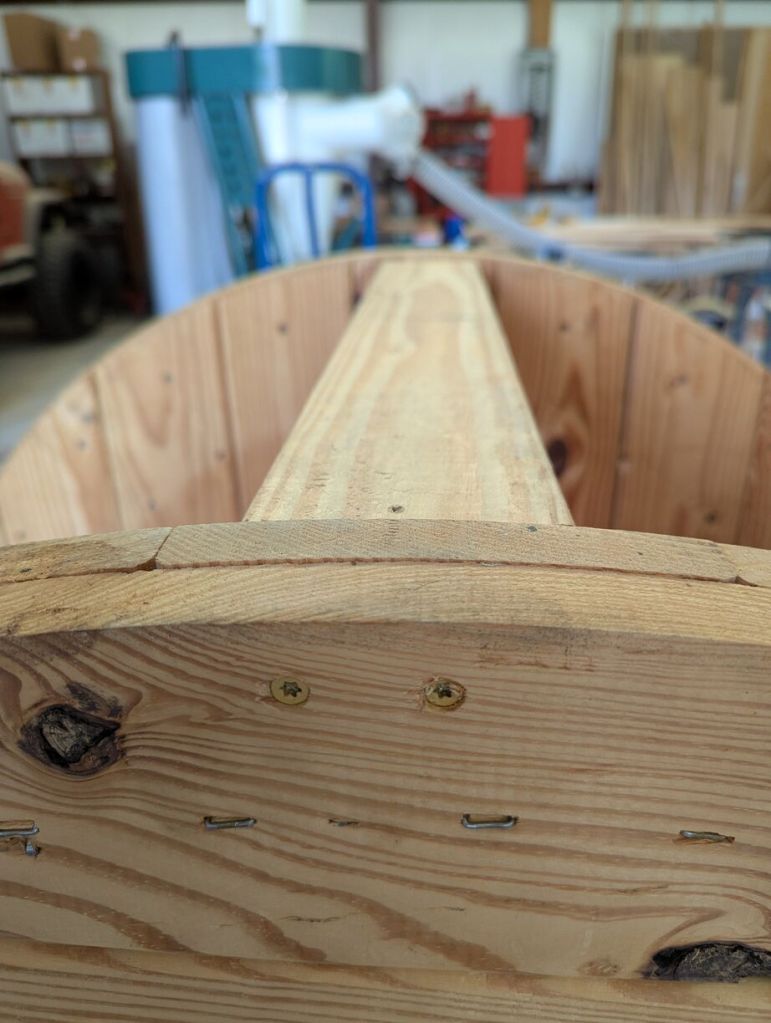
    closeup of screws driven through top surface of workbench into 2x4

    We pre-drilled two holes for each screw that would go through the top and bottom of the spool into the 2″ x 4″ boards. We used 3″ long deck screws to fasten the 2″ x 4″ boards in place.
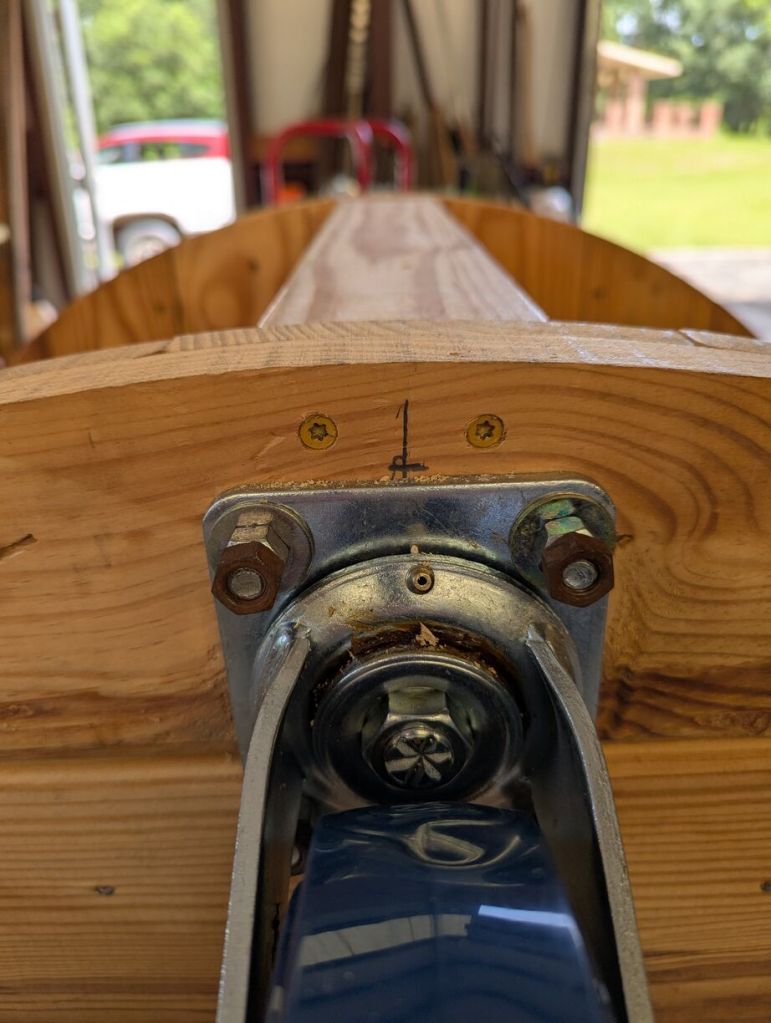
    closeup of screws above caster wheels driven into 2x4

    Each 2″ x 4″ is held in place by 3″ long deck screws that were driven in after pre-drilling holes for each.
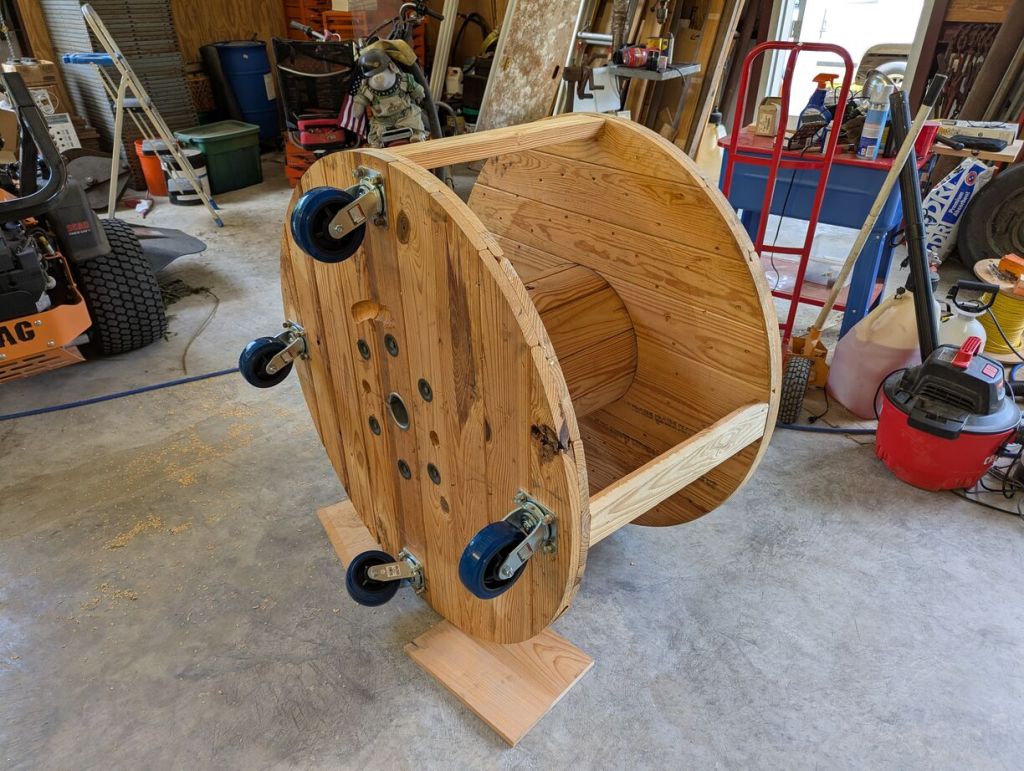
    round wood workbench on wheels on its side

    With the wheels attached and the 2″ x 4″ supports installed, we tilted the workbench over.
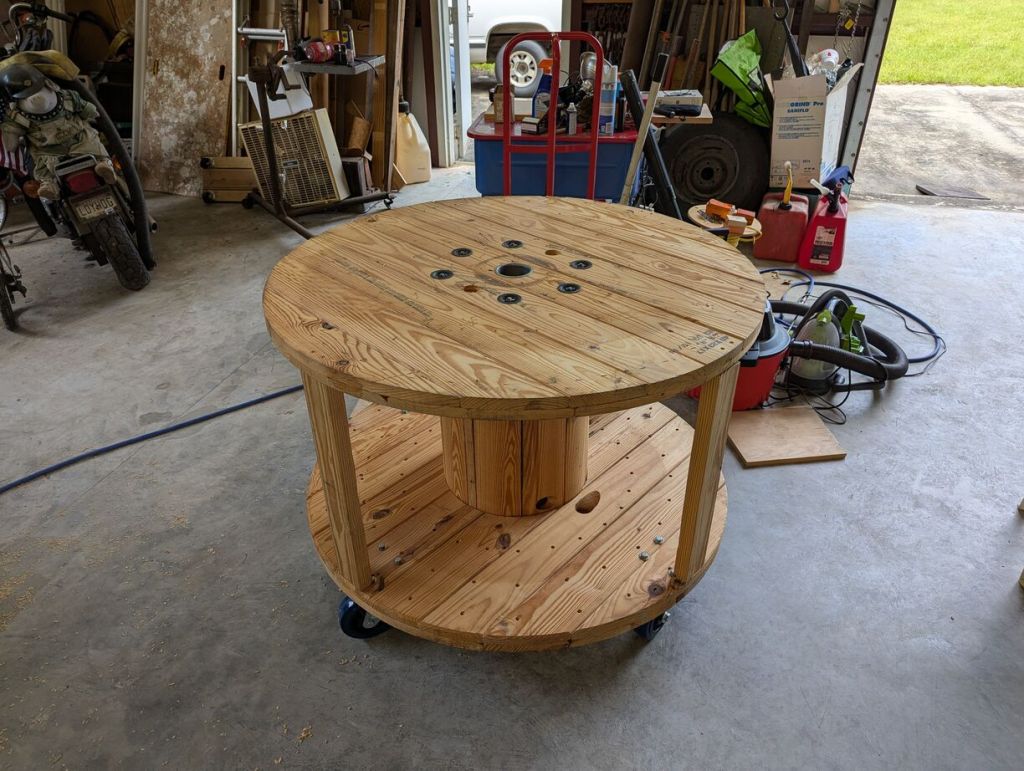
    round wood workbench on wheels
    round wood workbench on wheels

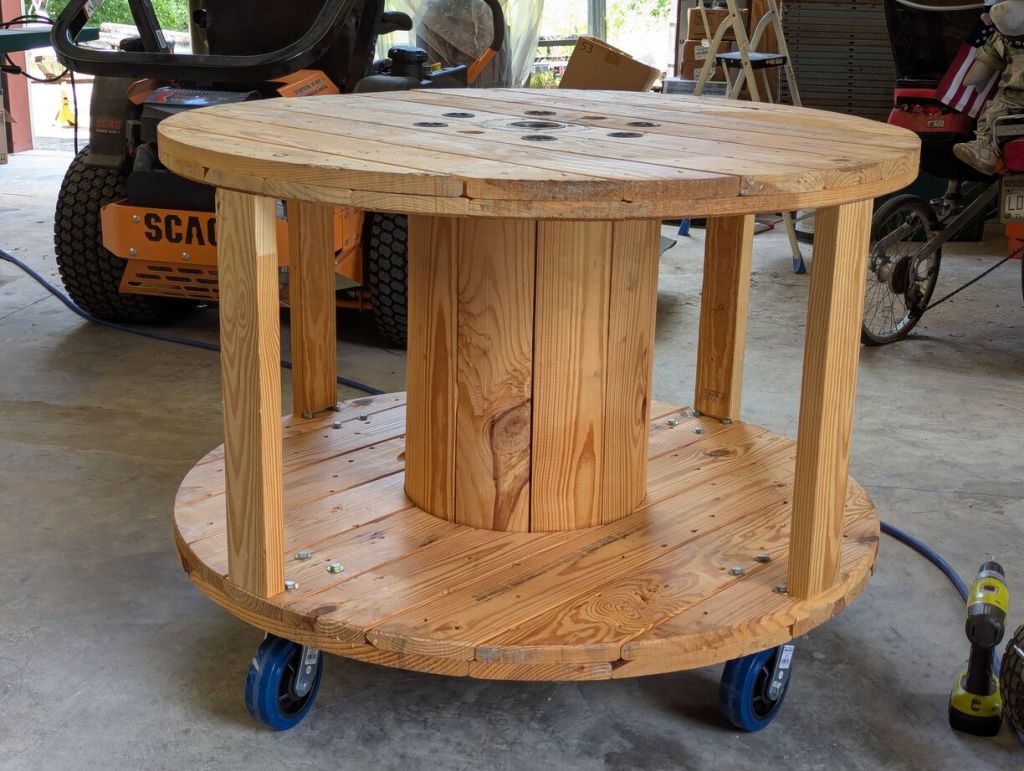
    The workbench rolls around effortlessly after being completed.
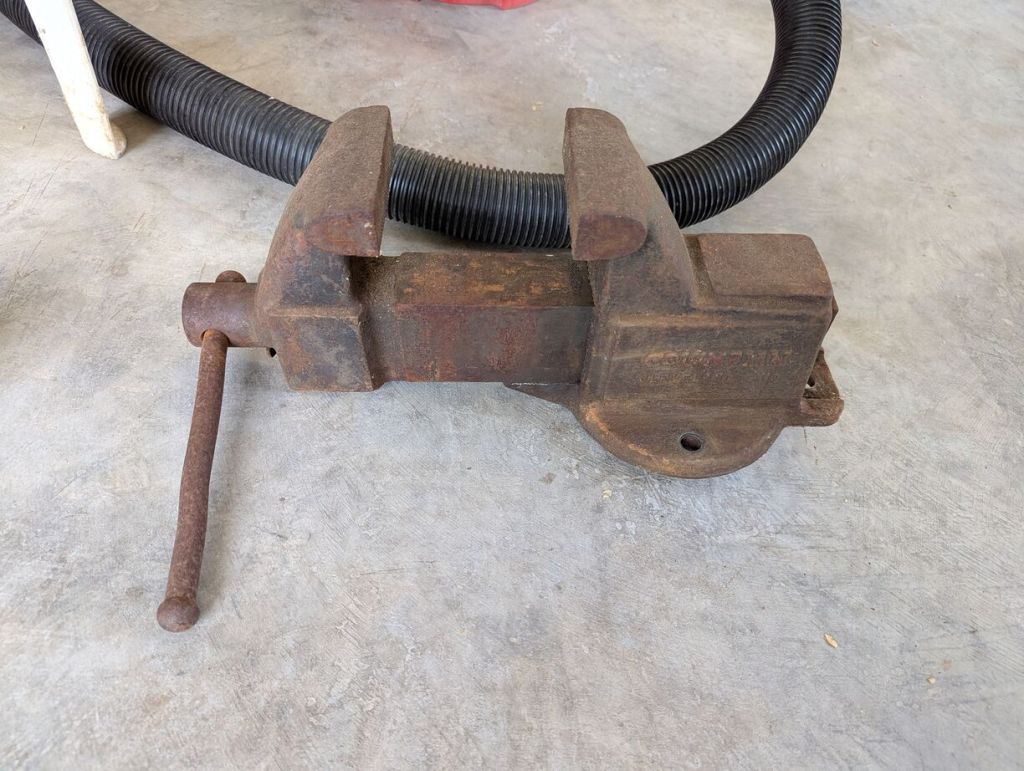
    large metal vice sitting on the concrete floor

    My dad also had a Columbian vice manufactured in Cleveland, Ohio. It’s about as heavy duty as you can get. It would certainly help him with some work, so we decided to install it on the workbench above one of the 2″ x 4″ supports.
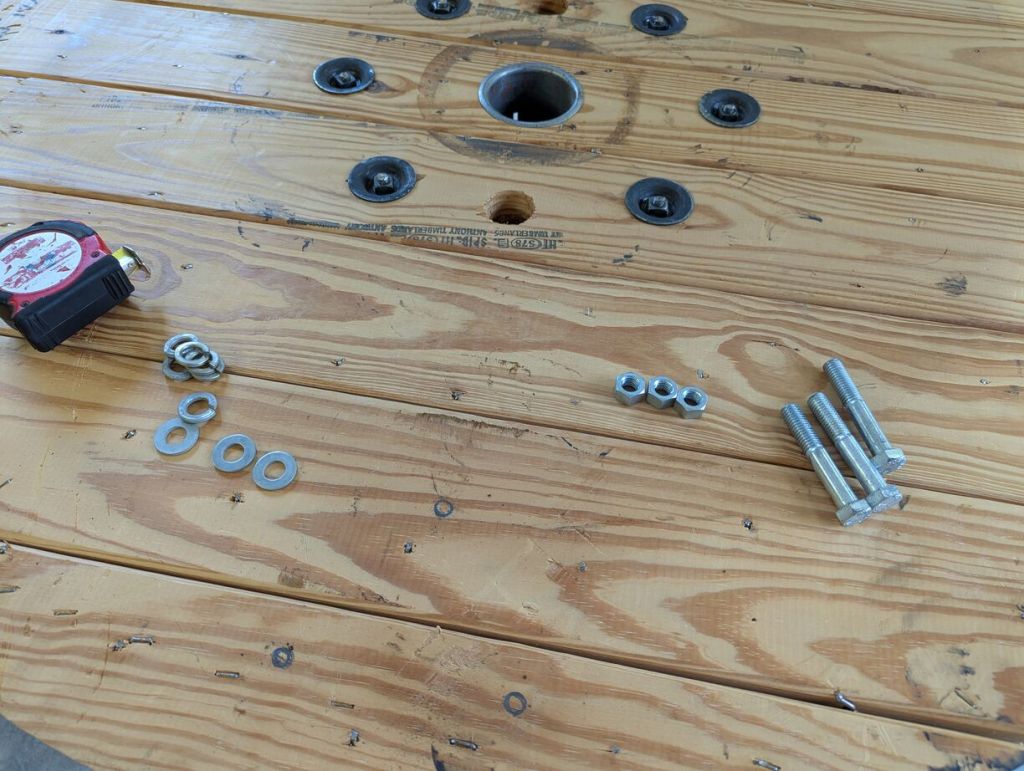
    bolts, nuts, washers, and lock washers on a wood surface

    For the vice, we used three sets of 9/16″ bolts, washers, lock washers, and nuts.
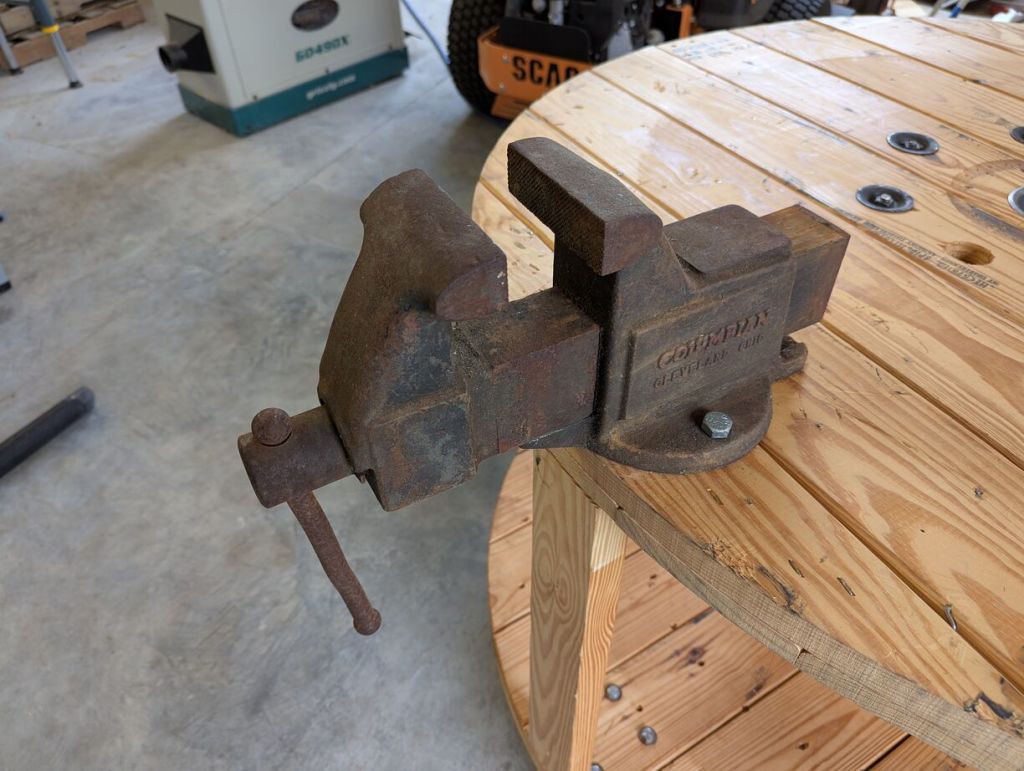
    vice mounted on top of round workbench

    I marked the location of the holes using the base of the vice as a pattern, drilled 5/8″ holes, and installed the bolts through the top and washers, lock washers, nuts on the bottom.
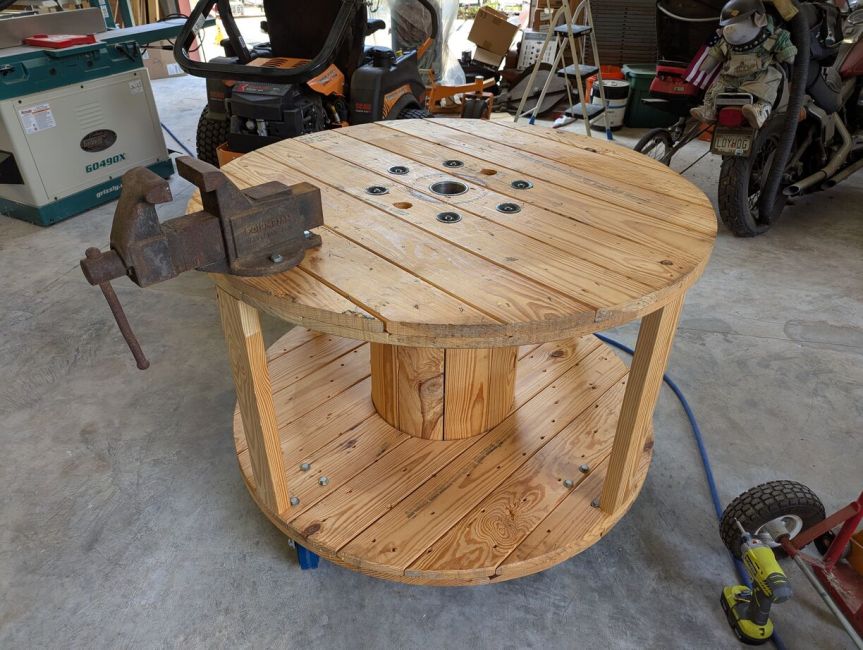
    round wood workbench on caster wheels with a metal vice mounted on top

    Our mobile workbench made out of a wood spool for holding heavy duty electrical wire is completed and ready for work.
  • Remember to Ventilate Your Flameless Ration Heater When In an Enclosed Space

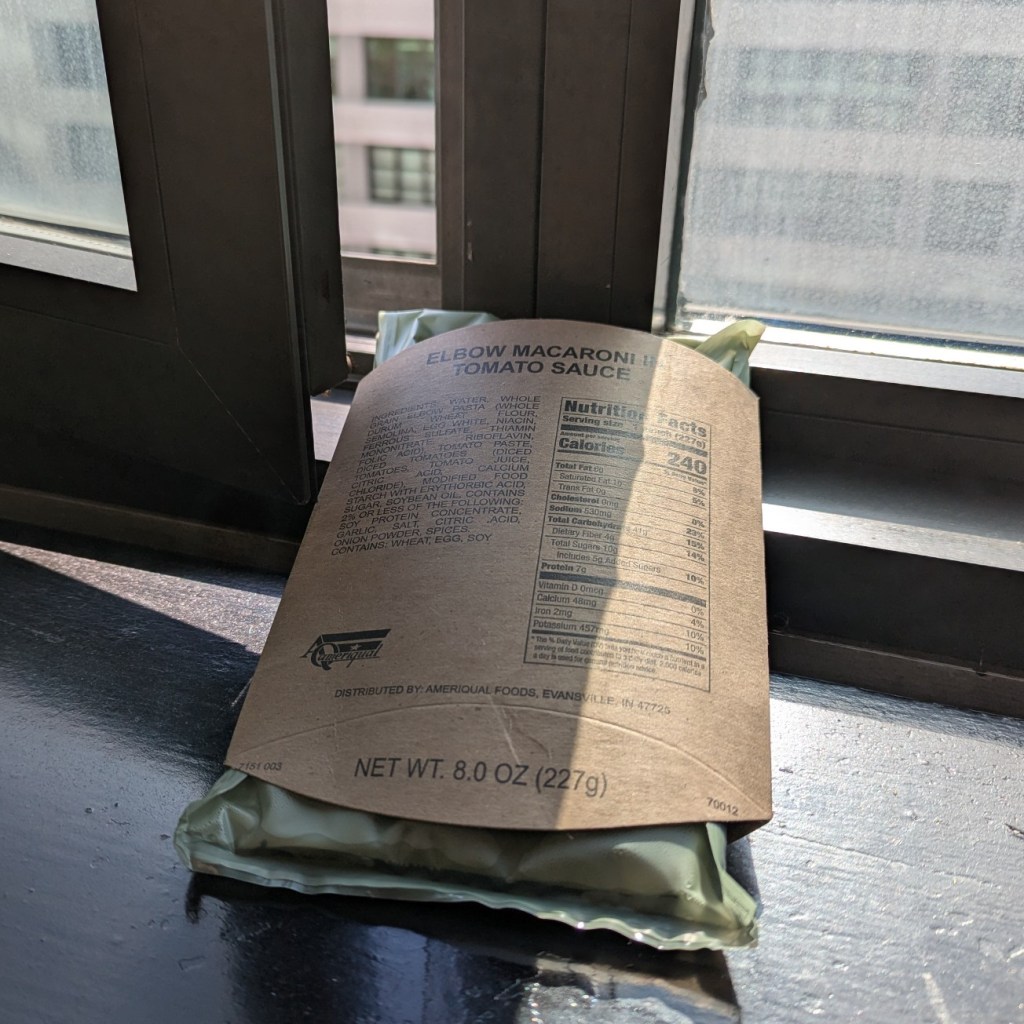
    water-activated mre heater warming an elbow macaroni in tomato sauce entree inclined on a window's sill and next to open window

    While its instructions state that “When ten or more heaters are used inside a vehicle or shelter, ensure the ventilation system is operating or a top hatch or door is open,” it gives me peace of mind to let my flameless ration heater (a water-activated magnesium, iron, and salt chemical heating device for MREs) do its thing on my supper next to a cracked window when I’m indoors as part of its reaction produces hydrogen. Also, it pays to remember that these things get HOT!

  • Project Board at the University of Liverpool

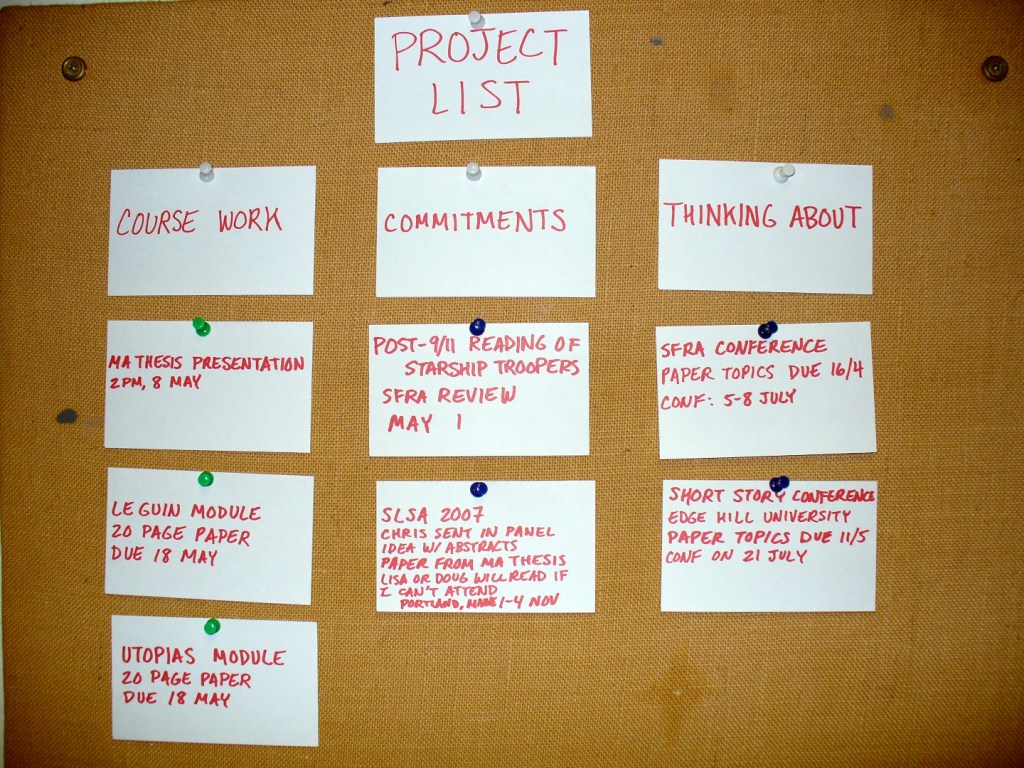
    a felt covered corkboard with three columns of index cards pinned to its surface .

    I mentioned this to my students the other day, but I wasn’t able to find a photo of what I was talking about. Now I have, so I’ll show it to them in class tomorrow.

    This is my project board while I was an MA student at the University of Liverpool. My monk’s cell had a felt-covered corkboard that I repurposed as a project scheduler by writing upcoming work and ideas on 3″ x 5″ index cards and pinning them into one of three columnar categories: Course Work, or assignments and readings in my classes; Commitments, or work product deliverables like writing a book review or preparing a conference presentation; and Thinking About, or projects and ideas that I was considering but hadn’t committed myself to yet.

    This board was the key to my academic success at that time, because it gave me a way of tracking the work that I had coming up and I could see at a glance from my desk what needed to be prioritized to keep my output going.

    Over time, the board became quite full of index cards. It was always satisfying to take a card off the board when that task had been completed.

    Using a daily planner or a calendar app can serve a similar purpose. Whatever method and tool that works best for you, make a commitment to stick with it so that it can keep you on track for success.

  • 1989 Powell Peralta Mike McGill Complete Skateboard

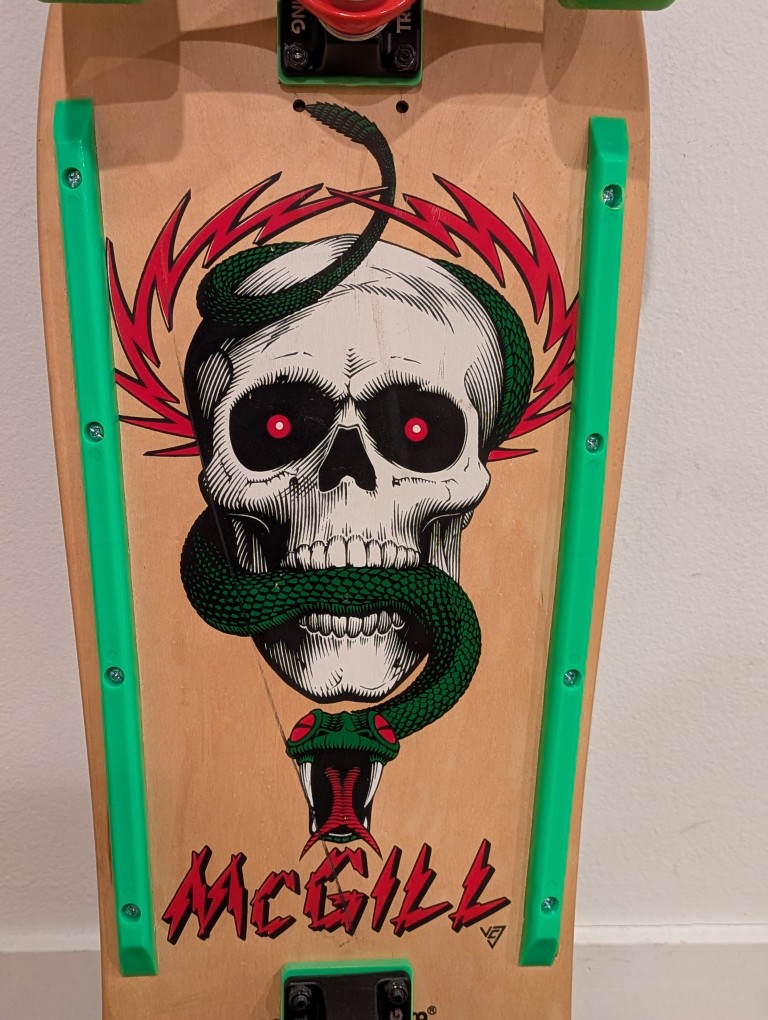
    Before the tariffs (are a tax) and plummeting markets, I wanted to liquidate some of my belongings to have more cash on hand because [waves hand]. As a part of that, I sold my prized possession: a 1989 Powell Peralta Mike McGill woodgrain complete skateboard this past weekend on eBay. It’s in transit to the buyer now.

    My maternal grandmother and grandfather–Wilma and Papa Gerald–gifted me the McGill after I picked it out and its hardware from a full-page mail order ad in Transworld Skateboarding magazine. Everything arrived in a big, long box. I needed help to apply the grip tape and install the trucks, wheels, and bearings. I took it out to ride as soon as it was ready.

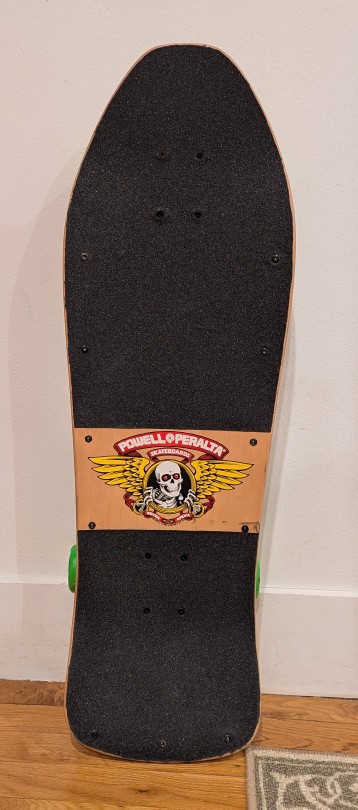
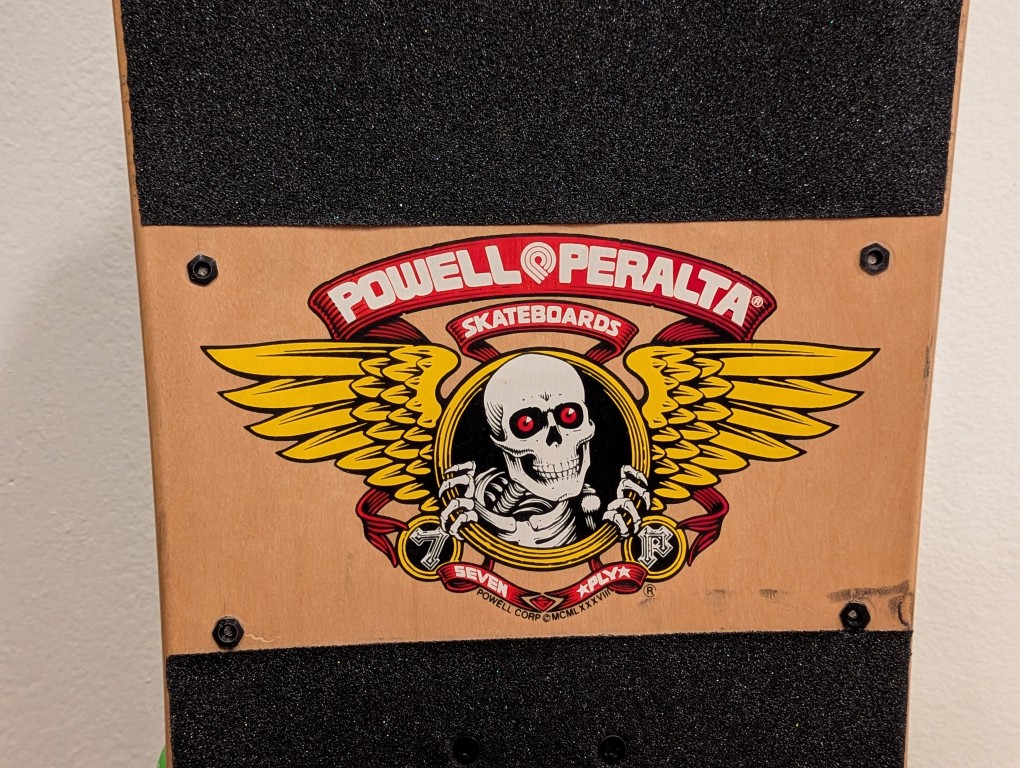
    I loved the artwork of the skull and snake by Vernon Courtlandt Johnson. He did most of the major artwork for Powell Peralta during that era, including the “Ripper” logo on the top of the deck.

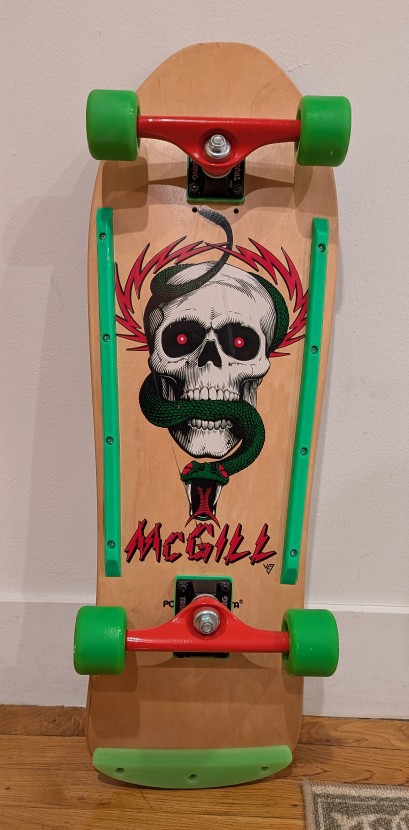
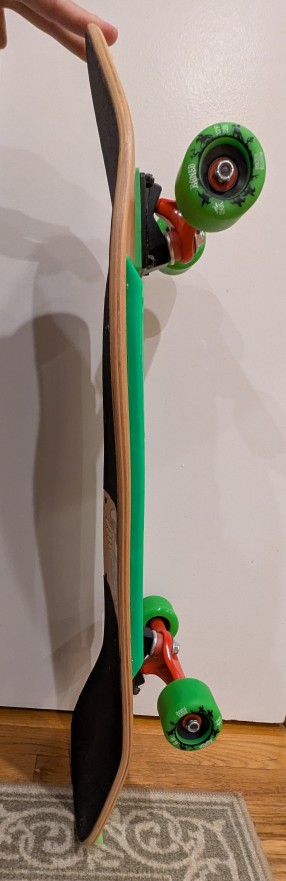
    Due to the age of the skateboard deck and how it might have been stored over the years before I got it, it had developed a twist, which you can see in the picture above. While the deck is concave, toward the front of the deck, it can been seen to have a rightward twist toward the camera. It wasn’t too bad and for normal riding it probably wouldn’t be noticeable.

    With this one that I assembled with new hardware, I applied the grip tap but left the Powell Peralta logo on the top of the deck exposed like I did with my original one.

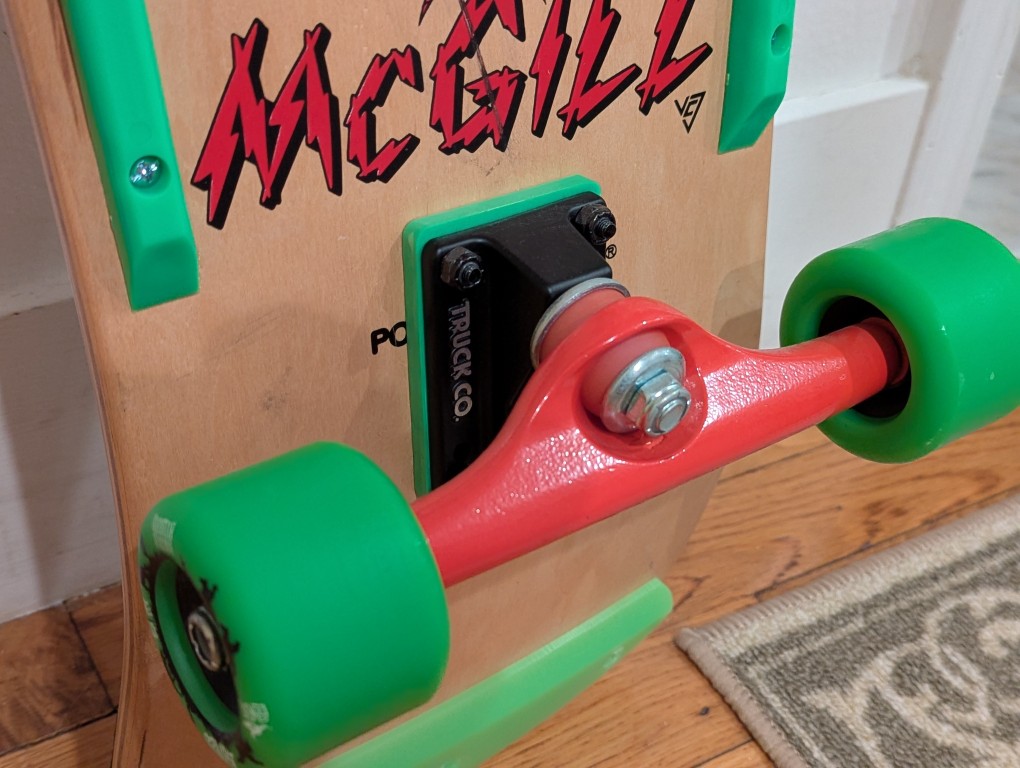
    I got the same brand trucks like I used to have–Gullwing. However, I went with 9″ wide Shadows instead of the Pro III’s that I used to have. I figured that if I rode this skateboard, it would just be for leisurely getting around and therefore didn’t need something higher end. Going for a matching color scheme, I added 1/4″ risers in neon green.

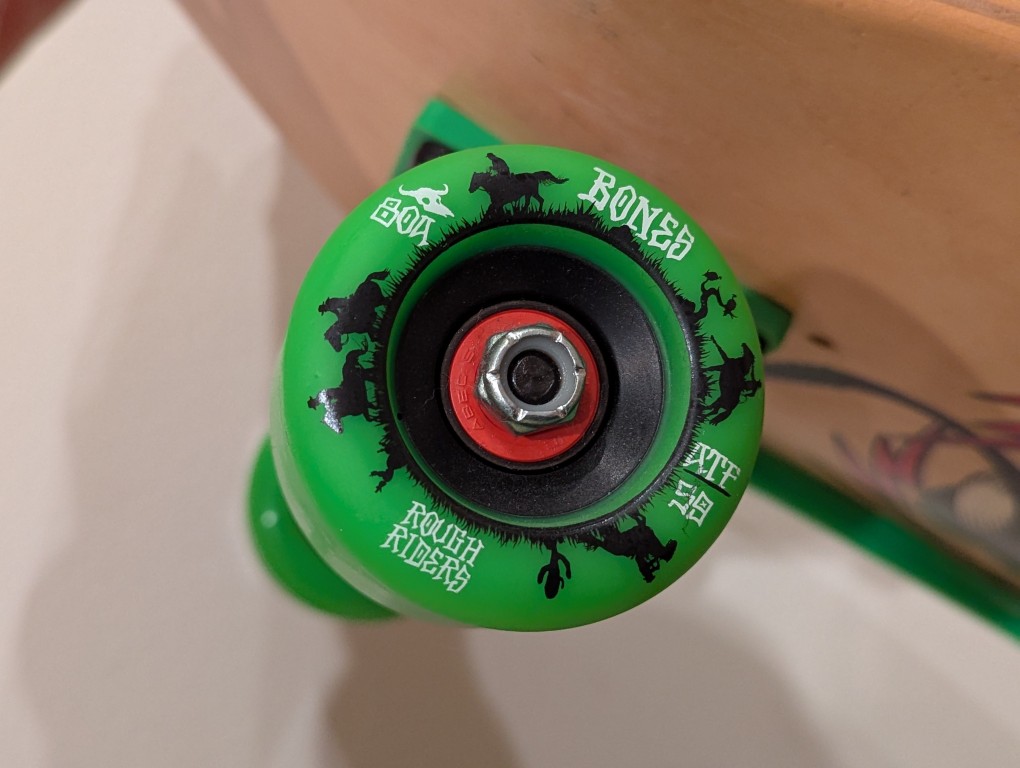
    Again, thinking about how I might use this skateboard for riding on the street, I got large, soft wheels. These are Bones’ Rough Riders with a 80A hardness, 59mm diameter, and all-terrain formula. The bearings are generic ABEC5 with spacers in-between.

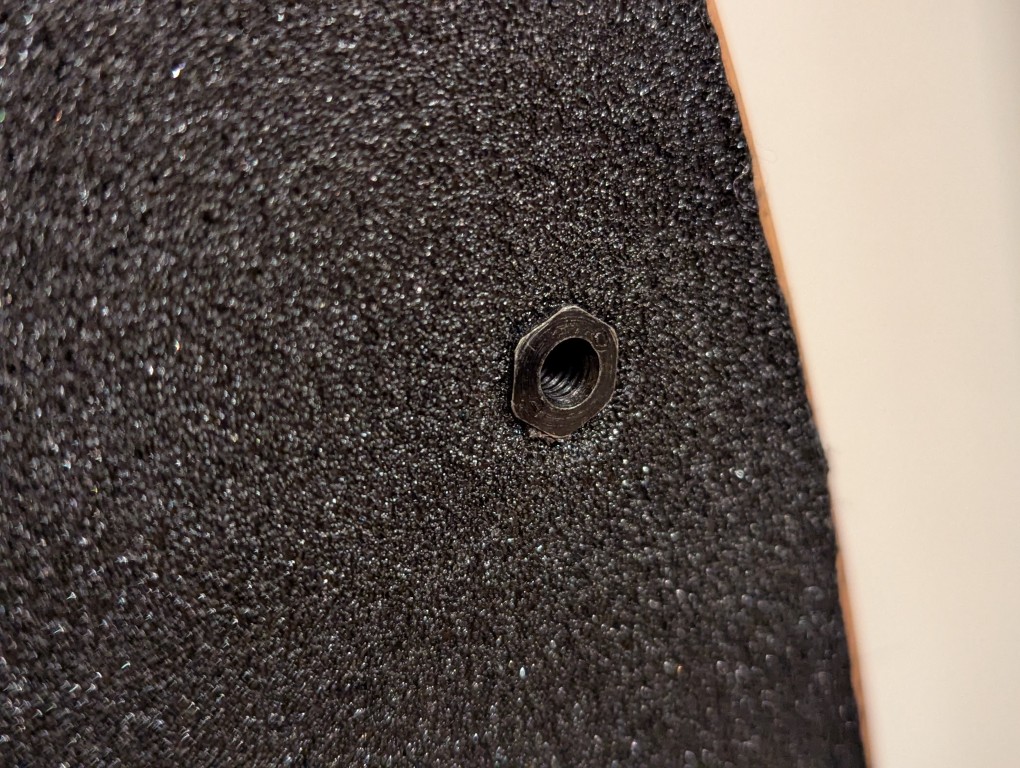
    For the tail guard and rails, I installed them using “Rat Nuts” (aka T-Bolts or Sex Bolts) so that none of the hardware dug into the wood–the top sleeve passes through a hole and a screw meets it from the bottom. The rails were a generic brand with a hole pattern that matched those already on the board. The tail guard was an authentic Powell Peralta 9″ Tail Bone that I found for sale as new-old-stock.

    I can’t for the life of me remember what happened to my original McGill. I might have given it away or sold it before going to college. I just can’t remember. Before I found this deck and kitted it out with all new hardware, I wrote about assembling a reissue of an earlier model McGill that had the bowl/fishtail shape but without the angled nose of the 1989 model (which I sold to help finance purchasing this original McGill some years ago).

    It’s a good skateboard even being 36 years old. I hope that it brings happiness to its new owner.

    Unfortunately for me, it feels like I can’t enjoy things like this in this life–not with things being so precarious and uncertain.

  • Creating a Digital Signature With Your Phone’s Camera

    cursive text: making your digital signature

    Last week, I showed my students how to create a digital signature that they can insert into letters that they write in their word processor of choice. It’s very easy to do and simplifies things if you need to send a PDF of a letter without having to print, sign, and scan it.

    Follow these steps:

    1. Take a clean, white sheet of paper and sign your name using a black pen or marker.
    2. Lean your paper on a completely flat, inclined surface and avoid a light behind you so that you don’t cast a shadow over your signature.
    3. Take out your phone and enter the camera app. Carefully align your camera so that it takes a photo of your signature straight on (meaning, your camera’s photo sensor should be parallel to the piece of paper with your signature). It can be helpful to zoom in slightly with your camera app so that you don’t have to be very close to the paper with your signature. If there’s any question about focusing, take the time to tap your signature on the screen so that the camera app focuses on your signature.
    4. Open your signature photo in your phone’s image editing app. First, crop the image to just your signature. Then, maximize the brightness and maximize the contrast, which will make the paper appear pure white and your black signature pops. Save this edited version of your photo.
    5. Email your edited version of your signature photo to yourself so that you can download it on your computer.
    6. Drag the saved image into your word processor document where you left space between your closing and typed name, or use your word processor’s image insert option. If the image appears very large, click on a corner of the signature image and drag to resize the signature.
    7. Depending on your word processing software, you might need to change the image alignment settings for the signature image (so that it is placed where you want and the typed text of your letter doesn’t fall behind or around it in a strange or unexpected way.
    8. Save your document and export it as a PDF to email to wherever it needs to go.
    9. As a bonus, save your signature image someplace safe so that you can reuse it as needed.
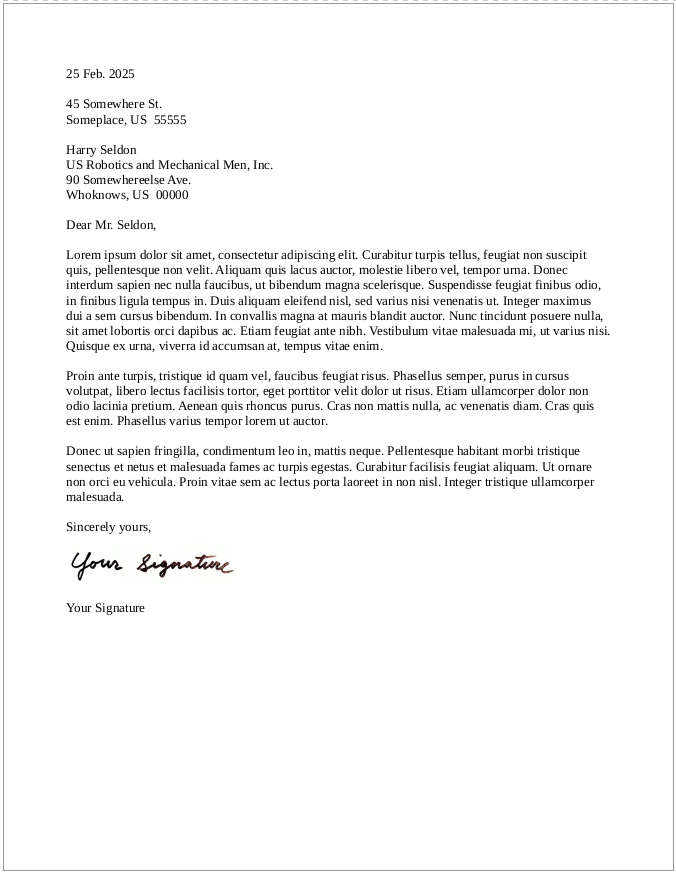
    screenshot of a business letter featuring what appears to be a real signature but is in fact an image of a handwritten signature