While the Millennium Falcon is prone to problems and breakdowns, Han Solo never gives up on her. There’s a lesson there about how we treat and take care of all of our technology.
While the Millennium Falcon is prone to problems and breakdowns, Han Solo never gives up on her. There’s a lesson there about how we treat and take care of all of our technology.
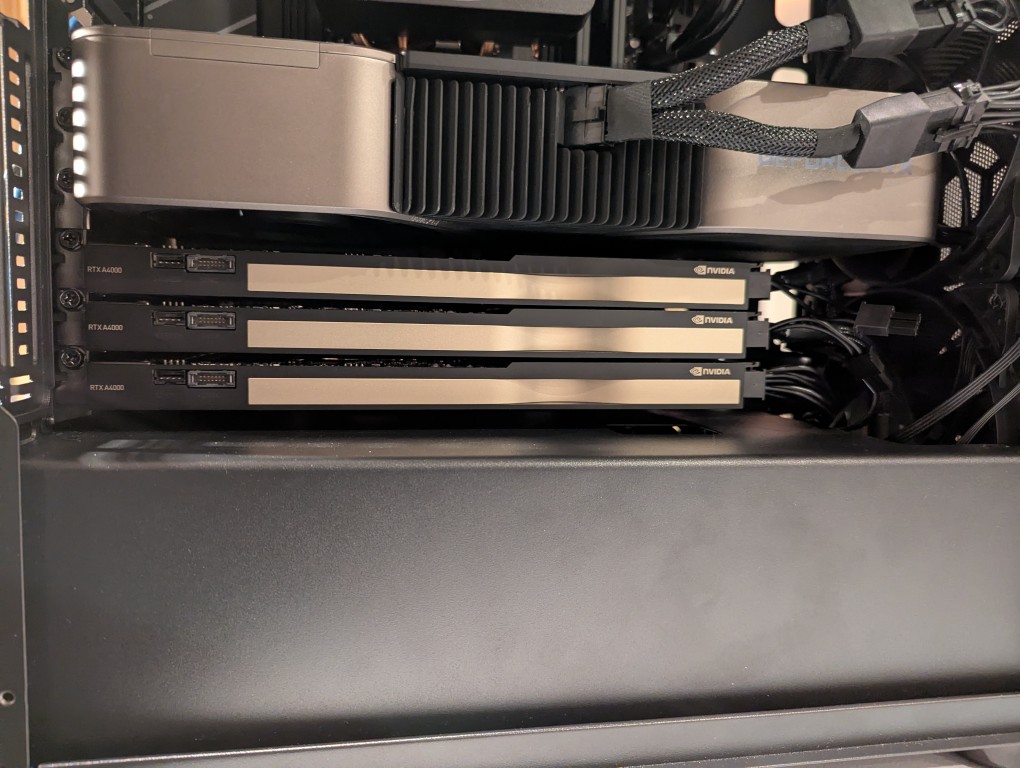
In my original write-up about building my new AI-focused workstation, I mentioned that I was concerned about the temperatures the lower three NVIDIA RTX A4000 video cards would reach when under load. After extensive testing, I found them–especially the middle and bottom cards–to go over 90C after loading a 70B model and running prompts for about 10 minutes.
There are two ways that I’m working to keep the temperatures under control as much as possible giving the constraints of my case and my cramped apartment environment.
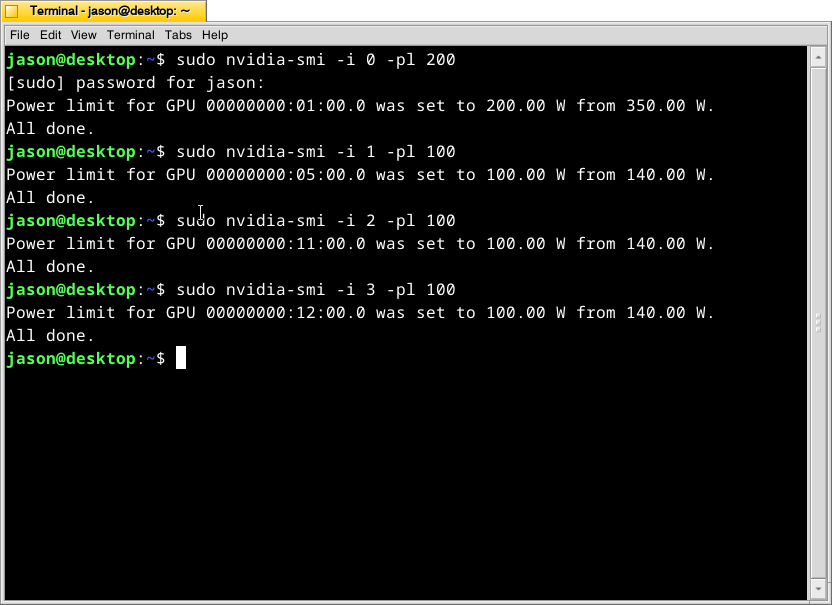
First, I’m using these commands as root:
# nvidia-smi -i 0 -pl 200
# nvidia-smi -i 1 -pl 100
# nvidia-smi -i 2 -pl 100
# nvidia-smi -i 3 -pl 100
What this command, bundled with the NVIDIA driver, does is select a video card (the first video card in the 16x PCIe slot is identified as 0, the second video card is 1, the third is 2, and the fourth is 3) and change its maximum power level in watts (200 watts for card 0, 100 watts each for cards 1-3). If the power level is lower, the heat that the card can generate is lower. I set the 3090 FE (card 0) to 200 watts, because it has better cooling with two fans and it performs well enough at that power level (raising the power level leads to steeper slope of work being done).
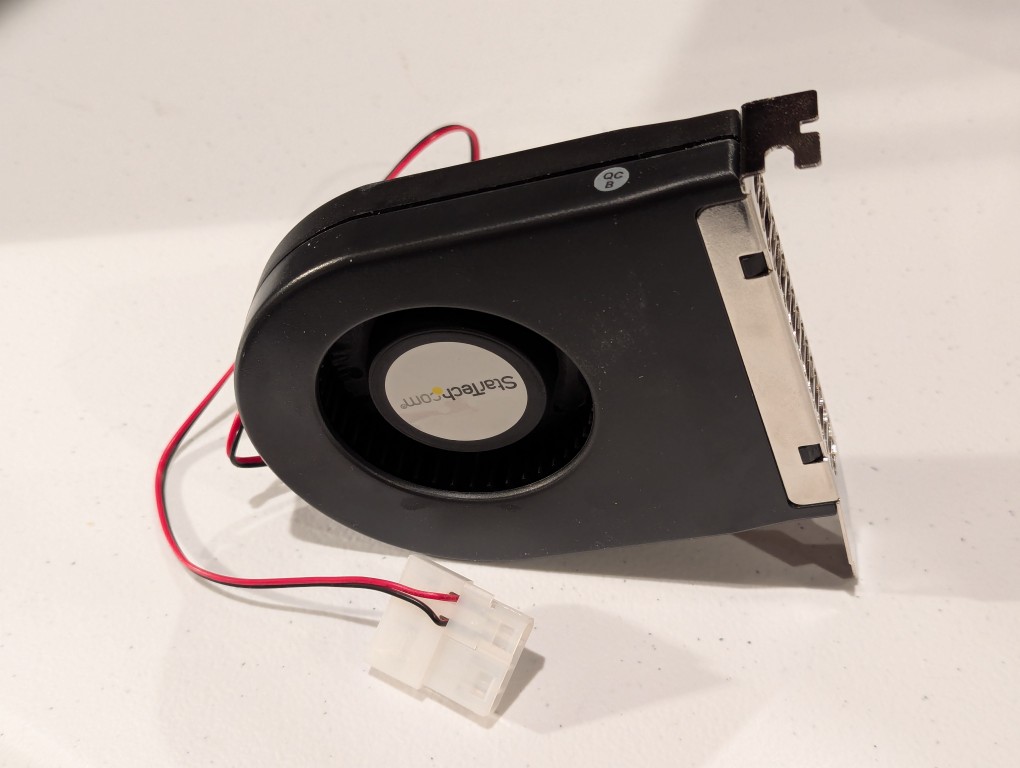
The second solution was to add more fans. The first fan is a PC case slot fan perpendicular to the video cards. This is a constantly on fan powered by a molex connector that has a blower motor that sucks in air from inside the case and ejects it out the back of the card. These use to be very useful back in the day before cases were designed around better cooling with temperature zones and larger intake and exhaust fans. The second fan was a Noctua grey 120mm fan exhausting out of the top of the case. This brings the fan count to two 140mm intake fans in the front of the case, two 120mm exhaust fans in the top of the case, one 120mm exhaust fan in the rear of the case in line with the CPU, and one slot fan pulling hot air off the video cards and exhausting it out of the back.
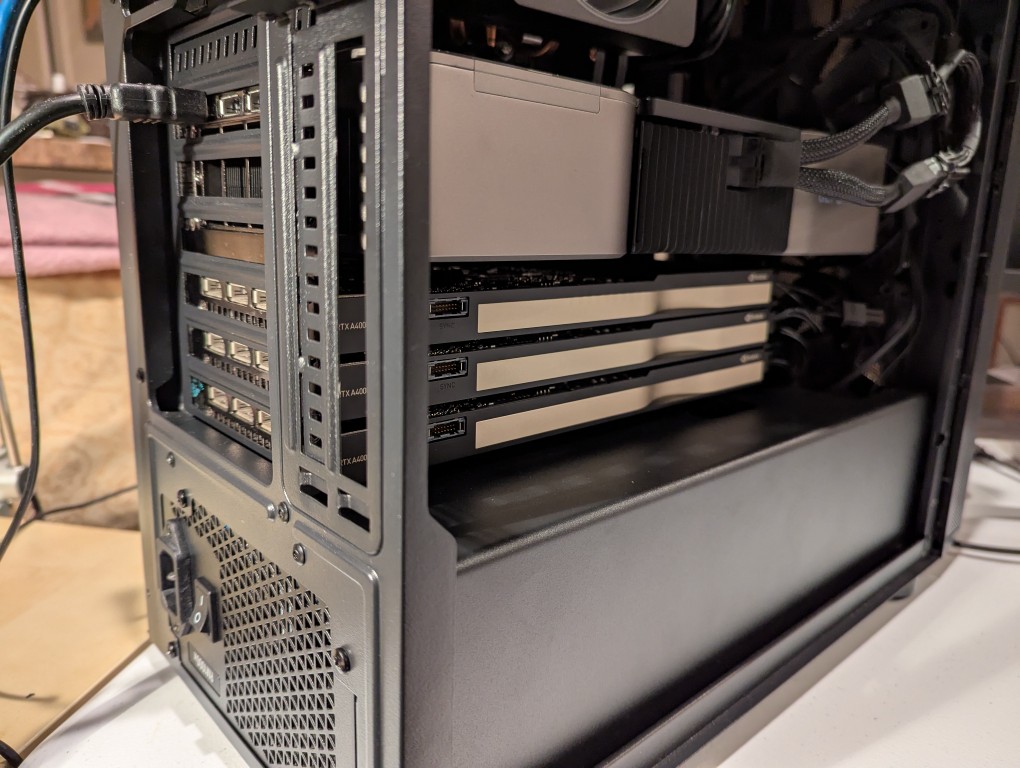
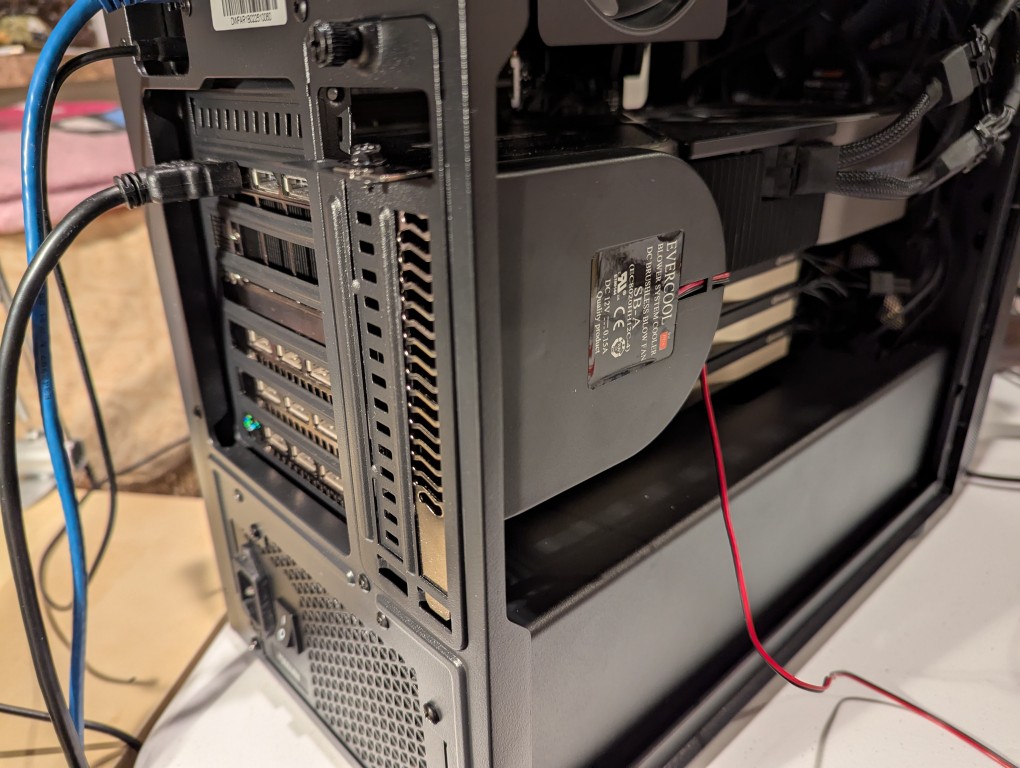
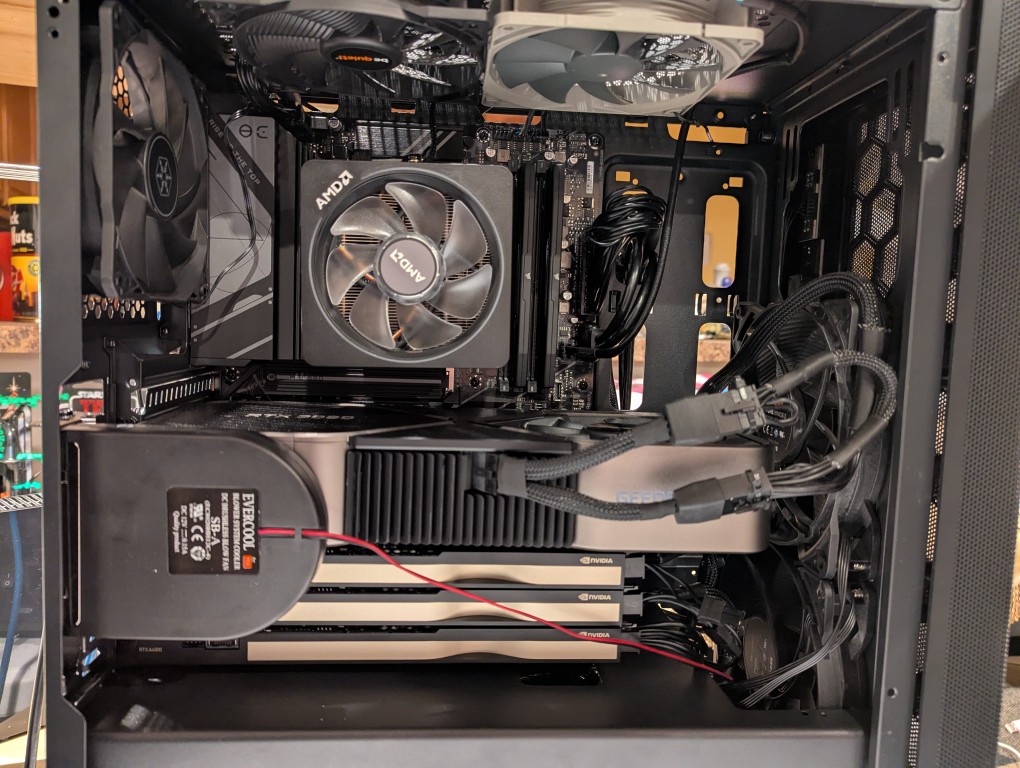
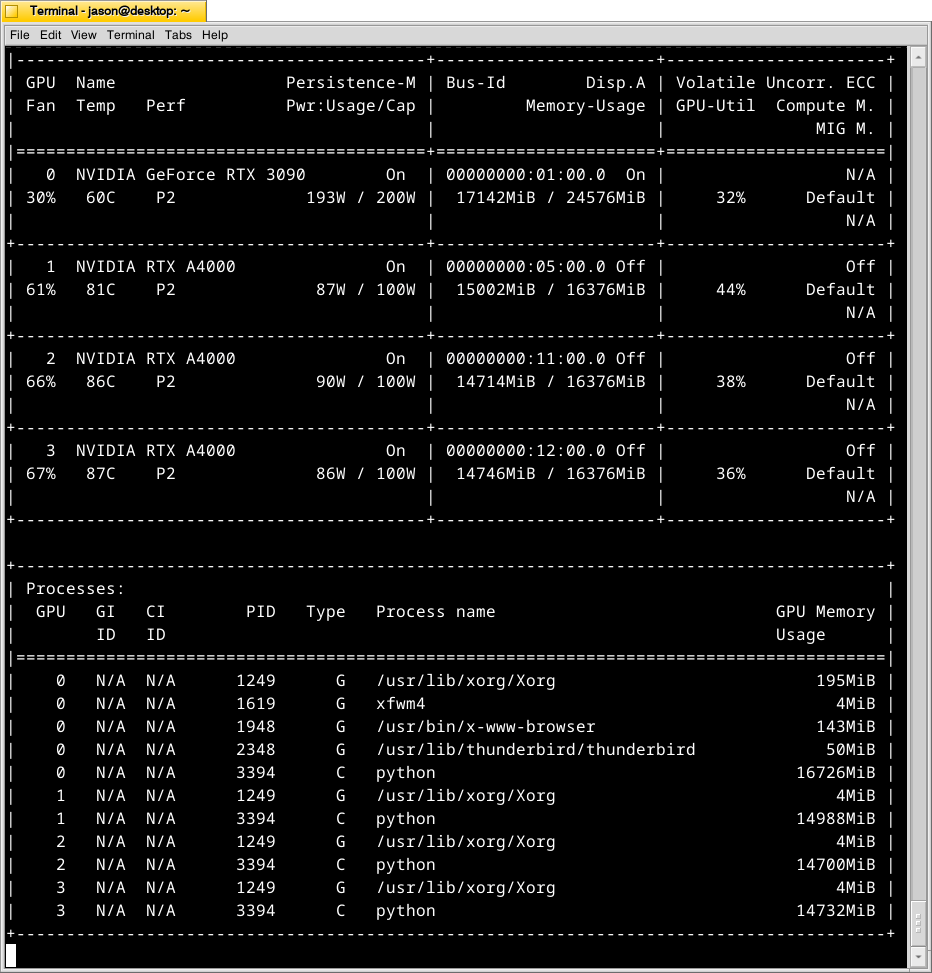
With these cooling-oriented upgrades, I’ve found that the temperatures are slightly better during operation, but perhaps helping in a way that I had not considered before is that the fans help cool the cards down faster after an operation is completed than the cards were cooling down on their own before. Also, the A4000 temps before seemed to be high, higher, and highest going from card 1 to 2 to 3. Now, the middle card or 2 has a slightly higher temp than the bottom card or 3. Below is the output from:
nvidia-smi -l 1which displays information about the detected NVIDIA video cards including card type, fan speed, temperature, power usage, power cap, and memory usage. The first Terminal screenshot below shows the cards at rest before loading a model. The second Terminal screenshot below shows the cards after a model has been loaded and it is producing output from a prompt for some minutes.
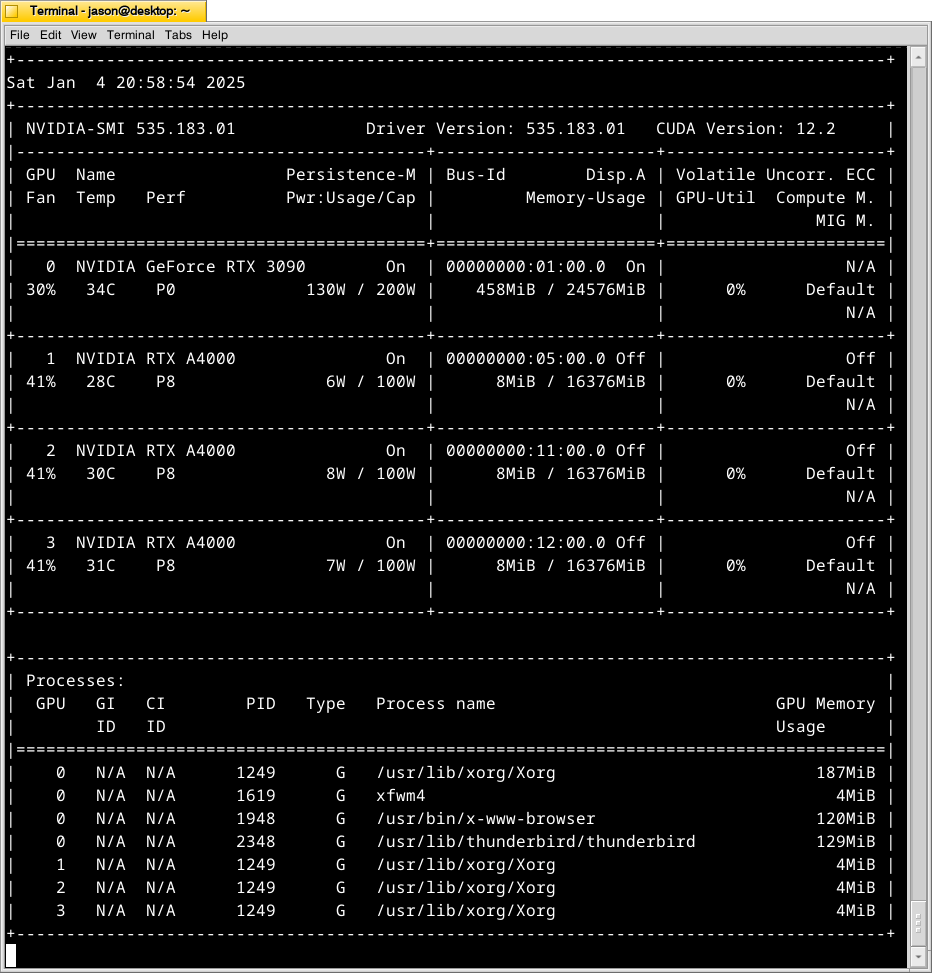
Y made a good point that since it’s the winter, the ambient temperature in the apartment is much cooler–we usually keep it about 66F/19C. When summer comes, it will be much hotter in the apartment even with the window air conditioner going (we are on the top floor of a building that does not seem to be insulated based on sounding and spot temperature measurements).
The key to healthy computer components is cooling–forcing ambient air into the case and moving heated air out. Seeing how well the slot fan has worked, I’m thinking that a next step would be to drill one or two 120mm holes through the sheet metal side panel directly above where the A4000 video cards are and install high-CFM (cubic feet per minute) fans exhausting out. That would replace the currently installed slot fan. If I went that route, I can purchase PWM (pulse width modulation) fans so that I can connect them to the fan controllers on the motherboard, which will increase the speed of the fans according to the rising temperature inside the case when the computer is doing more work. This will reduce fan noise during low-load times but not affect cooling capacity.
On a final note, I will report that I initially tried forcing cooler ambient air into the case through those two rear perpendicular slots to the video cards where the slot fan is currently installed. My thinking was that I could force cooler air over the top of the cards and the blower fans on the cards would carry out the hotter air. What I did to test this was build an enclosed channel with LEGO that sealed against the two open slots and had two 70mm PWM fans pulling air from the channel and pushing it down onto the three A4000 video cards. Unfortunately, this actually increased the temperatures on all three A4000s into the mid-90s C! The heat produced by those cards fed back into the LEGO channel and hot air trickled out of the two slots. Lesson learned.
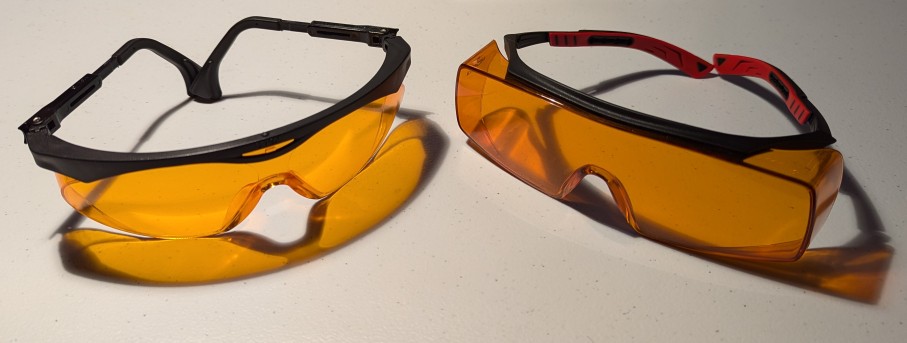
A long while back, Y suggested that I wear blue-blocking orange colored glasses in the hours leading to bedtime to help me avoid being woken by the blue light coming from my computer display, television, overhead lights, and smartphone. I can report that donning orange colored glasses a couple of hours before sleep (and taking with 1.5mg of melatonin and 700mg of magnesium glycinate about an hour before bed) helps me fall asleep much more quickly than I used to before wearing the glasses every evening.
As I began developing presbyopia or age-related impairment of my eyes to focus on nearby objects, I upgraded from the pair of glasses on the left to the ones on the right to accommodate my reading glasses as shown below.
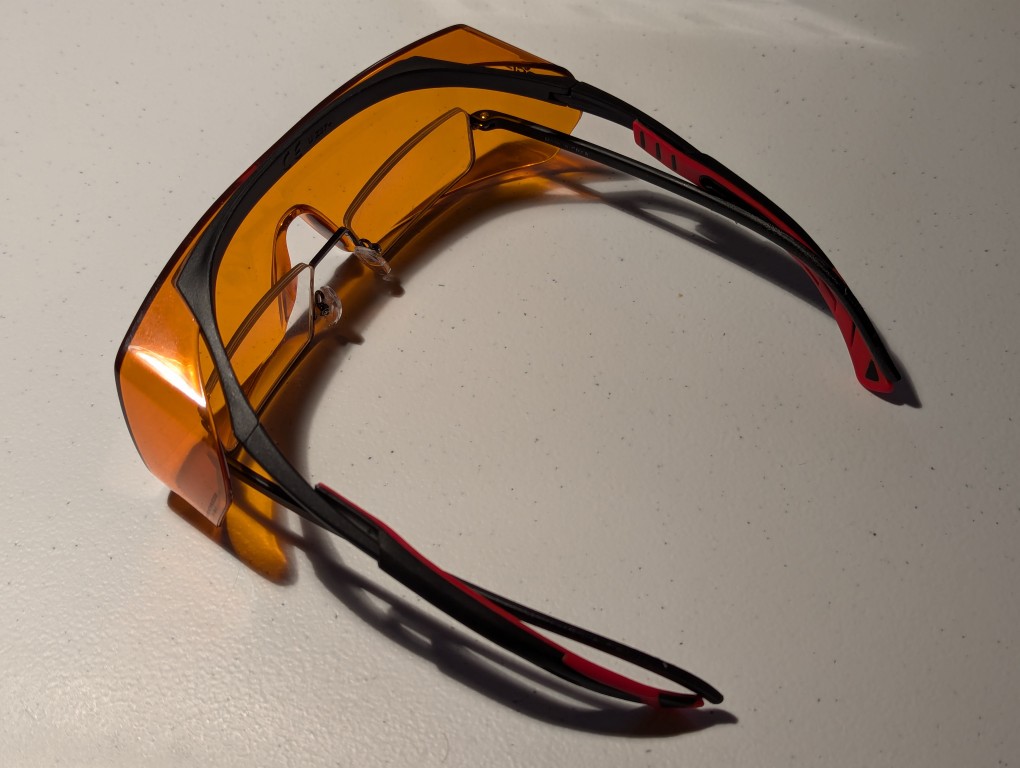
I repurposed my original pair of orange glasses to wear when I go out for walks at night with Y. I noticed that the bright lights of cars could sometimes trigger a migraine. Wearing these glasses reduces the intensity of on-coming car’s headlights on newer vehicles, which as others have noted, seem to be far brighter than halogen lights on older cars and trucks.
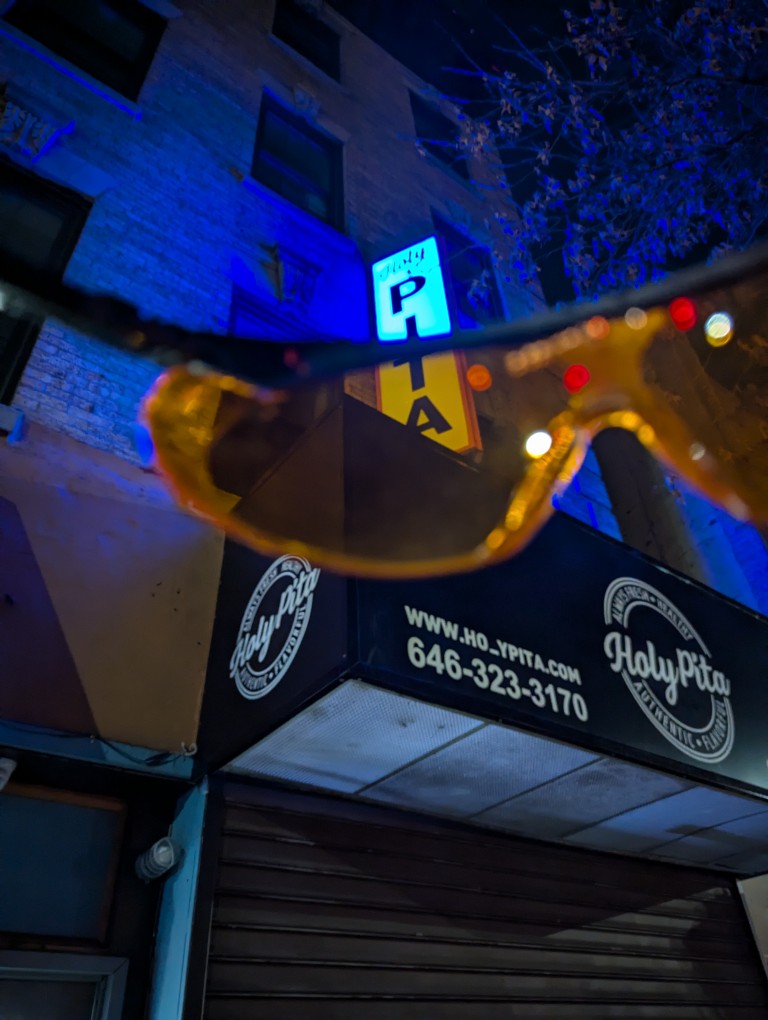
To illustrate how well these glasses cut out blue light, you can see the blue Prospect Park West Holy Pita restaurant sign turn to an orange-white color through the orange lens below.
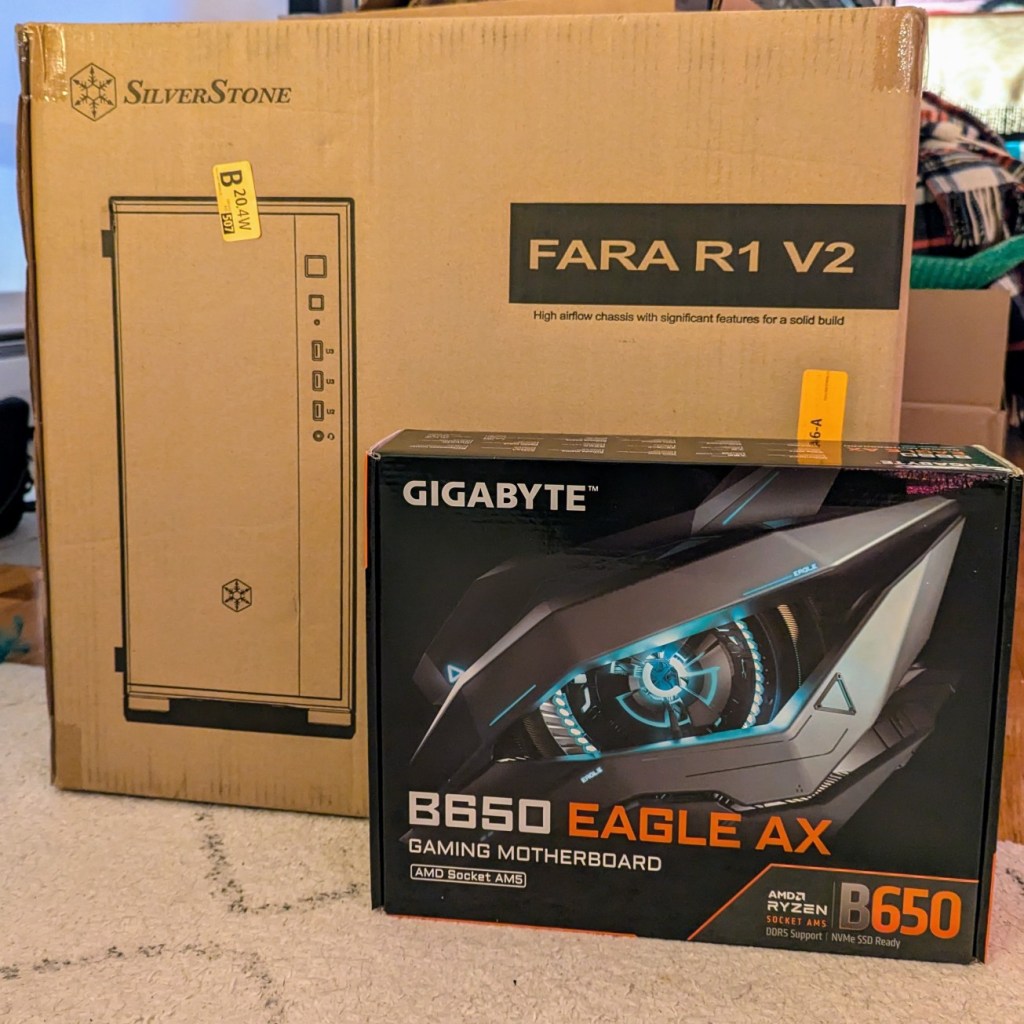
Over the weekend, I received two more pieces of my upcoming AI-focused workstation build to go along with the CPU and A4000 video cards. They are a Gigabyte B650 Eagle AX model ATX motherboard, which has four PCIe slots–one spaced for a 3-slot card like my 3090 and three spaced for single slot cards like the A4000s, and a Silverstone Fara R1 V2 ATX mid-tower case, which was the least expensive steel case without a glass window and good ventilation. My new Corsair DDR5 RAM won’t arrive until after Christmas, so the actual build will have to wait until then.
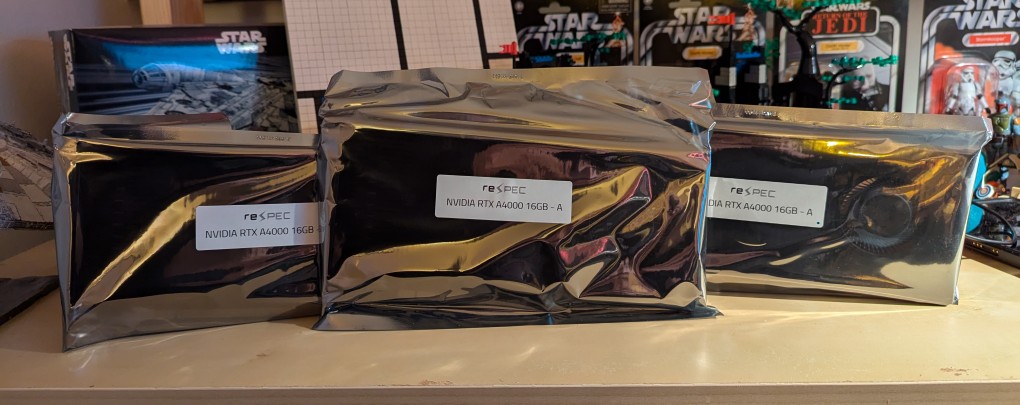
After receiving a new AMD Ryzen 7 7700 CPU earlier this week, I received the three NVIDIA RTX A4000 16GB VRAM video cards pictured above in antistatic bags today for my new AI workstation. Brand new, these cards run just over $1000, but I got these refurbished ones from an eBay seller for just under $600 each. These three video cards will work alongside my NVIDIA RTX 3090 Founders Edition 24GB VRAM video card for a total of 72GB VRAM, which will allow me to run low-or-no quantized large language models at a much faster output rate than I currently can using the 3090 with system RAM. The limited PCIe lanes on the Gigabyte motherboard that I ordered shouldn’t be too limiting as far as inference work is concerned.
