Category: Television

  • Ditched Roku for a Discounted Origimagic Ryzen 5 Mini PC

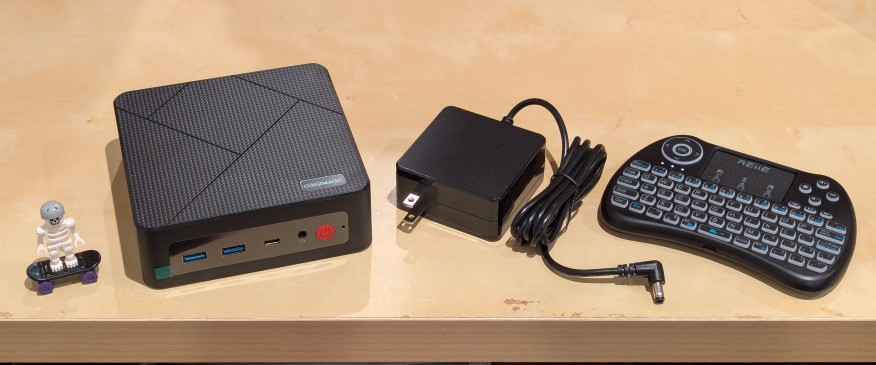
    lego minifigure skeleton on skateboard next to origimagic c4 mini pc, power adapter, and handheld keyboard with trackpad

    I’ve been unhappy with Roku’s increasing advertising through images and now full-motion video and their lack of support for a variety of codecs in their media player app. So, I’ve been looking for awhile for a good deal on a mini pc that could replace the Roku for playing media and also support some light gaming. Also, considering the impending tariffs (i.e., a tax on Americans), I hoped to find something as soon as possible.

    After tracking several mini pcs on Amazon and eBay for a few weeks, I finally pulled the trigger when Amazon offered the Origimagic C4 Mini PC with a Ryzen 5 3550H (4 core, 8 threads) on sale for $153. It’s CPU has a lot more horsepower while using 25 watts of power than Intel’s similarly priced mini pc processors. It came stock with 16GB DDR4 RAM, 512GB PCIe SSD, 1 x Type-C USB, 4 x Type-A USB (3 are USB 3 and 1 is USB 2), headphone jack, HDMI, DisplayPort, and dual ethernet.

    To operate it from the sofa, I got a $10 reiie H9+ Mini Keyboard with Touchpad that uses a wireless USB adapter to connect to the mini pc.
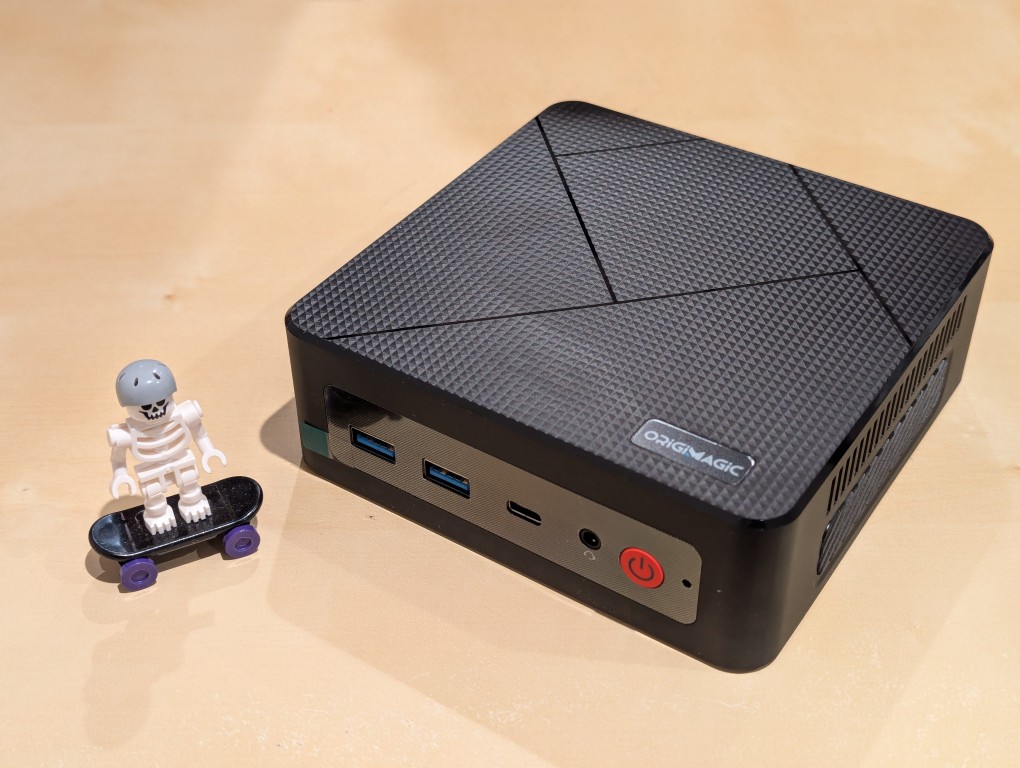
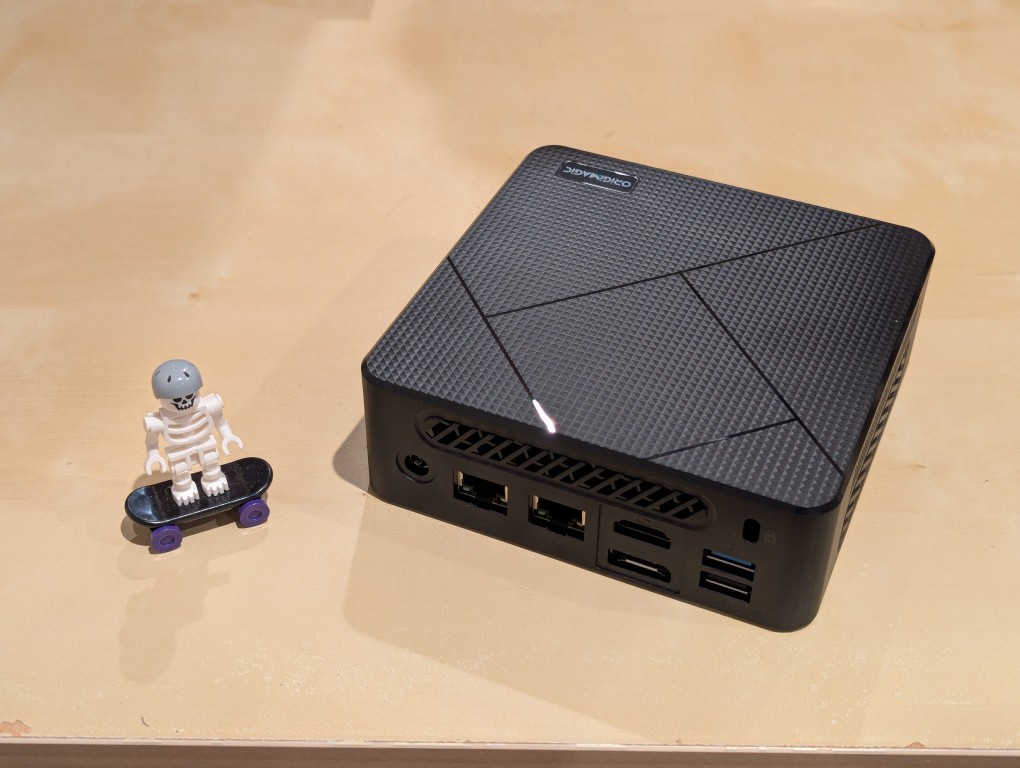
    lego minifigure skeleton on skateboard next to origimagic c4 mini pc
    lego minifigure skeleton on skateboard next to origimagic c4 mini pc

    Before setting anything up, I created a flash drive with Debian 13 Trixie, the latest version that was released over the weekend on Saturday.

    To do this, I inserted a 16GB flash drive into my workstation, but I didn’t mount the device. I downloaded the network install ISO for Debian 13 from here. Then, I ran lsblk in a terminal window to see what device address corresponded to the flash drive. It’s important to not make a mistake here, because it’s easy to overwrite another drive using this method. lsblk lists the devices, which are all in the “/dev/” folder, so when I saw that my flash drive was assigned the address “sdb”, I knew that its full address was “/dev/sdb”. With that info, I then wrote the downloaded Debian 13 netinstall ISO directly to the flash drive using this command:

    sudo cp debian-13.0.0-amd64-netinst.iso /dev/sdb

    After the copying to the flash drive had finished, I ejected it from my workstation and took it over to the mini pc. I plugged in the power adapter, ethernet cable (I arbitrarily picked the one furthest from the power plug), HDMI cable to the TV, the keyboard receiver USB, and the Debian 13 installation flash drive.

    I did experience some frustration with getting the Debian 13 flash drive to boot the mini pc. As soon as the mini pc booted, I was unable to enter BIOS or open the boot menu. Instead, it kept booting into the Windows 11 setup, which I did not want to use. At first, I thought it might be a problem with the tiny wireless keyboard and trackpad, so I switched to my Logitech keyboard and trackball, which are both tied to one Logitech USB receiver. I tried different USB plugs on the front and rear of the mini pc until I was finally able to enter bios (pushing DEL at boot) when the keyboard USB receiver is in the top-right USB port on the rear of the mini pc as shown below (it is a USB3 port). It might have been bad luck on my part with the other ports, so I can’t say this is a peculiarity with this hardware for certain. Nevertheless, it’s good to exhaust all possibilities like this.
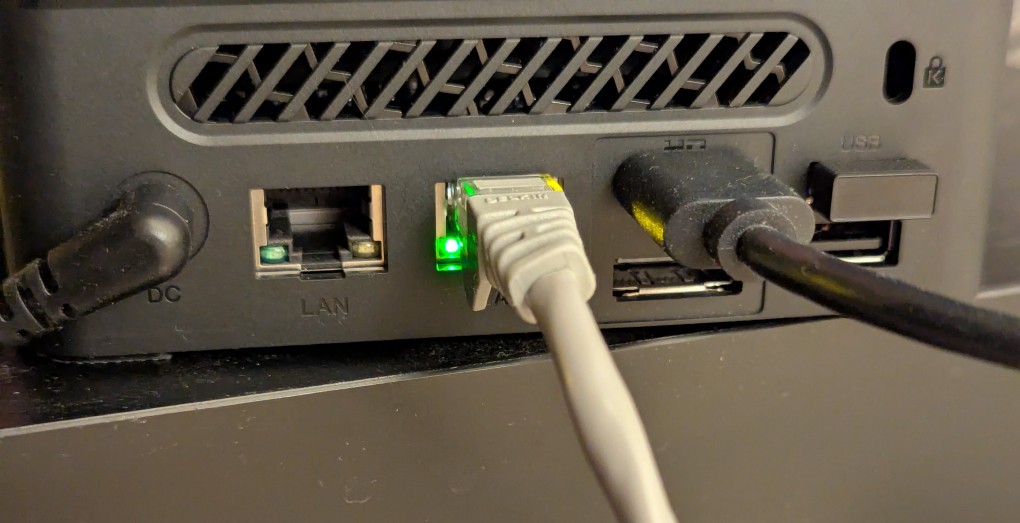
    back of mini pc: power plug, two ethernet ports (one plugged in), HDMI (plugged in), display port, and 2 usb ports (one has a tiny device plugged in)

    Once in the BIOS, there’s not many options except for disabling hardware (I disabled WiFi), turning off Secure Boot and the Trusted Computing Module, and other odds and ends. I saved the settings, rebooted, and went into the Boot Menu (F7), selected the Debian 13 netinstall flash drive, and began the installation (a full nuke-and-pave: erasing the NVMe drive and setting up Debian 13 as the only operating system).

    While I use XFCE on my laptop and workstation, I opted for the GNOME desktop environment on the mini pc, because I thought its screen controls and overall user interface would be easier to see and navigate from across the room. If I don’t like it, I can always install XFCE.

    Because two of the main sources of media for us is Netflix and YouTube, I installed Chrome to handle those sites. I have VLC and Kodi for everything else.
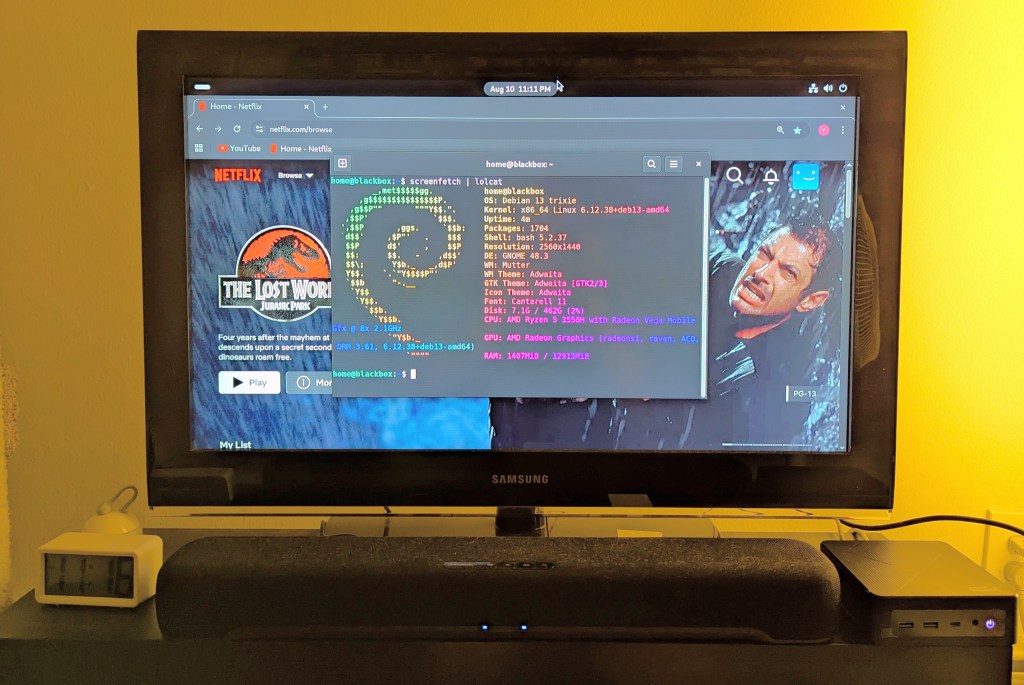
    samsung tv and soundbar with a mini pc on the right side of the tv stand. the screen is showing netflix Jurassic Park the lost world in the background while the foreground terminal shows the pc's info, which is also in the second paragraph above.
  • Ahsoka

    LEGO miniature build of the Ghost starship from Star Wars Rebels and Ahsoka.

    Despite being woefully behind on the Star Wars transmedia juggernaut, I decided to watch the live-action Ahsoka series this week. While I haven’t seen the animated series Star Wars: The Clone Wars or Star Wars Rebels, which provide the major narrative threads for Ahsoka, I’ve kept up enough with the plot points tangentially (sometimes via LEGO) to respect the characterological mining and intertextual connections that make Ahsoka an interesting story that also does a lot of fan service.

    And, I don’t mean fan service in a negative way. The animated stories that provide the foundation for this new live-action series are what kept the Star Wars universe alive for a lot of fans and introduced that universe to a new set of fans. Star Wars might not have have needed an animated lifeline in the same way that Star Trek did in the 1970s, but the animated stories and the fact that it was created forthrightly as canon shows how live-action and animation can both do the heavy lifting of transmedia storytelling of such an important cultural franchise as is Star Wars.

    It’s been awhile since Sean Scanlan and I edited a issue of New American Notes Online (NANO) on transmedia storytelling in Star Wars. Maybe it’s time for a new installment!

  • Update on the Search for Space Station L-4: A Conversation with Steve Lenzen

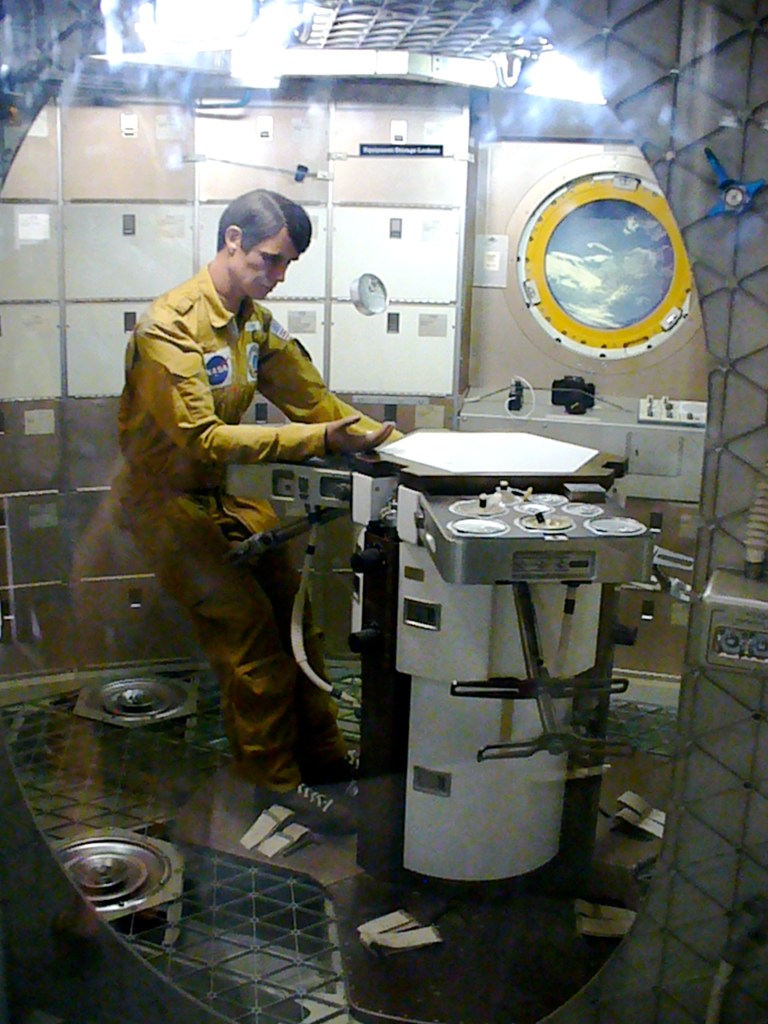
    Skylab Orbital Workshop Interior, Smithsonian Air and Space Museum, Washington, DC. Photo taken in 2008.

    As I wrote last week here, I reached out to Steve Lenzen via postal mail about Space Station L-4, the Earth Sciences Educational Program from 1977, after I found his contact information on an archived version of GPN’s website. He worked at GPN from 1976 to 2006, and he co-founded Destination Education. He kindly replied to me via email with important details about the history of GPN and why it might be impossible to find a copy of the series. He explains:

    "The series was produced by Children's Television International, which was owned by Ray Gladfelter. When Ray was "winding down" his career, GPN took over distribution because Ray was an old friend of our director at the time. When Ray died, many, many years ago his old friend had also retired and GPN ceased distribution. Actually, GPN had ceased distribution years before that because there was no demand."
    
    "Back when Ray produced the series many or most of the PBS Stations broadcast programs specifically designed for use in the classroom. This mode of getting educational programming into the classroom was started before the age of VHS and Betamax. The introduction of Betamax and then VHS is what led to the "death" of 16mm film and subsequently PBS stations airing a block of programs designed specifically for in classroom use. Starting in the late 80's, teachers were demanding that PBS Stations air only new, up-to-date programs depicting current hair styles, clothes, etc. If a series did not meet this criteria, teachers did not want it."
    
    "Due to the lack of storage space, once a series was pulled from distribution GPN destroyed the submaster it had. The copyright holder/producer usually had a master. Space Station L-4 was pulled out of distribution long before advent of DVD which meant it cost of lot of money to keep old master, usually 2" Quad, 1" Helical, or Betamax in storage. As a result, the copyright owner also destroyed their copy."
    
    "After Ray's death, his son . . . took control of Children's Television International. . . . The company, CTI, was, out of business by then so all he could do was find a place to give the tapes or destroy them."

    My next move is to reach out to Ray Gladfelter’s son. I will report back with any developments.

    If you’re unfamiliar with Space Station L-4, there are details about the show in my 2013 interview with Paul Lally, its producer, writer, and director, here.

  • Have You Seen Space Station L-4, the 1977 Educational Earth Sciences Program by Children’s Television International?

    From L to R: V-2 Rocket, WAC Corporal Sounding Rocket, Skylab Orbital Workshop, and V-1 Cruise Missile (hanging), National Air and Space Museum, Washington, DC, 2008.
    From L to R: V-2 Rocket, WAC Corporal Sounding Rocket, Skylab Orbital Workshop, and V-1 Cruise Missile (hanging), National Air and Space Museum, Washington, DC, 2008.

    My friend Mark and I have been on a decade’s long quest to find copies of Space Station L-4 (1977), an educational Earth Sciences television program produced, written, and directed by Paul Lally, who I interviewed in 2013 about the show, and distributed by Children’s Television International (CTI).

    Unfortunately, we have not yet been able to obtain copies of Space Station L-4.

    Obvious starting places like Google, YouTube, Bing, Yandex, etc. yield no video, screenshots, or substantive information.

    I’ve tried interlibrary loan requests without any success.

    There was a mention 6 years ago on Reddit’s r/ForgottenTV that linked to my interview with Paul Lally with a couple of commenters mentioning their fond memories of the show.

    Most recently, I discovered video order directories including Bowker’s Complete Video Directory and The Video Source Book in the Internet Archive that list the series and individual episodes, which were available for order from CTI in Virginia (apparently no longer exists and a more recent San Diego address seems defunct but there is a branch of this organization that seems to remain incorporated in Maryland) and GPN in Lincoln, NE (also no longer exists–the owner retired). I am sending letters to the agent listed for the Maryland branch of CTI and Steve Lenzen of GPN in the hope of them having stock available or a reference to who might have tapes for sale.

    Below, I’m pasting the series and episode information from Bowker’s Complete Video Directory 1998, pp. 2158-2159 in the hope that it might lead someone with info about how to obtain the series to my website and who would be kind enough to reach out by email to my address in the info box to the right or via my social media links on the About page.

    Space Station L-4. 16 cass. (1977). Science—Environmental Studies. 240 min. Rights: Group; Broadcast. Viewers imagine themselves on space station L-4, 440 miles above the earth. Their mission: to study & monitor life support systems for planet Earth & share this information with all countries needing assistance. By dramatically demonstrating modern equipment, techniques & methods of scientific investigation this video teaches how we are seeking to safeguard the future of our natural environment & prepare for human survival. GPN. tchr's. guide: $3.50; VHS, Set (Order #: E374):
    $351.20.
    
    Space Station L-4, Vol. 1: The Changing Earth; Earth Measurement; Atmosphere; Water. Science—General. B&W and Color. 60 min. Juvenile.Ages: 9-13. G. Made-for-Video Movie. Children’s Television International. VHS (Order #: ST-1): $79.95.
    
    Space Station L-4, No. 1: The Changing Earth. (1977). Science—Environmental Studies. 15 min, Rights: Group; Broadcast. Develops an awareness within students that the earth is constantly changing. GPN. tchr's. guide: $3.50; VHS (Order #: E374): $29.95.
    
    Space Station L-4, Vol. 2: Soil; Earth Limits; Energy; Gravity. Science—General. B&W and Color. 60 min. Juvenile.Ages: 9-13. G. Made-for-Video Movie. Children’s Television International. VHS (Order #: ST-2): $79.95.
    
    Space Station L-4, No. 2: Earth Measurement. (1977). Technology. 15 min. Rights: Group; Broadcast. Demonstrates how technological advances enable us to increase the accuracy of measurements. GPN. tchr’s. guide: $3.50; VHS (Order #: E374): $29.95.
    
    Space Station L-4, Vol. 3: Human Life Support; ‘Human Communication; The Order of Nature; Cycles. Science—General. B&W and Color. 60 min. Juvenile Ages: 9-13. G. Made-for-Video Movie. Children's Television International. VHS (Order #: ST-3): $79.95.
    
    Space Station L-4, No. 3: Atmosphere. (1977). ‘Science—Environmental Studies. 15 min. Rights: Group; Broadcast. Helps students understand the effects of the interaction between the earth's surface & living things. GPN. tchr's. guide: $3.50; VHS (Order #: E374): $29.95.
    
    Space Station L-4, Vol. 4: Things in Motion; Reach ‘Up; Reach Out; Reach Far Out. Science—General. B&W and Color. 60 min. Juvenile. Ages: 9-13. G. Made-for-Video Movie. Children’s Television International. VHS (Order #: ST-4): $79.95.
    
    Space Station L-4, No. 4: Water. (1977). Science—Environmental Studies. 15 min. Rights: Group; Broadcast. Presents the interrelationship between water, the earth's surface & living things. GPN. tchr’s. guide: $3.50; VHS (Order #: E374): $29.95.
    
    Space Station L-4, No. 5: Soil. (1977). Science—Environmental Studies. 15 min. Rights: Group; Broadcast. Continues to demonstrate the interrelationship to ecology by looking at how soil, water & living things affect each other. GPN. tchr’s. guide: $3.50; VHS (Order #: E374): $29.95.
    
    Space Station L-4, No. 6: Earth Limits. (1977). Science—Environmental Studies. 15 min. Rights: Group; Broadcast. Shows students that the earth & its components are finite resources. GPN. tchr's. guide: $3.50; VHS (Order #: E374): $29.95.
    
    Space Station L-4, No. 7: Energy. (1977). Science—Environmental Studies. 15 min. Rights: Group; Broadcast. Reveals that the sun is our energy source. GPN. tchr’s. guide: $3.50; VHS (Order #: £374): $29.95
    
    Space Station L-4, No. 8: Gravity. (1977). Science—General. 15 min. Rights: Group; Broadcast. Shows students how man & his environment are both affected by gravity. GPN. tchr's. guide: $3.50; VHS (Order #: E374): $29.95.
    
    Space Station L-4, No. 9: Human Life Support. (1977). Science—Environmental Studies. 15 min. Rights: Group; Broadcast. Makes us aware that we all interact with our environment. GPN. tchr’s. guide: $3.50; VHS (Order #: E374): $29.95.
    
    Space Station L-4, No. 10: Human Communications. (1977). Anthropology. 15 min. Rights: Group; Broadcast. Develops an awareness of humans as communicators. GPN. tchr's. guide: $3.50: VHS (Order #: E374): $29.95.
    
    Space Station L-4, No. 11: The Order of Nature. (1977). Science—Environmental Studies. 15 min. Rights: Group; Broadcast. Promotes the observable patterns in nature. GPN. tchr’s. guide: $3.50; VHS (Order #: E374): $29.95.
    
    Space Station L-4, No. 12: Cycles. (1977). Science—Environmental Studies. 15 min. Rights: Group; Broadcast. Develops student understanding of physical & biological cycles that naturally occur. GPN. tchr’s. guide: $3.50; VHS (Order #: E374): $29.95.
    
    Space Station L-4, No. 13: Things in Motion. (1977). Science—-Environmental Studies. 15 min. Rights: Group; Broadcast. Helps students understand that we increase our use of fuels as we explore space. GPN. tchr's. guide: $3.50; VHS (Order #: E374): $29.95.
    
    Space Station L-4, No. 14: Reach Up. (1977). Science—Environmental Studies. Exploration. 15 min. Rights: Group, Broadcast. Demonstrates how we have increased our knowledge of the environment through space exploration. GPN. tchr's. guide: $3.50; VHS (Order #: E374): $29.95.
    
    Space Station L-4, No. 15: Reach Out. (1977). Science—Environmental Studies. Space Exploration. 15 min. Rights: Group; Broadcast. Enables viewers to better understand how our explorations of space have actually changed the dimensions of environmental research. GPN. tchr's guide: $3.50; VHS (Order #: E374): $29.95
    
    Space Station L-4, No. 16: Reach Far Out. (1977). Science—Astronomy. Space Exploration. 15 min. Rights: Group; Broadcast. Takes viewers one step further in the search & inquiry process by showing how we are looking for life in outerspace. GPN. tchr’s. guide: $3.50; VHS (Order #:E374): $29.95.

    If you know where I might find a copy of Space Station L-4, please send me an email at my address to the right or via my social media links on the About page. Thank you!

  • 2023 Spring Recess Updates

    I wanted to make the most of this year’s Spring Recess. Below are a few things that I accomplished during this late semester respite: a computer storage upgrade, installing Mac OS X Leopard on QEMU, finding Star Wars action figures on eBay, beginning a generative AI and pedagogy bibliography, and spending time with Y.

    Upgraded My Desktop Computer’s Boot Drive

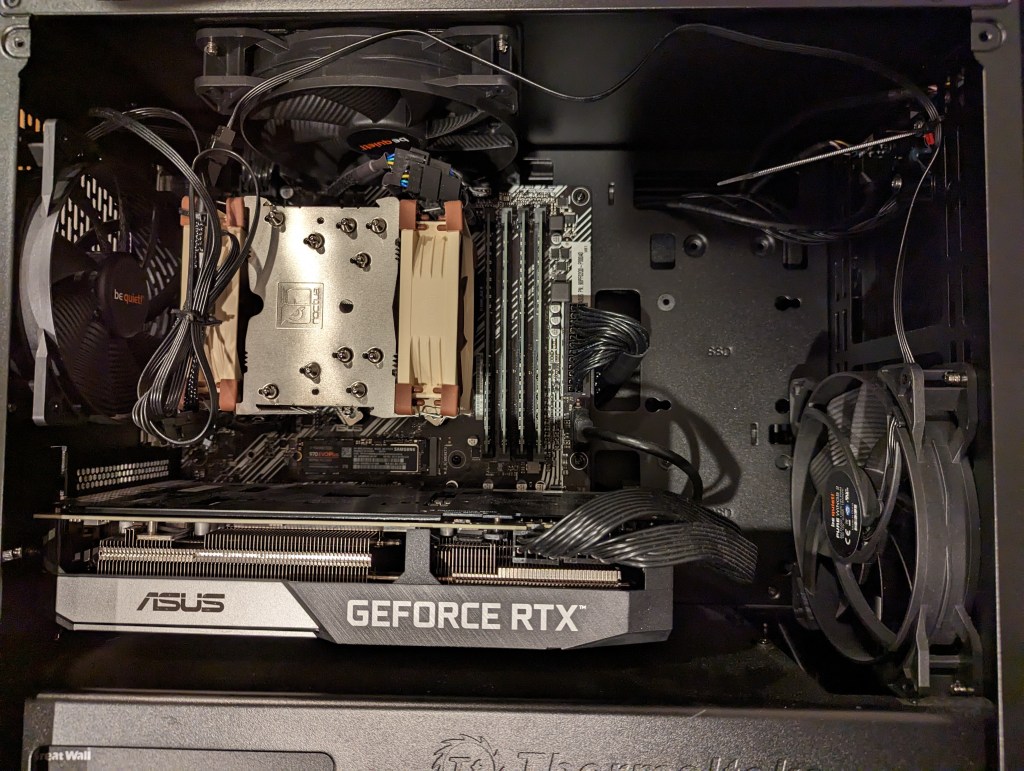
    Inside my desktop computer after installing 2TB NVMe SSD.

    I took advantage of a BestBuy deal on 2TB Samsung 970 EVO Plus NVMe SSDs to upgrade my desktop computer’s boot drive. Originally, I had a 512GB NVMe drive installed. I had pulled out the wifi card that was in the secondary M.2 slot awhile back. So, I moved the 512GB to that slot (under the video card as pictured above) and installed the 2TB Samsung drive into the primary M.2 slot (just above the video card as pictured above). With the hardware installation done, I reinstalled Linux Mint 21.1, which I run on my desktop and laptop computers.

    Installing Mac OS X 10.5 Leopard on QEMU

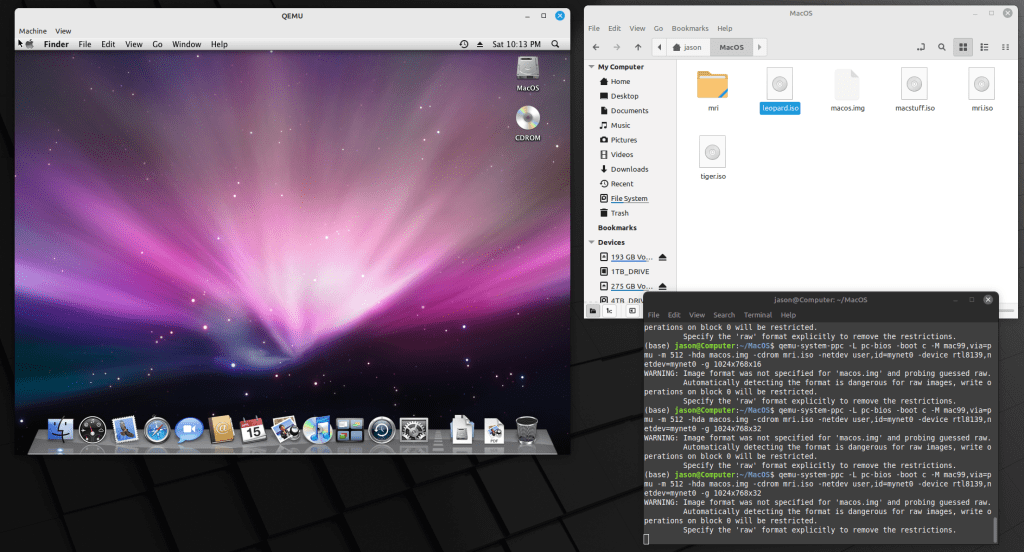
    Mac OS X 10.5 Leopard running in QEMU.

    Since I reinstalled Linux Mint, I thought that it was a good opportunity to play around with QEMU. For most of my Macintosh emulation needs (mostly System 7.5.5 for Apple’s HotSauce and Voyager’s Expanded Books but occasionally earlier versions that best support some Hypercard stacks and other older software), I rely on SheepShaver and Basilisk II. QEMU-System-PPC supports Mac OS 9.x through Mac OS X 10.5. After Mac OS X 10.9 Mavericks, Mac OS X 10.5 Leopard was my favorite version of Mac OS X, so I picked it for QEMU. After grabbing an ISO from archive.org, it was a short order to install and use Leopard. I had hoped to use an older version of OsiriX to look at the MRI that I had at the University of Liverpool (contemporary DICOM viewers have trouble opening the files), but I should have read the documentation first and seen that OpenGL was a non-starter on the regular version of QEMU.

    Star Wars Action Figures from eBay

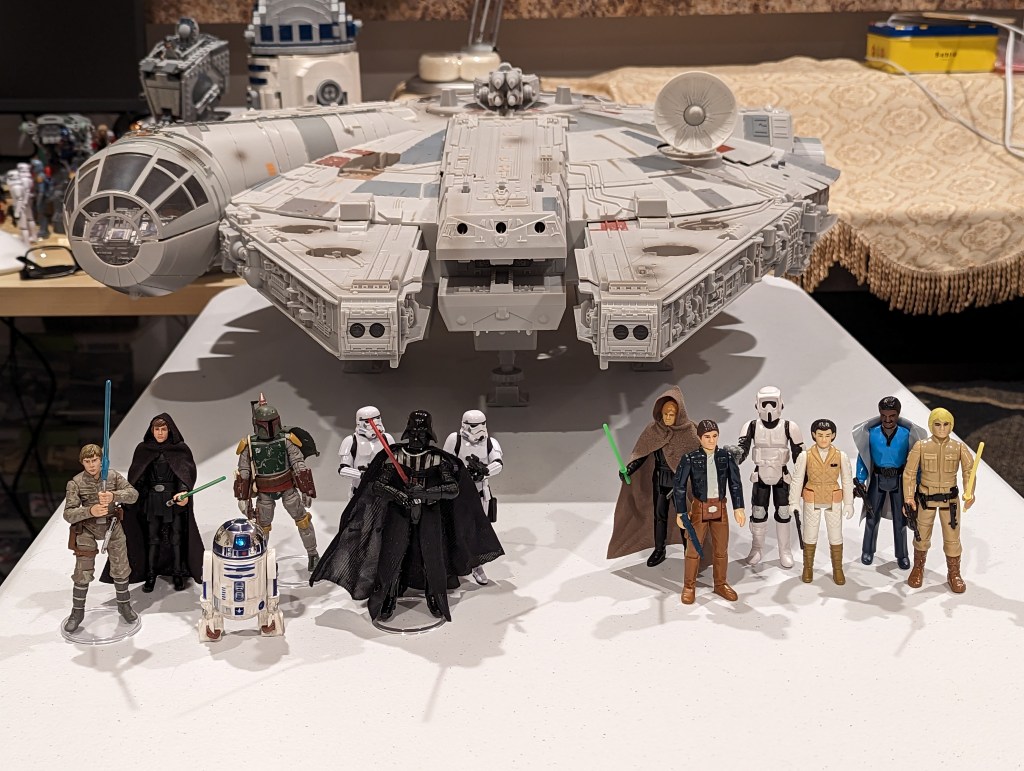
    Star Wars Vintage Collection and Kenner/Retro Collection action figures.

    At the beginning of Spring Recess, I hit eBay and racked up some good deals with bidding and best offers on 3.75″ Hasbro Vintage Collection action figures, Hasbro Retro Collection action figures, and Kenner action figures. I don’t like to collect action figures in their packages. I like to create scenes with them for display. With these new acquisitions, I plan to create some Empire and Return of the Jedi scenes with my 1979 Kenner Millennium Falcon (not pictured) and 2008 Hasbro Legacy Collection Millennium Falcon (pictured above, aka the Big Falcon).

    Compiling a Bibliography of Generative AI Technologies and Pedagogy Resources

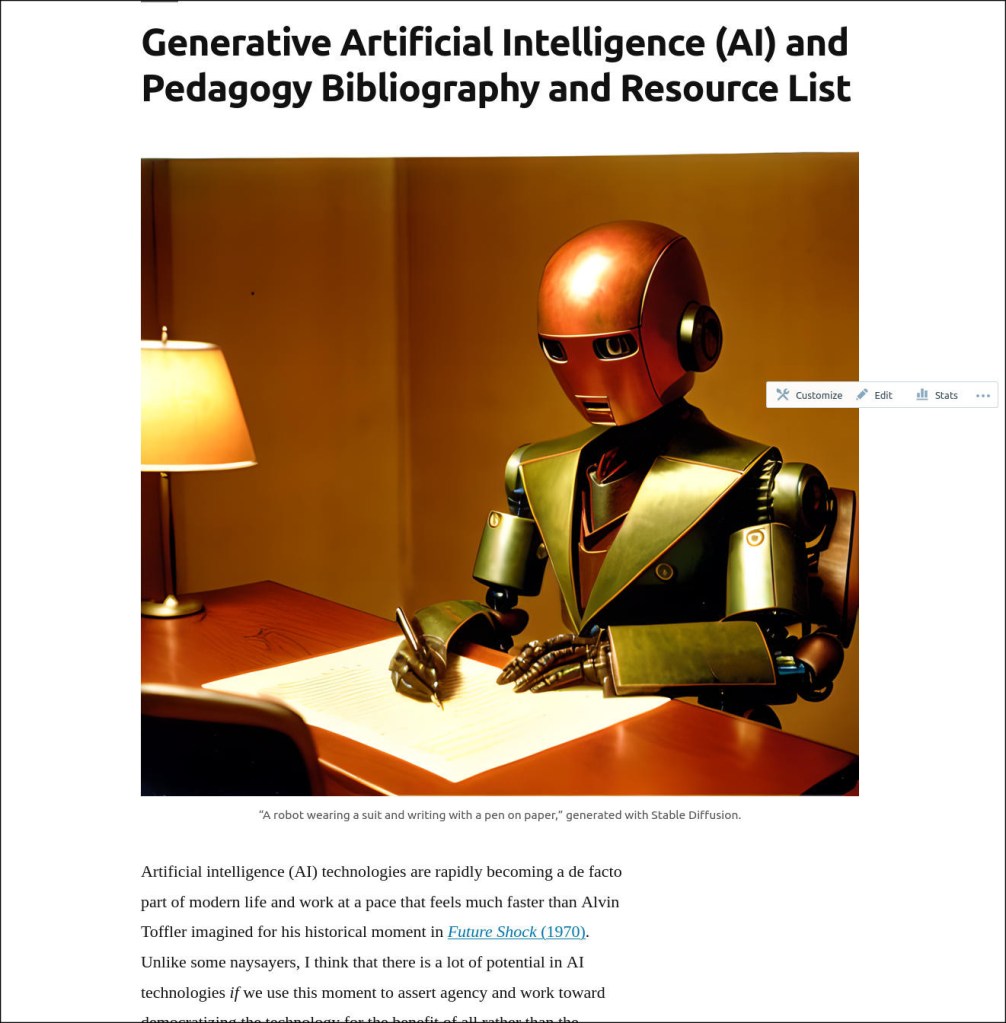
    I compiled all of my current research on Generative AI technologies and how they might be used in teaching on this page. It’s not an exhaustive list, but it has a lot of recent publications. It can help someone get up to speed on what’s going on now with ChatGPT, Stable Diffusion, and other AI tools to create text, images, and music from prompts.


    Y and I also got to spend time catching up via video chat with my cousin Angie in Maryland and our graduate school friend Masaya in Japan. We enjoyed a walk in Green-Wood Cemetery just before we were awash in tree pollen. And, we watched a lot of Family Guy, too.

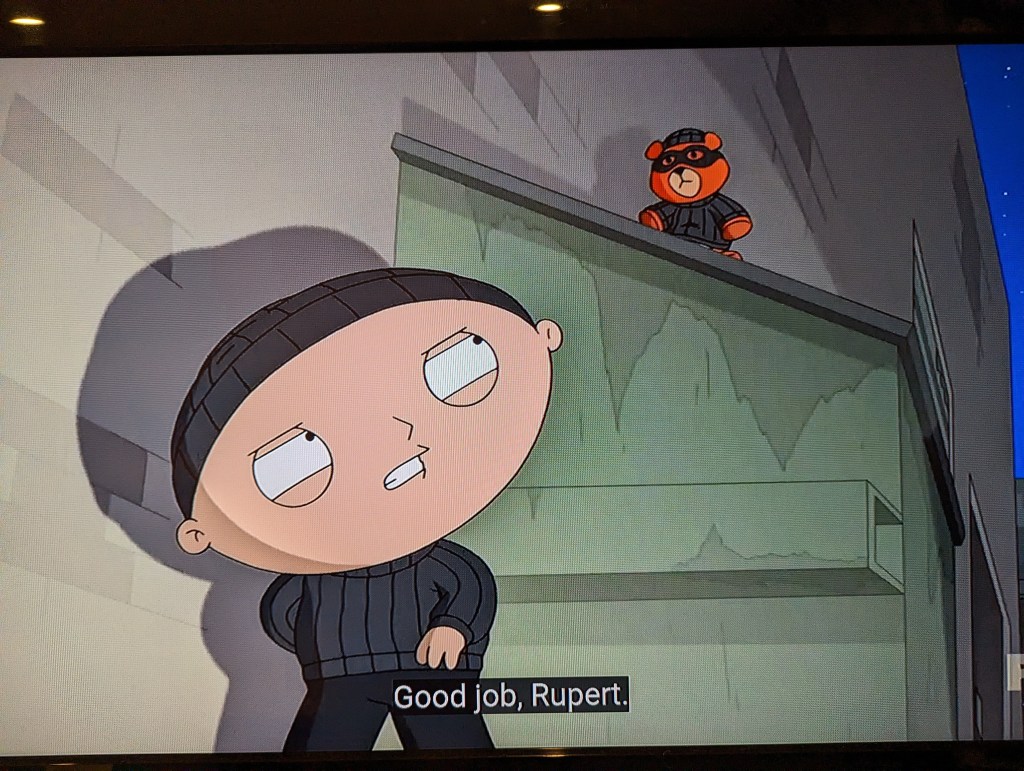
    Stewie and Rupert from Family Guy.