
My absolute favorite piece of software for my 486DX2/66MHz computer with a CD-ROM drive was the Star Trek: The Next Generation Interactive Technical Manual (1994). Built using Macromedia Director and Apple Quicktime VR and distributed on CD-ROM for Macintosh and Windows 3.1, it presents an LCARS (Library Computer Access/Retrieval System) interface to the user for navigating through spaces aboard the USS Enterprise NCC-1710-D, viewing the exterior and interior three-dimensionally, reading technical information, hearing ambient starship sounds, and listening to audio from the Computer (Majel Barrett-Roddenberry) and Command William Riker (Jonathan Frakes).
Before its release, I religiously carried around Rich Sternbach and Michael Okuda’s Star Trek: The Next Generation Technical Manual (1991)–a soft cover, magazine-sized book about 1/2″ thick–that detailed the design and function of 24th-century technology that went into the USS Enterprise NCC-1701-D. I filled it with marginalia and referenced it when I was drawing or discussing esoteric technical minutiae of Star Trek: TNG. It is an example of printed technical communication material about the science and technology scaffolding for the science fictional narratives of Star Trek: TNG. The Interactive Technical Manual added so much more to the experience by putting the user into the spaces described and illustrated on the two-dimensional pages of the Technical Manual. While the Interactive Technical Manual wasn’t as nearly portable as the Technical Manual, it felt like a revolutionary approach that despite being static continued to provide new and interesting experiences for the user based on the interactive path and options (e.g., tour vs. explore; voice vs. no voice; jump vs. transit) selected.
For this post, I ran the Interactive Technical Manual on Macintosh System 7.5.5 emulated on SheepShaver on a Debian 12 Bookworm host. In the past, I have got the Interactive Technical Manual to run on Windows 3.1 installed on DOSBox, but I don’t currently have that setup on this computer. Using the included Quicktime with Quicktime VR is key to successfully running the software on either operating system setup.
After loading, it gives the user options: Guided Tour or Explore. The Guided Tour features Jonathan Frakes as Commander William Riker providing voiceovers as various points, equipment, and artifacts around the Enterprise are shown on the screen. Explore takes the user directly to the Ship Exterior view with the LCARS navigation menu open on the right.
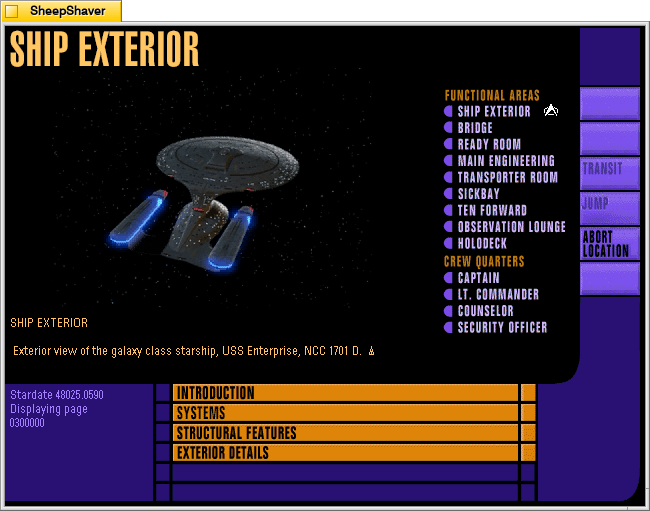
Ship Exterior is the landing page for the Explore option. The view of the Enterprise on the left is a Quicktime VR movie with options to rotate the ship up or down or left or right with gradations in between on each axis, which make it feel like rotating the ship as a three-dimensional object. This was a mind-blowing feature to me at that time. Despite the low resolution and small color palette, looking at the Enterprise from all of these angles–many I had never seen in an episode of Star Trek: The Next Generation before–felt like the future. Using the LCARS navigation menu on the right and clicking on Location loads options for other places around the Enterprise to see and learn more about.

An important place to visit on the Enterprise is the Bridge. The image of the bridge on the left is a Quicktime VR video that allows the user to look around 360 degrees and click “forward” into other nearby views. Those other views are represented by the white squares in the legend on the lower right corner of the screen. Moving through the space of the bridge felt as close to being there as possible at that time. The closest that we’ve come to that today is the fan-made Studio 9 over 20 years later.
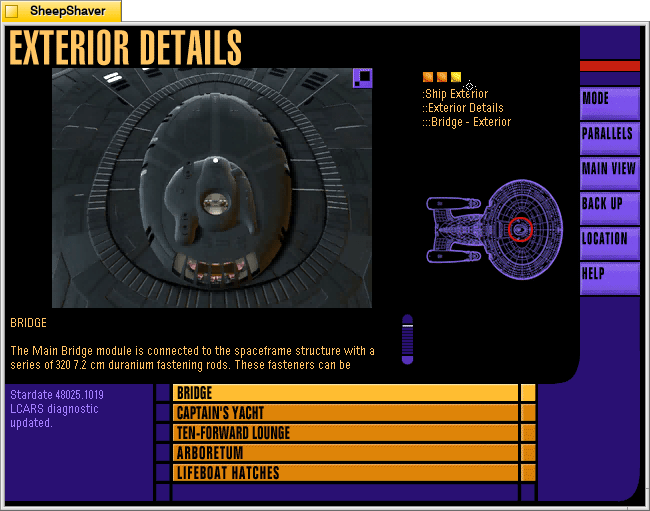
From the Bridge screen, clicking on the Parallels option opens cross-referenced information related to the Bridge. In this case, an Exterior Details view of the Bridge.

Another top spot to visit is Engineering. The user can click the forward arrow within the Quicktime VR video showing the entrance to Engineering on the left, or click the white squares on the legend in the lower right–each view point features a 360 degree view from that vantage point and navigation arrows leading to the other nearby viewpoints.
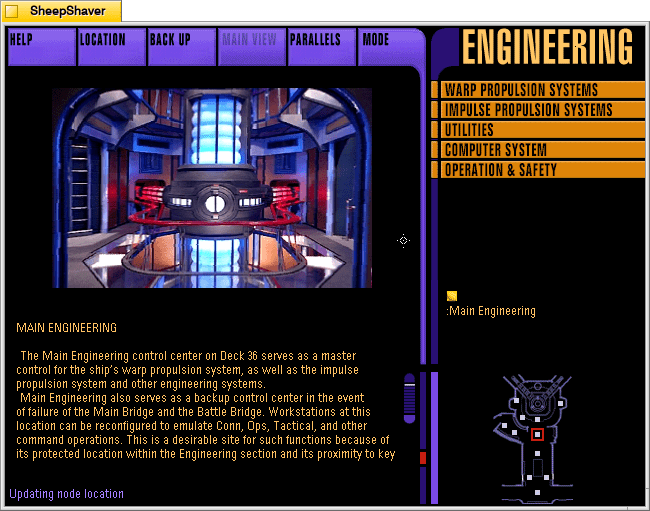
Clicking forward from the entrance to Engineering leads to the warp core–the matter/anti-matter reactor that powers the Enterprise.
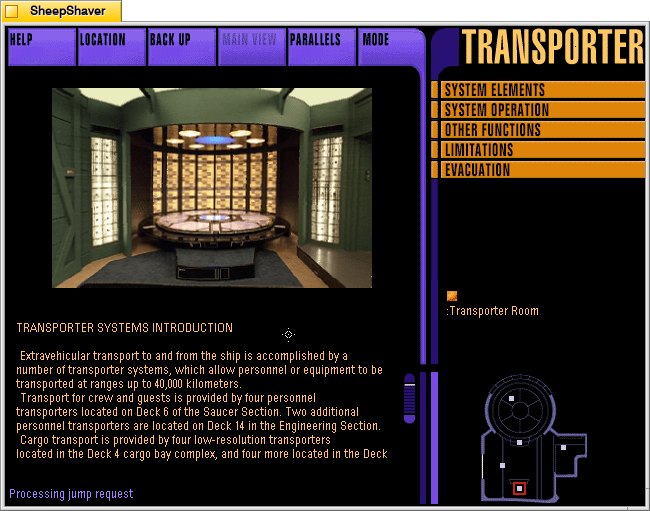
The Transporter Room is another must-see location within the Enterprise. This view is to the right of the one that the user first sees when entering the Transporter Room. Its right behind the transporter control facing the transporter pad.
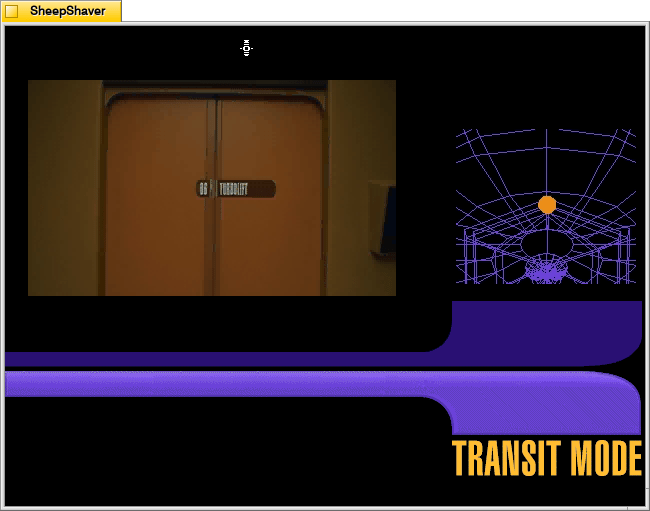
Another innovative feature that helps the user conceptualize locations within the Enterprise is the Transit Mode between locations. Let’s say that I want to go to Lt. Commander Data’s quarters via Transit Mode. First, the screen on the right shows me where I currently aim and then highlights the location of Data’s quarters. On the left, the camera backs out of the Transporter Room, travels down the hallway to the Turbolift, which opens and the camera enters.

The camera shows a brief ride in the Turbolift, which then opens on the corridor for the deck where Data’s quarters are.

The camera moves down the corridor, turns at the door for Data’s quarters, the doors open, and the camera enters to the first location on the Quicktime VR views there.
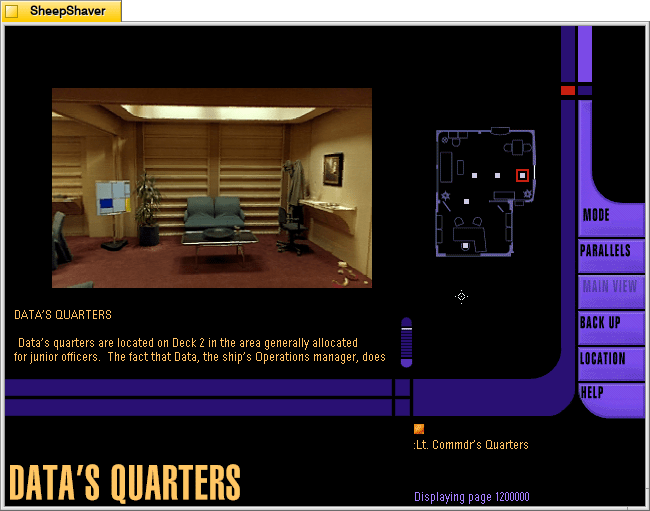
Inside Data’s quarters, the user can click through the Quicktime VR videos on the left or use the legend on the right. Note that Data’s Sherlock Holmes costume is hanging on the coat rack in the back right corner.
Overall, the Star Trek: The Next Generation Interactive Technical Manual is a well-thoughtout, complete user experience that gives the user a different view and experience of the USS Enterprise D. It’s adherence to a logical and self-contained user interface that was consistently applied throughout the program brings the user into the world of the future. It’s aural and video features created an experience of being there–even though you were looking at a low-resolution 14″ monitor and hearing its audio through low-quality beige speakers that came with your sound card. It’s power was to overcome the constraints of early 1990s personal computer hardware and software to create an experience for Star Trek fans with every affordance available at that time.
Finally, Keith Halper, the CD-ROM’s producer for Simon & Schuster Interactive, writes the following in the credits for the Interactive Technical Manual–exploring both what kind of software this is and what exactly it was intended to do:
I want to endeavor to encapsulate our goals in the Interactive Technical Manual for an interactive development community that will, without doubt, surpass our best efforts here in the flash of a tachyon beacon, and also for a Star Trek community to whom we owe our gravest responsibility.

This software is not quite a game, not quite a story, not quite a work of
reference.

This is a fiction, with characters and scenes, but no preordained plot.
Rather, a story  unwinds--or more precisely, occurs--as you go.  The
struggles and events of the crews' lives are absent from this "episode".
The mechanism by which a storyteller traditionally tells us about
characters--and through them about both writer and audience--cannot
exist in a totally non-linear experience. Yet, in your own exploration of the
Enterprise here, of the environs and systems and quarters and art and
artifacts, you may come to understand a story about the members of a
particular starship. This story includes impressions of their world,
thoughts regarding our relationship with these characters and the
progress they represent, and about the hurdles we will overcome on our
own journey through time, till their world is our world. It is a story that we come to understand by participating in the telling of it.

If this sounds odd, consider the thought that we tell a tale about ourselves
by our actions. Ask yourself, what the is difference between your real life,
and a story about your real life? In both there are characters and scenes,
even changes in characters over time and in reaction to events. However,
there is no plot. Things "happen," of course--you visit your family, your
young nephew has grown, you get a job offer, you argue with your brother,
perhaps make up and have a drink to celebrate--but events have no
significance until they are strung together to suggest themes. There is no
story until your older brother, Robert, ties together the events of your past
and recent life, assails you for your past stoicism and says to you, (or to
someone we all know), "Jean-Luc, you are human after all." The
crystallizing thought that connects perception and conception--that
bridges the questions, what has happened? what does it mean?--contains the story. In an interactive story (and a good linear one), you, the reader, provide this insight.

So, let's you and I tell each other about the crew of the Enterprise and the
world in which they live. Listen. Explore. Notice. Evaluate. What is
present? What is missing?   Mr. Roddenberry,  Mr. Okuda, Mr. Berman,
and Mr. Sternbach (in their Introductions) note that the Enterprise is a real
vehicle--for story-telling. To visit the ship, or even to serve aboard her,
you need only to participate in the story-telling taking place around you.

While we are accustomed to visiting the Star Trek universe each week (at
least twice a week these days), it is our hope to bring a little of the
twenty-fourth century home to you; to create a space you can live in from
time to time, and to help us remind each other of a bright star in the
heavens by which to steer.
The Interactive Technical Manual was for me “a space you can live in from time to time.” It was an immersive and engaging way to escape the end of the 20th century and bask in the wonder and excitement that the 24th century might offer.
