I’ll be speaking on a discussion panel about Artificial Intelligence, Generative AI, and College Writing at Borough of Manhattan Community College, CUNY (BMCC), Fiterman Hall 1304 on Wednesday, April 2 from 2-4 PM. If you’re free, it would be great if you could join us for what I think will be a lively in-person conversation. Details are below and the event flyer is posted above and below.
The Spring 2025 Robert Lapides Faculty Forum
Wednesday April 2 Fiterman Hall 1304 (245 Greenwich St.) 2-4 pm
A Step Toward the Unified Macro-Mind or a Cybernetic Lawnmower in the Groves of Academia? : Generated Text and the Future of College Writing
Recently, Large Language Models and generated texts have sent shockwaves through the academic community. Do they represent the initial glimmerings on a new horizon of transhuman creativity or are they, in Noam Chomsky’s phrase, merely “glorified autofill,” a “high-tech plagiarism” based on a self-cannibalizing database? Where old-fashioned plagiarism now seems like a relatively simple matter of ethics and originality, Artificial Intelligence and the looming specter of the Literary Chatbot bring a whole host of more tangled issues of Perception, Knowledge, Autonomy, and Class Warfare into the classroom.
Many believe the neural net models of cognition don’t begin to pierce the mystery of the mind—Roger Penrose and others remain unconvinced that human thinking can be reduced meat-puppet computation, while John Searle’s Chinese Room parable undermines the idea that mere symbol-juggling can ever result in emergent consciousness. Still, techno-optimists believe we are at the precipice of an age of cyborg enhancements in which human potential will be radically expanded and the primate mind will be uploaded into Cloud-dwelling immortality.
We will be discussing these issues and many others in an open symposium with CUNY professors Jason Ellis, Carlos Hernandez, Lisa Sarti, and Shane Snipes. We encourage our colleagues to come to voice their concerns and hopes on this increasingly crucial and urgent matter.
The event is named in memory of Robert Lapides, a past English department professor at BMCC. Reading his obituary, you get the sense that he did good work that saved voices from the past from erasure, and created space for voices in the present to carry the work forward.
“Robert Lapides, professor emeritus in the English Department, husband of Professor Diane Dowling, died on January 1, 2021. At BMCC for over 40 years, Professor Lapides will be remembered for his passion, his life-long fight for social, economic, and racial justice, and his commitment to building communities where differences can be expressed. Never afraid to speak up or ask questions, he was genuinely interested in his students and colleagues. His intense curiosity about people, places, politics, history, literature, psychology, religion–about what it means to be human–informed all his efforts. He encouraged his students to embrace their humanity, including the parts of themselves they felt they needed to hide, building their courage to write honestly. His legacy can be found in his influence on the many students and colleagues he worked with, the online communities he created, in his faculty magazine Hudson River, and for editing Lodz Ghetto, collected writings left behind by Jews confined to the Lodz Ghetto in WWII. Until the end, he was working on his book about the creative development of Charles Dickens, which will be published posthumously” (from Ellen Moody’s Under the Sign of Sylvia blog, 25 Mar. 2021).
Below are my presentation notes and bibliographic citations for readings that might be helpful.
General Teaching Portfolio Advice
As with everything in your PARSE and Teaching Portfolio, the key is considering your audience. The audience for these documents are our colleagues across the campus representing very different intellectual disciplines, ways of approaching teaching, and styles for communicating information. Each reader brings different knowledge, expertise, ways of reading, and ways of thinking about teaching. While it’s impossible to accommodate every conceivable possible reader, it pays to address the needs of a general academic audience outside of your field. To do this, unpack concepts, explain the importance of people, theories, or approaches, and use an approachable writing style. If you are unsure or want additional feedback on whether colleagues outside your discipline can get what you are trying to say, ask someone in another department to read an excerpt or section of your portfolio. Avoid dumping your whole portfolio on someone to provide you feedback on unless they have offered to do that for you in advance!
Also, I think it should be said that while it might seem that the work you put into the Teaching Portfolio is a bureaucratic hurdle for promotion, it actually serves a few different important functions. Of course, it is something to check off for your promotion package. However, it’s also a way to reckon with the teaching that you’ve done, the kinds of teaching that you want to do, and how to achieve your ideal teaching in the future. Without it being a requirement, many of us might not take the time to do this necessary professional work that helps us become better educators. Also, it’s valuable for yourself to create a Teaching Portfolio and its individual documents to keep your professional portfolio fresh and up to date. None of us knows what the future holds, but having these documents at the ready help you face change and seek opportunities.
To write an effective Teaching Portfolio, I would suggest reading as many examples as you can given your time and energy. A good starting place is the portfolios of your departmental colleagues who have most recently gone up for promotion successfully. But, you can get lots of good ideas about what to write, how to write it, and how to organize what you write by looking at portfolios from faculty across the college. Reading others’ Teaching Portfolios is what helped me write mine.
Teaching Philosophy and Teaching Methodology
For today, I was asked to talk about two sections of the Teaching Portfolio today: the Teaching Philosophy and Teaching Methodology, which provide your readers with the framework to understand everything that you do in the classroom as an instructor. You can think of the Teaching Philosophy as the “why,” and your Teaching Methodology as the “how.” Another way to think about them is that the Teaching Philosophy is your strategy or the military general’s overarching battle plan, and the Teaching Methodology is your tactics or the smaller actions that added together help you achieve your larger battle plan. While these two documents are separate, they should be in dialog with one another and might even repeat or rephrase some of the same information but in service to the purpose of the respective document. They are simply a reflection of the work that you do in the classroom—your theory of teaching and your praxis of teaching.
Teaching Philosophy
Your Teaching Philosophy is the theoretical underpinning for what you do in the classroom day in and day out. It answers the “because” for each aspect of your teaching.
You can use it to situate yourself in terms of being an educator or in relation to your students at City Tech.
Threaded together, it can include theories of learning, theories of teaching, and theories of assessment and feedback. Show how these work together to facilitate student learning and success.
Rigor in your Teaching Philosophy is an asset, but if you are going to name names or provide quotes, you should explain who those people are, why they are significant, and what they say means in terms of your teaching. This is a part of my Teaching Philosophy that I want to improve on.
Teaching Philosophy Readings
Alexander, Phill, Karissa Chabot, Matt Cox, Dànielle Nicole DeVoss, Barb Gerber, Staci Perryman-Clark, Julie Platt, Donnie Johnson Sackey, and Mary Wendt. “Teaching with Technology: Remediating the Teaching Philosophy Statement.” Computers and Composition, vol. 29, no. 1, Mar. 2012, pp. 23-38, https://doi.org/10.1016/j.compcom.2011.12.002.
Eierman, Robert J. “The Teaching Philosophy Statement: Purposes and Organizational Structure.” Journal of Chemical Education, vol. 85, no. 3, Mar. 2008, pp. 336-339, https://pubs.acs.org/doi/abs/10.1021/ed085p336.
The Teaching Methodology is the list of things that you do in the classroom with students to facilitate learning.
I don’t think there is one right way to write this. Some examples of Teaching Methodologies that I’ve seen focus on discrete activities, which might include the activities’ goals, procedures, and rationalization. Others, like mine, is a mixture of techniques for working with students, providing feedback, and encouraging learning in different ways.
Highlight those techniques of your teaching that you think work best and exemplify yourself as an instructor.
Provide context if a method works better or differently in one class versus another one.
Don’t assume that your reader will understand why or how a particular methodology works for your goals in the classroom. Take the time to provide explanations, discussion, elaborations, and rationalizations.
Review all of your past classes as you brainstorm what you want to include in your methodology. The things that you include do not necessarily have to be big tent activities. There are likely big, medium, and small techniques in your teaching that are worth discussing. Also, the small techniques might yield bigger results than the bigger techniques. If so, include those and explain how.
While Spring 2025 semester classes began this past Saturday at City Tech, my teaching schedule begins today. I’ll be teaching two classes in the Professional and Technical Writing Program: Introduction to Language and Technology (ENG1710) and Introduction to Professional and Technical Writing (ENG2700).
In Introduction to Language and Technology, I have students read an article (though, we begin with Ted Chiang’s “The Truth of Fact, the Truth of Feeling), which they write about in the following class and we discuss it. We work out what we mean exactly when we say “language” and “technology” before looking more closely at how these two aspects of humanity interrelate, interoperate, and influence one another. In parallel to our class discussions, students research and write a paper about one specific technology and its relationship to language. I’ll include a past final exam review below, which will need updating due to some additions to the reading list.
For Introduction to Professional and Technical Writing, I developed a dual approach that combines theory and praxis as a general welcoming of students to what the field they are entering is like. For each class, students read about the history, work, and deliverables created by technical communicators, which they write about in short in-class assignments and we discuss together. The final readings in the class include one paper about how reading Science Fiction can make you a better technical writer and William Gibson’s “Burning Chrome.” Additionally, students are given short deliverable assignments (e.g., write an email, a letter, a memo, a technical definition, an instruction manual, etc.) each week or so. They receive one grade on these first drafts, and they revise them and write reflections on them for creating a final portfolio, which receives a separate grade.
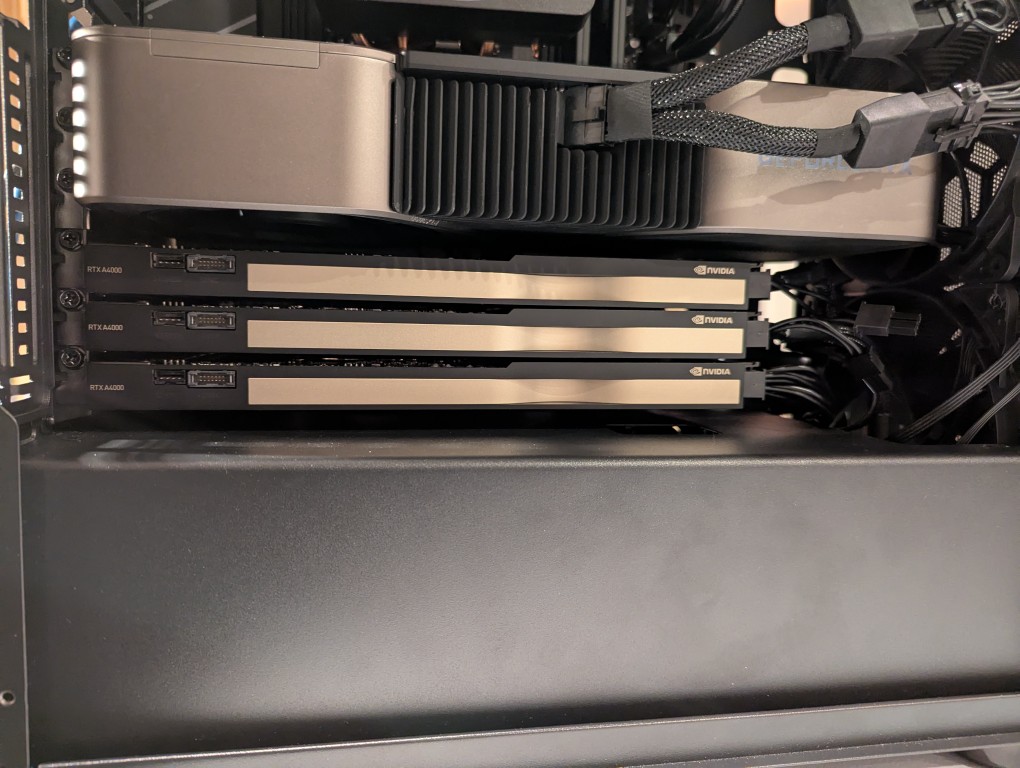
In my original write-up about building my new AI-focused workstation, I mentioned that I was concerned about the temperatures the lower three NVIDIA RTX A4000 video cards would reach when under load. After extensive testing, I found them–especially the middle and bottom cards–to go over 90C after loading a 70B model and running prompts for about 10 minutes.
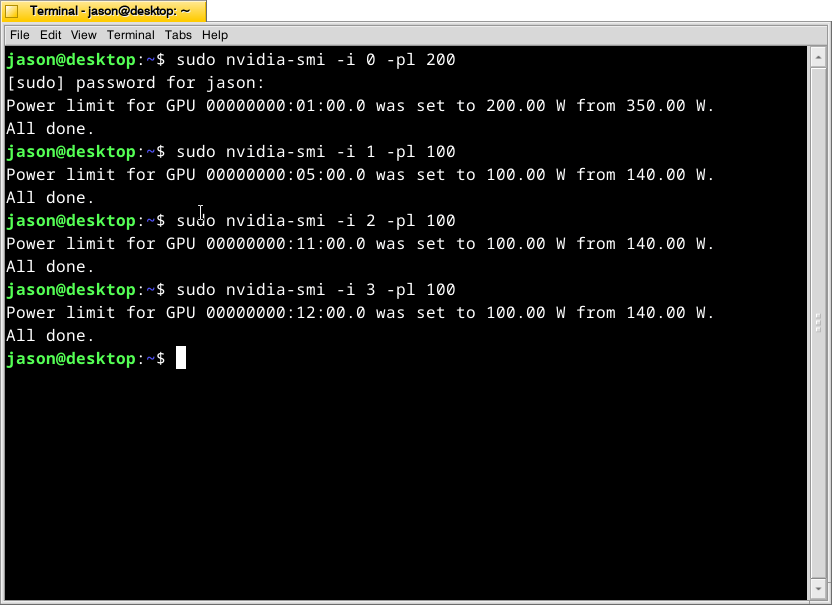
There are two ways that I’m working to keep the temperatures under control as much as possible giving the constraints of my case and my cramped apartment environment.
What this command, bundled with the NVIDIA driver, does is select a video card (the first video card in the 16x PCIe slot is identified as 0, the second video card is 1, the third is 2, and the fourth is 3) and change its maximum power level in watts (200 watts for card 0, 100 watts each for cards 1-3). If the power level is lower, the heat that the card can generate is lower. I set the 3090 FE (card 0) to 200 watts, because it has better cooling with two fans and it performs well enough at that power level (raising the power level leads to steeper slope of work being done).
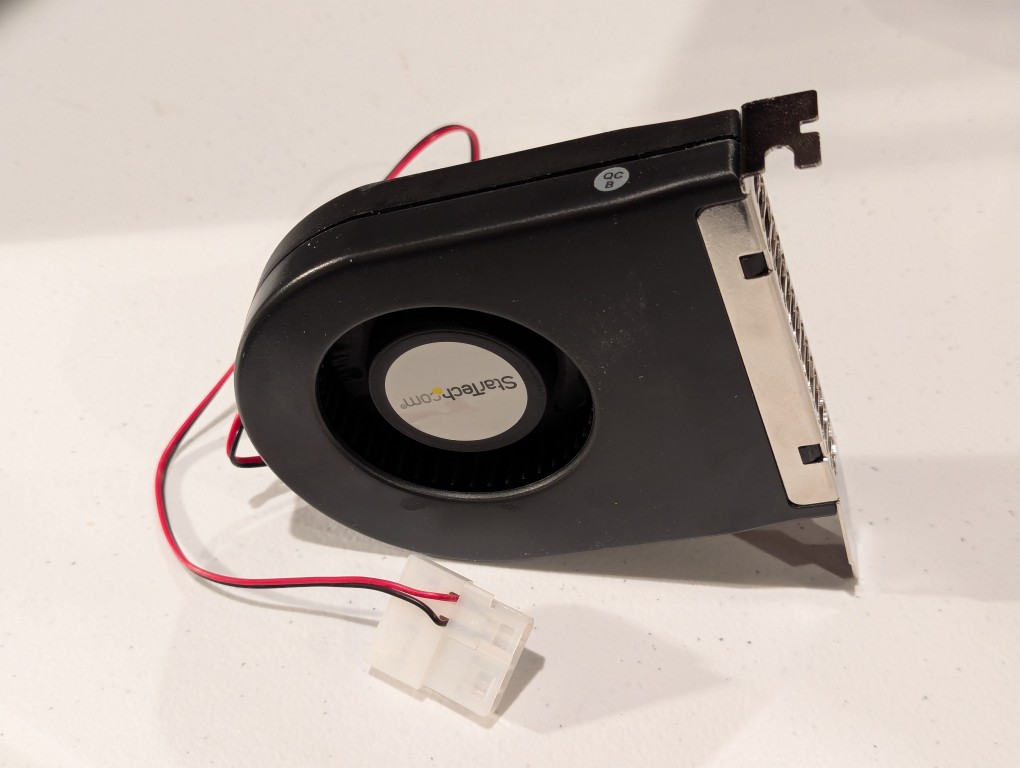
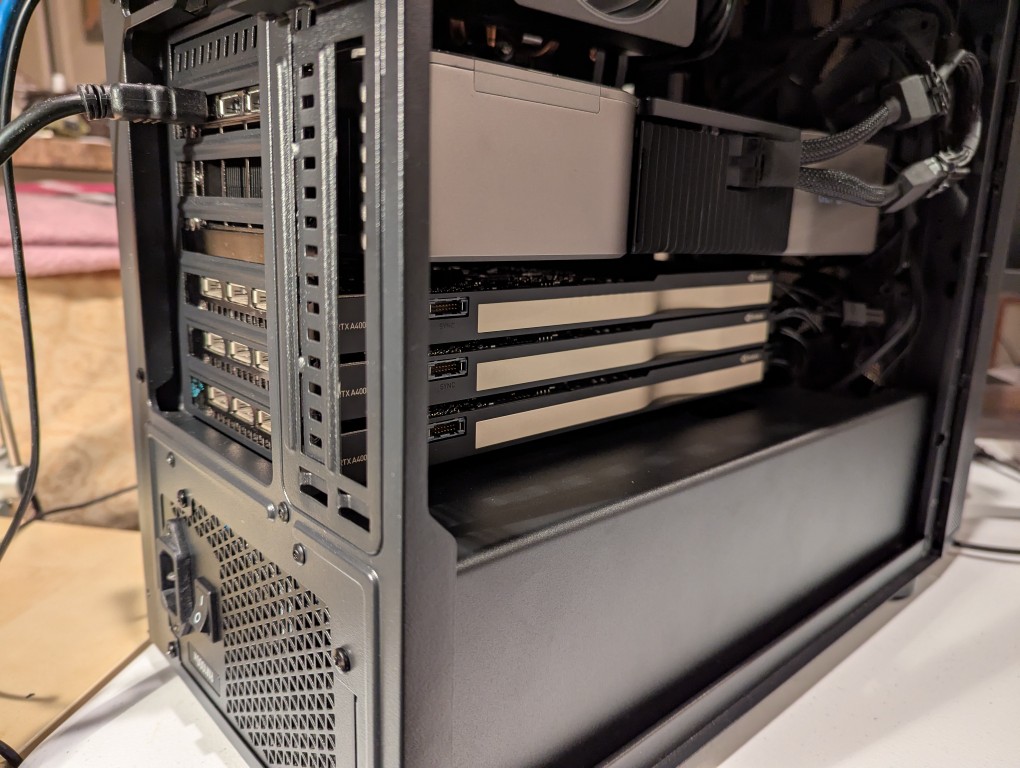
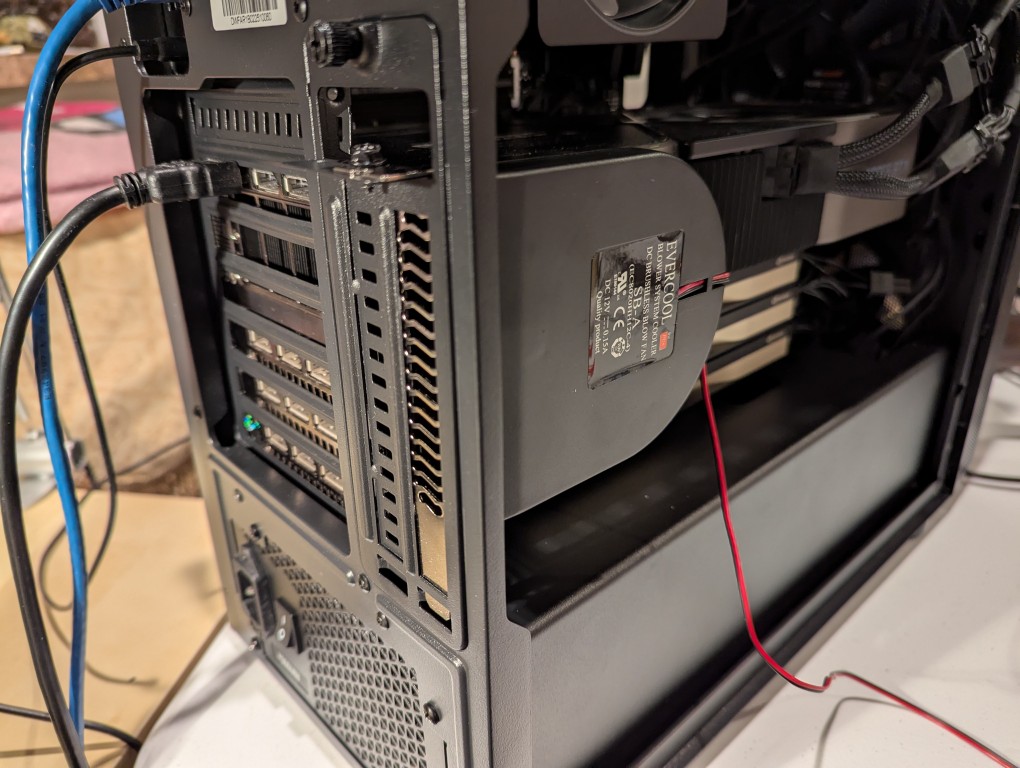
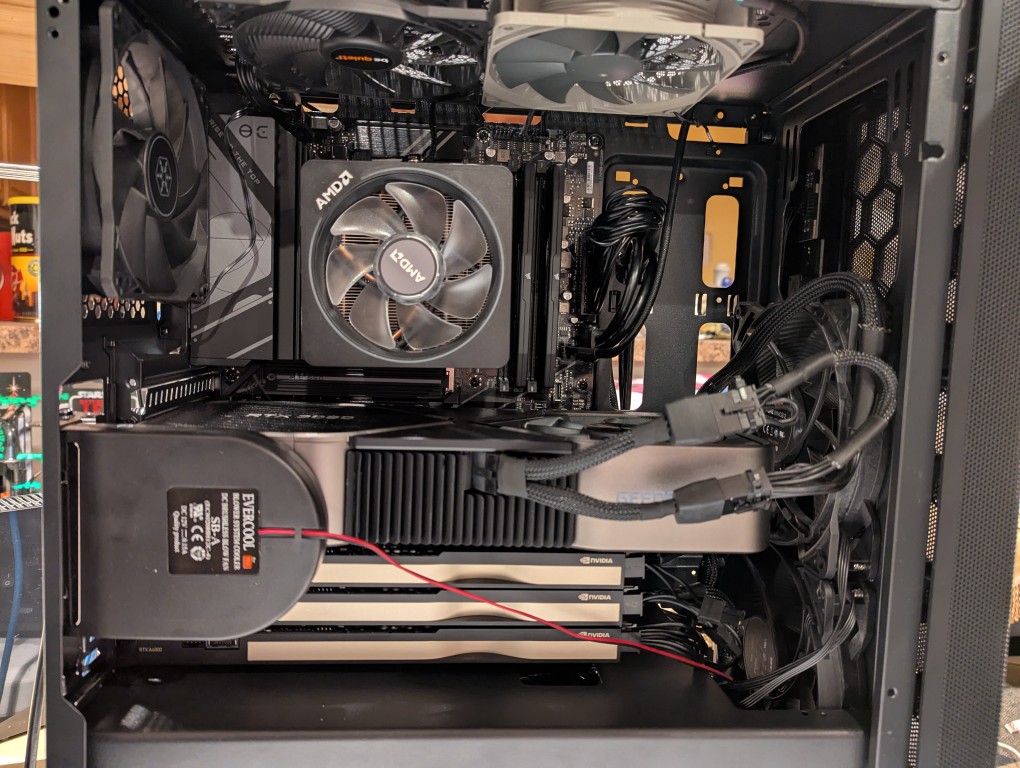
The second solution was to add more fans. The first fan is a PC case slot fan perpendicular to the video cards. This is a constantly on fan powered by a molex connector that has a blower motor that sucks in air from inside the case and ejects it out the back of the card. These use to be very useful back in the day before cases were designed around better cooling with temperature zones and larger intake and exhaust fans. The second fan was a Noctua grey 120mm fan exhausting out of the top of the case. This brings the fan count to two 140mm intake fans in the front of the case, two 120mm exhaust fans in the top of the case, one 120mm exhaust fan in the rear of the case in line with the CPU, and one slot fan pulling hot air off the video cards and exhausting it out of the back.
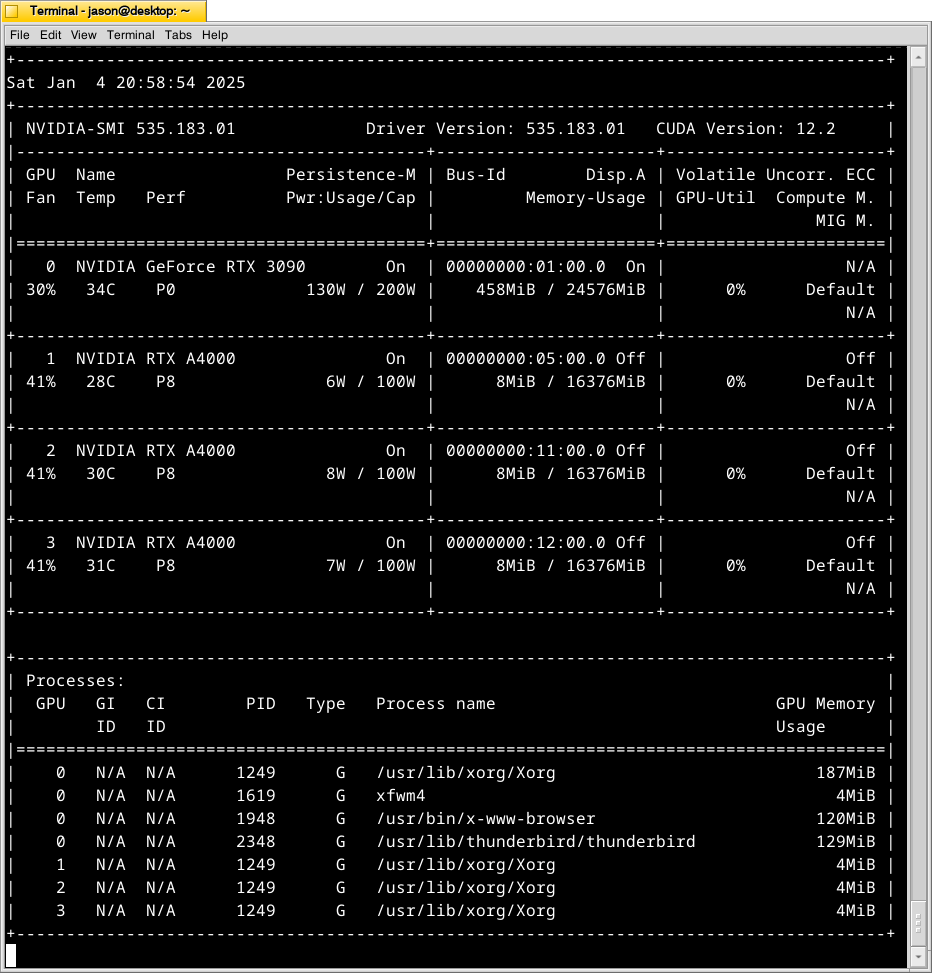
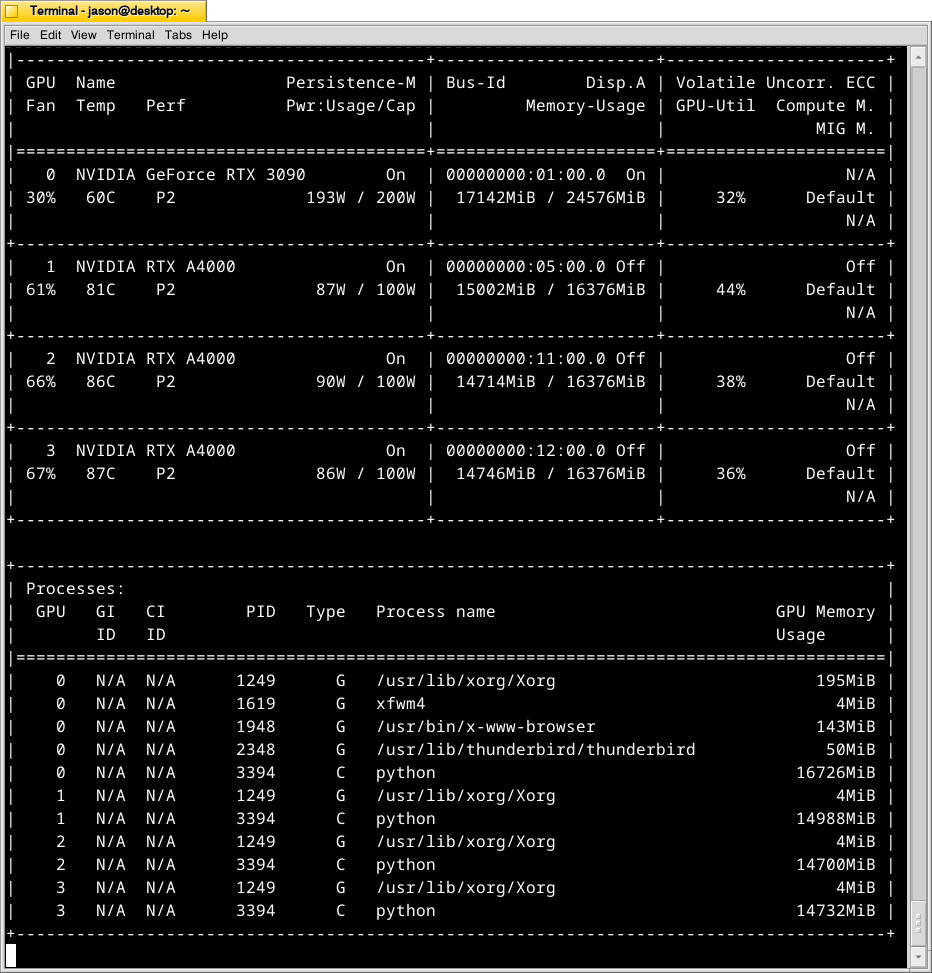
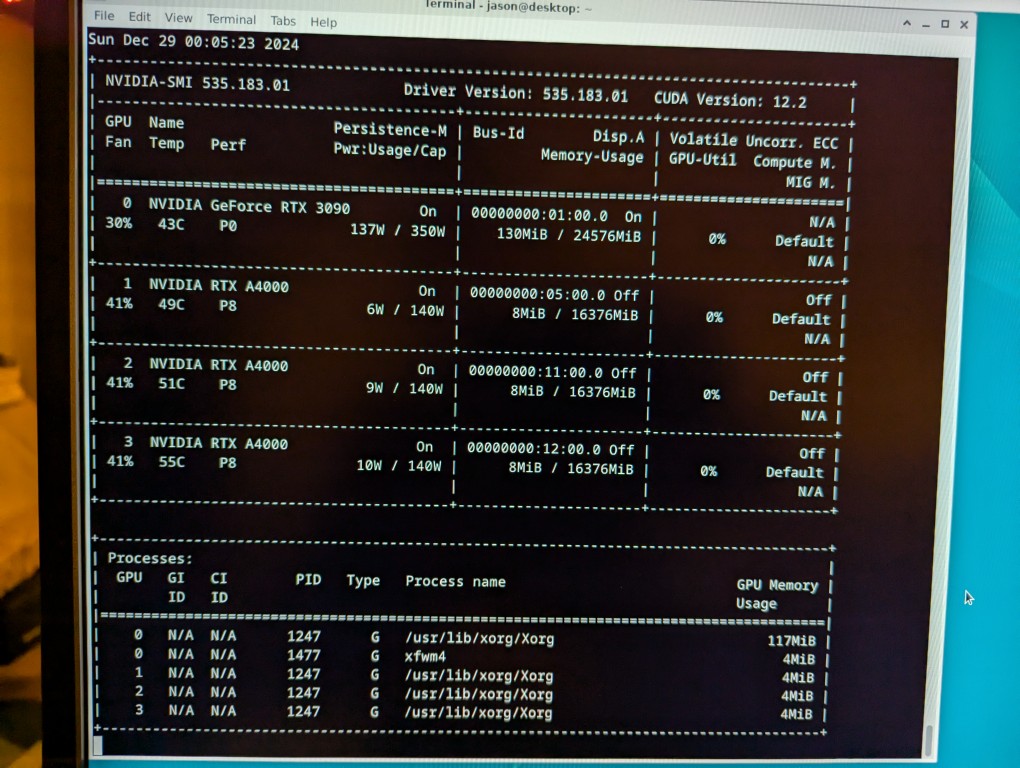
With these cooling-oriented upgrades, I’ve found that the temperatures are slightly better during operation, but perhaps helping in a way that I had not considered before is that the fans help cool the cards down faster after an operation is completed than the cards were cooling down on their own before. Also, the A4000 temps before seemed to be high, higher, and highest going from card 1 to 2 to 3. Now, the middle card or 2 has a slightly higher temp than the bottom card or 3. Below is the output from:
nvidia-smi -l 1
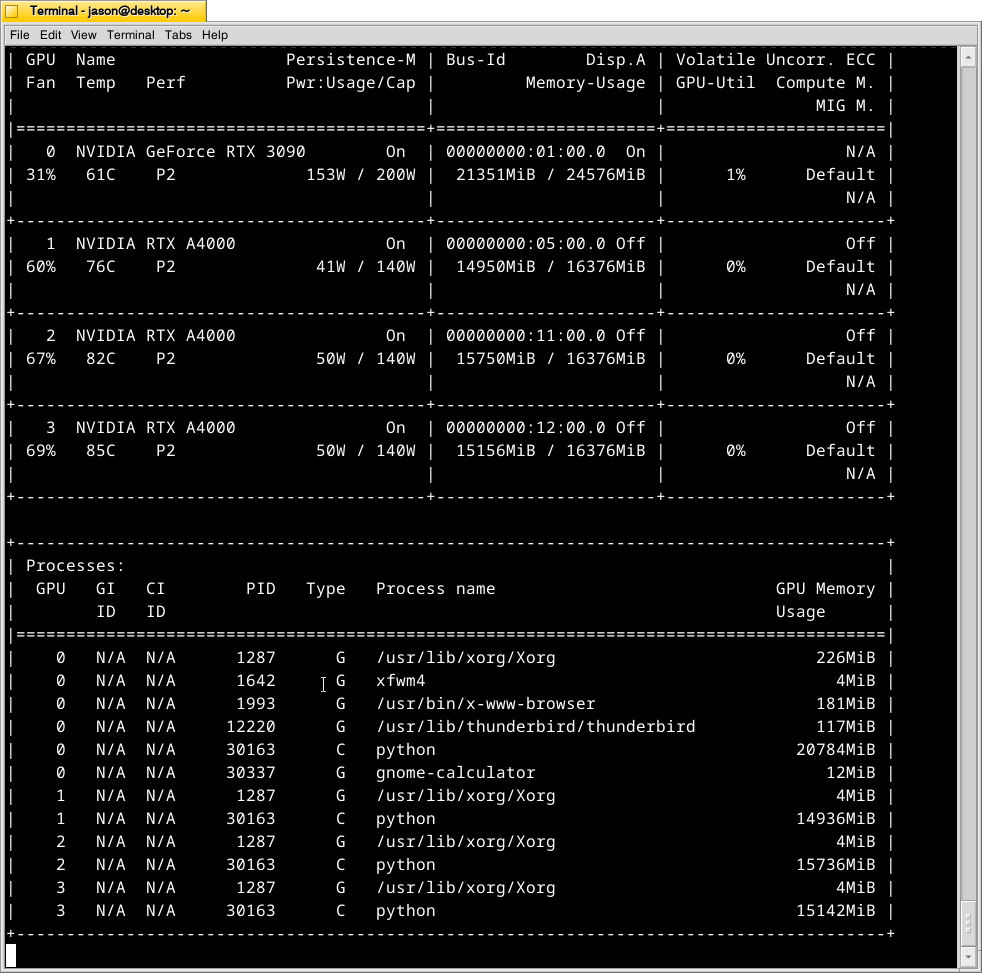
which displays information about the detected NVIDIA video cards including card type, fan speed, temperature, power usage, power cap, and memory usage. The first Terminal screenshot below shows the cards at rest before loading a model. The second Terminal screenshot below shows the cards after a model has been loaded and it is producing output from a prompt for some minutes.
Y made a good point that since it’s the winter, the ambient temperature in the apartment is much cooler–we usually keep it about 66F/19C. When summer comes, it will be much hotter in the apartment even with the window air conditioner going (we are on the top floor of a building that does not seem to be insulated based on sounding and spot temperature measurements).
The key to healthy computer components is cooling–forcing ambient air into the case and moving heated air out. Seeing how well the slot fan has worked, I’m thinking that a next step would be to drill one or two 120mm holes through the sheet metal side panel directly above where the A4000 video cards are and install high-CFM (cubic feet per minute) fans exhausting out. That would replace the currently installed slot fan. If I went that route, I can purchase PWM (pulse width modulation) fans so that I can connect them to the fan controllers on the motherboard, which will increase the speed of the fans according to the rising temperature inside the case when the computer is doing more work. This will reduce fan noise during low-load times but not affect cooling capacity.
On a final note, I will report that I initially tried forcing cooler ambient air into the case through those two rear perpendicular slots to the video cards where the slot fan is currently installed. My thinking was that I could force cooler air over the top of the cards and the blower fans on the cards would carry out the hotter air. What I did to test this was build an enclosed channel with LEGO that sealed against the two open slots and had two 70mm PWM fans pulling air from the channel and pushing it down onto the three A4000 video cards. Unfortunately, this actually increased the temperatures on all three A4000s into the mid-90s C! The heat produced by those cards fed back into the LEGO channel and hot air trickled out of the two slots. Lesson learned.
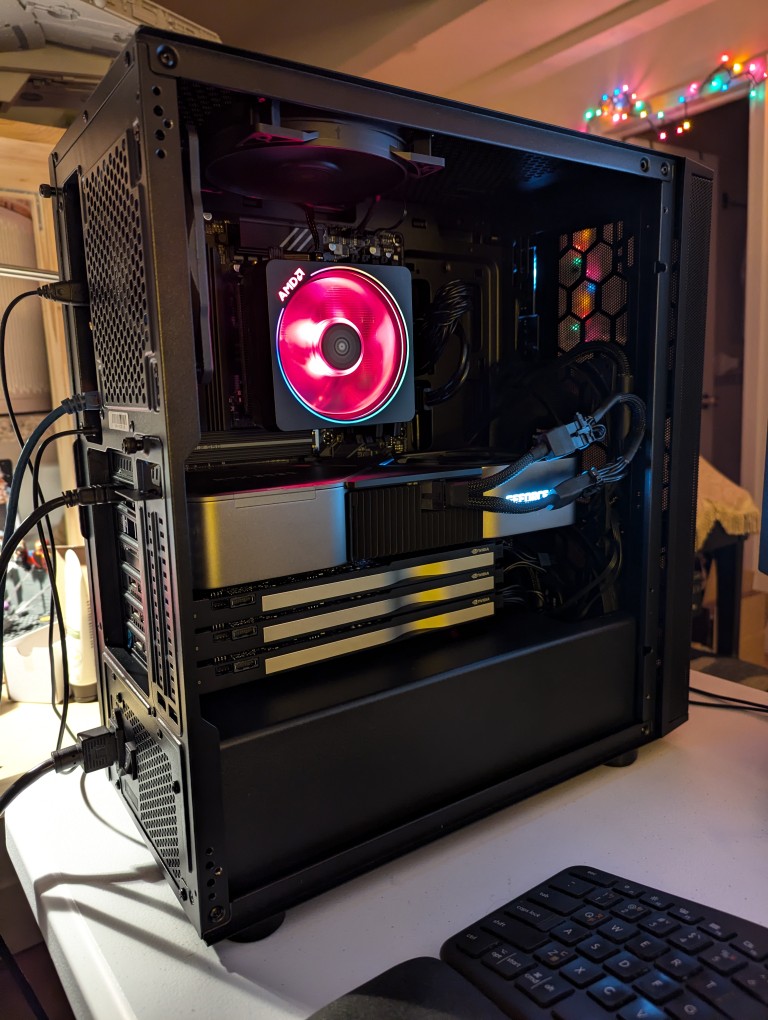
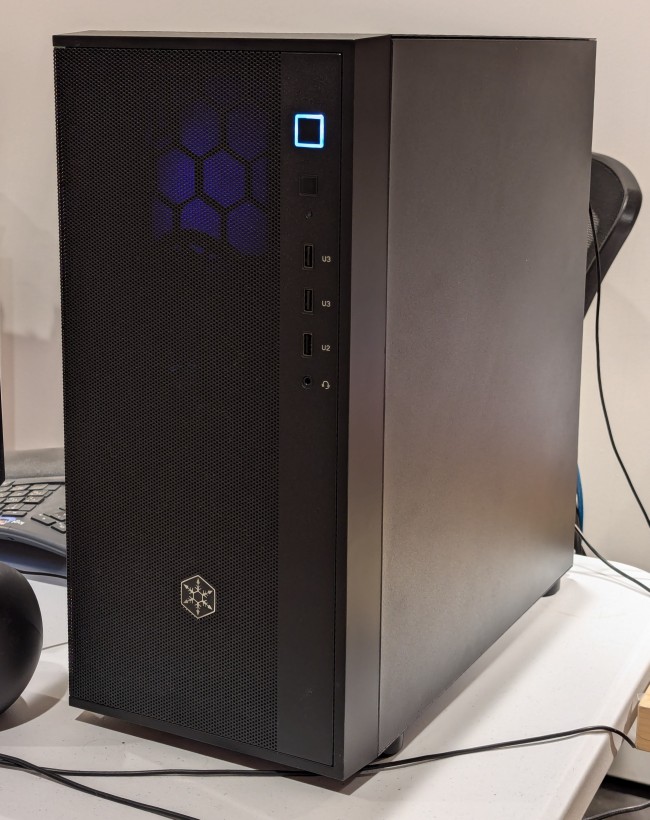
This past weekend, I got the final part that I needed to begin assembling my new AI-focused workstation. It took about a whole day from scrounging up the parts to putting it together to installing Debian 12 Bookworm. As you can see in the photo above, it’s running strong now. I’m installing software and testing out its capabilities especially in text generation, which without any optimizing has jumped from 1 token/sec on my old system to 5 token/sec on this system using a higher quantanized model (70B Q4_K_M to 70B Q6_K)!
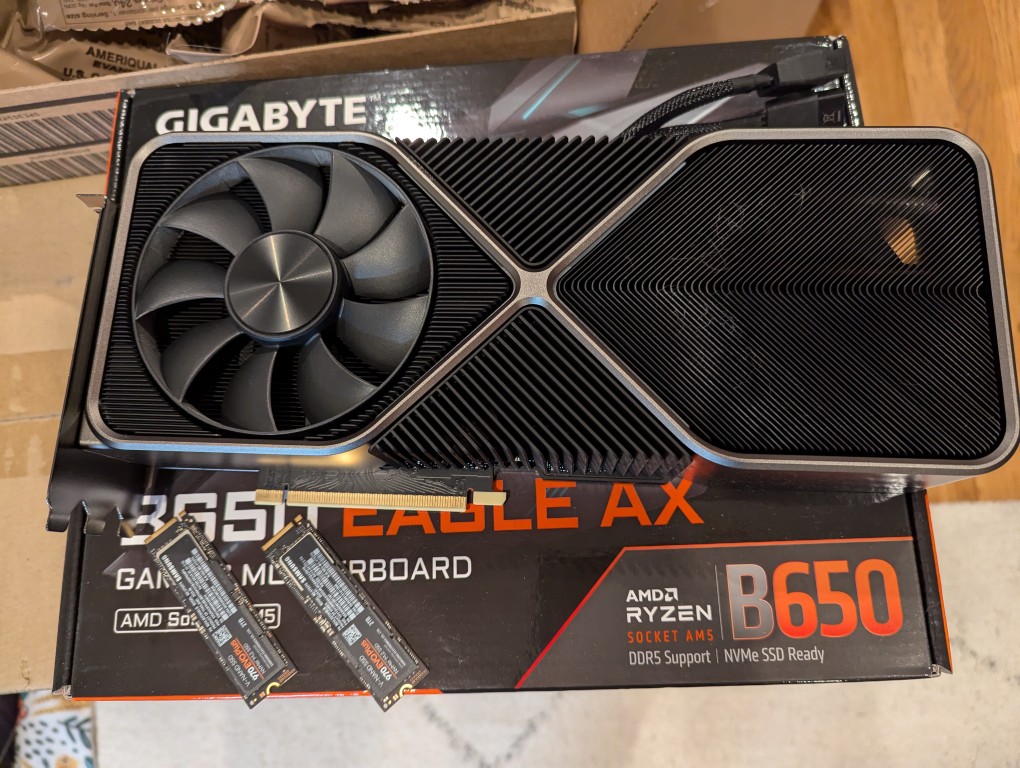
The first thing that I needed to do with my old system was to remove the components that I planned to use in the new system. This included the NVIDIA RTX 3090 Founders Edition video card and two 2TB Samsung 970 EVO Plus nvme SSDs.
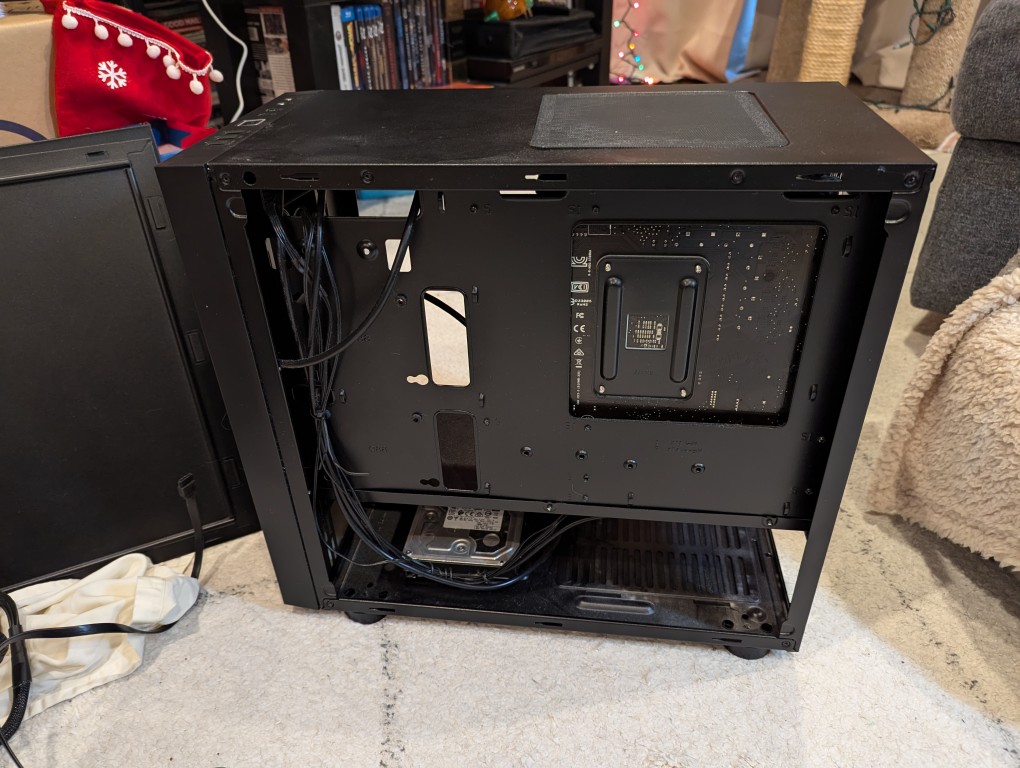
I almost forgot my 8TB Western Digital hard disk drive that I had shucked from a Best Buy MyBook deal awhile back (in the lower left of the old Thermaltake case above).
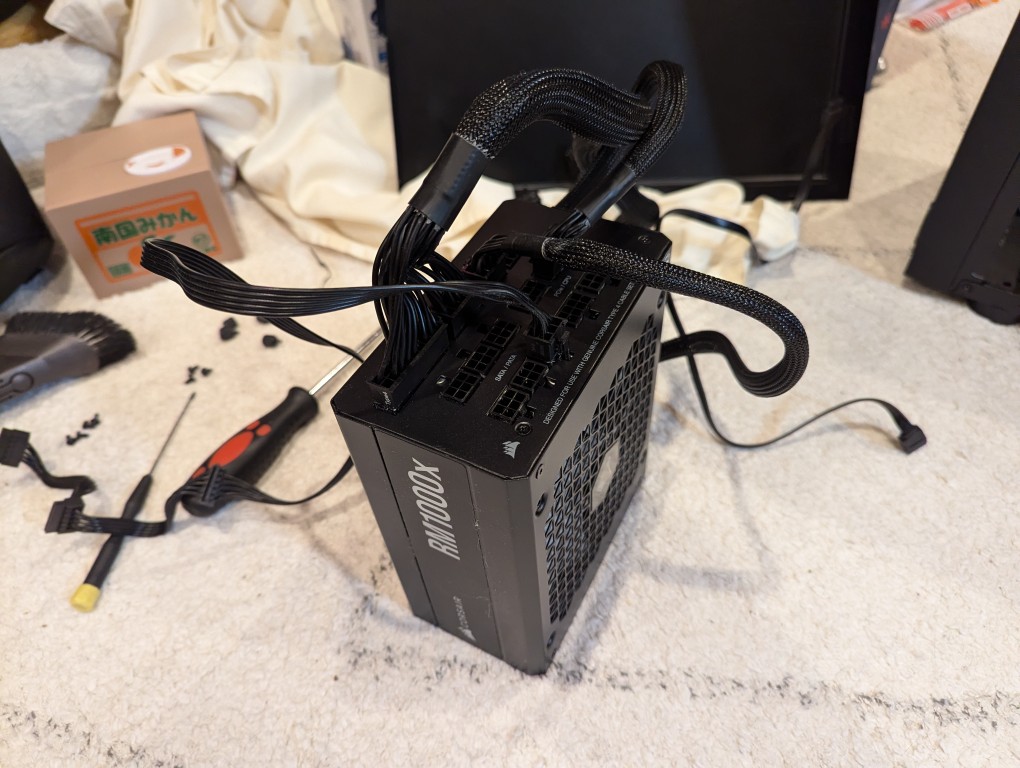
Finally, I needed the Corsair RM1000X 1000 watt power supply and its many modular connections for the new system’s four video cards.
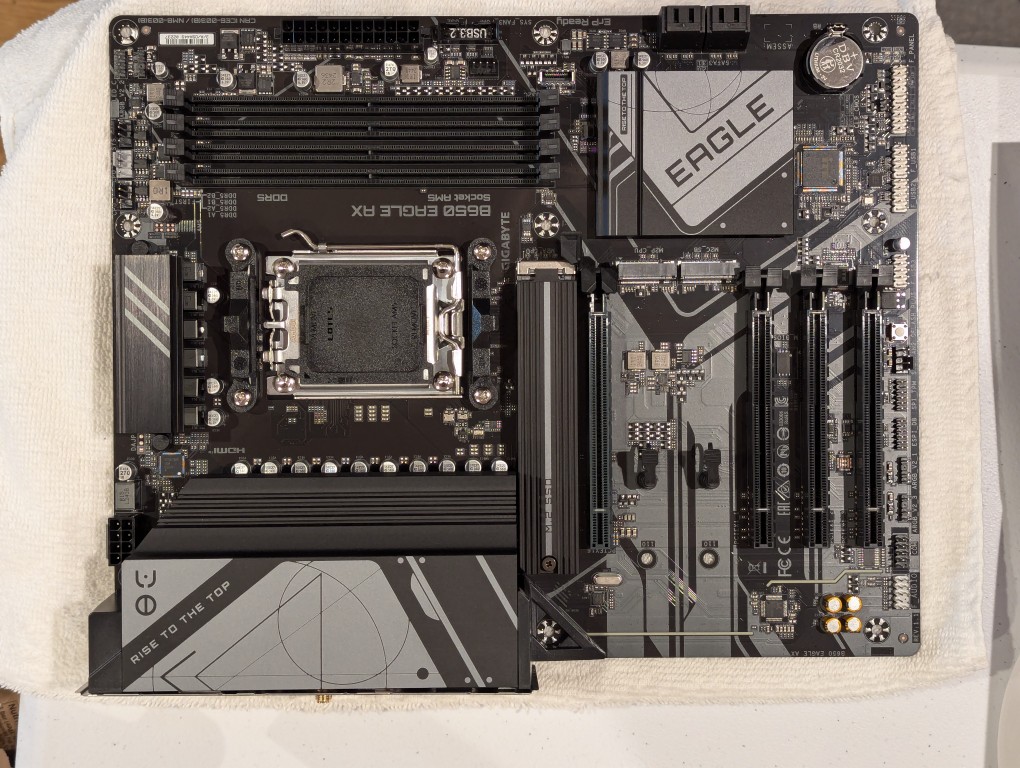
The new workstation is built around a Gigabyte B650 Eagle AX motherboard. I selected this motherboard, because it has a unique 16x PCIe slot arrangement–the top one has space for a three slot video card like my 3090, and its lower three slots would support the three NVIDIA RTX A4000 16GB workstation video cards that I had purchased off of eBay used. The lower slots do not run at full speed with 16 PCIe lanes, but when you are primarily doing AI inference, the speed that even 1x PCIe lanes provides is enough. If you are doing AI training, it is better to have a workstation-class motherboard (with Intel Xeon or AMD Threadripper Pro CPUs), because they support more PCIe lanes per PCIe slot than a consumer-based motherboard like this one is built to provide.
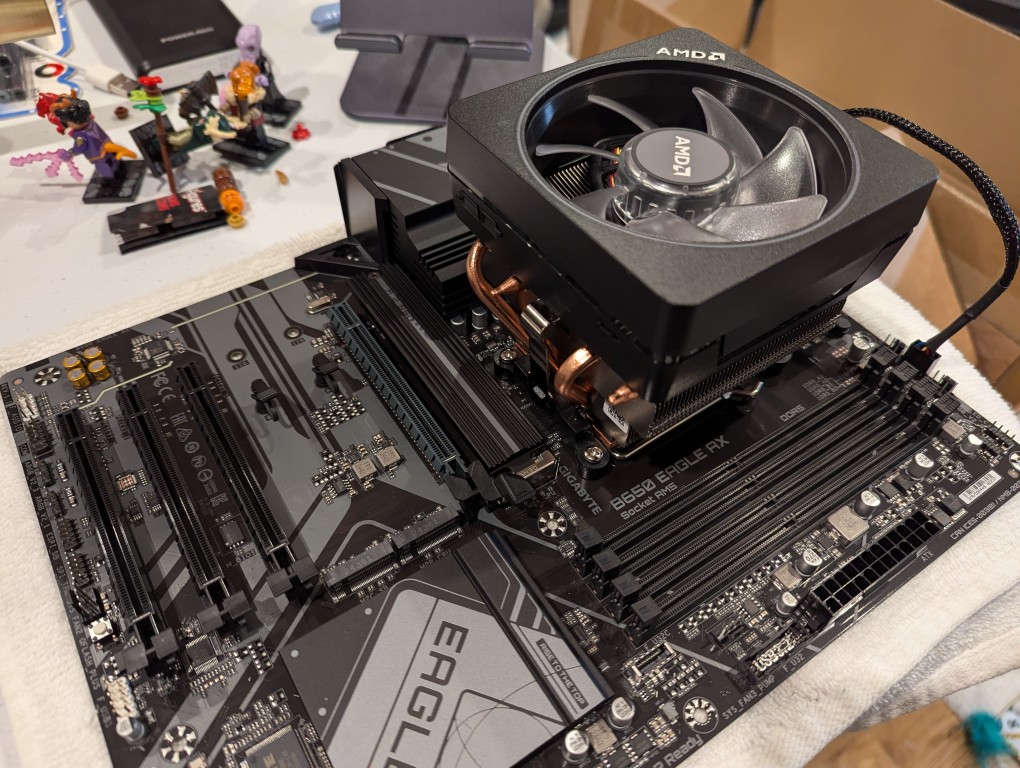
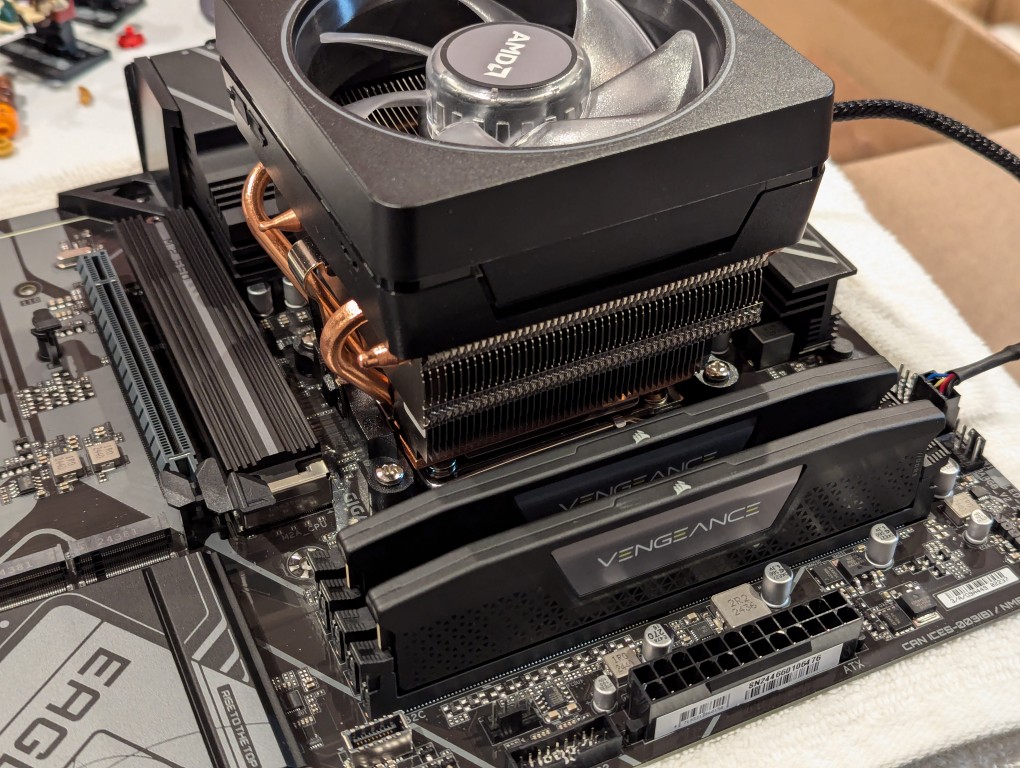
The first step with the new motherboard was placing it on a soft surface and installing the CPU. I purchased an AMD Ryzen 7 7700 AM5 socket CPU. It came with AMD’s Wraith Prism RGB Cooler, which is a four heat pipe low-profile CPU cooler. I don’t care for its RGB colors, but it reduced the overall cost and provides adequate cooling for the 7700, which isn’t designed for overclocking.
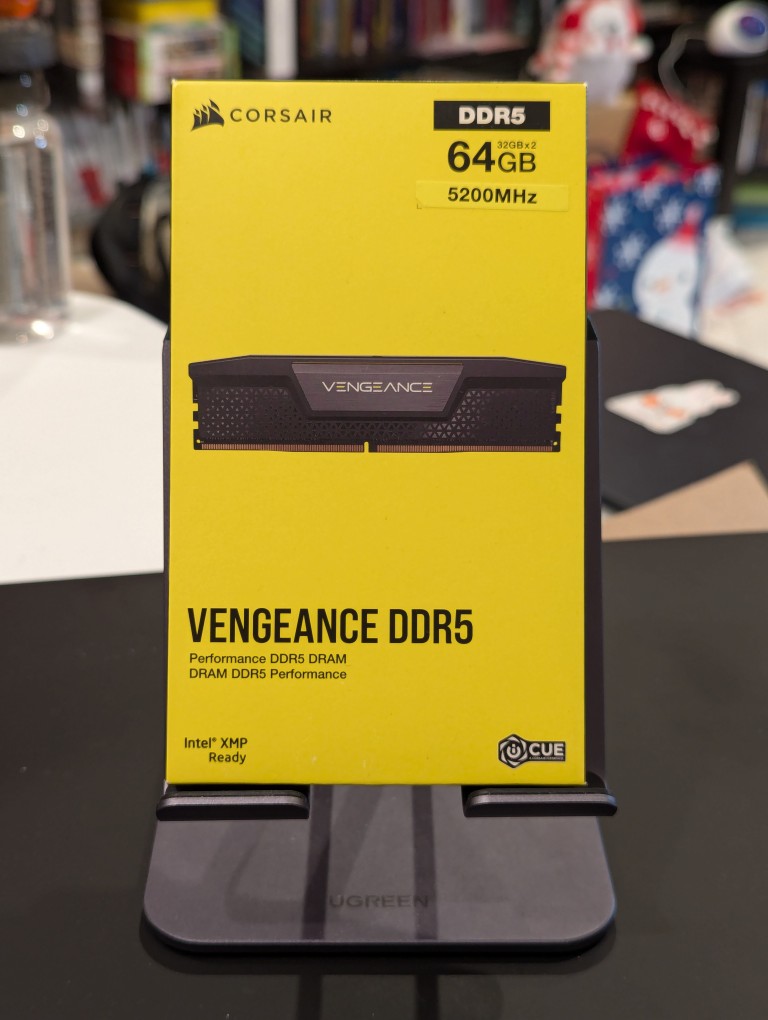
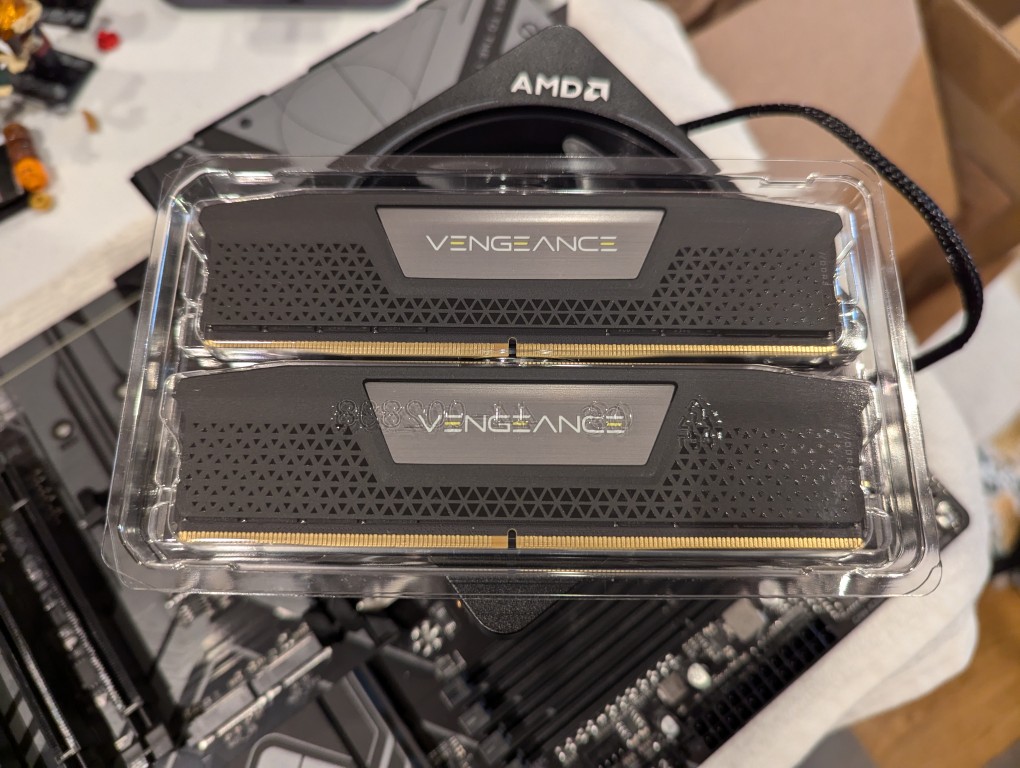
Next, I installed the RAM that I just received–64GB Corsair Vengeance DDR5-5200 RAM (32 GB x 2).
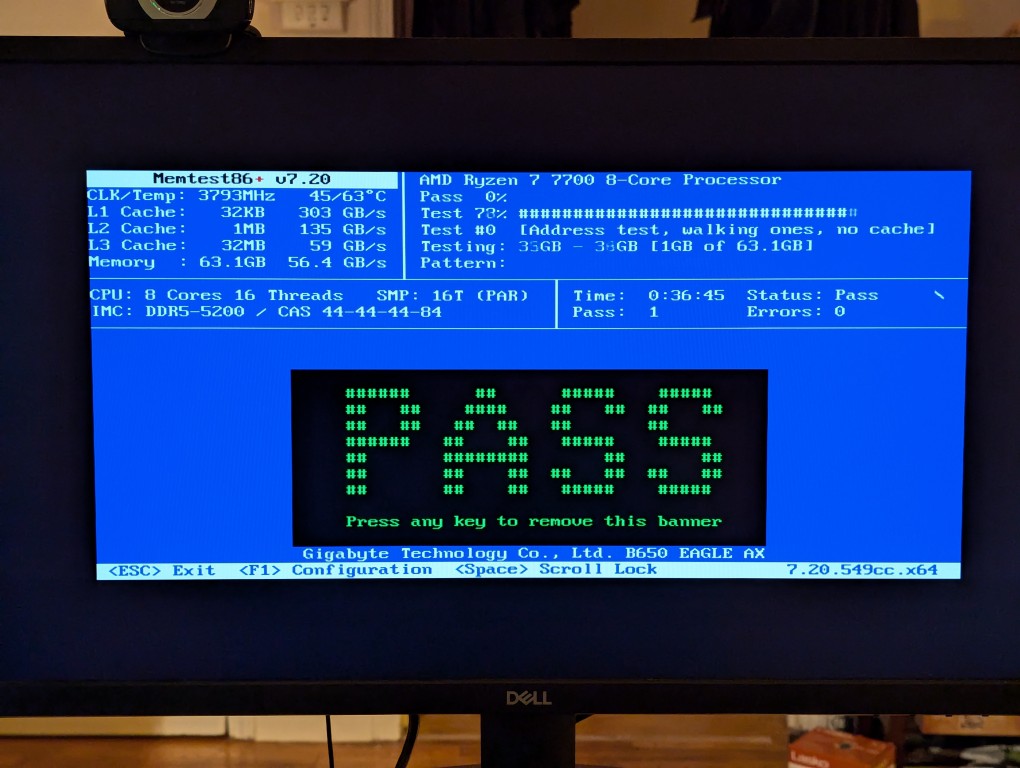
This RAM runs at the stock highest speed for the 7700 CPU (though, I had to manually change the multiplier to 52x in the BIOS as it was registering as only DDR5-4800–it passed memtest86+ at the higher setting without any errors). As you can see above, it has nice heat spreaders built-in.
It’s important to note that I went with less RAM than my old system, because it’s well known that the AM5 platform and its current processors are not good at supporting higher RAM speeds for more than two RAM sticks. Since I’m focusing on doing inference with the video cards instead of the CPU (as I had done with the old system), I didn’t need as much RAM. Also, I figured that if I make the leap to a workstation-class CPU and motherboard, I can make a larger RAM investment as those systems also support 8-channel memory (more bandwidth, meaning faster inference) as opposed to the 2-channel memory (less bandwidth, slower CPU inference) on this consumer-focused motherboard.
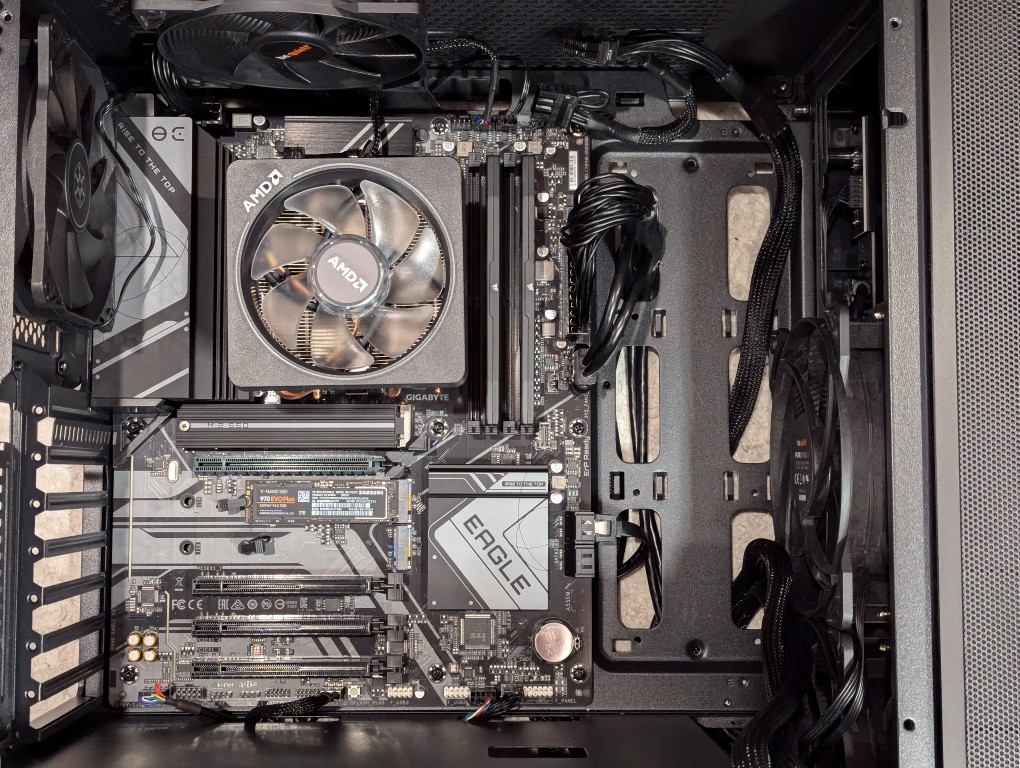
Then, I installed two Samsung nvme SSDs on the motherboard–one under the headspreader directly below the CPU in the photo above and one below the top PCIe slot before installing the motherboard in my new, larger Silverstone FARA R1 V2 ATX midtower case after adding the few additional standoffs that were needed for an ATX motherboard.
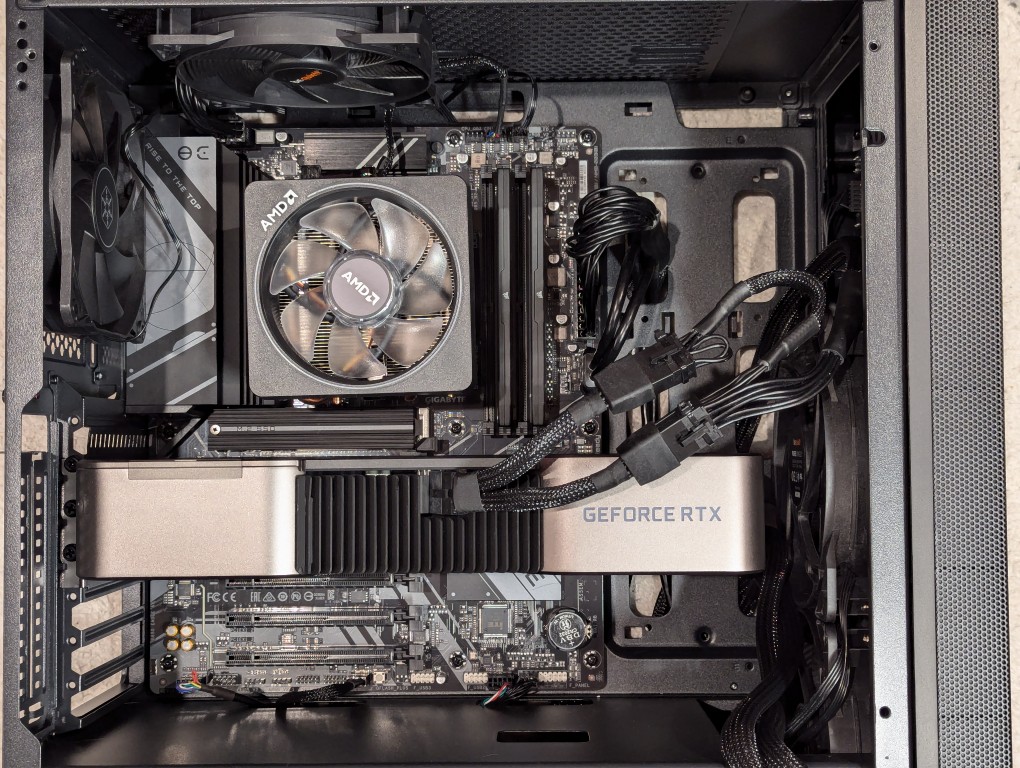
Out of frame, I installed the Corsair PSU in the chamber below the motherboard compartment after connecting the extra power cables that I needed for the three additional video cards. Then, I plugged in the 3090 video card and connected its two 8-pin PCIe power connectors.
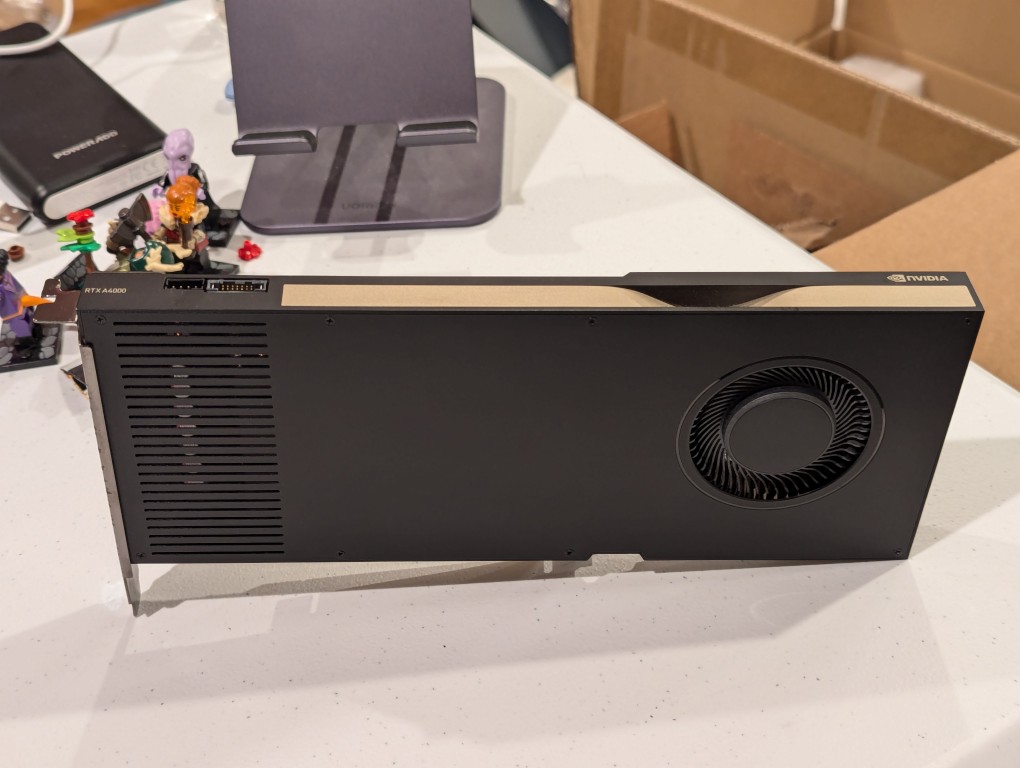
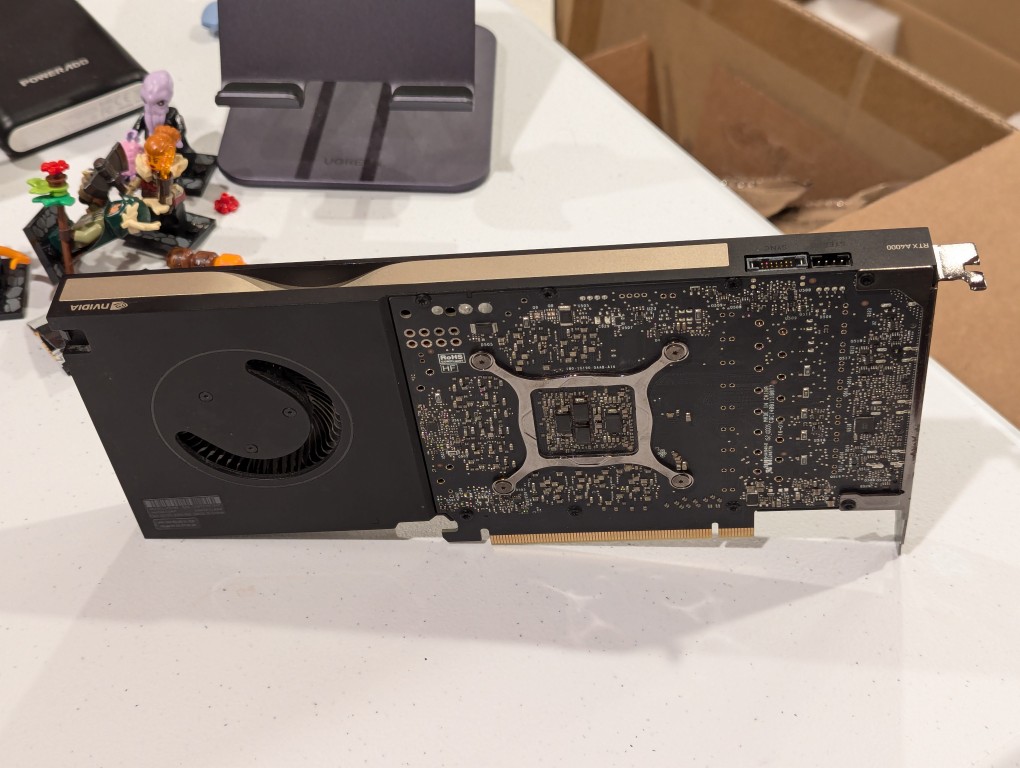
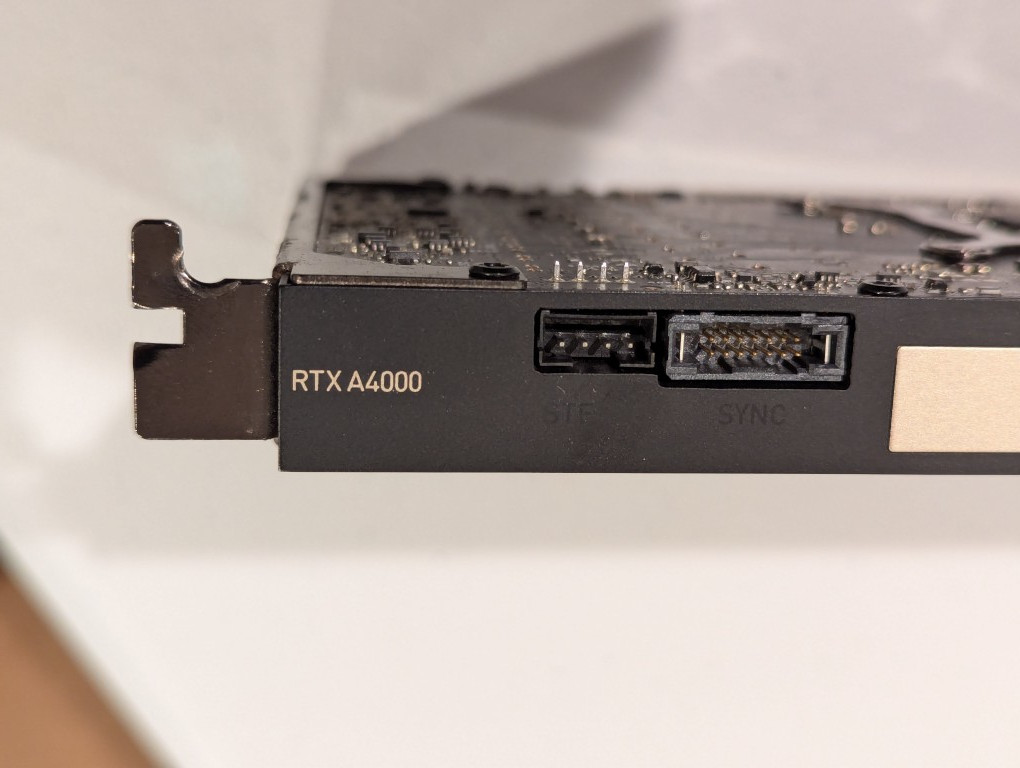
Then, I turned my attention to the three used RTX A4000 video cards that I got off of eBay. They are single slot PCIe cards with a 6-pin PCIe power connector built into the front of the card close to the top edge.
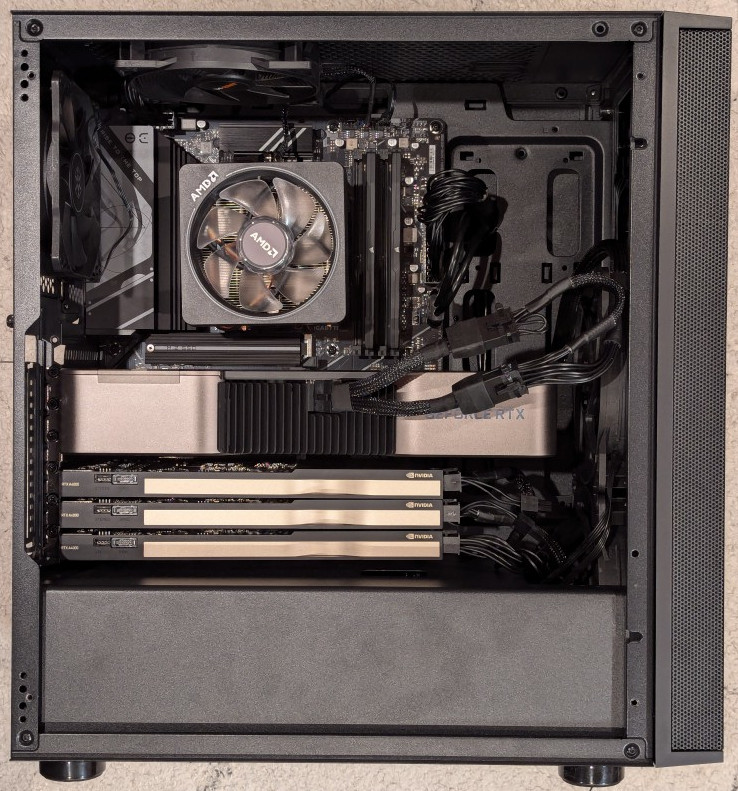
I installed the three RTX A4000s into the lower three slots and connected a 6-pin power cable to each one.
After double checking all of the connections, I powered up the system and booted from a thumbdrive loaded with memtext86+ after disabling Secure Boot in the BIOS. Before going to the trouble of installing an operating system, I wanted to make sure that the new RAM was error free.
With the RAM checking out, I proceeded to boot from another USB thumb drive loaded with the Debian 12 Bookworm installer. I formatted one of the 2TB Samsung nvme SSDs as the boot drive (LVM with encryption), installed Debian 12, configured the non-free repos, installed the closed source NVIDIA drivers, and checked to make sure all of the video cards were being recognized. nvidia-smi shows above that they were!
While testing it, I have it situated on my desk back-to-front, so that I can easily disconnect the power cable and open the side panel.
The immediate fix that I need to make is improving the cooling for the video cards–especially the three RTX A4000s that are tightly packed at the bottom of the case. Looking at the second column from the left under each video card named is a temperature measurement in Celsius on the nvidia-smi screen captured during a text generating session, each lower card is running hotter than the one above it: the 3090 at the top is reporting 61C, the A4000 beneath it is reporting 76C, the A4000 beneath it is reporting 82C, and bottom most A4000 is reporting 85C. Besides the fact that they are right against one another in the case, there are two other concerns. First, the PCI slot supports on the case are partially covering the exhaust vents on each card. Second, the cooler outside air might not be making it to A4000s as well as I would like even though there are two 140mm fans positioned in the front of the case bringing in cooler outside air, which is exhausted by a 120mm fan in the back above the video cards and a 120mm fan on the top of the case above the CPU cooler. One option is to drill a large hold in the side panel and mount a 120mm fan there to blow outside air directly onto the A4000 cards. Another option that I might try first is rigging a channel from the back of the case to the A4000s to blow air from a two slot port above the A4000 cards to the top edge of those cards. The latter will require less work, so I’ll try it first and see if it changes the temperatures at all.