Tag: Illustration

  • Mark Cook (1972-2024)

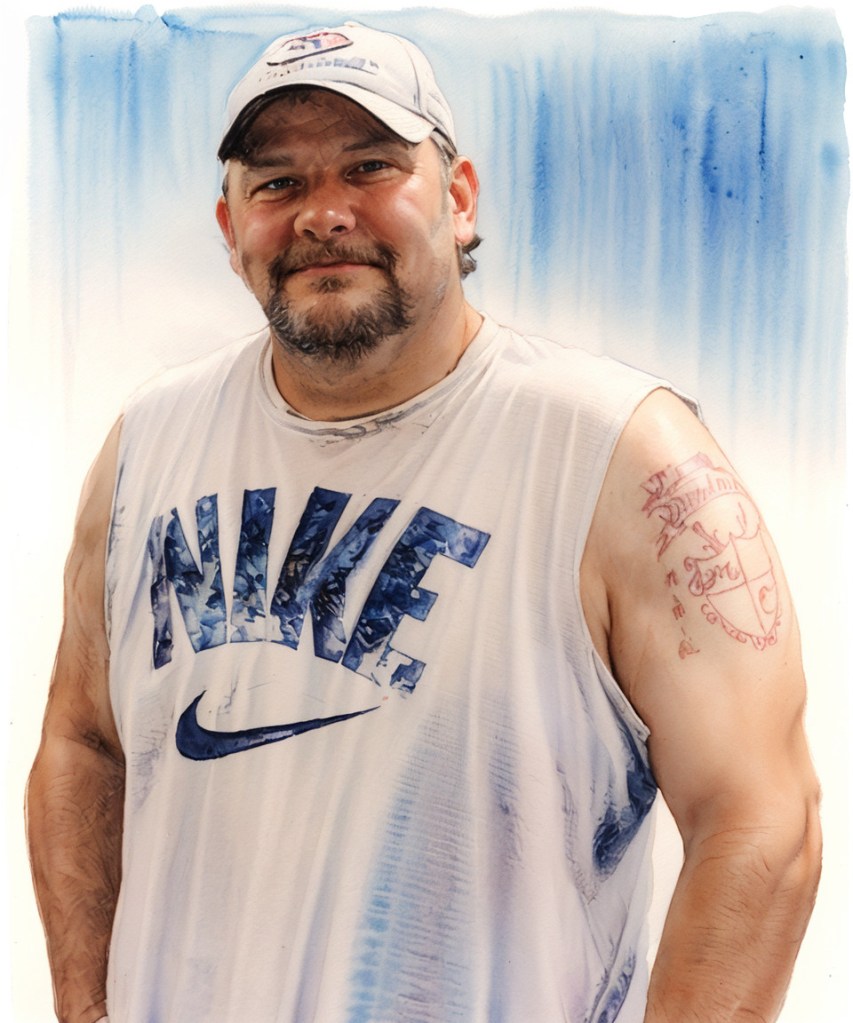
    a watercolor illustration of a man wearing a hat and nike tank top. has a tattoo on his arm.
    Illustration created with Stable Diffusion.

    My cousin Mark Cook passed away suddenly on October 19th. I last talked to him for awhile outside NAPA Auto Parts with my dad a few weeks ago when I was in Brunswick. He had wanted to hang out while I was down visiting, but it didn’t work out for that to happen.

    Mark gave me some of my favorite memories growing up. We stayed up watching The Rat Patrol on late night television in his room once when I was five or six. He had a Boba Fett action figure before I did, so I always enjoyed playing Star Wars with him when I had the opportunity to visit him at his folks’ house on New Sterling Road. He was a great pal to go swimming with when we were younger. He taught me how to swim underwater with a face mask and flippers. When I asked my mom what we were getting Mark for his birthday back in 1983, she said that he had wanted Culture Club’s Colour by Numbers. I thought to myself that he had a very sophisticated tasted in music.

    Mark and I took different paths in life and work. When I visited home, I was interested to learn what new VW Beetle dune buggy project he might be working on, or how his family life was taking shape–especially after they moved in with his mom on Baker Hill Road in Hortense.

    Mark lucked out when he met his wife Heather, and then again, when they had their daughter Georgia. He was intensely proud of them both–Heather’s progression of degrees to become a teacher, and Georgia’s academic awards and accomplishments that reveal her potential for future successes. As he got older, he never had much to say about himself, but he was always ready to say what Heather and Georgia were up to. While Mark’s passing will be a trying ordeal for them, I know that they will endure and reach such illustrious heights that would have made him smile–in his uniquely beaming but understated way.

    Like his older brother Michael, Mark is gone way before his time. We were supposed to grow old and gray together–perhaps divided by time and place, but bound by old memories and good times.
  • Cherry Cox (1974-2024)

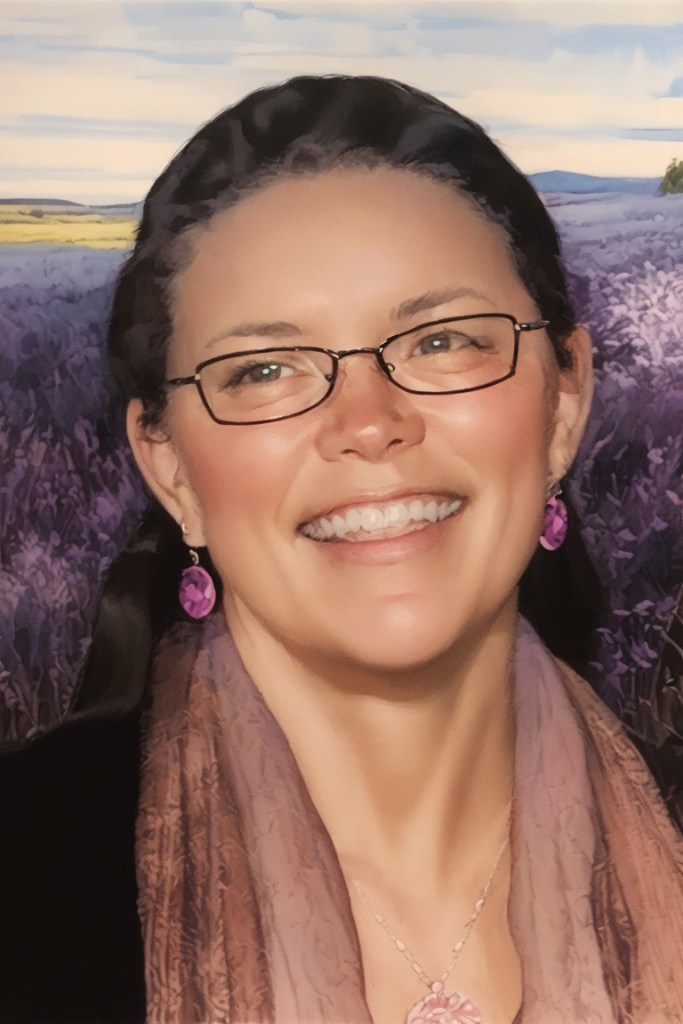
    Illustration of a woman with black hair and wearing glasses is smiling. A field of grass and flowers is in the background.
    Image created with Stable Diffusion.

    Cherry Cox, wife of my cousin Ian and mother to Rowan, Ember, and Evan, passed away on October 1st. She was a singular person with a distinct inner light that revealed itself as a spiritual illumination that cuts through the darkness, a warmth that welcomed others around, and a perspective that favored others before herself. She is gone far too soon and dearly missed.

  • How I Guide Stable Diffusion with ControlNet and Composite Images

    GIMP showing a multi-layer image of Lynn Conway on the right and her co-authored textbook Introduction to VLSI Systems on the left.

    For the illustration of Lynn Conway and her co-authored textbook Introduction to VLSI Systems at the top of yesterday’s post, I used a locally hosted installation of Automatic1111’s stable-diffusion-webui, the finetuned model Dreamshaper 5, which is based on StabilityAI’s Stable Diffusion 1.5 general model, and the ControlNet extension for A1111.

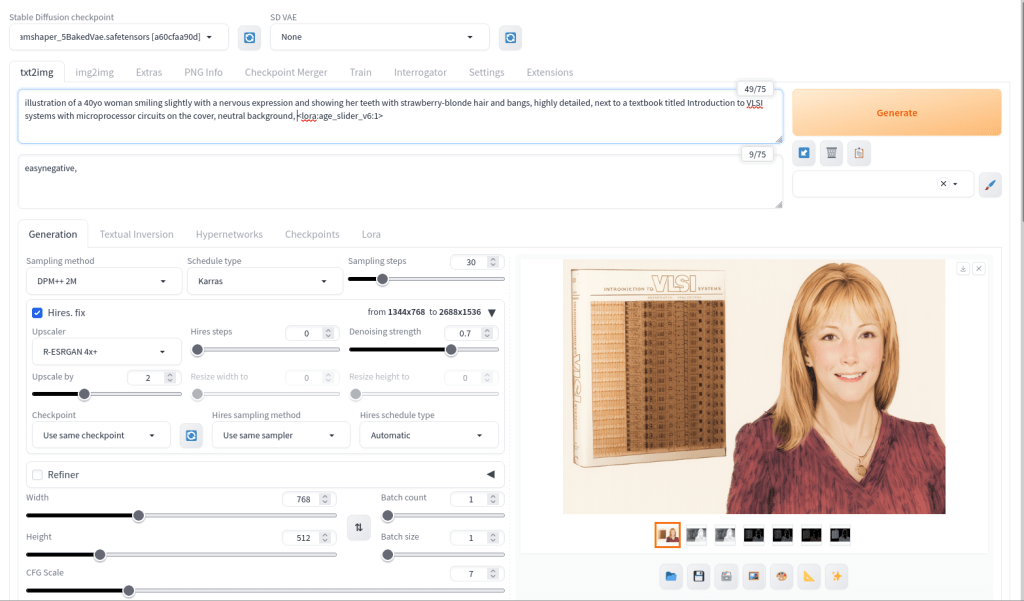
    Stable Diffusion is an image generating AI model that can be utilized with different software. I used Automatic1111’s stable-diffusion-webui to instruct and configure the model to create images. In its most basic operation, I type into the positive prompt box what I want to see in the output image, I type into the negative prompt box what I don’t want to see in the output image, and click “Generate.” Based on the prompts and default parameters, I will see an image output on the right that may or may not align with what I had in mind.

    Automatic1111's stable-diffusion-webui image generating area

    For the positive prompt, I wrote:

    illustration of a 40yo woman smiling slightly with a nervous expression and showing her teeth with strawberry-blonde hair and bangs, highly detailed, next to a textbook titled introduction to VLSI systems with microprocessor circuits on the cover, neutral background, <lora:age_slider_v6:1>

    I began by focusing on the type of image (an illustration), then describing its subject (woman), other details (the textbook), and the background (neutral). The last part in angle brackets is a LoRA or low rank adaptation. It further tweaks the model that I’m using, which in this case is Dreamshaper 5. This particular LoRA is an age slider, which works by inputting a number that corresponds with the physical appearance of the subject. A “1” presents about middle age. A higher number is older and a lower/negative number is younger.

    Automatic1111's stable-diffusion-webui ControlNet extension area

    ControlNet, which employs different models focused on depth, shape, body poses, etc. to shape the output image’s composition, is an extension to Automatic1111’s stable-diffusion-webui that helps guide the generative AI model to produce an output image more closely aligned with what the user had in mind.

    For the Lynn Conway illustration, I used three different ControlNet units: depth (detecting what is closer and what is further away in an image), canny (one kind of edge detection for fine details), and lineart (another kind of edge detection for broader strokes). Giving each of these different levels of importance (control weight) and telling stable-diffusion-webui when to begin using a ControlNet (starting control step) and when to stop using a ControlNet (ending control step) during each image creation changes how the final image will look.

    Typically, each ControlNet unit uses an image as input for its guidance on the generative AI model. I used the GNU Image Manipulation Program (GIMP) to create a composite image with a photo of Lynn Conway on the right and a photo of her co-authored textbook on the left (see the screenshot at the top of this post). Thankfully, Charles Rogers added his photo of Conway to Wikipedia under a CC BY-SA 2.5 license, which gives others the right to remix the photo with credit to the original author, which I’ve done. Because the photo of Conway cropped her right arm, I rebuilt it using the clone tool in GIMP.

    I input the image that I made into the three ControlNets and through trial-and-error with each unit’s settings, A1111’s stable-diffusion-webui output an image that I was happy with and used on the post yesterday. I used a similar workflow to create the Jef Raskin illustration for this post, too.