Tag: Technical Communication

  • Ditched Roku for a Discounted Origimagic Ryzen 5 Mini PC

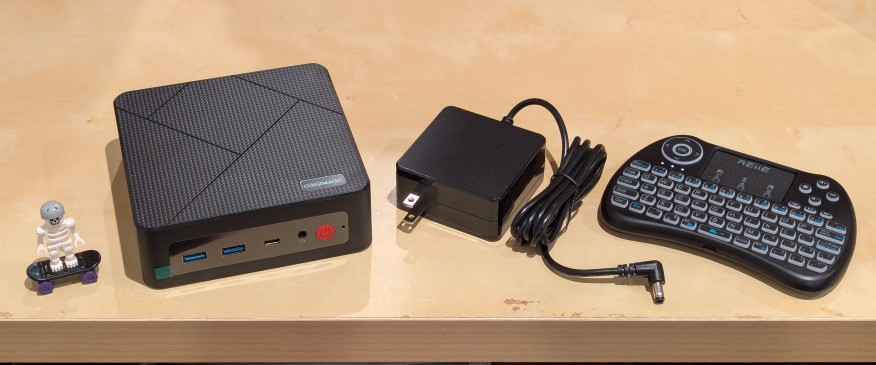
    lego minifigure skeleton on skateboard next to origimagic c4 mini pc, power adapter, and handheld keyboard with trackpad

    I’ve been unhappy with Roku’s increasing advertising through images and now full-motion video and their lack of support for a variety of codecs in their media player app. So, I’ve been looking for awhile for a good deal on a mini pc that could replace the Roku for playing media and also support some light gaming. Also, considering the impending tariffs (i.e., a tax on Americans), I hoped to find something as soon as possible.

    After tracking several mini pcs on Amazon and eBay for a few weeks, I finally pulled the trigger when Amazon offered the Origimagic C4 Mini PC with a Ryzen 5 3550H (4 core, 8 threads) on sale for $153. It’s CPU has a lot more horsepower while using 25 watts of power than Intel’s similarly priced mini pc processors. It came stock with 16GB DDR4 RAM, 512GB PCIe SSD, 1 x Type-C USB, 4 x Type-A USB (3 are USB 3 and 1 is USB 2), headphone jack, HDMI, DisplayPort, and dual ethernet.

    To operate it from the sofa, I got a $10 reiie H9+ Mini Keyboard with Touchpad that uses a wireless USB adapter to connect to the mini pc.
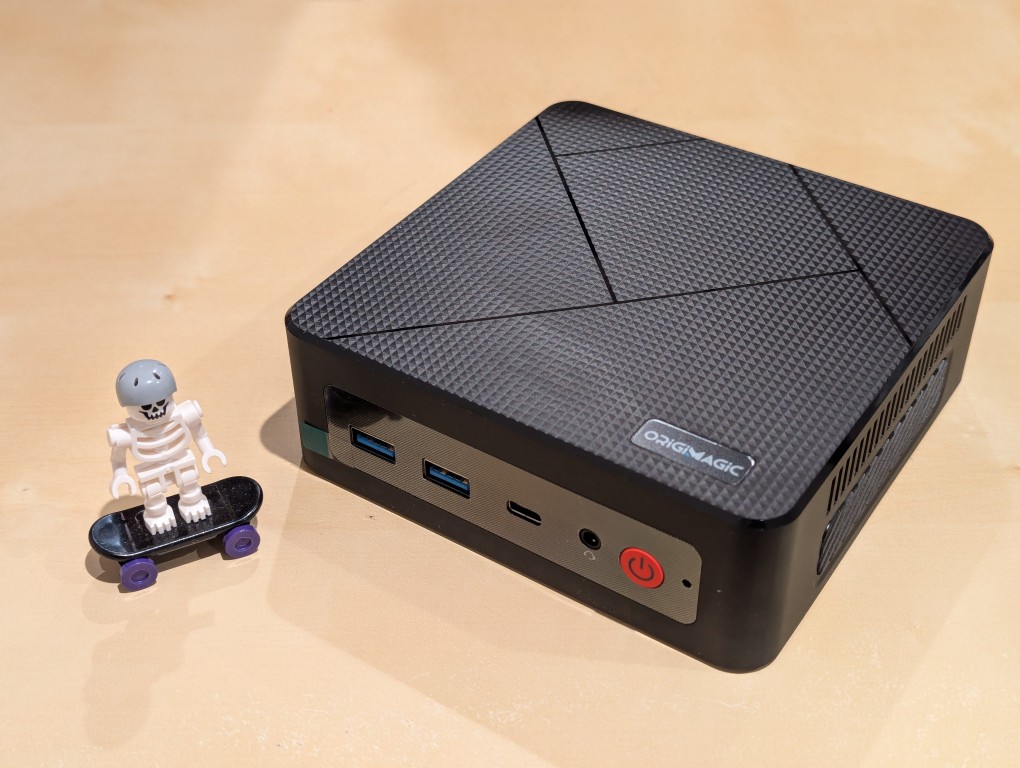
    lego minifigure skeleton on skateboard next to origimagic c4 mini pc
    lego minifigure skeleton on skateboard next to origimagic c4 mini pc

    Before setting anything up, I created a flash drive with Debian 13 Trixie, the latest version that was released over the weekend on Saturday.

    To do this, I inserted a 16GB flash drive into my workstation, but I didn’t mount the device. I downloaded the network install ISO for Debian 13 from here. Then, I ran lsblk in a terminal window to see what device address corresponded to the flash drive. It’s important to not make a mistake here, because it’s easy to overwrite another drive using this method. lsblk lists the devices, which are all in the “/dev/” folder, so when I saw that my flash drive was assigned the address “sdb”, I knew that its full address was “/dev/sdb”. With that info, I then wrote the downloaded Debian 13 netinstall ISO directly to the flash drive using this command:

    sudo cp debian-13.0.0-amd64-netinst.iso /dev/sdb

    After the copying to the flash drive had finished, I ejected it from my workstation and took it over to the mini pc. I plugged in the power adapter, ethernet cable (I arbitrarily picked the one furthest from the power plug), HDMI cable to the TV, the keyboard receiver USB, and the Debian 13 installation flash drive.

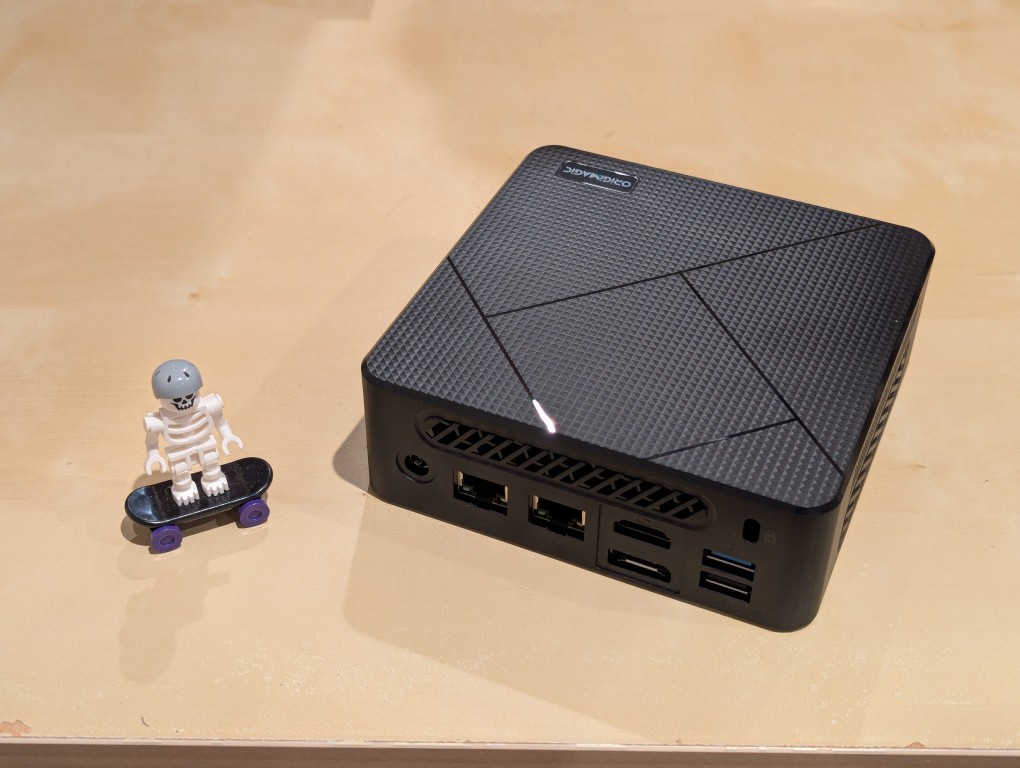
    I did experience some frustration with getting the Debian 13 flash drive to boot the mini pc. As soon as the mini pc booted, I was unable to enter BIOS or open the boot menu. Instead, it kept booting into the Windows 11 setup, which I did not want to use. At first, I thought it might be a problem with the tiny wireless keyboard and trackpad, so I switched to my Logitech keyboard and trackball, which are both tied to one Logitech USB receiver. I tried different USB plugs on the front and rear of the mini pc until I was finally able to enter bios (pushing DEL at boot) when the keyboard USB receiver is in the top-right USB port on the rear of the mini pc as shown below (it is a USB3 port). It might have been bad luck on my part with the other ports, so I can’t say this is a peculiarity with this hardware for certain. Nevertheless, it’s good to exhaust all possibilities like this.
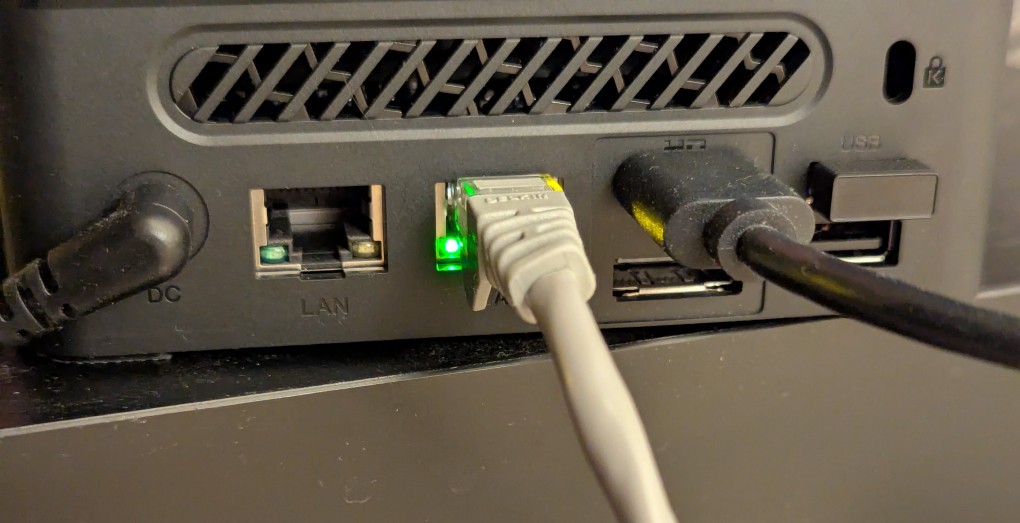
    back of mini pc: power plug, two ethernet ports (one plugged in), HDMI (plugged in), display port, and 2 usb ports (one has a tiny device plugged in)

    Once in the BIOS, there’s not many options except for disabling hardware (I disabled WiFi), turning off Secure Boot and the Trusted Computing Module, and other odds and ends. I saved the settings, rebooted, and went into the Boot Menu (F7), selected the Debian 13 netinstall flash drive, and began the installation (a full nuke-and-pave: erasing the NVMe drive and setting up Debian 13 as the only operating system).

    While I use XFCE on my laptop and workstation, I opted for the GNOME desktop environment on the mini pc, because I thought its screen controls and overall user interface would be easier to see and navigate from across the room. If I don’t like it, I can always install XFCE.

    Because two of the main sources of media for us is Netflix and YouTube, I installed Chrome to handle those sites. I have VLC and Kodi for everything else.
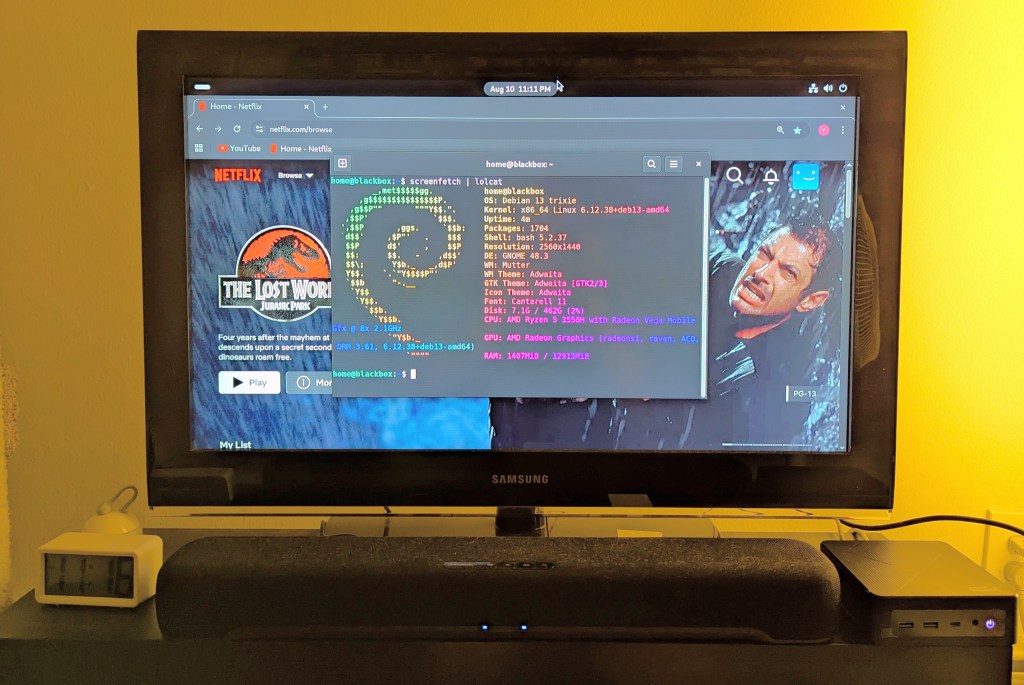

    samsung tv and soundbar with a mini pc on the right side of the tv stand. the screen is showing netflix Jurassic Park the lost world in the background while the foreground terminal shows the pc's info, which is also in the second paragraph above.
  • Video of Final Exam Review for My Spring 2025 Introduction to Language and Technology Class

    Last night, I recorded this final exam review for my Introduction to Language and Technology ENG1710 students. These are the slides that I’m using in the background. The following are the readings that my students and I discussed over the past 14 weeks that comprise the exam review:

    1. Lewis Carroll, “Jabberwocky”
    2. Ted Chiang, “The Truth of Fact, the Truth of Feeling”
    3. Victoria Fromkin, “What is Language?” from An Introduction to Language
    4. Stephen Jay Klein, “What is Technology?”
    5. Salikoko S. Mufwene, “Language as Technology: Some Questions That Evolutionary Linguistics Should Address”
    6. Walter J. Ong, “Writing is a Technology That Restructures Thought,” in The Written Word: Literacy in Transition,
    7. Bruce Mazlish, “The Fourth Discontinuity”
    8. Jacques Derrida, “Linguistics and Grammatology,” translated by Gayatri Chakravorty Spivak
    9. Donna Haraway, “A Cyborg Manifesto”
    10. N. Katherine Hayles, How We Became Posthuman, Chapter 1: “Toward Embodied Virtuality”
    11. Marshall McLuhan, Understanding Media: The Extensions of Man, Chapter 1: “The Medium is the Message”
    12. Friedrich Kittler, “Gramophone Film Typewriter”
    13. J. David Bolter and Richard A. Grusin, “Remediation”
    14. Lisa Gitelman, Always Already New, “Introduction”
    15. Fred Turner, “Where the Counterculture Met the New Economy: The WELL and the Origins of Virtual Community”
    16. Lev Manovich, Language of New Media, Chapter 1: What is New Media?”
    17. Alexander Galloway, “What is New Media? Ten Years After The Language of New Media”
    18. Laurie McNeill and John David Zuern, “Online Lives 2.0: Introduction”
    19. Anil Dash, “The Lost Infrastructure of Social Media”
    20. David Nofre, Mark Priestley, and Gerald Alberts, “When Technology Became Language: The Origins of the Linguistic Conception of Computer Programming, 1950-1960”
    21. Marie Hicks, Introduction to Programmed Inequality: How Britain Discarded Women Technologists and Lost Its Edge in Computing
    22. Jacques Derrida, “Signature Event Context”
    23. William Hart-Davidson, “On Writing, Technical Communication and Information Technology: The Core Competencies of Technical Communication”
    24. Dan Milmo, Seán Clarke, and Garry Blight, “How AI Chatbots Like ChatGPT or Bard Work—Visual Explainer”
    25. Alan F. Blackwell, “Are You Paying Attention?” from Moral Codes
    26. Lorena O’Neil, “These Women Warned of AI’s Dangers and Risks Long Before ChatGPT”
    27. Maria Christoforaki and Oya Beyan, “AI Ethics—A Bird’s Eye View”
  • Some Links About Social Media and Professionalization for Today’s Intro to Professional and Technical Writing Class

    a faceless cybernaut wearing a spacesuit prepares to explore cyberspace. image created with Stable Diffusion.
    A faceless cybernaut prepares to explore cyberspace. Image created with Stable Diffusion.

    For today’s class, my ENG2700 Introduction to Professional and Technical Writing students read two articles about social media and professionalism in the Technical Communication field:

    • Ferro, T. & Zachry, M. (2014). Technical communication unbound: knowledge work, social media, and emergent communicative practices. Technical Communication Quarterly, 23(1), 6-21.
    • Verzosa Hurley, E. & Hea, A. (2014). The rhetoric of reach. preparing students for technical communication in the age of social media. Technical Communication Quarterly, 23(1), 55-68.

    I plan to discuss the difference between active and passive approaches to building an online professional identity (and why the former is the way to go–giving an example about LinkedIn from Dr. Rebecca Burnett).

    I’ll also show them some things related to my social media presence, easy-to-build HTML websites hosted on Github like this one, my old domain name, and online calling card/mini-bio/link aggregator sites, such as:

  • Some Notes on Reading and Writing

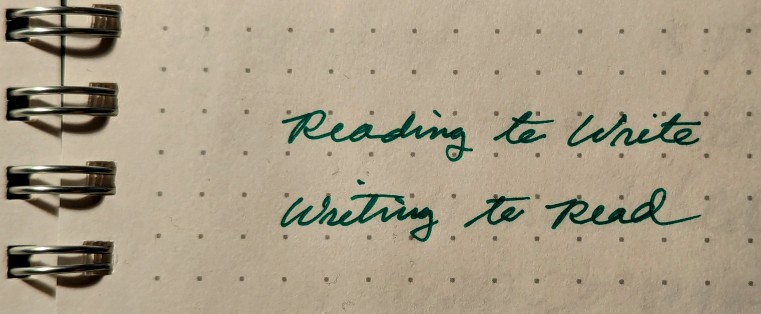
    the words "Reading to Write" and "Writing to Read" written in cursive in a notebook with a dot-grid background and spiral bound

    During last night’s Introduction to Language and Technology (ENG1710) class, I was discussing William Hart-Davidson’s “On Writing, Technical Communication, and Information Technology: The Core Competencies of Technical Communication.” It followed our reading last week of Jacques Derrida’s “Signature Event Context,” which Hart-Davidson engages in part.

    Toward the end of lecture, when I was talking about lessons learned from Hart-Davidson’s essay, which includes being a life-long learner and keeping up-to-date on changing technologies of writing and communication, Prof. Sarah Schmerler, a City Tech English department colleague with a shared interest in Generative AI technologies, stopped by and participated in the class discussion with my students. It was informal and impromptu, but I think my students enjoyed their perspective and lived experience. I enjoyed our conversation during and after class.

    I wanted to jot down some of the conversation and additional thoughts spun off from the conversation here:

    How can you expect to be a good writer without learning, at least in part, from reading many examples of writing by others?

    Writing is reading in reverse. Instead of the words coming into you from the world, you are sending the words out into the world.

    Reading and writing go hand-in-hand. Developing skill in one, enriches the other.

    Reading heuristics, such as lateral reading and vertical reading, can support getting as much as possible out of one’s reading time, energy, and needs (e.g., is this for a research thesis vs. learning enough about something for a journalistic article).

    Our needs–enjoyment, learning, work, etc.–play a key role in what strategies (large scale) and tactics (smaller scale) we employ to accomplish reading goals.

    Reading can be a passive exercise, but active reading that engages the text and combines cognition, reasoning, and imagination yields the greatest returns in terms of understanding, analysis, and memory.

    Isolation, quiet contemplation, and dedicated time can aid the development of reading and writing.

    Teaching writing requires a rethink on how we approach reading and how important reading is to developing writing skill.

    Ray Bradbury was a largely self-educated writer who proudly said that he graduated from the library at the age of twenty eight (though, he adjusted this to twenty seven in a later interview in the Paris Review). In the latter interview, he also remarked about retyping the writing of his favorite authors as a part of his writing apprenticeship and early development as a writer–“[to] Learn their rhythm.”

    Students do lots of different kinds of reading, which we as educators can tap into and help the student connect their reading interests to writing development. Furthermore, it can open doors to other kinds of reading that they were not previously aware of. Knowing where they are and interested can lead to possibilities and knowledge that were around them but unseen. Browsing and finding the neighborhood, in Prof. Schmerler’s terms, connects students to new reading opportunities.

  • Learning Technical Communication with LEGO

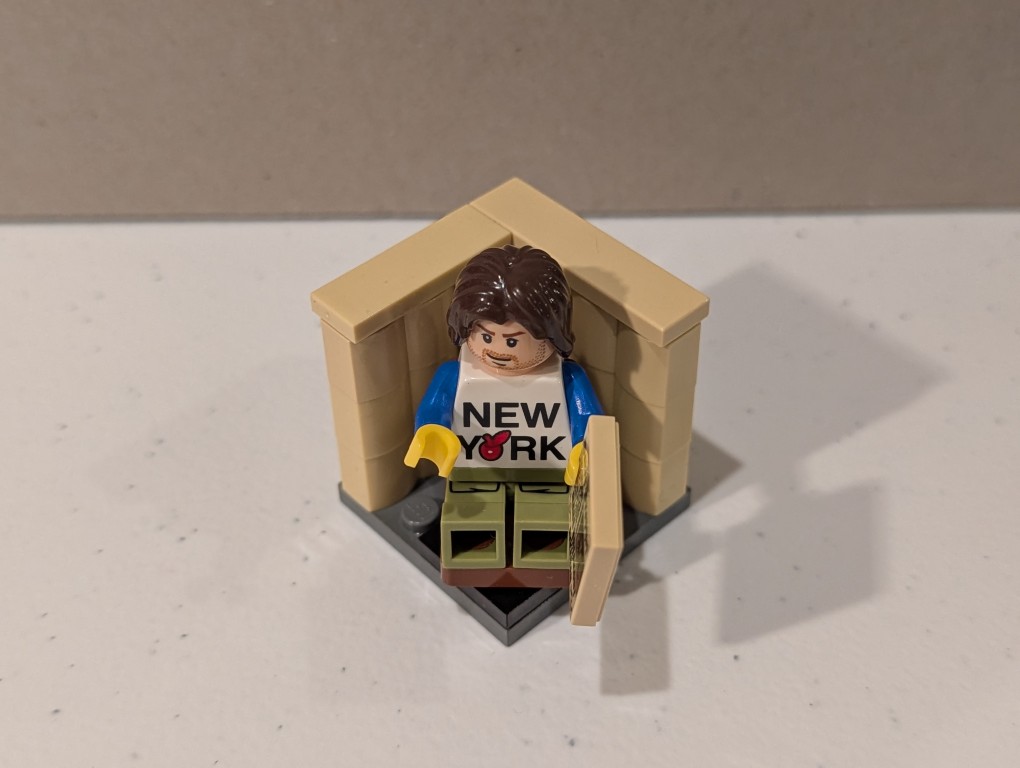
    a lego mini figure sitting and reading in a tiny corner made out of bricks

    Between the melees, try to find some joy and peace. I’ll be doing that with my Professional and Technical Writing students today. I’ll bring LEGO to class for a bit of educational play that combines the use of their imagination, haptics, educational knowledge, organizational thinking, and writing skill.

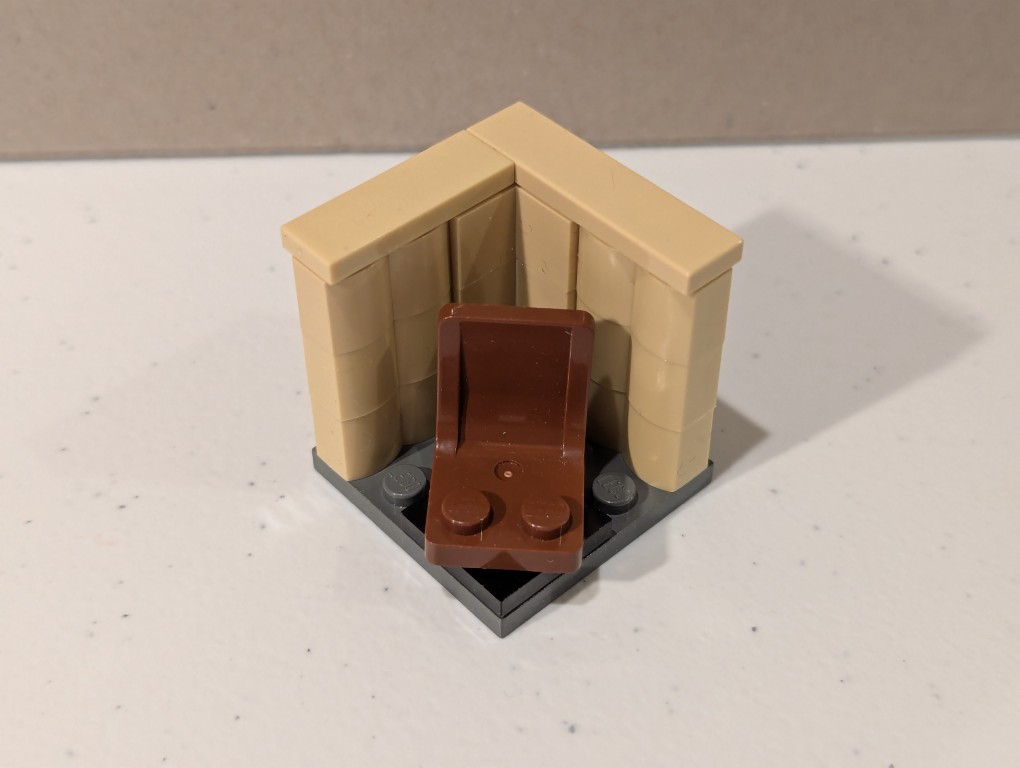
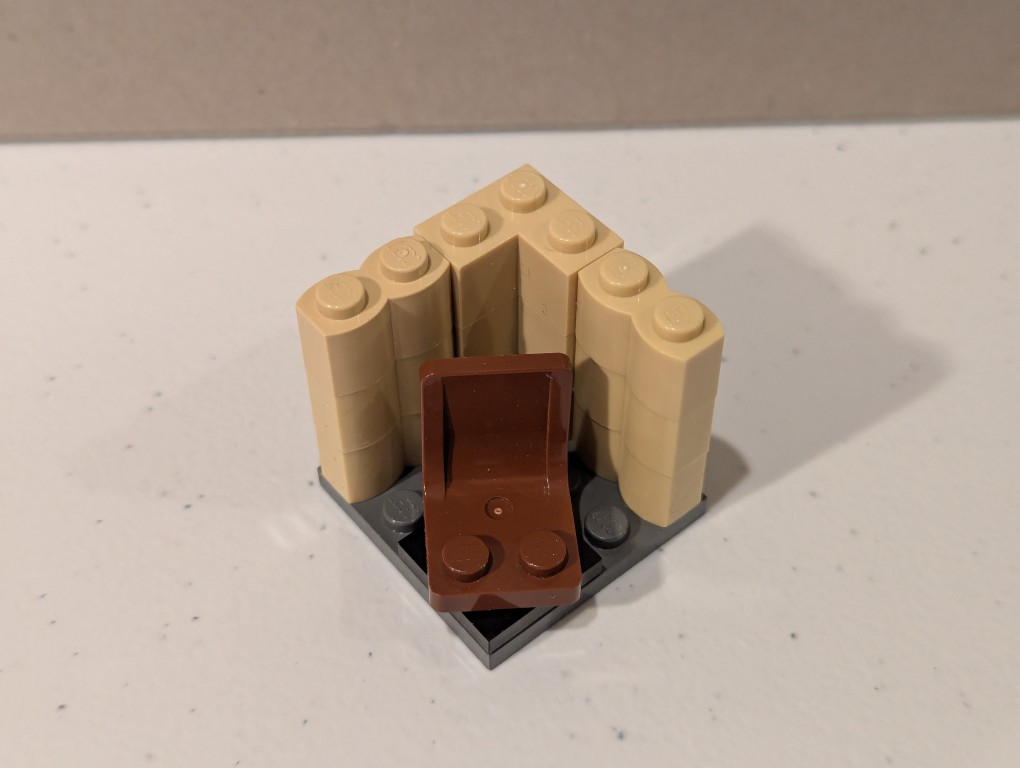
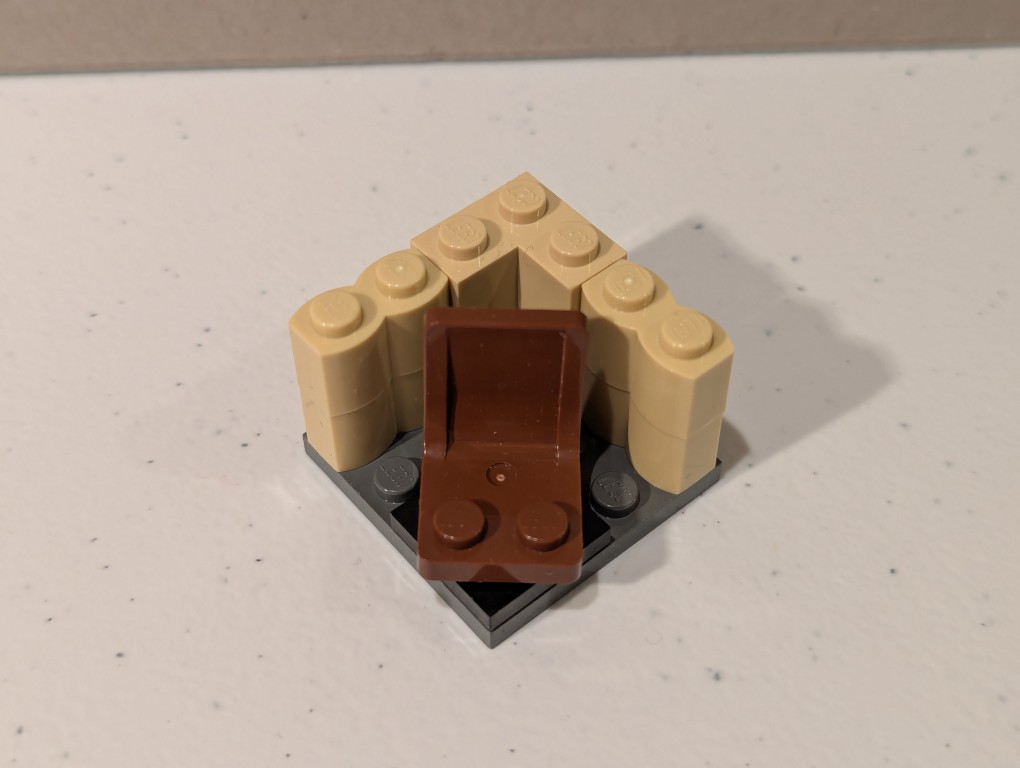
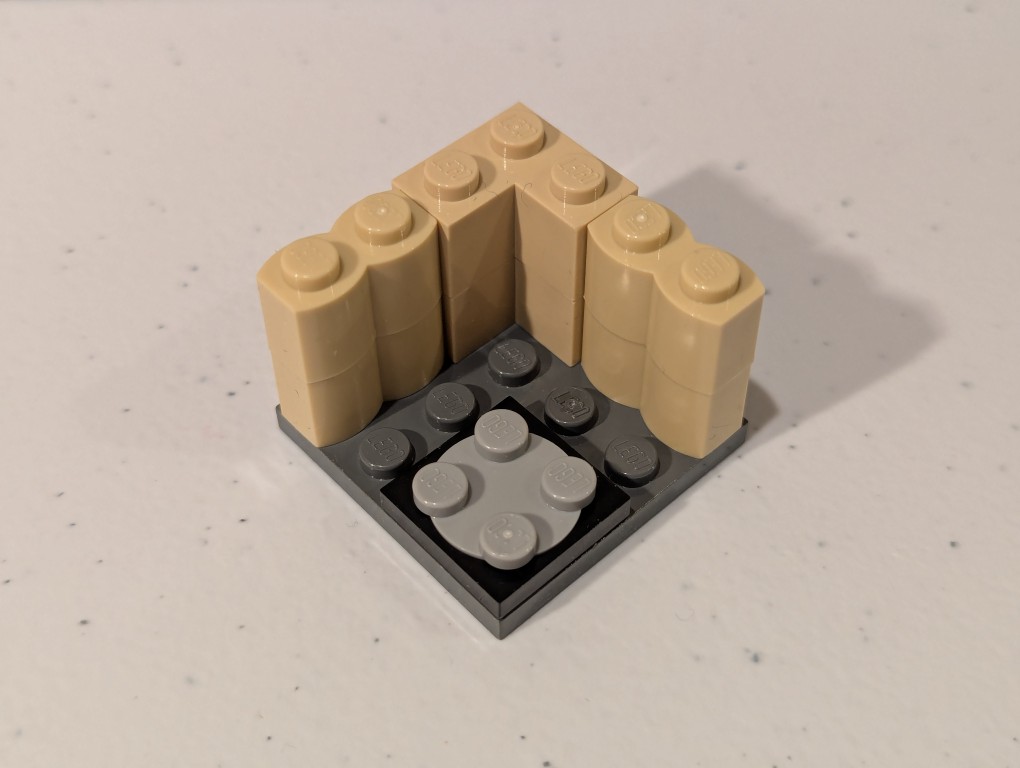
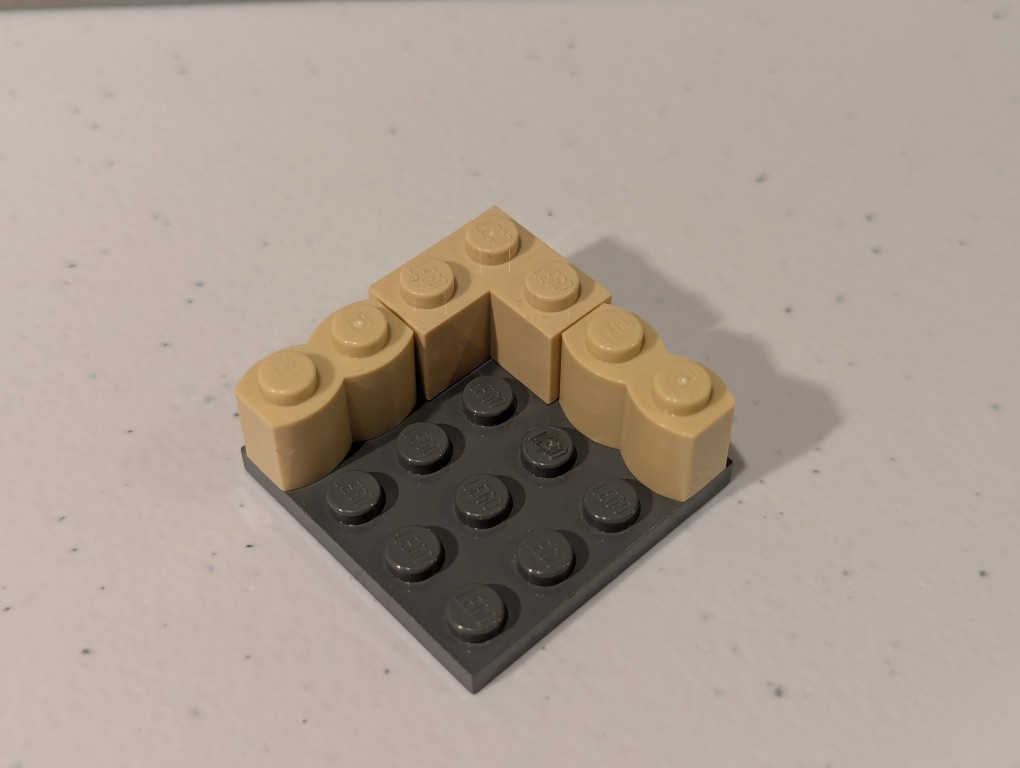
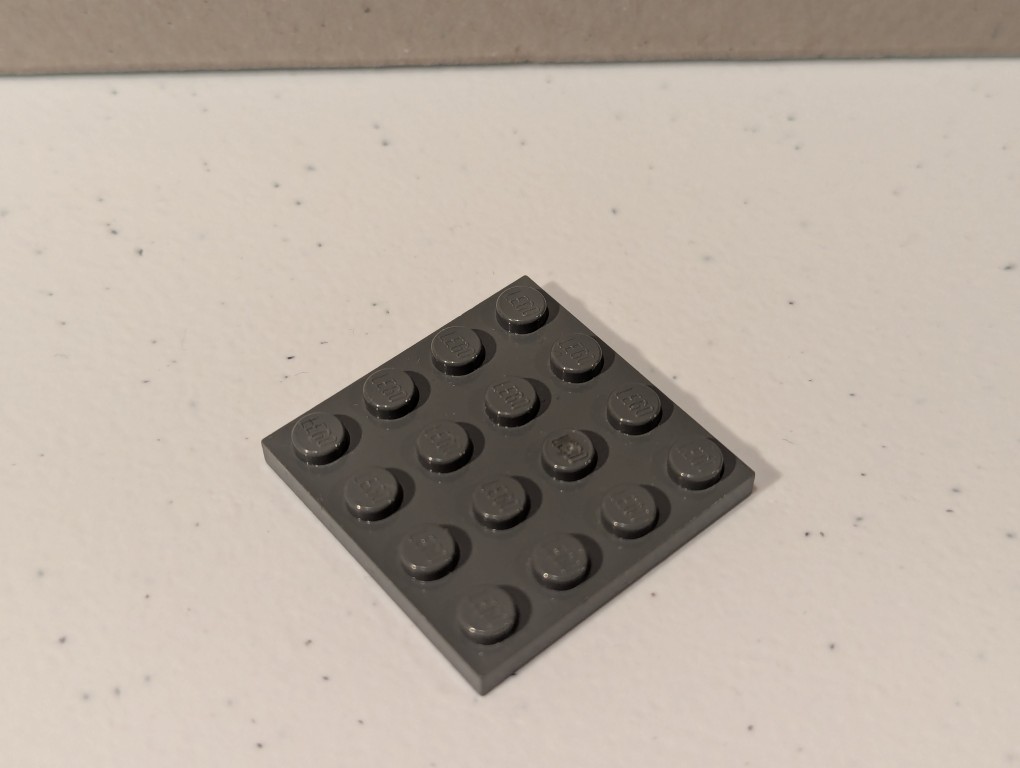
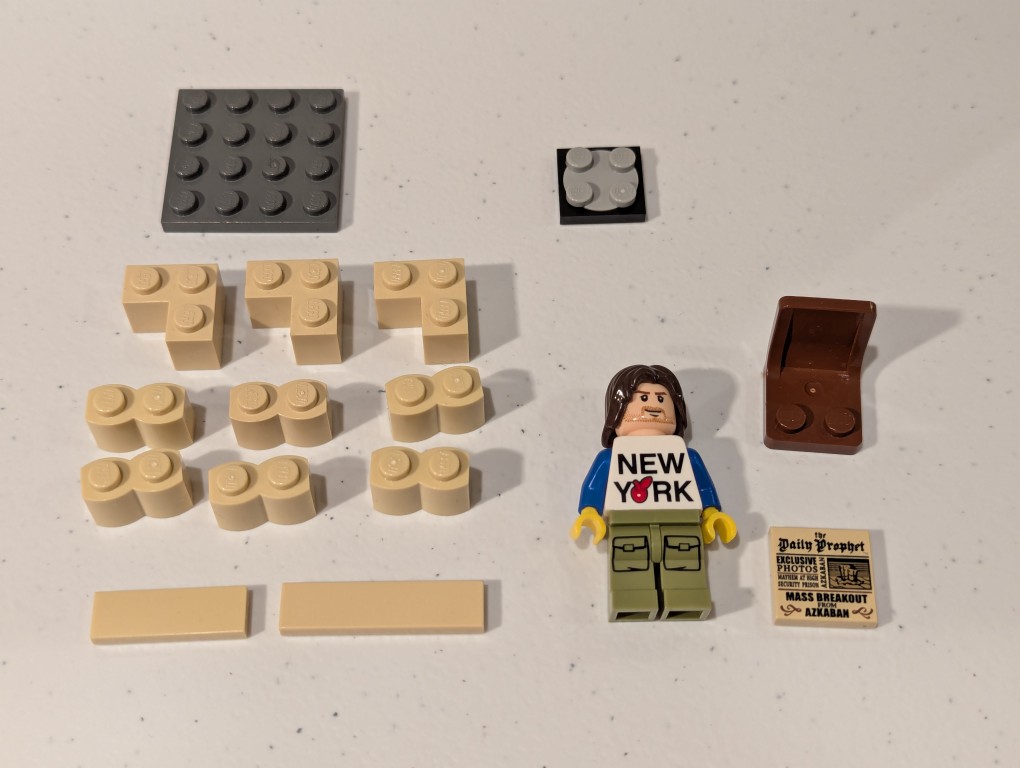
    They will design a small model that represents something about their specialization (e.g., Biology, Psychology, Computer Science, Fashion Design, etc.) and then write an instruction manual like this example that I made for them based on the model above that I call a “Quiet Reading Corner.” Scroll down to see it deconstruct, which I presented in reverse in my instruction manual.

    a lego mini figure sitting and reading in a tiny corner made out of bricks deconstructed
    a lego mini figure sitting and reading in a tiny corner made out of bricks deconstructed
    a lego mini figure sitting and reading in a tiny corner made out of bricks deconstructed
    a lego mini figure sitting and reading in a tiny corner made out of bricks deconstructed
    a lego mini figure sitting and reading in a tiny corner made out of bricks deconstructed
    a lego mini figure sitting and reading in a tiny corner made out of bricks deconstructed
    a lego mini figure sitting and reading in a tiny corner made out of bricks deconstructed