Blog

  • Science Fiction, LMC3214: Cyberpunk, William Gibson, and Retrocomputing Demo

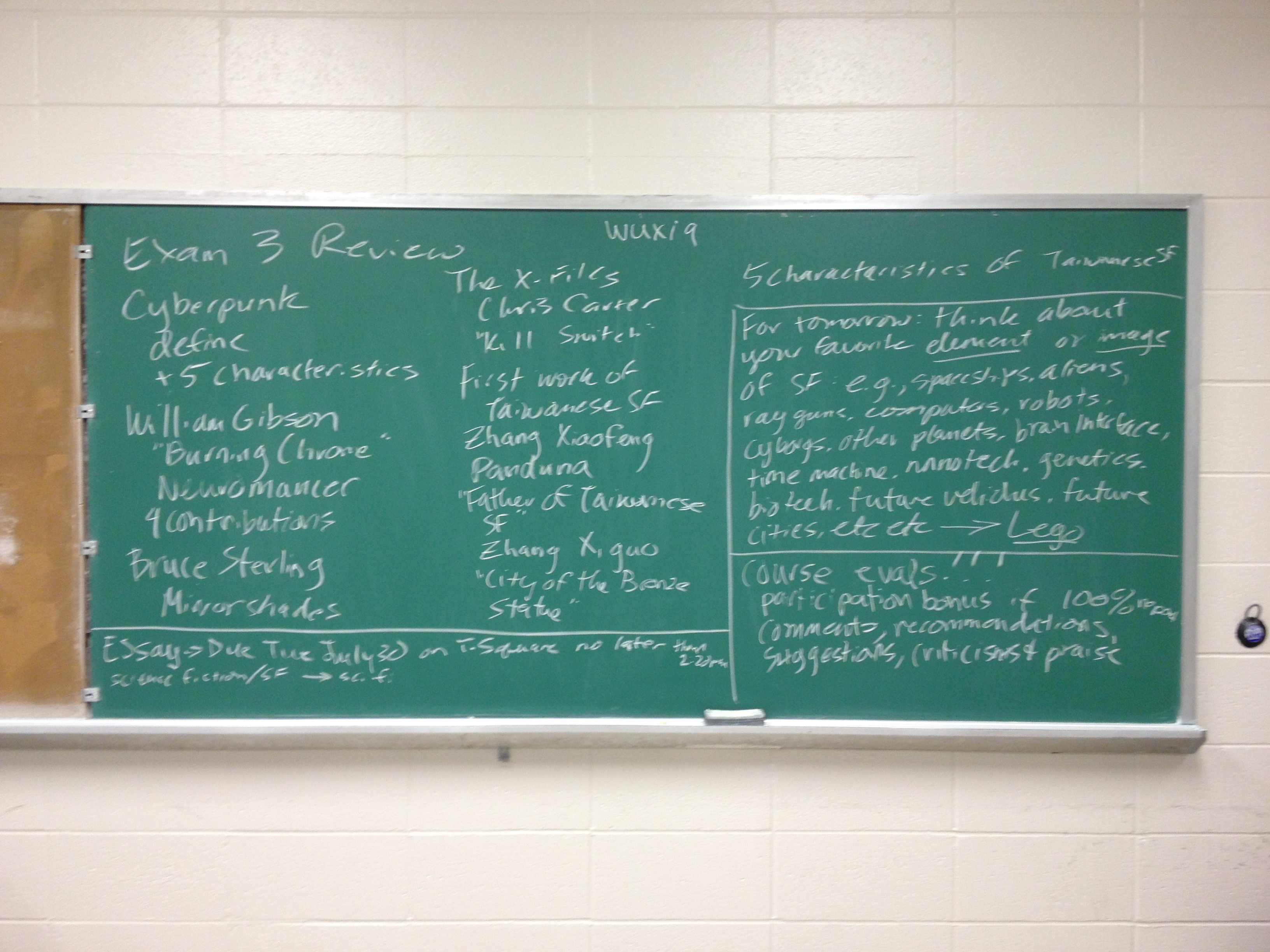
    After my students took their second exam yesterday, I lectured on cyberpunk to accompany their readings: William Gibson’s “Burning Chrome” and Bruce Sterling’s “Preface” to Mirrorshades. I talked about its historical and cultural moment, proto-cyberpunk examples in the SF genre, and the movement itself. In particular, I contextualized the cyberpunk movement in terms of postmodernism and post-industrial society. We ran out of time while I was talking about Gibson’s contributions to the development of the cyberpunk movement. Besides my enjoyment of talking about cyberpunk, I was happy that my former professor Dr. Carol Senf was in attendance to observe my teaching.

    Today, we watched the William Gibson and Tom Maddox penned episode of The X-Files, “Kill Switch.” Released approximately 16 years after “Burning Chrome” in 1998, it is one of the best examples of cyberpunk in a visual medium–especially in the fact that it takes place in the here-and-now instead of the near future.

    Then, I lectured on The X-Files and cyberpunk film/television before returning to my notes on Gibson, Bruce Sterling, and Pat Cadigan.

    After the lecture, I launched into a retrocomputing demonstration with emulation and my personal collection of resurrected computer gear. I showed my students how to use the http://www.virtualapple.org website to see what cutting edge computing looked like in the early 1980s. Most of my students were born in the early to mid-1990s, so I wanted them to experience first hand how much extrapolation was being done on the part of the cyberpunks and Gibson in particular (of course, telling them about his Hermes 2000 typewriter and its celluloid keys and his recollection of getting inspiration for the cyberspace deck from the Apple IIc–something that his memory likely colored due to the fact that the IIc was released the same year as Neuromancer). Also, I brought in an Apple Powerbook 145 with Gibson’s Voyager Company ebook of the Sprawl trilogy pre-loaded and a Pentium-I PC with old software including Neuromancer (for DOS), Star Wars: Dark Forces (DOS), and the Star Trek Interactive Technical Manual (Windows). I took the U-shaped sheet metal case off my PC so that they could see the insides.

    I had to lug everything across campus in my carry-on sized suitcase with the PC strapped to the handle with nylon straps. I felt like Case in Neuromancer returning from his shopping expedition.

    Tomorrow: Taiwanese SF and review for the third exam.

  • Science Fiction, LMC3214: Revised Schedule for Last Week of Class

    This is the last week of my Science Fiction class. I decided to make some changes to the final week of class to cover the necessary material and to strike out into new territory. Here’s the revised schedule for Monday through Thursday:

    Monday: 9:20-10:20 Exam 2. 10:20-11:20 Lecture on Cyberpunk and short discussion of William Gibson’s “Burning Chrome” and Bruce Sterling’s Preface to Mirrorshades anthology.

    Tuesday: Begin with episode of the X-Files by William Gibson and Tom Maddox, “Kill Switch.” Followed by discussion and retrocomputing demonstration that looks at the computing origins of cyberpunk. Please bring your laptop today for the in-class activity.

    Wednesday: Global Perspectives unit on Taiwanese SF. First part of class: lecture on differences of cultural/historical development and issues of translation. Second part of class: Active learning exercise looking at translations. The two readings for today’s class are on T-Square under Resources.

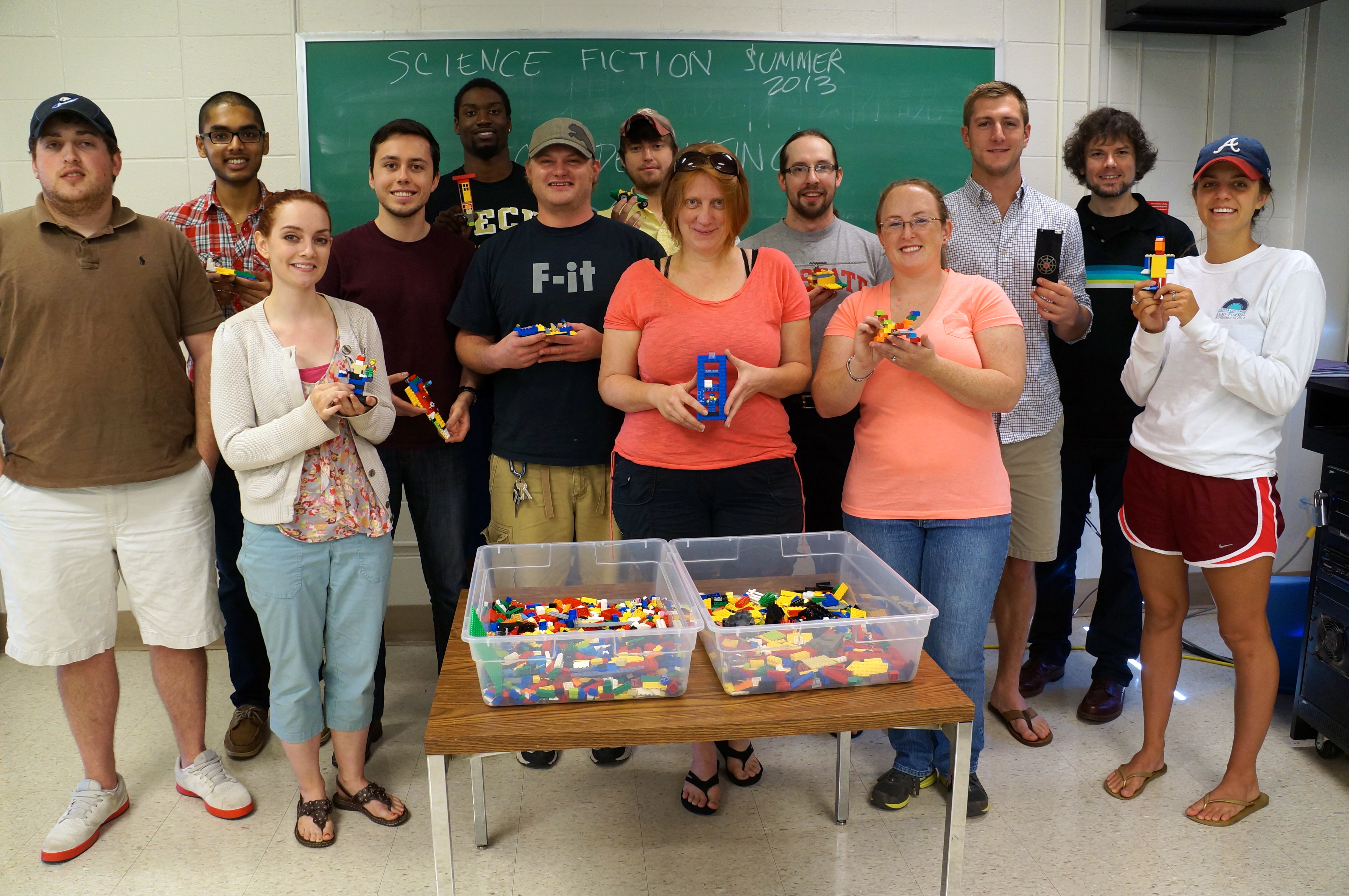
    Thursday: 9:20-9:50 Exam 3. 9:50-11:20 Exploring your SF imagination with Lego. Think about your favorite trope, image, science, or technology from SF and how you might build it with Lego bricks. We will spend time in class building your creation and then sharing your creations with the class as a whole. If you bring your ideas to class, I will bring the bricks (and a camera to record your work)!

  • The Cute Insistence of Cats as an Impediment to Preparing Future Pedagogy

    Moses collapses on Donald A. Norman's Living with Complexity.
    Moses collapses on Donald A. Norman’s Living with Complexity.

    While preparing for my three fall semester classes and reading Donald A. Norman’s Living With Complexity, Moses decides to collapse on my book and immediately fall asleep. I believe that he is asserting his “Right to be Cute.”

  • Science Fiction, LMC3214: Concluding Aliens and Feminist SF, Review for Exam 2

    Exam 2 review notes on the chalkboard.
    Exam 2 review notes on the chalkboard.

    In today’s class, we finished watching James Cameron’s Aliens and discussed how it fits into our earlier discussions on feminist SF (Ripley as strong female hero, challenging stereotypes: Ripley, Vasquez, Ferro, and Dietrich vs. Gorman and Hudson, alternative modes of reproduction, the human role in alien reproduction–“impregnate,” remaking motherhood, what does it mean to be a mother, sexualized bodies of the aliens/HR Giger).

    We also spent some time reviewing for their second major exam, which will take place during the first half of Monday’s class. I recommended students to build a new set of notes that consolidates important information, dates, lists, etc., because it will make their studying over the weekend easier. I also recommended for them to chart connections between the themes and characteristics of SF eras and the stories that we discussed in relation to those eras. The idea is that making the information more meaningful through interconnections will improve their use and recall of course material.

    Next week, we conclude the class. There will be units on cyberpunk, global perspectives/Taiwanese SF, and maybe something creative–this is a fun surprise that I am still working on. I will have a busy weekend planning these things out, but I believe that it will lead to an exciting and fun conclusion of my first SF class!

  • Adventures with a CustoMac: My Instructions for Turning Asus P8Z77-V Based PC into a Screaming-Fast Hackintosh

    16 GB Transcend Flash Drive from NOVA in Taipei, Taiwan
    16 GB Transcend Flash Drive from NOVA in Taipei, Taiwan

    My friend sent me a link to a video by someone who turned an older Core2Duo-based Dell Optiplex into a Hackintosh. The video convinced me to do something that I had been meaning to do for a long time but had never got around to actually doing: removing Windows 7 on my ASUS P8Z77-V/Intel i7-based PC that I built late last year and  installing Mac OS X 10.8.

    A Hackintosh, or what some folks call a CustoMac, is a standard PC that runs one of the Intel-based version of Mac OS (this includes 10.4 Tiger, 10.5 Leopard, 10.6 Snow Leopard, 10.7 Lion, and 10.8 Mountain Lion).

    Prior to this project, I had purchased Mountain Lion from the MacApp Store for my old MacBook 5,1 (Aluminum Unibody, Late-2008). When my parents gifted me a rMPB, it already had Mountain Lion installed. This gave me the needed components that I needed to setup my flash drive to install Mac OS on my PC: a Mac and a purchased copy of Mountain Lion.

    According to the definitive source for creating CustoMacs, TonyMacx86, my hardware isn’t ideally suited for a pain-free installation (If you are beginning from scratch, you should check out TonyMacx86’s excellent buyer’s guide here). Nevertheless, I worked my way through six re-installations before discovering the combination of settings that yielded a reliable and stable Mountain Lion installation.

    This is my PC’s hardware configuration:

    • ASUS P8Z77-V LGA 1155 Z77 ATX Intel Motherboard
    • Intel Core i7 2700K LGA 1155 Boxed Processor
    • Corsair XMS3 Series 16GB DDR3-1333MHz (PC3-10666) CL 9 Dual Channel Desktop Memory Kit (Four 4GB Memory Modules)
    • evga 01G-P3-1561-KR GeForce GTX 560 Ti 1024MB GDDR5 PCIe 2.0 x16 Video Card
    • Antec High Current Gamer 750W Gamer Power Supply HCG-750
    • Corsair Vengeance C70 Gaming Mid Tower Case Military Green
    • Cooler Master Hyper 212 Plus Universal CPU Cooler
    • Samsung 22X DVD±RW Burner with Dual Layer Support – OEM
    • Intel 128 GB SATA SSD
    • Western Digital Caviar Green WD10EARX 1TB IntelliPower 64MB Cache SATA 6.0Gb/s 3.5″ Internal Hard Drive – Bare Drive

    These are the steps that led to my successful Mountain Lion installation:

    1. Follow TonyMacx86’s UniBeast (the software that prepares your installation media) and Mountain Lion installation guide here. I have modified the instructions below to reflect what I did after creating my bootable flash drive containing the Mountain Lion installer and a folder that I made containing MultiBeast (the software that configures your Mountain Lion installation for your computer’s hardware). (Depending on your needs, you might need other software, including MaciASL, which can create a DSDT file–another kind of configuration file for MultiBeast that gives Mac OS the information that it needs to run well on your hardware. You will need to configure it with sources  from PJALM’s DSDT Patch Repositories. Ultimately, I decided to proceed with a DSDT-free installation.)
    2. Turn on the PC with the flash drive inserted on one of the front mounted USB 3.0 slots.
    3. Press F8 to select bootup device and select the flash drive.
    4. Chimera, the bootloader software, provides you with an option to select the flash drive’s Mac OS installation to boot. If you press the down arrow key on the keyboard, you will be presented with other options including help. If you begin typing, you can enter commands to assist with booting the installer.
    5. On the Chimera boot selection screen, type “PCIRootUID=0”. Press Enter. This ensures that the installer’s Mac OS installation will display video correctly. Without this option, the screen goes dark after the Apple logo over gray screen.
    6. From the Mac OS installer menu bar, select Utilities > Disk Utility > Format your boot drive for Mac OS Extended, Journaled. Close the Disk Utility window to return to the installer. Proceed with installation. Reboot when completed.
    7. Press F8. Select the flash drive. At the Chimera screen, select your internal hard drive’s new Mac OS Mountain Lion installation, type in “PCIRootUID=0”, and press Enter.
    8. Mountain Lion will boot from your hard drive and begin the setup procedure (choosing location, creating your Admin account, etc.).
    9. If you have already downloaded MultiBeast and placed it in a new folder on your flash drive, open your flash drive from the Desktop, navigate to MultiBeast, and launch it.
    10. Proceed to the selection screen and check these things:
      1. UserDSDT or DSDT-Free Installation
      2. Drivers & Bootloaders > Drivers > Audio > Realtek ALC8xx > Without DSDT > ALC892
      3. Drivers & Bootloaders > Drivers > Network > hnak’s AppleIntelE1000e Ethernet
      4. Drivers & Bootloaders > Drivers > Miscellaneous > USB 3.0 – Universal
      5. Drivers & Bootloaders > Drivers > System > Patched AppleIntelCPUPowerManagement > OS X 10.8.x
    11. Complete installation and close MultiBeast.
    12. Navigate to Applications > Utilities > Disk Utility. Select your hard drive and click Repair Permissions. When completed, close Disk Utility, eject your flash drive and remove from the USB port, and reboot.
    13. When back at the Desktop, go to System Preferences > Energy Saver > Disable Computer Sleep by sliding the widget to the far right.
    14. Plug your computer into your router with an ethernet cable if you have not already done so. You can easily get online with the wired connection.
    15. Your installation is complete!
    Mac OS X 10.8.4 desktop showing CPU and memory. Everything is running a-okay!
    Mac OS X 10.8.4 desktop showing CPU and memory. Everything is running a-okay!

    I chose to go this route, because I could not get Mac OS to boot with the DSDTs that I created with MaciASL (using the configuration for the P8Z77-V motherboard and graphics source per PJALM’s instructions). My problems could have been related to the DSDT or due to incompatibilities between its settings and my P8Z77-V’s BIOS ROM version (I was unable to use the motherboard’s BIOS Flashback feature to successfully load one of these hacked BIOS ROMs on this site). Apparently, if you can get the DSDT to install correctly and have the hacked BIOS, you will be able to enjoy power management settings and control. Since I have my computer only on when I am using it, I do not have any problem with this lack of functionality. Since installation, my Hackintosh has been running great. It is snappy, video and sound work great, network connectivity is fine, and Doom 3 plays fantastically at 1080p!

    After the installation, I discovered one tremendous problem: FileVault cannot be activated for your boot drive. Apparently, this is due to FileVault needing a real Mac’s EFI environment (or the error message that it generates indicates that it has to do with its inability to re-partition the bootdrive–likely due to the Chimera bootloader). As far as I can tell from reading posts on the TonyMacx86 forums, there is no way around this problem. One option would be to save your files in a TrueCrypt container or fully encrypted drive that is separate from your bootdrive. Another way is to use TrueCrypt full disk encryption as detailed on this helpful blog post from Frugal Computing (FC also has some great articles about building Hackintoshes).

    Others in the TonyMacx86 forums have had varying levels of success with the Asus P8Z77-V and Mountain Lion, so I do not want to dissuade you from attempting to get more functionality on your installation. The above is simply a report of what worked for me. It might work for you, and it might give you a beginning for your own Hackintosh project.