
Thankfully, the temperature was low enough for going out for a walk two days ago. We saw this beautiful sunset down 21st Street in Brooklyn.
Thankfully, the temperature was low enough for going out for a walk two days ago. We saw this beautiful sunset down 21st Street in Brooklyn.
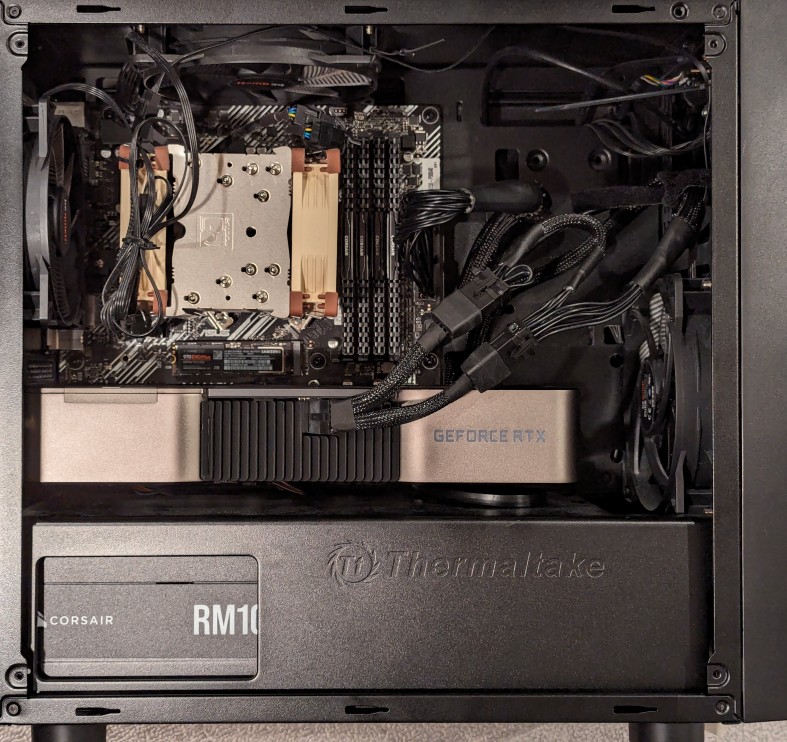
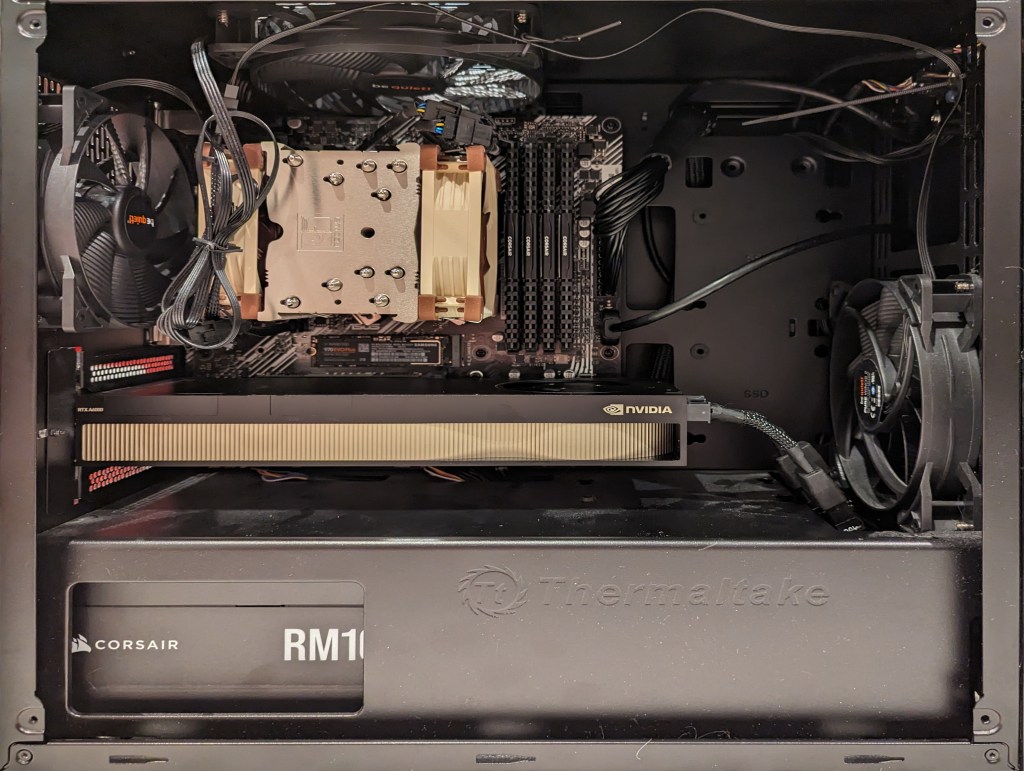
As I documented last year, I made a substantial investment in my computer workstation for doing local text and image generative AI work by upgrading to 128GB DDR4 RAM and swapping out a RTX 3070 8GB video card for NVIDIA’s flagship workstation card, the RTX A6000 48GB video card.
After I used that setup to help me with editing the 66,000 word Yet Another Science Fiction Textbook (YASFT) OER, I decided to sell the A6000 to recoup that money (I sold it for more than I originally paid for it!) and purchase a more modest RTX 4060 Ti 16GB video card. It was challenging for me to justify the cost of the A6000 when I could still work, albeit more slowly, with lesser hardware.
Then, I saw Microcenter begin selling refurbished RTX 3090 24GB Founder Edition video cards. While these cards are three years old and used, they sell for 1/5 the price of an A6000 and have nearly identical specifications to the A6000 except for having only half the VRAM. I thought it would be slightly better than plodding along with the 4060 Ti, so I decided to list that card on eBay and apply the money from its sale to the price of a 3090.
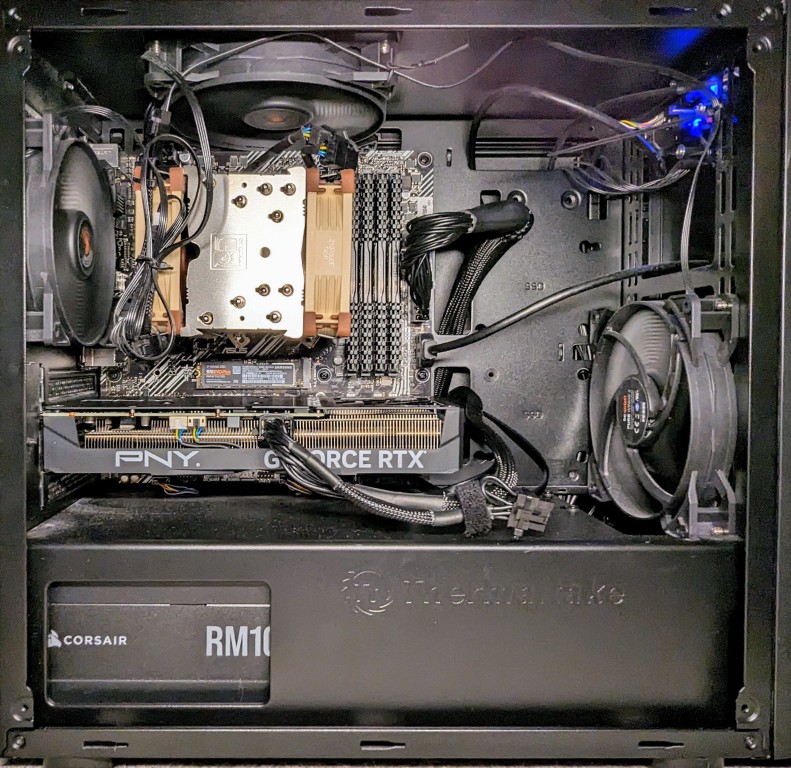
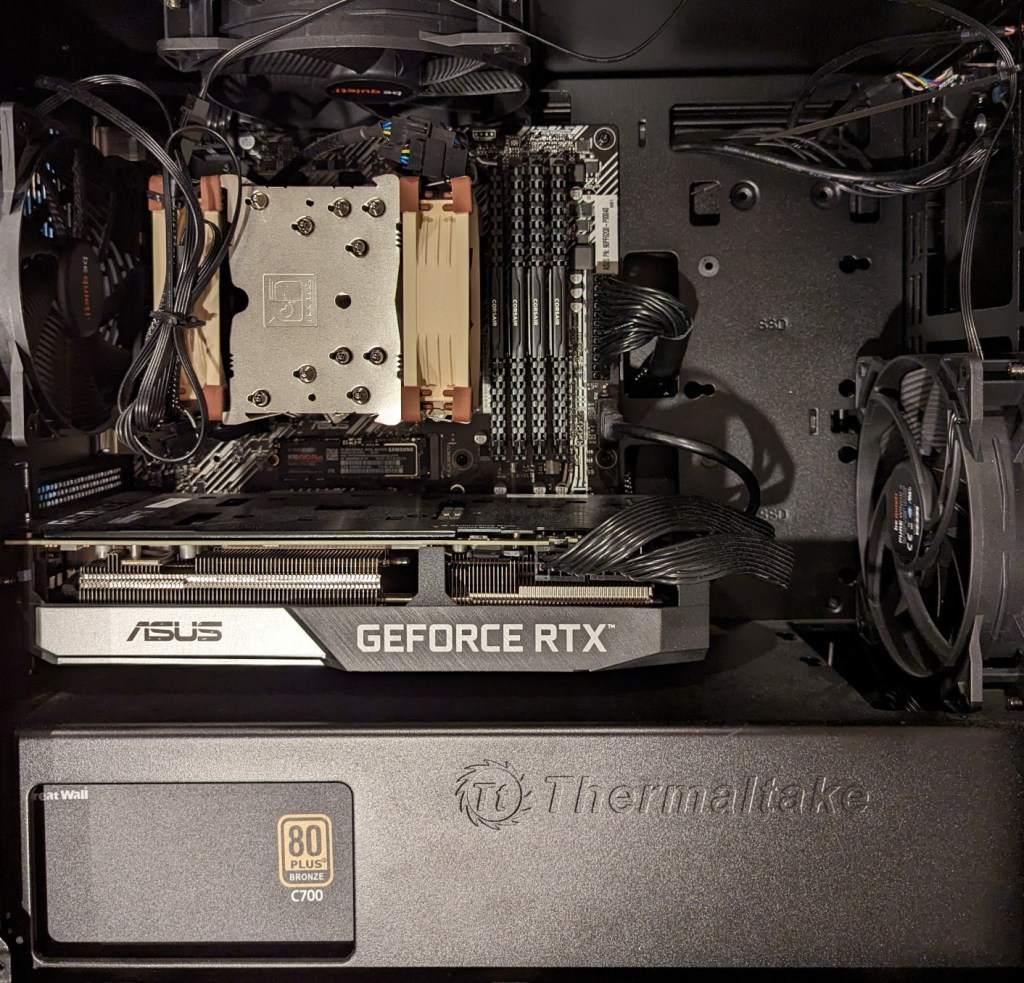
As you can see above, the 3090 is a massive video card–occupying three slots as opposed to only two slots by the 3070, A6000, and 4060 Ti shown below.
The next hardware investment that I plan to make is meant to increase the bandwidth of my system memory. The thing about generative AI–particularly text generative AI–is the need for lots of memory and more memory bandwidth. I currently have dual-channel DDR4-3200 memory (51.2 GB/s bandwidth). If I upgrade to a dual-channel DDR5 system, the bandwidth will increase to a theoretical maximum of 102.4 GB/s. Another option is to go with a server/workstation with a Xeon or Threadripper Pro that supports 8-channel DDR4 memory, which would yield a bandwidth of 204.8 GB/s. Each doubling of bandwidth roughly translates to doubling how many tokens (the constituent word/letter/punctuation components that generative AI systems piece together to create sentences, paragraphs, etc.) are output by a text generative AI using CPU + GPU inference (e.g., llama.cpp). If I keep watching for sales, I can piece together a DDR5 system with new hardware, but if I want to go with an eight-channel memory system, I will have to purchase the hardware used on eBay. I’m able to get work done so I will keep weighing my options and keep an eye out for a good deal.
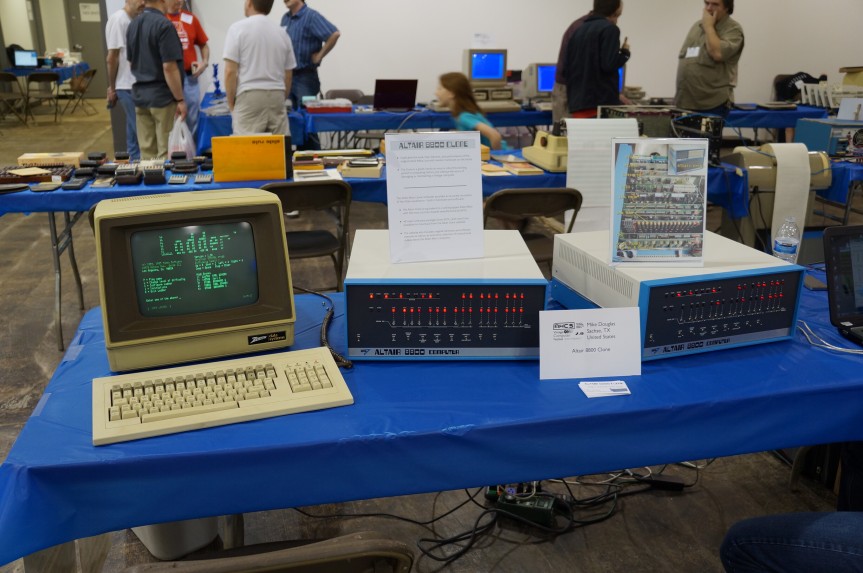
In the November 1977 issue of Analog Science Fiction/Science Fact magazine, Martin Buchanan published a feature article on personal computers titled, “Home Computers Now!” In it, he opens with a scenario about how PCs can automate family life and then goes into the nuts and bolts of how computers work, what to look for in a kit, and what the future of computing looks like. It was at the end of the article that this passage stood out to me:
"With cheap processors, cheap memory, and cheap communications, what can't we do? The effects on individuals and society will be major and unpredictable. Today's personal computer is just a beginning" (Buchanan 74).
Buchanan, Martin. “Home Computers Now!” Analog, Nov. 1977, pp. 61-74.
Donald Sutherland’s portrayal of Oddball in 1970’s Kelly’s Heroes is one of my all-time favorite performances. His character was straightforward and never pretentious about his role as a tank commander in the best war heist movie: “I only ride ’em, I don’t know what makes ’em work.” But his Dude-like abiding had its limits when money was involved: “We see our role as essentially defensive in nature. While our armies are advancing so fast and everyone’s knocking themselves out to be heroes, we are holding ourselves in reserve in case the Krauts mount a counteroffensive which threatens Paris… or maybe even New York. Then we can move in and stop them. But for 1.6 million dollars, we could become heroes for three days.” He played up to people’s expectations when they framed him as crazy: “Woof, woof, woof! That’s my other dog imitation.” Nevertheless, he was almost always upbeat, especially when he was backed by someone putting it on the line, too: “Crazy! I mean like so many positive waves maybe we can’t lose! You’re on!”

For the illustration of Lynn Conway and her co-authored textbook Introduction to VLSI Systems at the top of yesterday’s post, I used a locally hosted installation of Automatic1111’s stable-diffusion-webui, the finetuned model Dreamshaper 5, which is based on StabilityAI’s Stable Diffusion 1.5 general model, and the ControlNet extension for A1111.
Stable Diffusion is an image generating AI model that can be utilized with different software. I used Automatic1111’s stable-diffusion-webui to instruct and configure the model to create images. In its most basic operation, I type into the positive prompt box what I want to see in the output image, I type into the negative prompt box what I don’t want to see in the output image, and click “Generate.” Based on the prompts and default parameters, I will see an image output on the right that may or may not align with what I had in mind.
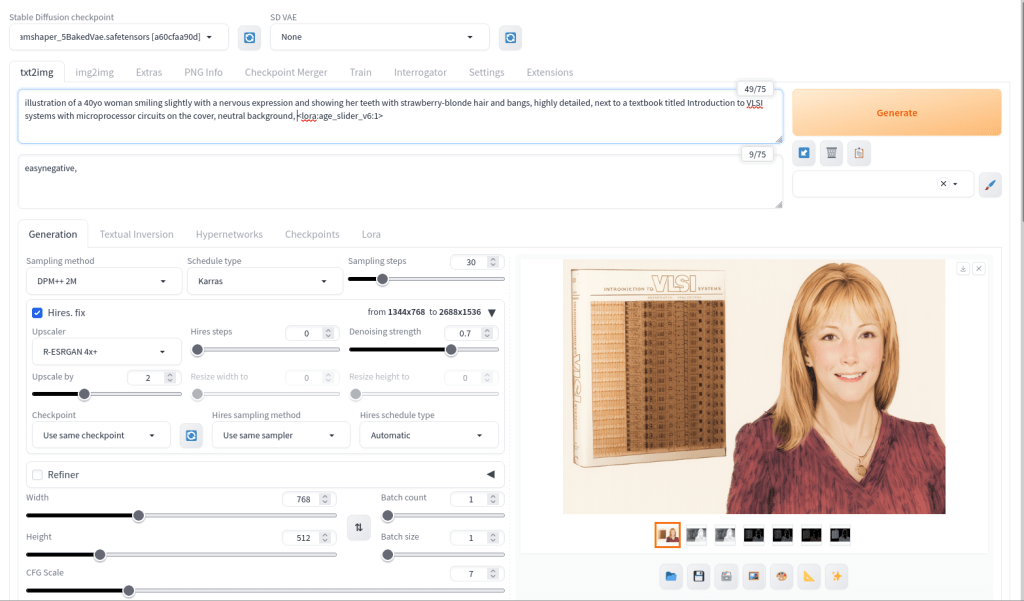
For the positive prompt, I wrote:
illustration of a 40yo woman smiling slightly with a nervous expression and showing her teeth with strawberry-blonde hair and bangs, highly detailed, next to a textbook titled introduction to VLSI systems with microprocessor circuits on the cover, neutral background, <lora:age_slider_v6:1>I began by focusing on the type of image (an illustration), then describing its subject (woman), other details (the textbook), and the background (neutral). The last part in angle brackets is a LoRA or low rank adaptation. It further tweaks the model that I’m using, which in this case is Dreamshaper 5. This particular LoRA is an age slider, which works by inputting a number that corresponds with the physical appearance of the subject. A “1” presents about middle age. A higher number is older and a lower/negative number is younger.

ControlNet, which employs different models focused on depth, shape, body poses, etc. to shape the output image’s composition, is an extension to Automatic1111’s stable-diffusion-webui that helps guide the generative AI model to produce an output image more closely aligned with what the user had in mind.
For the Lynn Conway illustration, I used three different ControlNet units: depth (detecting what is closer and what is further away in an image), canny (one kind of edge detection for fine details), and lineart (another kind of edge detection for broader strokes). Giving each of these different levels of importance (control weight) and telling stable-diffusion-webui when to begin using a ControlNet (starting control step) and when to stop using a ControlNet (ending control step) during each image creation changes how the final image will look.
Typically, each ControlNet unit uses an image as input for its guidance on the generative AI model. I used the GNU Image Manipulation Program (GIMP) to create a composite image with a photo of Lynn Conway on the right and a photo of her co-authored textbook on the left (see the screenshot at the top of this post). Thankfully, Charles Rogers added his photo of Conway to Wikipedia under a CC BY-SA 2.5 license, which gives others the right to remix the photo with credit to the original author, which I’ve done. Because the photo of Conway cropped her right arm, I rebuilt it using the clone tool in GIMP.
I input the image that I made into the three ControlNets and through trial-and-error with each unit’s settings, A1111’s stable-diffusion-webui output an image that I was happy with and used on the post yesterday. I used a similar workflow to create the Jef Raskin illustration for this post, too.

