Created by Fuzzy Gerdes, HAIKU 0.2 is a Hypercard stack that assembles haikus from pre-written 5-syllable and 7-syllable phrases. Unlike some of the more advanced haiku generators like Haiku Master 2.2 or McPoet 5.1, which work on a micro, word-level for constructing haikus, HAIKU 0.2 operates on a macro, phrase-level and puts more work on the part of its human user to think of and type up phrases that contain five and seven syllables, which it randomly selects from to create new 5-7-5 haikus.
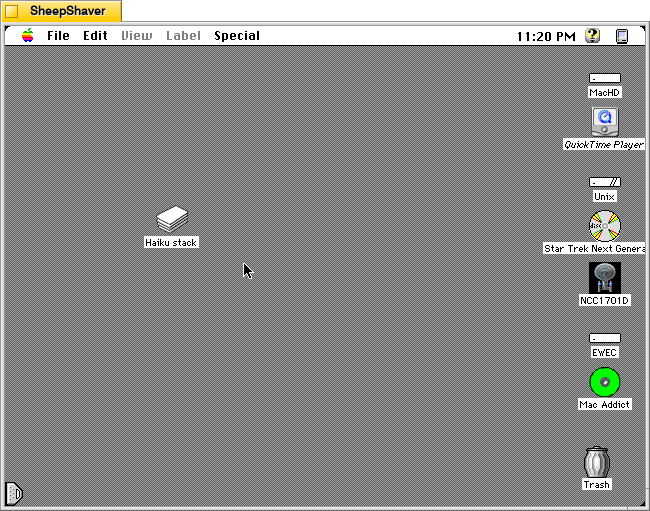
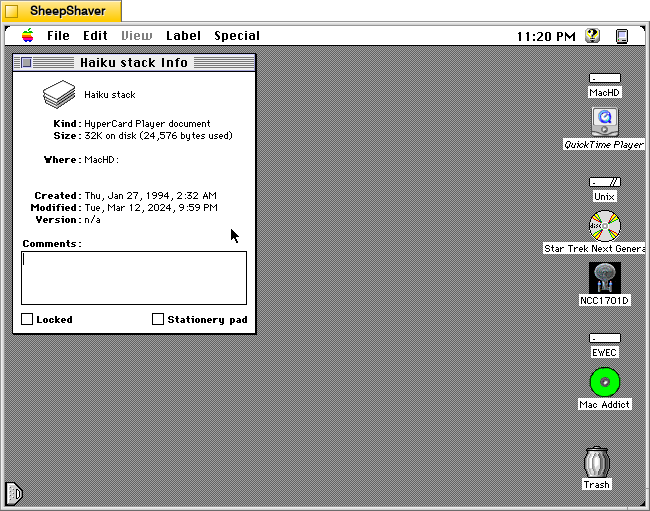
HAIKU 0.2’s file name is “Haiku stack” and it weighs in at 32K on disk (24,576 bytes used).
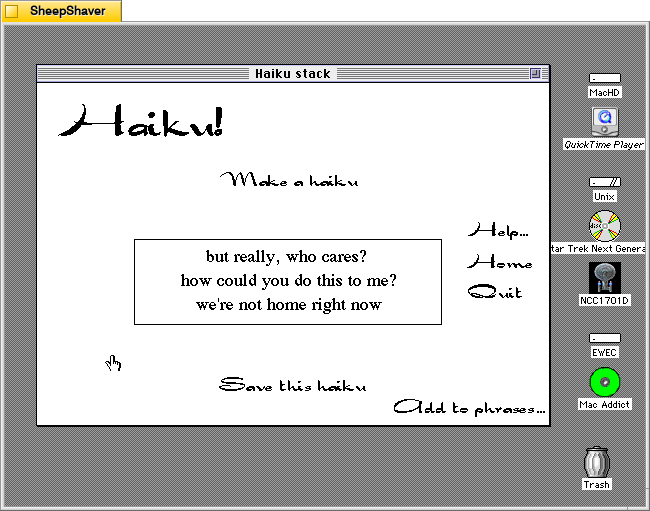
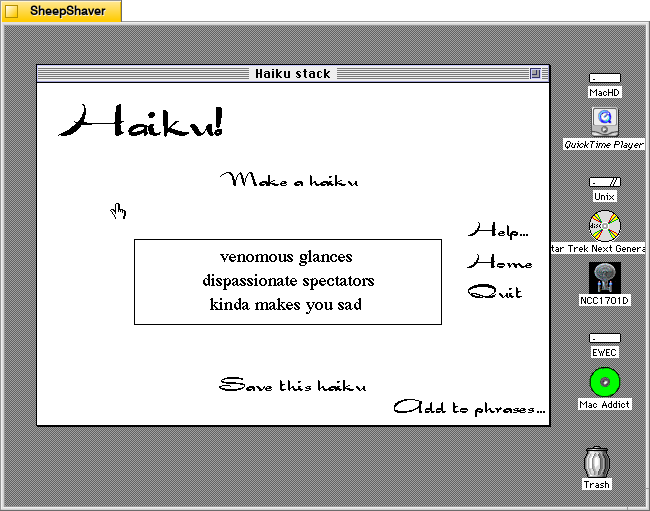
When the user double clicks on Haiku stack, it launches Hypercard Player, which runs the stack and displays HAIKU 0.2’s main composition window. The main options that can be clicked with the mouse are “Make a haiku,” “Help…”, “Home,” “Quit,” “Add to phrases…”, and “Save this haiku.”
Clicking on “Make a haiku” in the upper, middle portion of the main window creates a new haiku out of randomly selected five and seven syllable phrases stored in the Hypercard stack.
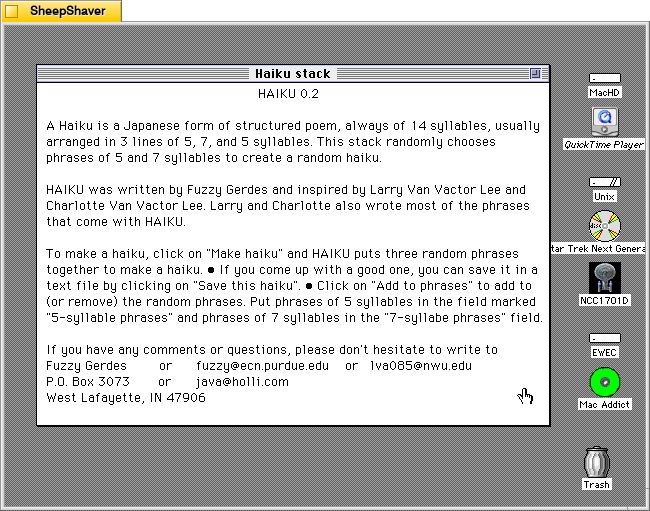
Clicking on Help loads this page, which explains how it works, how to use it, and credits–written by Gerdes and inspired by Larry Van Vactor Lee and Charlotte Van Vactor Lee, who wrote most of the built-in phrases.
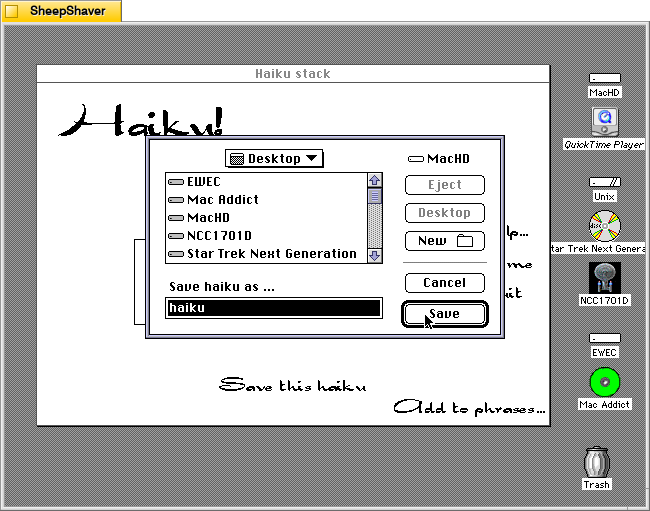
Clicking on “Save this haiku” opens a standard save dialog box for navigating the system’s files and saving a TeachText file of the haiku currently displayed on the main window.
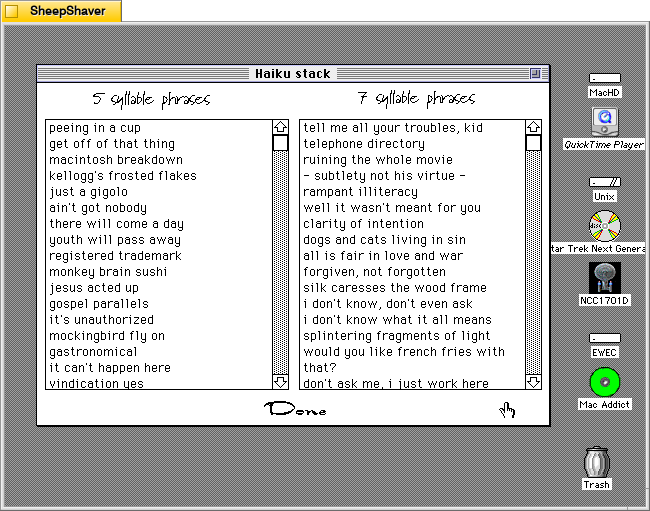
Clicking on “Add to phrases…”, loads this two-column page labeled “5 syllabus phrases” and 7 syllable phrases.”
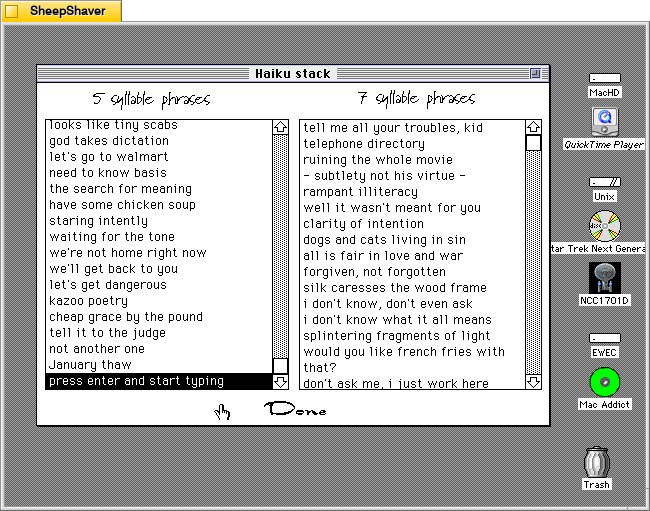
Both columns are editable by clicking on a text line and typing, or the user can scroll to the bottom of the list, press return, and begin entering a new line of text. It doesn’t enforce syllable count–that’s up to the user to count correctly. Clicking “Done” at the bottom of the page returns the user to the main composition page.
Even though this is a simple haiku generator in terms of how it assembles a haiku by randomly pulling from the 5 syllable phrase list, then the 7 syllable phrase list, and again from the 5 syllable phrase list. However, it and the other Hypercard-based text generators demonstrate the extremely easy to build power of Hypercard. A Macintosh computer with Hypercard gave non-programmers and programmers alike a relatively easy-to-use platform for creating interactive hypertext with graphics and programming. So, even though this and other poem generators like it are pulling text from lists based on simple rules and random numbers, it gestures toward equipping human computer users with feature-rich tools to make computers seemingly intelligent to a degree.
Nordles is a Hypercard stack that combines words from three different lists randomly together into combinations made by John Stiles.
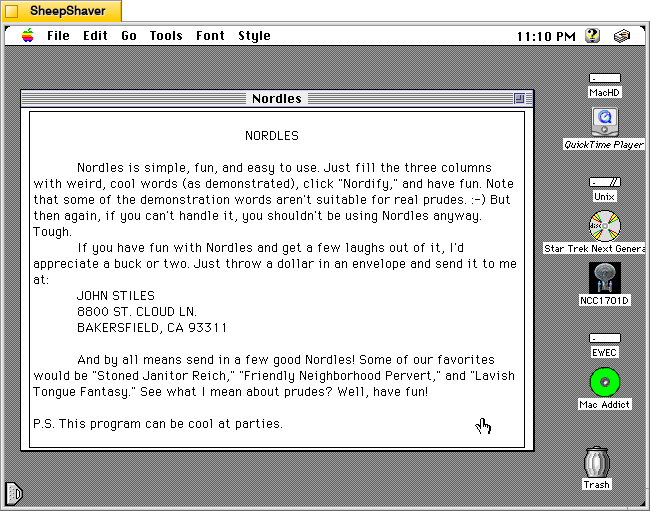
In the stack’s about screen, Stiles writes, “Nordles is simple, fun, and easy to use. Just fill the three columns with weird, cool words (as demonstrated), click “Nordify,” and have fun. Note that some of the demonstration words aren’t suitable for real prudes :-) But then again, if you can’t handle it, you shouldn’t be using Nordles anyway. . . . P.S. This program can be cool at parties.”
As mentioned in yesterday’s post about ChaosPoetry Generator, Nordles inspired Mathew P. Schmeer to create his word combination generator, which supports seven columns of words and phrases to Nordle’s three.
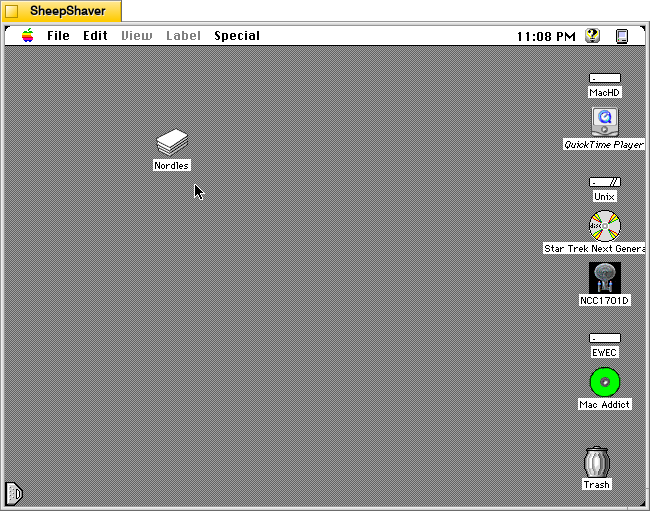
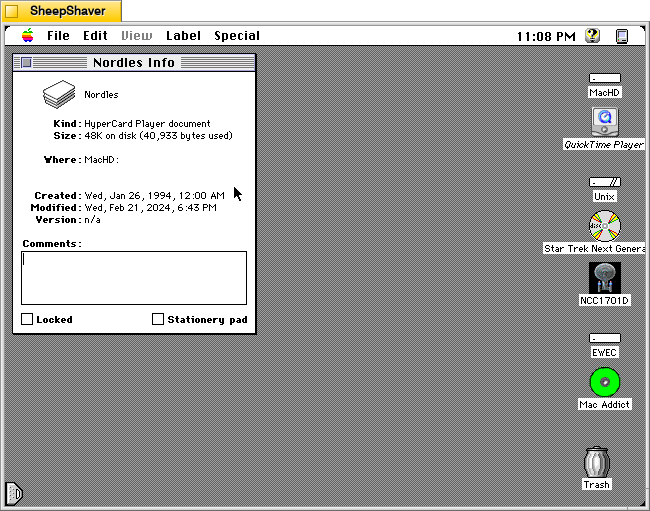
Nordles is only 48K on disk (40,933 bytes used). As a Hypercard stack, it requires Hypercard Player to be installed. When a Hypercard stack is double clicked, it automatically launches the stack in Hypercard Player.
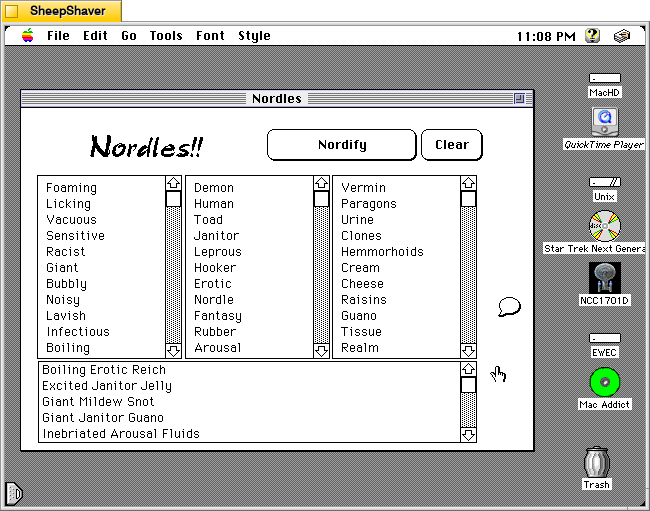
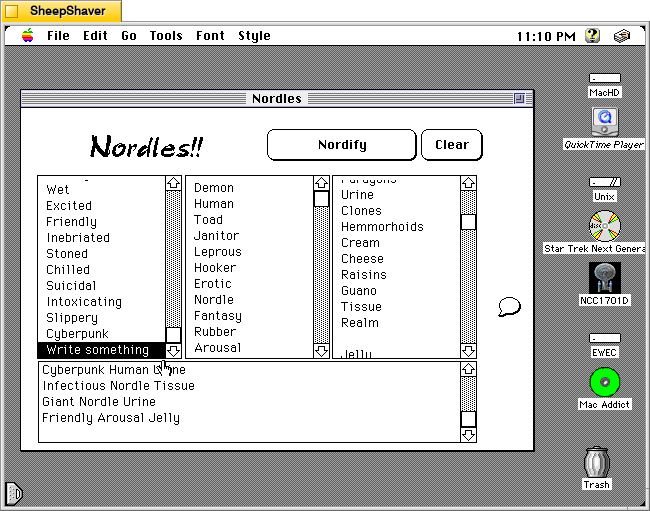
After launching Nordles, the main window opens. It has three columns of words, which can be edited and added to. Many of the default words are NSFW, and their combinations are even more NSFW.
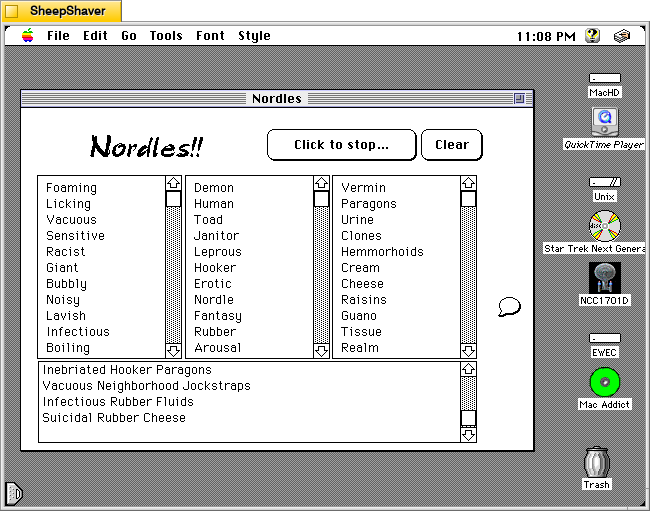
When the “Nordify” button is clicked it changes to “Click to stop…” and the stack randomly assembles three-word combinations using a word from each list. These generated combinations continue appearing in the box at the bottom of the main window until “Click to stop…” is clicked.
To edit words in a list, the user clicks on a word already there to begin typing. Existing words can be edited or swapped out for a new word. Also, the user can scroll to the bottom of the list, click the last word in the list and press return on the keyboard to add a new line for a new, additional word. In the image above, I added a line in the first column and typed, “Write something,” and I deleted a word from the third column list on the right.
To learn more about the Hypercard stack and its programmer, click on the message bubble icon on the right side of the main window. It includes the text that I included at the beginning of the post along with Stiles’ address and his favorite word combination creations.
While Nordles can be puerile, it can be reconfigured with the way the user enters words into the three columns/lists. Borrowing Schmeer’s suggestion for ChaosPoetry Generator, using one column for nouns, one for adjectives, and one for verbs, might yield some interesting creations that might be useful for writers–whether they be professionals or students in a classroom. The generated combinations could inform how a poem gets written (e.g., your poem must include all three words) or the topic of a flash fiction story (e.g., your story must use all three words in a phrase somewhere in your story).
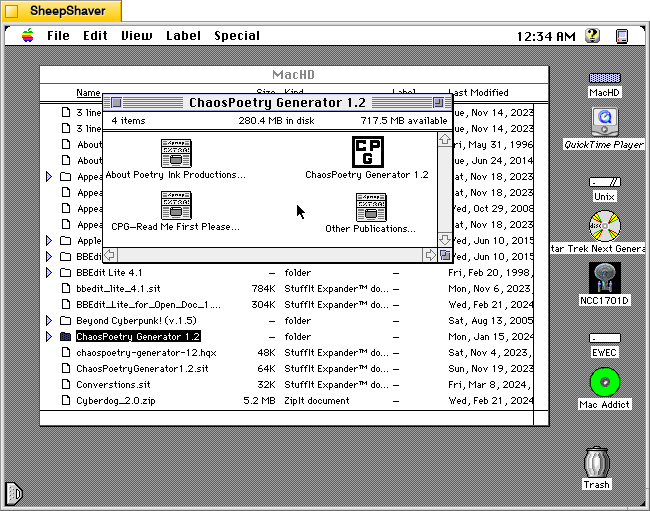
ChaosPoetry Generator 1.2 (downloadable from the TextWorx Toolshed) is a Hypercard stack for Macintosh that strings together words, phrases, and sentences from seven lists that its built-in script randomly pulls from to create combinations that might be interesting, nonsensical, disturbing, or offensive.
ChaosPoetry Generator is a HyperCard based writing tool to help writers break through writers block. Full documentation is included within the stack, but a simple explanation is that ChaosPoetry Generator is a random string generator wherein you control the strings.
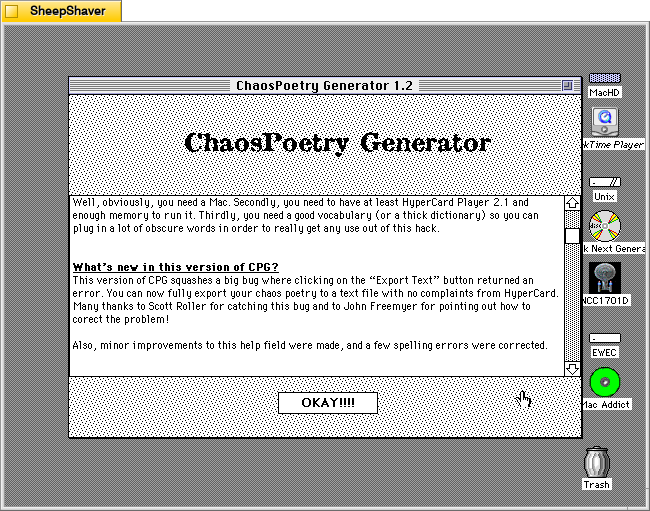
This version corrects a major bug which would not allow you to save your generated text. This has been fixed, and now CPG allows full text export.
We give our permission for this file to be included on the Info-Mac CD-ROM, with our usual stipulations.
Thank you.
Matthew W. Schmeer <poetink@inlink.com>
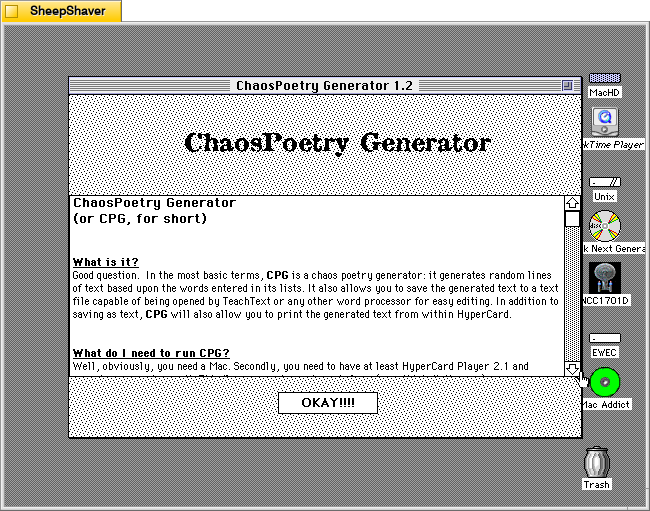
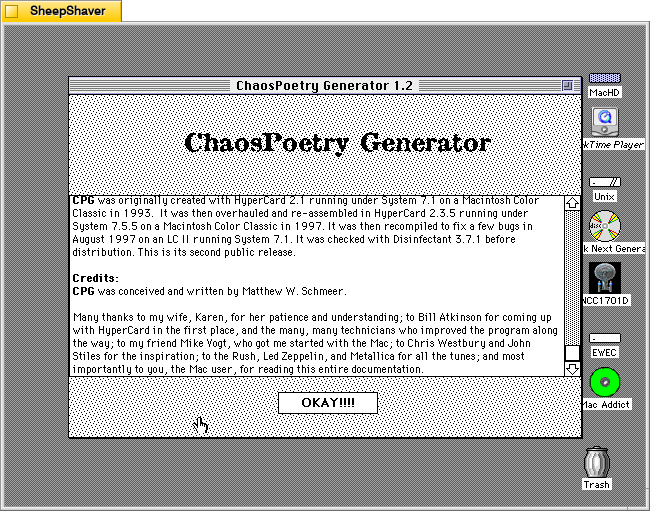
Inside the Hypercard stack’s about page (screenshots further below), Schmeer writes, “In the most basic terms, CPG is a chaos poetry generator. It generates random lines of text based upon the words entered in its lists. It also allows you to save the generated text to a text file capable of being opened by TeachText or any other word processor for easy editing. In addition to saving as text, CPG will also allow you to print the generated text from within Hypercard.”
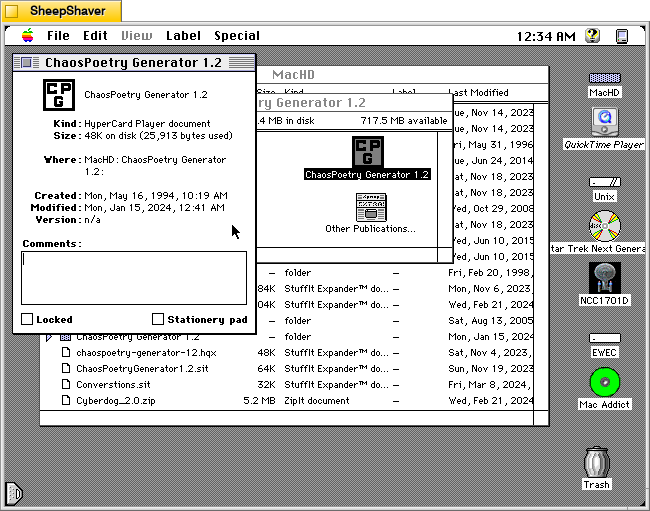
The Get Info window on the Hypercard stack reveals that it is very lean at 48K on disk (25,913 bytes).
Double clicking on ChaosPoetry Generator 1.2 launches the Hypercard stack in Hypercard Player, which needs to be installed on the host system.
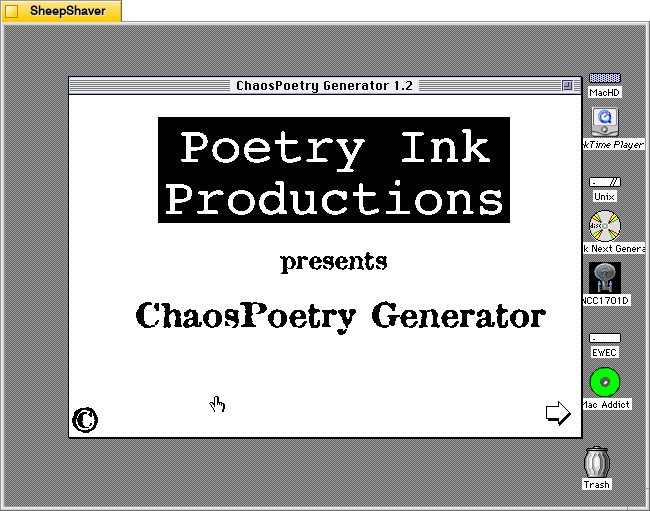
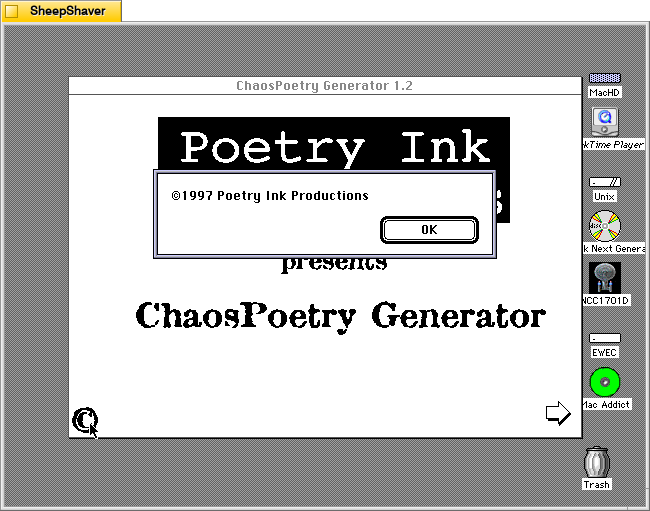
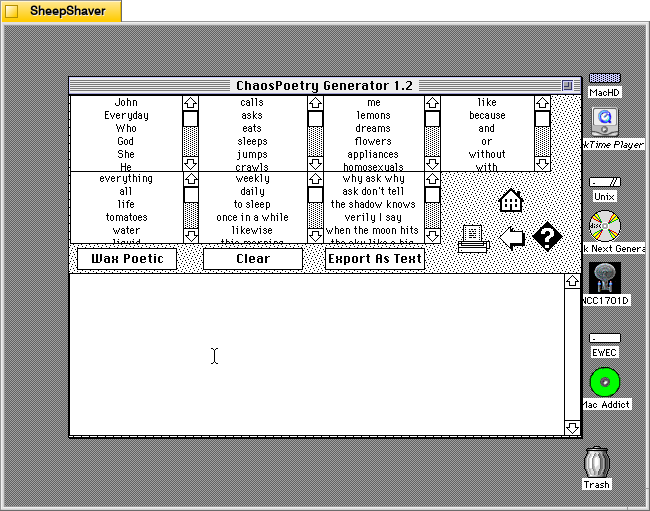
Clicking the arrow in the bottom right of the launch window brings the user to the text generator. Each of the seven lists can be edited by clicking into them, editing a line, or scrolling to the bottom and adding new text to the list there.
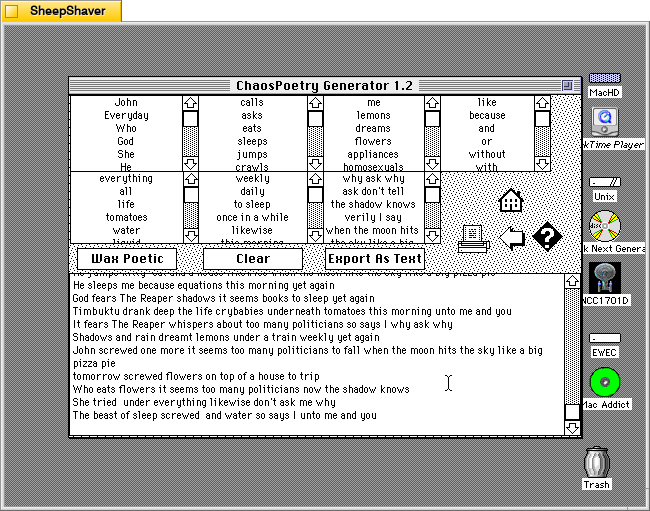
Clicking once on the “Wax Poetic” button causes ChaosPoetry Generator to begin generating copious and unending lines of text randomly drawn from the seven lists at the top of the window. The “Wax Poetic” button changes to “Click to Stop,” which when pressed, ceases the text generation. The user can scroll back up the output box at the bottom of the window to read through the generated lines of text. Clicking on the “Clear” button erases the generated text box, and clicking on “Export as Text” gives the user an option to save the generated text as a TeachText document. The printer icon on the right of the window gives an option to print the output in the generated text box.
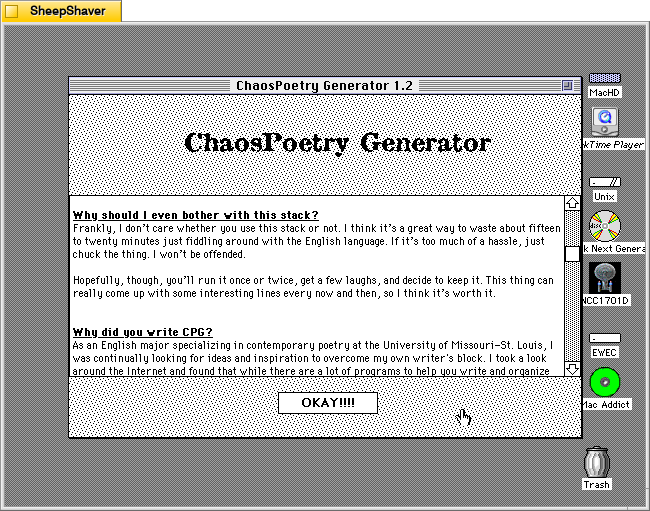
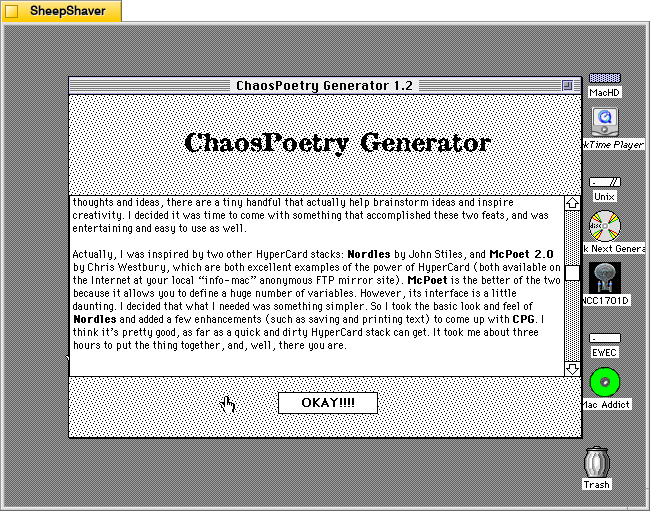
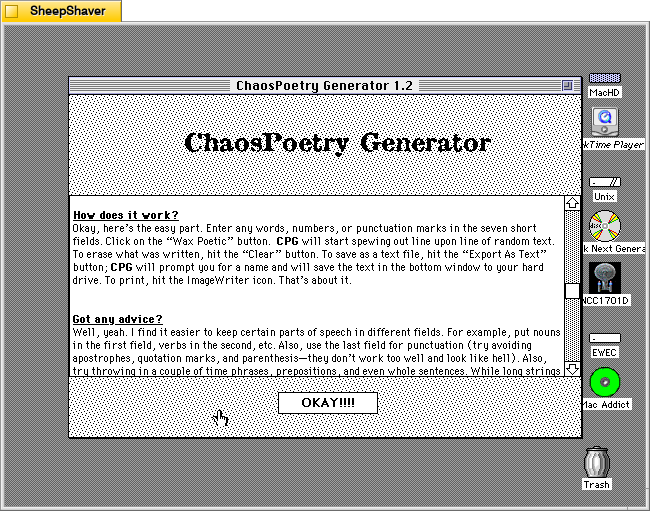
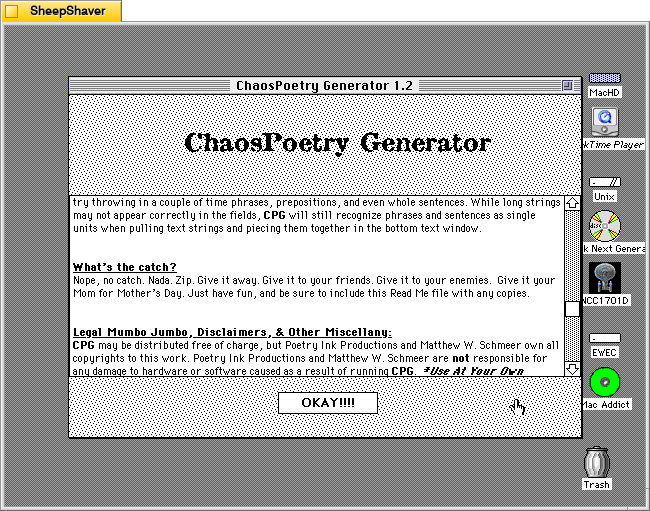
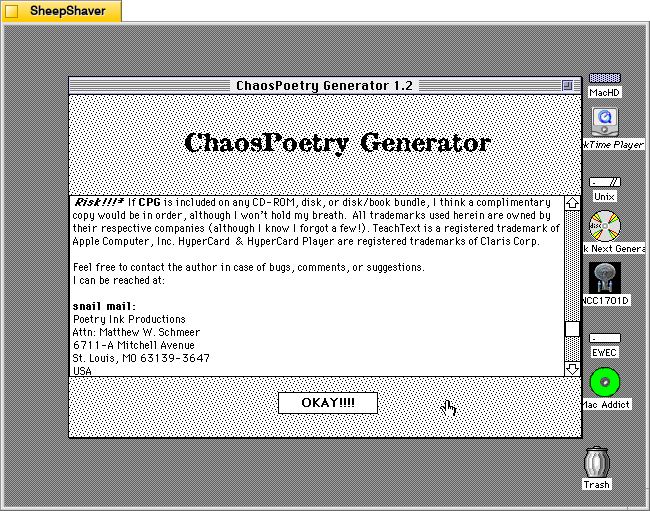
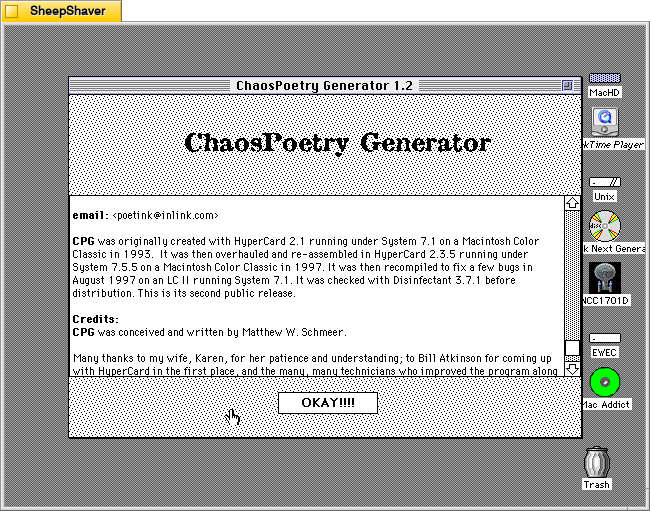
Clicking on the question mark icon on the right side brings up ChaosPoetry Generator’s info page that includes information about what it is, what’s needed to run the stack, what’s new to this version, why it was written and its inspirations, how it works, and advice on using it. Screenshots of these pages are included above, but the key takeaway from the advice section is that the user should use each column for a different parts of speech: a list of nouns, a list of verbs, a list of adjectives, a list of phrases, etc. Schmeer also notes that punctuation marks should be avoided as “they don’t work too well and look like hell.”
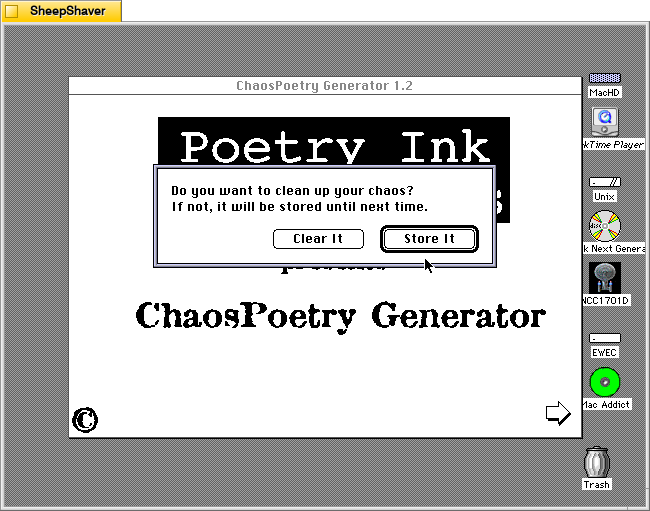
Clicking the Home icon on the text generator window first prompts the user if they would like to clear the generated text or store it.
After making a selection on clearing or storing the generated text, the user is taken back to the Hypercard home screen and have essentially quit ChaosPoetry Generator.
The more that I explore these early examples of text generators, the more I come to realize that the meaning making isn’t so much in the way that they work (with exceptions) but instead in the meaning that we give to their outputs. ChaosPoetry Generator, like some of the other text generating applications and Hypercard stacks for Macintosh of that era, are like a warehouse of monkeys, each typing away frantically on their own typewriter. Given enough time and enough monkeys, eventually they will produce the works of Shakespeare (I first heard about the warehouse of monkeys from Douglas Adams, but the theory is much older). But before we get to that point, there’s going to be a lot of not-Shakespeare output. It’s that stuff that we humans read and think about and give meaning to. The computer, of course, has assembled the words in a certain order, but how those words are understood depends on us interpreting the words and choosing to use them or not, if you’re a writer using ChaosPoetry Generator as a tool, for example.
I was taking photos of objects on my desk and this configuration of Little My and The Groke from Tove Jannsen’s Moomin standing in front of Fox Mulder’s UFO poster from The X-Files gave me a chuckle. I thought, if only there had been a “The Moomins and the UFO” book. A quick Google search reminded me that there had been an episode of the Japanese 1990-1991 Moomin anime in which UFOs visited Moominvalley titled “A Close Encounter With Aliens.” A child alien visits, officialdom searches for him, the Moomin characters discover his technology, Moominmama is accidentally shrunk, Stinky steals the shrink ray machine, it is destroyed, and the child alien’s parents show up to collect their little one and set things right. I want to believe (in Moominvalley).
Earlier this week, a high school student, possibly the most articulate and well-spoken high schooler it’s been my pleasure to correspond with, emailed me about her goal of becoming an English professor. She asked what had been my path to where I am now. After replying, I thought that I could edit my response and post it here to help others who might also be curious about joining the ranks of the profession.
General Path
Typically, a student interested in becoming an English (literature—the path for someone focusing on Rhetoric and Composition or Technical Communication would be slightly different than what I write about here) professor will go to a liberal arts college to earn a BA in English, which teaches them the canonical works of English literature with some supporting classes in related subfields, such as African-American Literature, Postcolonial Theory and Literature, Queer Theory and Literature, Romanticism, Science Fiction, etc. The BA and all its associated reading becomes the foundation for the first step in graduate school, the MA in English, which teaches the student more depth in some aspects of English literature but more importantly teaches students the rigors of writing, presenting, and research. The MA then prepares the student for the PhD, in which the student reads more, does more research, writes more, presents in seminar, does some teaching, prepares for the qualifying exams (typically three written and/or oral examinations on three topics that relate to their eventual dissertation), and ultimately, write and orally defend the book-length dissertation on an exceedingly focused topic that introduces new knowledge into the world and supported by rigorous argumentation. Depending on the graduate schools, the student might also have a second and/or third language requirement demonstrated by exams or coursework.
My Path (tl;dr version)
My path to becoming an English professor was not as straightforward. I started as a BS in Physics student at the Georgia Institute of Technology (Georgia Tech) in 1995. It took me a long time to figure out that I was better at writing about science than doing science. Part of that process of discovery involved working in the IT industry at small and large businesses. So, when I “got out” 11 years later, I left with a BS in Science, Technology, and Culture—an interdisciplinary degree that combined literary study, cultural theory, a foreign language (French), and plenty of science and mathematics. Its capstone requirement was a thesis, which I wrote on fictional robots and the Cold War. Then, I went to the University of Liverpool in England where I earned an MA in Science Fiction Studies. Typically, MA in English programs are two years long, but a full-time commitment in this program resulted in a degree. I wrote my thesis on Cold War identities in Battlestar Galactica. Next, I returned to the United States to join the PhD in English program at Kent State University in Ohio. To earn my degree, I did two years of course work, one year to prepare for my three subject area written exams and one foreign language exam (French), and two years to write and orally defend my dissertation, Brains, Minds, and Computers in Literary and Science Fiction Neuronarratives. I taught composition for two years, served as the coordinator for the Office of Digital Composition. During my next to last year in the PhD program, I applied for tenure track jobs and got one interview. During my final year in the program, I applied to about 100 job listings, which gained me an interview and ultimately an offer to become a postgraduate Brittain Fellow at Georgia Tech. While at Georgia Tech, I taught composition classes during the school year and science fiction during the summer. Also, I took advantage of a professionalization program to begin teaching Technical Communication. This was advantageous, because it was that experience that contributed to my getting an interview at the New York City College of Technology, CUNY (City Tech), where I have worked since 2014.
My Path (long version)
It took me a long time, as they say, “to get out of Tech.” I started as a BS in Physics major at Georgia Tech in 1995 with delusions of grandeur to one day rise to the rank of Lucasian Professor of Mathematics at the University of Cambridge. This plan did not work out the way that I wanted, which was driven home to me when I was kicked out of Tech for essentially joining the square root club (i.e., the square root of my GPA was greater than my GPA).
During my time away from Tech, I worked retail jobs and did a little substitute teaching on the side until I was able to find a job with computers and IT. I took classes at a community college to learn more in IT, but I kept thinking that maybe there’s a way for me to finish what I had started at Tech.
Just before I had to leave, I had been doing remarkably well in literature classes offered by the School of Literature, Communication, and Culture (LCC), which is now called the School of Literature, Media, and Communication (LMC). It dawned on me that maybe I was better at writing about science than doing science. And, with my professional interest in computers, web design, and networking, I thought that their BS in Science, Technology, and Culture (STaC) might bridge what I was good at (reading and writing about literature) with my professional interests in technology that would result in having a degree to help me pursue the next step of my professionalization.
Thankfully, Prof. Patrick Sharp, in one of his last official duties before going out west, was to readmit me to Georgia Tech as a STaC major. In a new major with a clearer goal in mind helped me flourish. But, what led me down the path that I am now on was taking Prof. Lisa Yaszek’s Science Fiction class in 2002. I have been a lifelong science fiction fan, but until that moment, I didn’t realize that you could study it in a serious way, much less get paid to teach it and write about it in academia. Prof. Yaszek’s approach to teaching and mentoring students (I went on to take other classes, compete for research awards to work with her, and organize symposia under her direction) inspired me to do that for others. Those experiences made me think about some of the best teachers I had had before college, such as Magistra Ingrid Metz (Latin), Mrs. Emwynn Smith (Pre-Calculus), and Mrs. Laura Ragland (Drafting). And, I had enjoyed being a high school substitute teacher during my time away from Tech. Like the realization about my aptitude for writing was stronger than advanced mathematics, I began to think that teaching could be the vocation that I would be good at and enjoy.
So, late in my undergraduate education at Georgia Tech, I made the decision to go to graduate school. I took the GRE exam and the GRE subject test in English literature (which no longer exists). My score on the former was fair, but my score on the latter was abysmal. Which is probably why I didn’t get accepted to most of the graduate programs that I had applied to. I think my GRE scores played a big role in this, but the other challenge was explaining how I was prepared for and what I offered to a MA in English program with a very interdisciplinary BS degree instead of the traditional BA in English degree that most MA in English students had. I was, however, accepted to the MA in Science Fiction Studies program at the University of Liverpool in England. This was an intensive 1-year program, and it would give me access to one of the best SF special collections in the world. It would help me catch up on my lost time, but it would mean that I would have to begin applying to PhD programs almost as soon as I landed in England.
For the coursework in the MA program at the University of Liverpool, the few of us in the program met once a week in our professors’ offices to discuss that week’s theory and literary readings. There’s no hiding in such a situation. It pushed me to become a faster reader and to be a smarter reader (e.g., using reviews and summaries to guide my reading—it might seem like doing more, but it’s priming the mind for more efficient engagement with those texts). Then, under the direction of one faculty member, in my case Prof. David Seed, I wrote a thesis after consulting with him several times (i.e., read these things and then discuss them, repeat) completed during the summer months titled, “Post-Cold War American Identities in Battlestar Galactica.” It was also during the first month that I started a blog to document my Liverpool experience and give myself an excuse to develop my writing through regular practice.
My PhD applications were a little more successful than my MA applications—two acceptances instead of only one. The University of Liverpool offered me a place in the English PhD program, and I was offered a spot in the English PhD program at Kent State University where I had been recommended to work with Prof. Mack Hassler. While I certainly would have enjoyed continuing my studies in Liverpool, my decision to accept the position at Kent State had to do with its lower cost and greater potential for teaching opportunities (I think teaching might have been an option in Liverpool, but being on a postgraduate student visa would have had some restrictions, if I remember correctly).
In Kent State’s PhD program, I spent the first two years in course work (literature, cultural theory, semiotics), then the third year preparing for my comprehensive exams (20th Century American Literature administered by Kevin Floyd, Postmodern Theory administered by Tammy Clewell, and the Fiction of Philip K. Dick administered by Mack Hassler), and the fourth and fifth years writing my dissertation titled “Brains, Minds, and Computers in Literary and Science Fiction Neuronarratives,” which I defended orally in order to graduate. During my second year, I was given an opportunity to teach composition classes. I also did other kinds of work by serving as coordinator of the Office of Digital Composition and providing workshops to grad students and faculty. And, I joined the Rhetoric and Composition reading group and the Neurohumanities reading group—to learn more and engage in exciting discussions.
I learned very early on from the faculty there just how difficult it was to get a tenure track job after graduation. This is due to a combination of reasons: the over production of PhDs, professors waiting longer to retire, schools not creating new tenure-track lines and/or not replacing lines when someone quits or retires, and schools hire more adjuncts (less money and fewer if any benefits) to teach classes. To put this into perspective, only 35% of the folks I knew in the PhD program landed tenure track jobs. For myself, I have applied to about 150 positions over the years, which have yielded six video interviews, two campus visits, and three job offers. Some of the most onerous job listings, meaning those that would require the applicant to provide potentially hundreds of pages of material, which is more than is typically asked of first round applicants: CV, two-page cover letter, writing sample, teaching philosophy, and three unseen letters of recommendation, never resulted in a call back.
Also, there’s the realization that getting a PhD from Kent State isn’t as revered as one from, say, Yale, UC-Berkeley, Duke, or the University of Wisconsin, Madison, which all have highly recognized English literature programs. That meant that we needed to push ourselves to stand out through our professionalization—conference presentations, journal publications, professional organization service, and awards. They emphasized leveraging the work that we did in our classes for possible conference presentations and journal publications, which would grow our CVs in meaningful ways. While an MA student at Liverpool, I had begun writing reviews for the SFRA Review. As a PhD student, I got more involved in the Science Fiction Research Association and gave presentations at the big conferences related to my work: SFRA, International Conference for the Fantastic in the Arts (ICFA), and the Society for Literature, Science, and the Arts (SLSA). In the SFRA, I worked my way up into leadership positions after doing other service, including publicity and conference programming.
Before graduating with my PhD, I applied for positions during my penultimate and ultimate years in the program. I was very happy to receive an offer during my last year to become a Brittain Fellow at Georgia Tech. The Brittain Fellowship was an amazing postgraduate opportunity while I continued applying for a full-time, tenure track job. As a Brittain Fellow, there is a 3-3 teaching load (3 classes per semester), and a service requirement to contribute to committees, program development, and other initiatives, which support the program while giving Britts, as they are called, opportunities for professionalization. I started out teaching composition, but I volunteered to join the Technical Communication seminar, which is required for those who were hired to teach those classes, so that I could learn and earn the possibility of teaching those classes, too (and it worked out that I got to collaborate with Rebecca Burnett, the Writing and Communication Program Director). This experience helped me land the job that I now have the New York City College of Technology, CUNY (City Tech). Before leaving Georgia Tech during my second year for my current job, I co-presented with Wendy Hagenmaier on “Digital Archives and Vintage Computing at Georgia Tech” at the second Southeast Vintage Computer Festival, and I donated some of my best, working 1990s-era PCs to the Georgia Tech Library to support their RetroTech Lab.
During my second year in the Brittain Fellowship, I sent out a lot of applications, because I knew that I only had three years maximum as a Brittain Fellow. It was vital that I find a tenure track position. Of those applications, I obtained two campus visits. One was to Southern Polytechnic, which is now a part of Kennesaw State University. The other was to the New York City College of Technology, CUNY (City Tech). I drove to the campus visit at Southern Poly. I feel that I did very poorly on my interview with the department chair, but I felt confident about my teaching demonstration. Then, I flew to NYC for the campus interview at City Tech, which I felt went a lot better even though it was a full day of interviews with President Russell K. Hotzler, Provost Bonne August, Dean Karl Botchway, and English Department Chair Nina Bannett followed by a teaching demonstration for the English Department. I received offers from Southern Poly and City Tech. I went with City Tech, because it felt like the right fit for me.
The thing is that this is where my path has led to so far. Where it might lead in the future isn’t clear. The only way to discover where it leads is to keep moving forward—sometimes following paths already established and sometimes blazing new trails for others to follow.