Category: Georgia Tech

  • DevLab’s End of Semester Best Computing Practices Workshop, Wed, Dec 4, 2013, 4-5PM

    S is for Security!
    S is for Security!

    Our computers and other computing devices store some of our most important belongings: photos, videos, music, syllabi, research, and manuscripts. We owe it to ourselves to maintain and protect these things through best practices in computer maintenance, security, backups, and training. During the upcoming winter break, I would like to encourage everyone to spend some time putting your cyber-house in order before the spring semester begins.

    To help you with this and to promote best practices, I will hold a workshop in DevLab on Wednesday, Dec. 4 from 4:00-5:00PM before D-Ped. Workshop participants are encouraged to bring their Mac or PC to the meeting. Tablets are also welcome.

    Before or after the workshop, you can download the first version of my best practices guide from here: ellis-jason-best-computing-practices-v1.pdf

    If you have a question for the workshop that I cannot answer off the top of my head, we can use the workshop as an opportunity to learn something new together.

    See you in DevLab!
  • My Poster for SAMLA 2013: The Brittain Fellowship’s DevLab: Space, Resources, Expertise, and Collaboration

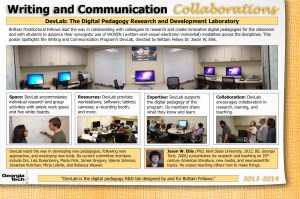
    My DevLab Poster.
    My DevLab Poster.

    This year, Georgia Tech’s Writing and Communication Program and its Brittain Fellows had a strong presence at the annual South Atlantic Modern Language Association meeting in Atlanta, Georgia.

    I presented a poster on the program’s R&D unit, DevLab. To compose the poster, I took a panoramic photo of DevLab’s main space (we also have an external recording booth). My students and fellow Brittain Fellows are pictured doing work and collaborating at various events over the past few months.

    Standing next to my poster in the Buckhead Marriott.
    Standing next to my poster in the Buckhead Marriott.

    We also had posters on the Communication Center, our pedagogical research, and our scholarly research. Here’s a list of all posters from the official program:

    10. Georgia Institute of Technology Brittain Fellowship,

    Poster Series I

    The Marion L. Brittain Postdoctoral Fellowship at the Georgia Institute of Technology

    a. Jason Ellis, DevLab: Research and Development Lab Facility

    b. CommLab: Tutoring Center for Multimodal Communication

    11. Georgia Institute of Technology Brittain Fellowship, Poster Series II

    WOVEN: Multimodal Communication in the Classroom

    a. Joy Bracewell

    b. Jennifer Lux

    c. Julia Munro

    12. Georgia Institute of Technology Brittain Fellowship, Poster Series III

    Intersections between Scholarship and Pedagogy

    a. Aaron Kashtan

    b. Jennifer Orth-Veillon

    c. Aron Pease

    13. Georgia Institute of Technology Brittain Fellowship, Poster Series IV

    Changing Higher Education

    a. Mirja Lobnik, World Englishes Committee

    b. Multiple Presenters, Curriculum Innovation Committee

    c. Arts Initiatives Committee

    Besides participating in the poster session, I also took notes from N. Katherine Hayles’ plenary lecture on Friday afternoon. I will post my notes from that talk here soon.

    Next year, I will propose a paper for SAMLA and hopefully present an updated version of the DevLab poster. See you there!

  • Notes from LMC Conversation Panel on “Books, Libraries, and the Digital Future” with Jay David Bolter, Lauren F. Klein, and Me

    These are my speaking notes and discussion notes from today’s School of Literature, Media, and Communication Conversation following Robert Darnton’s talk yesterday on “Books, Libraries, and the Digital Future.” The panelists included Jay David Bolter, Lauren F. Klein (remotely), and me.

    We met with an audience of about 25 members of the Georgia Tech community in the Stephen C. Hall Building, Room 102 from 11:00am-12:00pm.

    1. My research in the area
      1. My interest in eBooks comes from two tangents.
        1. First, it comes from my research interests in video game narratives in older software for the Commodore 64, Amiga, IBM-PC, Apple II, and Apple Macintosh platforms. Part of this research focuses on the way characters read within the game—particularly, computer based reading on terminals, tablets, virtual displays, etc. and how these ideas filter into reality/production and vice versa.
        2. Second, it comes from my dissertation research on something that William Gibson wrote about obsolescence and how our technologies—typewriters, Apple IIc, etc.—are fated to become junk littering the Finn’s office—in an “Afterword” to his Sprawl trilogy of novels: Neuromancer, Count Zero, and Mona Lisa Overdrive [To read it, scroll to the bottom of this page]. The trouble with sourcing this text was the fact that it was not published in a physical book. Instead, I discovered from a Tweet that a mutual friend made with the writer that it come from an early eBook designed for the Apple Macintosh Portable by Voyager Company (what’s left of this company today creates the Criterion Collection of films).
          1. Gibson, William. “Afterword.” Neuromancer, Count Zero, and Mona Lisa Overdrive: Expanded Books. Voyager Company. 1992. TXT File. Web. 25 March 2012.
          2. Gibson has done other things with ebook and experimental writing such as his exorbitantly priced Agrippa: A Book of the Dead, a floppy disk based e-poem that erases itself after “performing” one time.
        3. Since working with Gibson’s ebook, I’ve begun studying other ebooks—rediscovering ones that I read a long time ago and rethinking what constitutes an ebook—thinking about encyclopedia precursors to Wikipedia and other software such as the Star Trek: TNG Interactive Technical Manual, which does on the computer things that Rick Sternbach and Michael Okuda could not do in their print Technical Manual.
        4. We can talk more about this later, but I support Aaron Swartz’s “Guerilla Open Access Manifesto.” In my research, I have deployed my own tactics for reading and manipulating text that enable scholarship that I otherwise would be unable to do. Read more about fair use and transformation.
    2. My response to Darnton’s talk
      1. Aaron Swartz’s “Guerilla Open Access Manifesto
      2. Peter Purgathofer’s Lego Mindstorms-MacBook Pro-Kindle-Cloud-based OCR assemblage for ripping text from Kindle ebooks
      3. DPLA  scans of Dickinson’s manuscripts (open) and copyrighted scholarly editions (closed).
      4. Issues of the Archive, Access, and Control.
    3. My suggestions for future research directions
      1. The relationship between haptic experience of pulp books and ebooks (e-reader, tablet, computer, Google Glass, etc.). How do we read, think about, and remember books differently based on the modalities of experiencing the book? We know that the brain constructs memories as simulations, so what are we gaining and losing through alterations to the methods of interacting with writing?
      2. A history of eBook readers—fascinating evolutionary lineage of ebook reading devices including Sony’s DD8 Data Discman (http://en.wikipedia.org/wiki/Data_Discman).
      3. How are our students reading? More students this year than last asked me if they could purchase their books for ENGL1101 and Tech Comm as ebooks. How many students are turning to ebooks due to their cost or ease of access (pirating)? I don’t mind students purchasing ebooks over traditional books, but I have them think about the affordances of each.
      4. As researchers, how should we assert our fair use of texts despite the intentions of copyright holders? We no longer own books, but instead, we license content. [Purgathofer mentions this, but Cory Doctorow and others have commented on this at length: one source. Another more recent source.]
      5. How do we use ebooks and traditional books differently/similarly? For example, Topiary (aka Jake Davis), one of the former members of LulzSec, said earlier today on ask.fm that he prefers ebooks for learning and studying, but he prefers traditional books for enjoyment.
    4. Other responses, comments, and questions
      1. Jay Bolter: What about the future of books, the status of the book, and the status of libraries? What will happen to literature and the literary community? What is the cultural significances of print/digital to different communities (e.g., general community of readers vs. community represented by the New York Review of Books)?
      2. Lauren Klein: What are the roles of the archive and how do readers access information in the archive? We should think about how people use these digital archives (e.g., DPLA). In her work, she deploys computational linguistics: techniques to study sophisticated connections between documents. How is the information being used? Deploying visualization techniques to enable new ways of seeing, reading, and studying documents.
      3. Grantley Bailey: What about people who grow up only reading on screens/ebooks? What will their opinions be regarding this debate?
      4. Aaron Kashtan: Commented about graphic novels and comics in the digital age and about how these media remain entrenched in traditional, print publishing. Also, Aaron is interested in materiality and the reader’s experience.
      5. John Harkey: Commented on poetry’s dynamism and its not being wedded to books/chap books. Poetry is evolving and thriving through a variety of media including the Web, as electronic art, and experimental literature. We should think about literature as vehicles of genres and artifactual heterogeneity (essay, collage, posters, augmented reality, etc.).
      6. Lisa Yaszek: Pan-African science fiction is likely a model for the future. In the present, no single nation can support a thriving publishing industry for SF, but together, African SF is taking off with the diffusion of  new technologies of distribution and reading (ubiquity of cellular phones, wifi, cellular data, etc.).
  • LMC3403, Technical Communication: Lego, Haptics, and Instructions

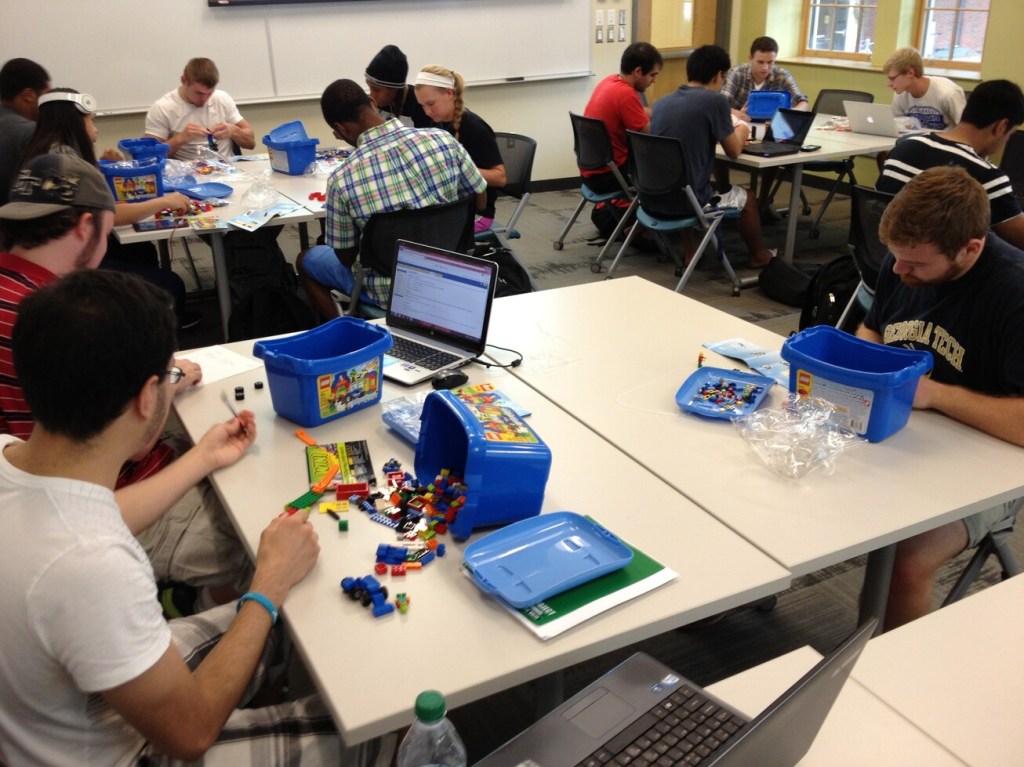
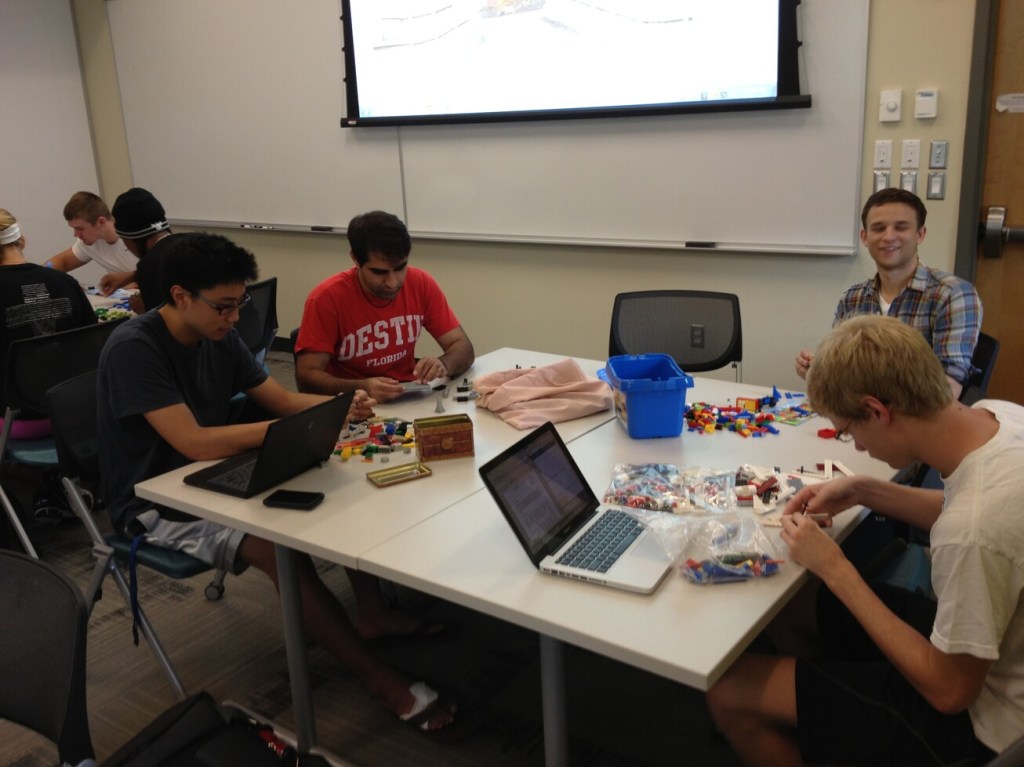
    LMC3403 Technical Communication students working with LEGO

    My LMC3403, Technical Communication students are well into their second unit project on reader-centered and process-driven fundamentals. In a fun assignment, I wanted the students to try out many different types of technical communication deliverables for different readers/audiences. Also, I wanted them to think differently about nonverbal communication with the heavy emphasis on haptics, physicality, and making.

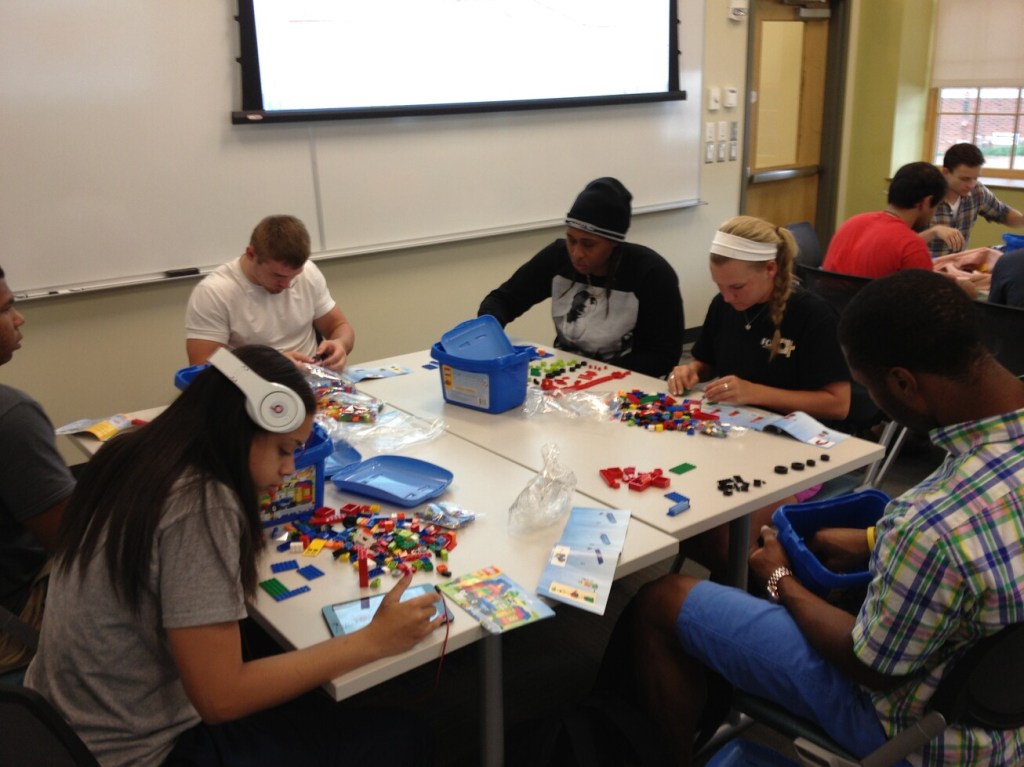
    LMC3403 Technical Communication students working with LEGO

    In this project, their primary task is to build a set of instructions for a Lego model of their own design.

    Their Lego model should represent something about their studies, their professional field, or their entrepreneurial spirit.

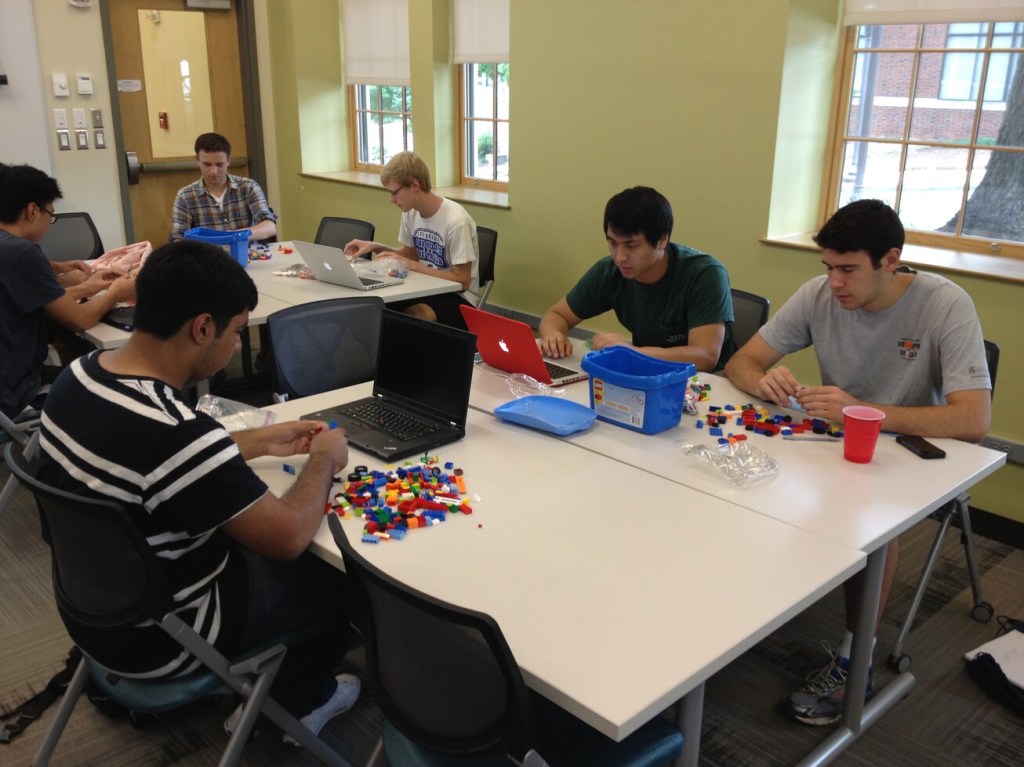
    LMC3403 Technical Communication students working with LEGO

    Their project began with the creation of a proposal memo that laid out their entire project: designing instructions, testing instructions, reporting on tests in a memo, revising instructions, and reflecting on the project in a memo.

    Throughout the process, they have to be mindful of different audiences (executives, managers, and customers).

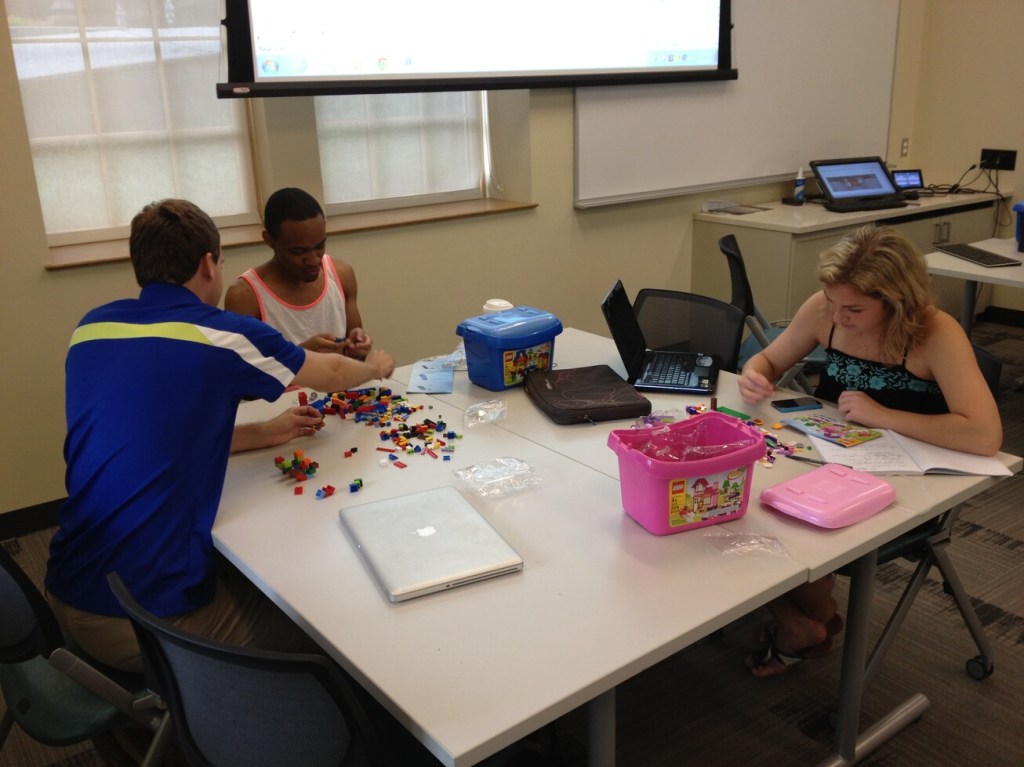
    LMC3403 Technical Communication students working with LEGO

    In these photos, the students are busy at work creating the first version of their Lego models.

    I was happy to overhear someone say, “It’s nice to actually do something fun in a class for once!”

    LMC3403 Technical Communication students working with LEGO
  • Steps for Installing Mac OS X 10.8 Mountain Lion and Ubuntu 13.04 Raring Ringtail in Dualboot Configuration on MacBook Pro Retina 10,1

    Ubuntu's Circle of Friends Logo.
    Ubuntu Circle of Friends Logo.

    There are a number of useful guides to installing Mac OS X and Ubuntu in a dual boot configuration on Macintosh hardware such as James Jesudason’s guide here or Alex Victor Chan’s guide here. However, I ran into a problem with Mac OS X 10.8 Mountain Lion not waking from sleep due to using the rEFInd bootloader (more information about this problem documented on this thread).

    The following is the process that I used for successfully having Mac OS X and Ubuntu play well together on my MacBook Pro Retina (MacBookPro10,1) (15.4″/2.6 Quad-core i7/8GB/512 GB SSD)

    1. Using a Mac OS X 10.8 bootable USB flash drive (create your own by following the DIY instructions here), partition your drive into two equal partitions with Disk Utility. Format the first partition as Mac OS Extended (Journaled) and the second as free space.
    2. Install Mac OS X on the Mac OS Extended (Journaled) partition.
    3. Boot into Mac OS X, download the rEFIt bootloader, and install it in Mac OS X. Reboot your Mac twice and you should see the rEFIt bootloader screen appear after the second reboot. It will have your Mac OS X installation highlighted. Press Enter to boot.
    4. Create a bootable USB Ubuntu disk with this guide for Mac OS X. It will involve downloading the Ubuntu 13.04 ISO image, converting it for Mac OS X, and using terminal commands to write the converted image to your USB drive. When it is all done, Mac OS X will not recognize the disk and ask you to initialize it. Choose “Ignore.”
    5. Reboot your MacBook Pro with the Ubuntu USB drive inserted. rEFIt will give you the option to boot Mac OS X (Apple icon) or Ubuntu (this might appear as two separate icons depicting four squares in a diamond configuration). Choose the first Ubuntu icon with the arrow keys on the keyboard, press Enter.
    6. Next, GRUB, another bootloader, will appear as white text over a black background (like DOS) and give you options to Try Ubuntu or Install Ubuntu. Unlike the other guides, I suggest selecting Install Ubuntu from this menu.
    7. The Ubuntu installer will guide you through the setup process. The only setting that you have to select is “Install alongside Mac OS X.” The Ubuntu installer will automatically find the free space partition that you created earlier, partition it in a way that Ubuntu anticipates, and install Ubuntu and its included software.
    8. At the end of the installation, it will return to a text-based screen and prompt you to remove the installation USB drive and press a key to reboot.
    9. After rebooting, rEFIt should show your Mac OS X installation (Apple logo) and Ubuntu represented by three stacked, colorful boxes (subtitled: EFI\ubuntu\grubx64.efi from EFI). Select the Ubuntu installation with the arrow keys and press Enter. GRUB will appear, select Ubuntu and hit Enter.
    10. The Ubuntu desktop should load very quickly, but it will appear very tiny at the native resolution of the MacBook Pro Retina’s 2880 x 1800 resolution. To adjust the resolution, click on the Gear/Wrench icon in the launch bar on the left to enter system settings. Click on Displays, choose a new resolution (I use 1680 x 1050), click Apply, and Confirm.
    11. The status bar at the top of the screen will show familiar icons for Bluetooth, WiFi, sound, and system/shut down (If Ubuntu does not automatically detect your WiFi card, you can download this package and its three dependencies from within Mac OS X, put them on a USB drive, reboot into Ubuntu, install each from terminal using the “sudo dpkg -i filename.deb” command for each–though, leave the Broadcom deb package for last. I downloaded the nightly build of 13.04, which I believe has this package on the installation disk.).
    12. To switch between installations, simply reboot the one that you are in and select the system that you want to run from rEFIt.

    Apple's friendly byte.
    Apple’s friendly byte.

    Now, you can run Ubuntu or Mac OS X on your MacBook Pro. Here are some important things that you should do in Ubuntu after installation.

    Also, it is possible to take GRUB out of the equation by installing Ubuntu with the “ubiquity -b” command from within the Live CD version of Ubuntu and configuring rEFInd or rEFIt, but I had trouble getting Ubuntu to boot following Jesudason’s guide for rEFInd (the fault is likely with what I did and not his thorough instructions). I can live with GRUB if it means that I can get my work done in these two computing environments on my MacBook Pro.

    If there is interest among Brittain Fellows, I can incorporate this into the series of DevLab Workshops that I am planning for the upcoming year.