Category: Technology

  • Forum on Generated Text and the Future of College Writing at BMCC, April 2, 2-4pm

    decorative flyer, text in body

    I’ll be speaking on a discussion panel about Artificial Intelligence, Generative AI, and College Writing at Borough of Manhattan Community College, CUNY (BMCC), Fiterman Hall 1304 on Wednesday, April 2 from 2-4 PM. If you’re free, it would be great if you could join us for what I think will be a lively in-person conversation. Details are below and the event flyer is posted above and below.

    The Spring 2025 Robert Lapides Faculty Forum

    Wednesday April 2 Fiterman Hall 1304 (245 Greenwich St.) 2-4 pm

    A Step Toward the Unified Macro-Mind or a Cybernetic Lawnmower in the Groves of Academia? :
    Generated Text and the Future of College Writing

    Recently, Large Language Models and generated texts have sent shockwaves through the academic community. Do they represent the initial glimmerings on a new horizon of transhuman creativity or are they, in Noam Chomsky’s phrase, merely “glorified autofill,” a “high-tech plagiarism” based on a self-cannibalizing database? Where old-fashioned plagiarism now seems like a relatively simple matter of ethics and originality, Artificial Intelligence and the looming specter of the Literary Chatbot bring a whole host of more tangled issues of Perception, Knowledge, Autonomy, and Class Warfare into the classroom.

    Many believe the neural net models of cognition don’t begin to pierce the mystery of the mind—Roger Penrose and others remain unconvinced that human thinking can be reduced meat-puppet computation, while John Searle’s Chinese Room parable undermines the idea that mere symbol-juggling can ever result in emergent consciousness. Still, techno-optimists believe we are at the precipice of an age of cyborg enhancements in which human potential will be radically expanded and the primate mind will be uploaded into Cloud-dwelling immortality.

    We will be discussing these issues and many others in an open symposium with CUNY professors Jason Ellis, Carlos Hernandez, Lisa Sarti, and Shane Snipes. We encourage our colleagues to come to voice their concerns and hopes on this increasingly crucial and urgent matter.

    pictures of four scholars speaking at the event

    The event is named in memory of Robert Lapides, a past English department professor at BMCC. Reading his obituary, you get the sense that he did good work that saved voices from the past from erasure, and created space for voices in the present to carry the work forward.

    “Robert Lapides, professor emeritus in the English Department, husband of Professor Diane Dowling, died on January 1, 2021. At BMCC for over 40 years, Professor Lapides will be remembered for his passion, his life-long fight for social, economic, and racial justice, and his commitment to building communities where differences can be expressed. Never afraid to speak up or ask questions, he was genuinely interested in his students and colleagues. His intense curiosity about people, places, politics, history, literature, psychology, religion–about what it means to be human–informed all his efforts. He encouraged his students to embrace their humanity, including the parts of themselves they felt they needed to hide, building their courage to write honestly. His legacy can be found in his influence on the many students and colleagues he worked with, the online communities he created, in his faculty magazine Hudson River, and for editing Lodz Ghetto, collected writings left behind by Jews confined to the Lodz Ghetto in WWII. Until the end, he was working on his book about the creative development of Charles Dickens, which will be published posthumously” (from Ellen Moody’s Under the Sign of Sylvia blog, 25 Mar. 2021).

  • Creating a Digital Signature With Your Phone’s Camera

    cursive text: making your digital signature

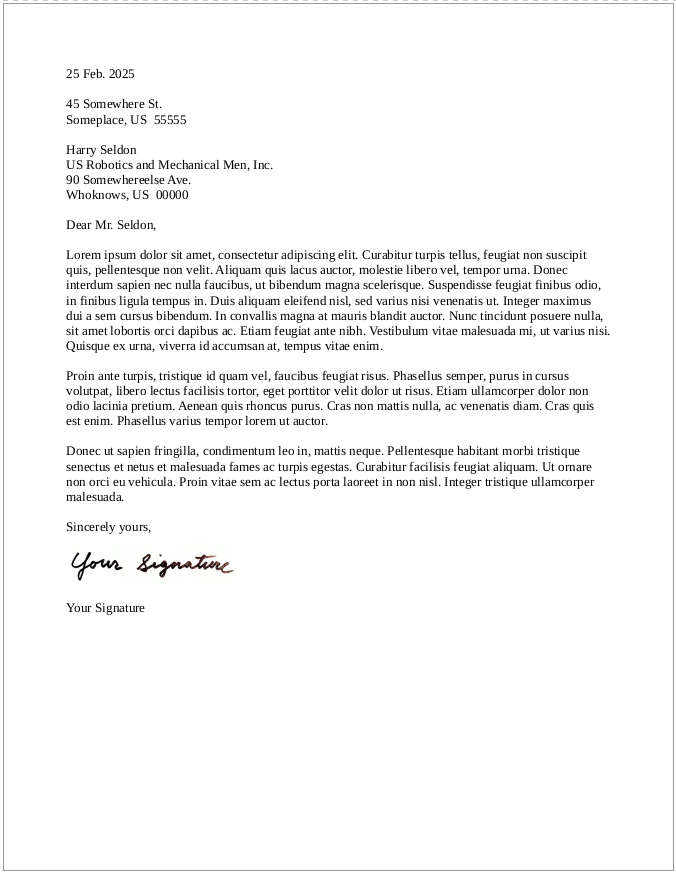
    Last week, I showed my students how to create a digital signature that they can insert into letters that they write in their word processor of choice. It’s very easy to do and simplifies things if you need to send a PDF of a letter without having to print, sign, and scan it.

    Follow these steps:

    1. Take a clean, white sheet of paper and sign your name using a black pen or marker.
    2. Lean your paper on a completely flat, inclined surface and avoid a light behind you so that you don’t cast a shadow over your signature.
    3. Take out your phone and enter the camera app. Carefully align your camera so that it takes a photo of your signature straight on (meaning, your camera’s photo sensor should be parallel to the piece of paper with your signature). It can be helpful to zoom in slightly with your camera app so that you don’t have to be very close to the paper with your signature. If there’s any question about focusing, take the time to tap your signature on the screen so that the camera app focuses on your signature.
    4. Open your signature photo in your phone’s image editing app. First, crop the image to just your signature. Then, maximize the brightness and maximize the contrast, which will make the paper appear pure white and your black signature pops. Save this edited version of your photo.
    5. Email your edited version of your signature photo to yourself so that you can download it on your computer.
    6. Drag the saved image into your word processor document where you left space between your closing and typed name, or use your word processor’s image insert option. If the image appears very large, click on a corner of the signature image and drag to resize the signature.
    7. Depending on your word processing software, you might need to change the image alignment settings for the signature image (so that it is placed where you want and the typed text of your letter doesn’t fall behind or around it in a strange or unexpected way.
    8. Save your document and export it as a PDF to email to wherever it needs to go.
    9. As a bonus, save your signature image someplace safe so that you can reuse it as needed.
    screenshot of a business letter featuring what appears to be a real signature but is in fact an image of a handwritten signature
  • Vegetarian With a Kick: Mexican Style Rice and Bean Bowl MRE Menu 14

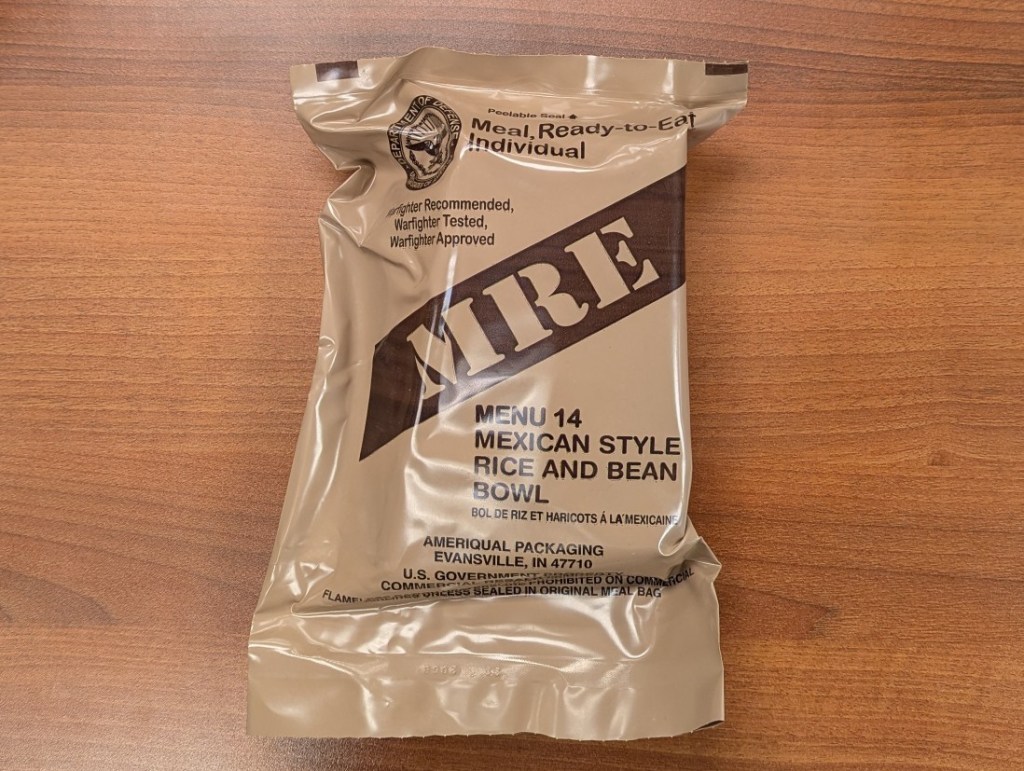
    brown MRE pouch

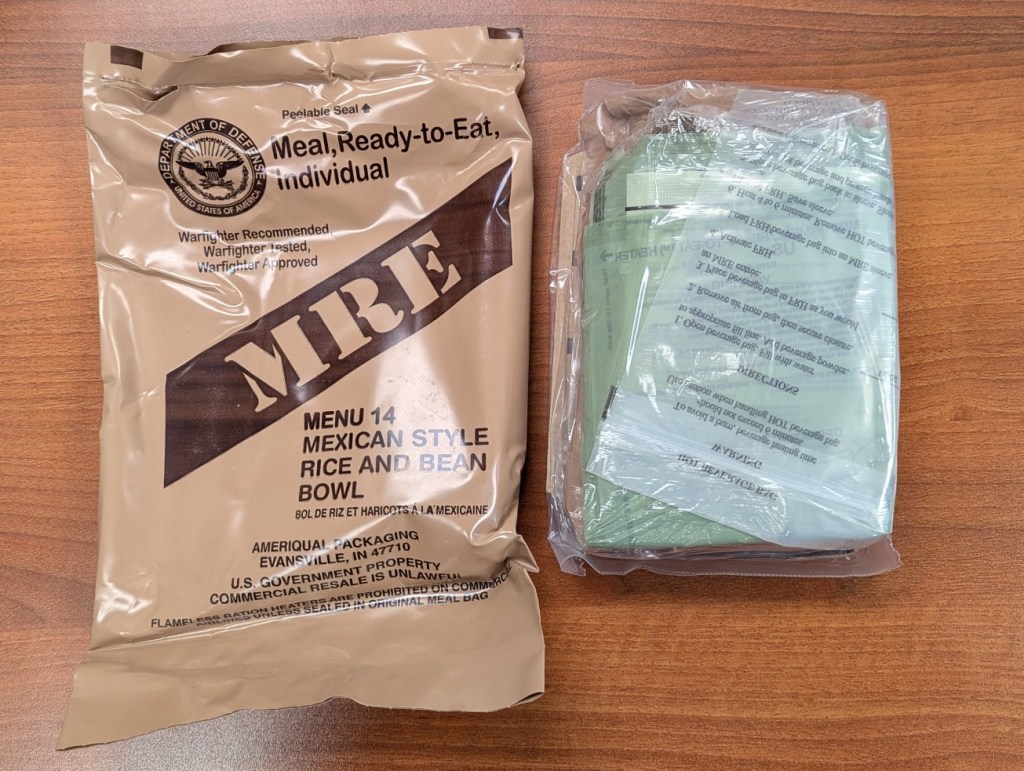
    Yesterday, I enjoyed MRE Menu 14: Mexican Style Rice and Bean Bowl from Case B. After teaching one class and spending an hour in the library archives pulling materials for a graduate student from the City Tech Science Fiction Collection, I was ready for some sustenance before teaching my evening class. This MRE hit the spot!

    brown MRE pouch next to its contents in a clear plastic pouch

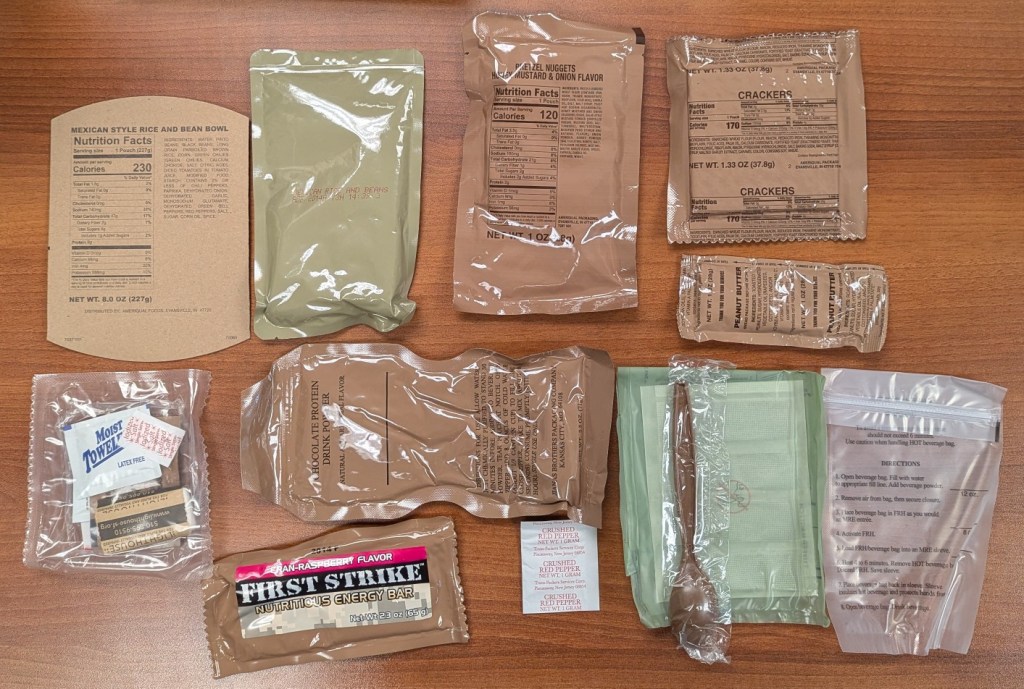
    Menu 14 includes the following items clockwise from the top left:

    • Carboard Sleeve
    • Mexican Style Rice and Bean Bowl Entree
    • Pretzel Nuggets Honey Mustard & Onion Flavor
    • Crackers
    • Peanut Butter
    • Beverage Pouch
    • Water-activated Heater
    • Spoon
    • Crushed Red Pepper
    • Chocolate Protein Drink Powder
    • First Strike Nutritious Energy Bar Cran-Raspberry Flavor
    • Accessory Packet (Coffee, Creamer, Sugar, Artificial Sweetener, Salt, Moist Towelette, TP)
    plastic and foil pouches of food from an MRE

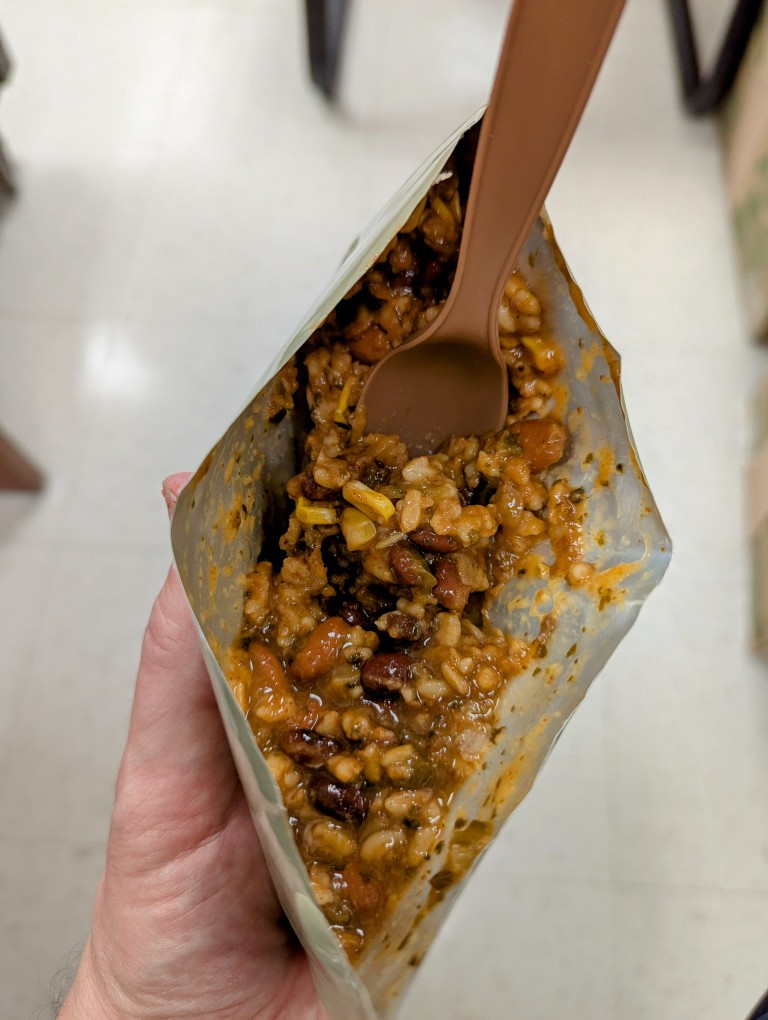
    I tried the rice and beans before adding the crushed red pepper, and I liked the flavor as is and saved the pepper for later. I didn’t try any of the sides of this MRE, because I also brought some dessert from home. I’ll mix-and-match the sides with other MREs in the future.

    open pouch of MRE entree: rice and beans
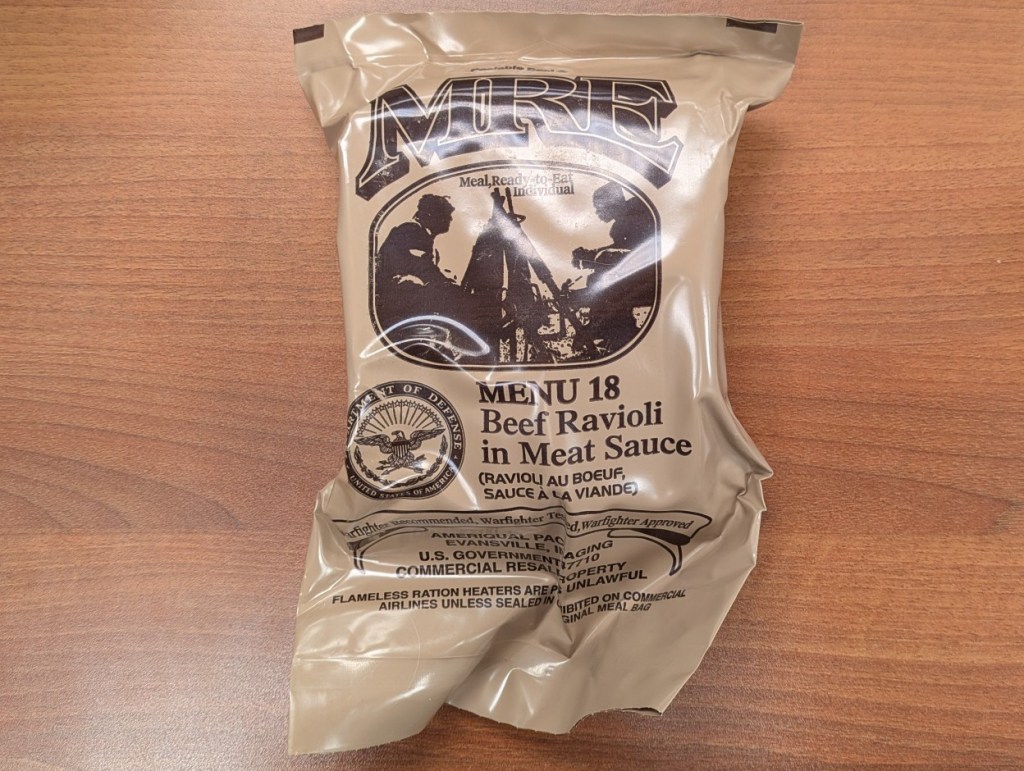
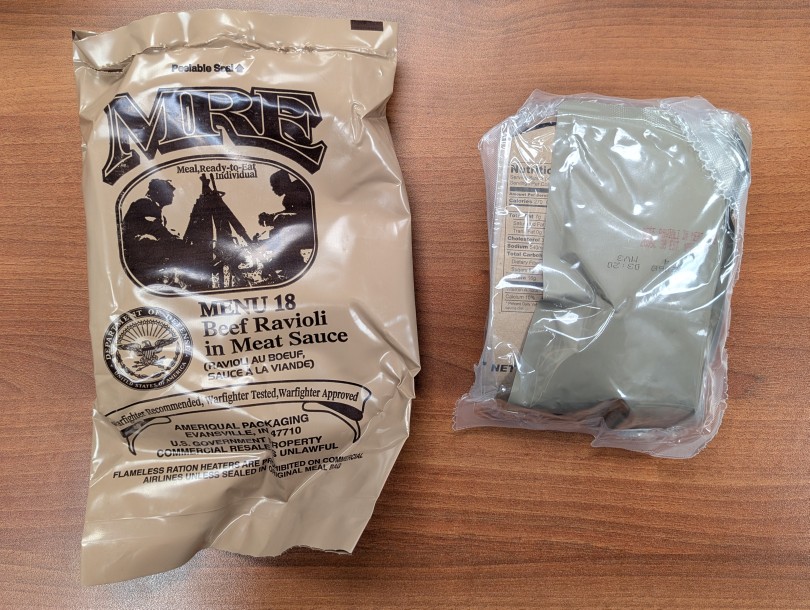
  • Canned-Style Comfort Food in MRE Menu 18: Beef Ravioli in Meat Sauce

    Last week, I brought MRE Menu 18: Beef Ravioli in Meat Sauce (from a 3/25 inspection date Case B) to work so that I could have dinner quickly between my first class followed by office hours and then my evening class. I was so hungry that I didn’t take pictures of the contents. Suffice to say that it was tasty and filling, and I saved some of the sweets for later.

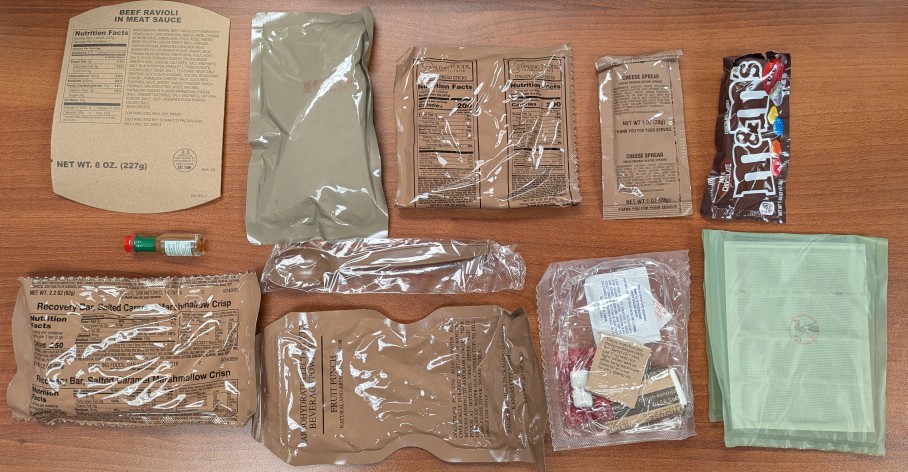
    Menu 18 included these items:

    • Cardboard sleeve
    • Beef Ravioli in Meat Sauce entree pack
    • Italian Bread Sticks
    • Cheese Spread
    • M&M’s
    • Water-activated heater
    • Accessory Pack (gum, matches, coffee, sugar, sweetener, creamer, and TP)
    • Carbohydrate Electrolyte Beverage Powder: Fruit Punch
    • Spoon
    • Recovery Bar, Salted Caramel Marshmallow Crisp
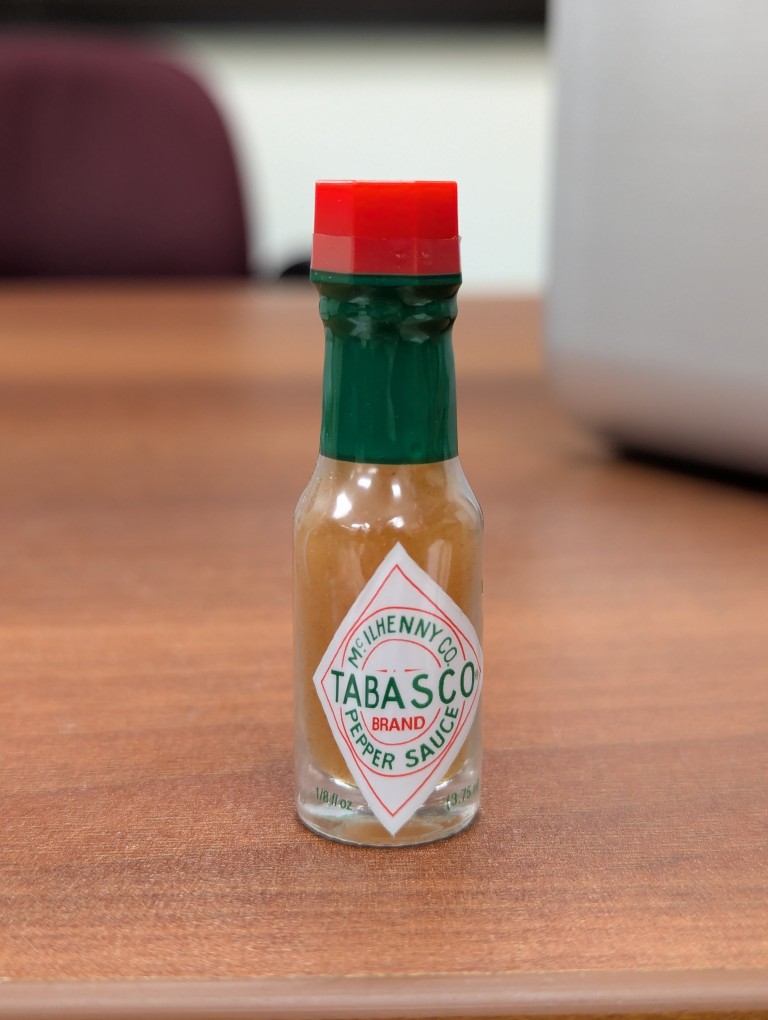
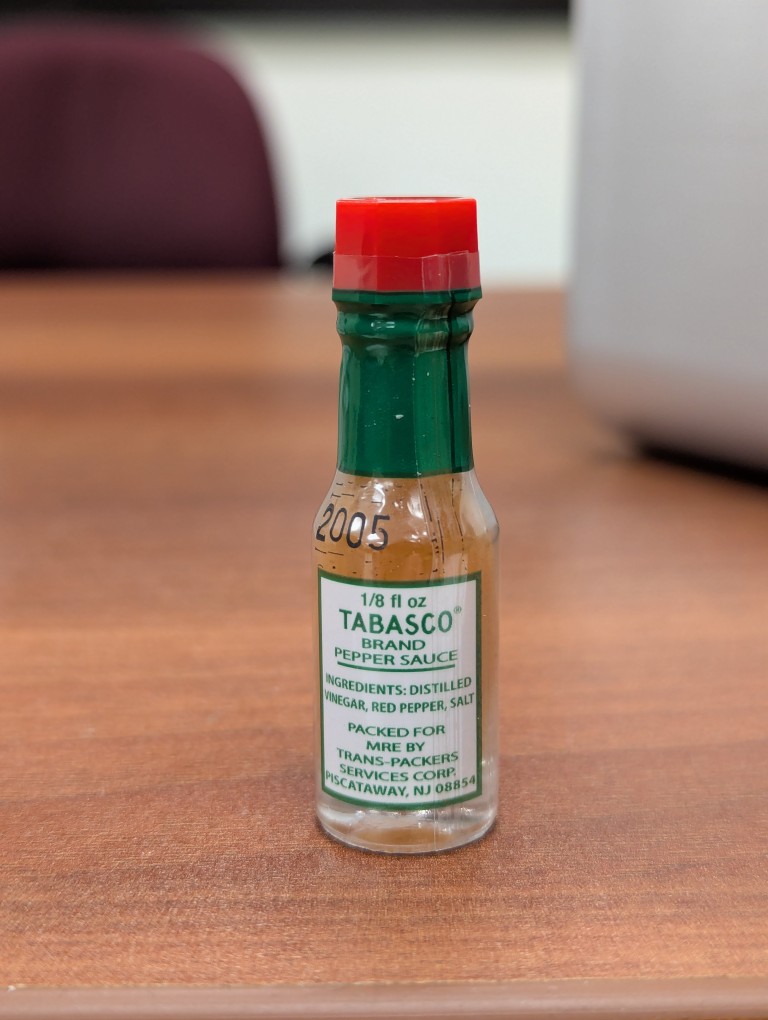
    • Tabasco Sauce in Glass Bottle

    The Tabasco Pepper Sauce was the real prize in this MRE. I haven’t received a Tabasco Sauce bottle in years from the many cases that I’ve purchased. Apparently, they had been removed for about a decade before being re-implemented shortly before the MRE case this menu pouch came from was produced. So, I should have some more Tabasco to look forward to as I work my way through this case!

    For my dinner that night, I ate the Italian Break with Cheese Spread and the Ravioli in Meat Sauce. The ravioli remind me of miniaturized Chef Boyardee in a pouch instead of a can. I saved the Recovery Bar for another day–maybe a long hike. I’ve already enjoyed the M&M’s mixed with some peanuts and raisins for trail mix.

    While MREs’ main function is ready nutrition, its morale function via its nostalgic, tasty, and sweet contents can’t be understated.

  • Spring 2025 Semester Begins

    an anthropomorphic tuxedo cat wearing pants, shirt, suspenders, and tie, standing in front of a chalkboard covered in equations
    Image created with Stable Diffusion.

    While Spring 2025 semester classes began this past Saturday at City Tech, my teaching schedule begins today. I’ll be teaching two classes in the Professional and Technical Writing Program: Introduction to Language and Technology (ENG1710) and Introduction to Professional and Technical Writing (ENG2700).

    In Introduction to Language and Technology, I have students read an article (though, we begin with Ted Chiang’s “The Truth of Fact, the Truth of Feeling), which they write about in the following class and we discuss it. We work out what we mean exactly when we say “language” and “technology” before looking more closely at how these two aspects of humanity interrelate, interoperate, and influence one another. In parallel to our class discussions, students research and write a paper about one specific technology and its relationship to language. I’ll include a past final exam review below, which will need updating due to some additions to the reading list.

    For Introduction to Professional and Technical Writing, I developed a dual approach that combines theory and praxis as a general welcoming of students to what the field they are entering is like. For each class, students read about the history, work, and deliverables created by technical communicators, which they write about in short in-class assignments and we discuss together. The final readings in the class include one paper about how reading Science Fiction can make you a better technical writer and William Gibson’s “Burning Chrome.” Additionally, students are given short deliverable assignments (e.g., write an email, a letter, a memo, a technical definition, an instruction manual, etc.) each week or so. They receive one grade on these first drafts, and they revise them and write reflections on them for creating a final portfolio, which receives a separate grade.