Tag: City Tech

  • How I Work: Distance Learning Edition

    Due to COVID-19, City Tech (and all of CUNY) shifted its in-person classes to online, distance learning instruction. In this post, I reflect on my current class’s transition to distance learning, show how I have configured my office and computer for screencasting and video conferencing, describe some software and services that support distance learning, and give instructions for uploading a video to YouTube.

    My Transition to Distance Learning

    For my current Science Fiction (ENG2420) class, this was not too much of a disruption, because I was already leveraging online technologies to support student learning and course material accessibility. I designed the course as a zero textbook cost class, meaning I find resources that I can make available to students via PDFs and handouts, and choose readings that are available freely online, such as the unparalleled Archive.org.

    Also, I redesigned some of the course assignments to emphasize the importance of note taking by teaching good note taking practices and evaluating students on the quality of their notes. To support this, I recorded each lecture during our earlier in-person classes and posted them on YouTube after class ended, so that students could use the videos to fill in gaps in their notes and allow those students who missed a class to make their own notes based on the video lectures.

    I collect student work via email and on OpenLab, “an open-source, digital platform designed to support teaching and learning at City Tech (New York City College of Technology), and to promote student and faculty engagement in the intellectual and social life of the college community.” I joined the OpenLab team as a co-director of the project this year, but I have been using OpenLab in all of my classes since joining City Tech in 2014.

    Now with classes meeting asynchronously online, I have tweaked assignments and the schedule to accommodate students accessing materials and completing their assignments. I hold office hours once a week at a regularly scheduled time via Google Hangouts, and I can hold private office hours by appointment with students. I use email to respond to questions and concerns on a daily basis.

    Now that I have reconfigured a space in my apartment to support my class and the many other online meeting responsibilities that I have with OpenLab and other projects, I wanted to share some tips and ideas to help others transitioning to facilitating their classes with distance learning.

    Office Configuration

    I know how easily distracted I am by busy backgrounds, I wanted to provide as neutral a space for my lectures and online meetings. To this end, I appropriated my apartment’s closet as a distance learning and video conferencing studio.

    I positioned the Logitech C615 webcam so that I am centered in the frame when video conferencing or recording myself lecture. Above the camera, I positioned a white light to illuminate my face.

    I arranged the desk so that my back would be against a solid white wall as pictured above looking from behind my monitor towards where I would be sitting facing the monitor and webcam.

    Notice that I taped a small piece of cardboard above the webcam. This blocks glare on the camera lens from the light above that illuminates my face. I was careful to cut and position it so that it is out of frame of the camera lens. Depending on your webcam, be careful not to cover the microphone if you build a similar lens shade.

    To the side of my desk, I have a larger lamp that points against the wall and behind me. This reduces my shadow from the desk lamp in front of me.

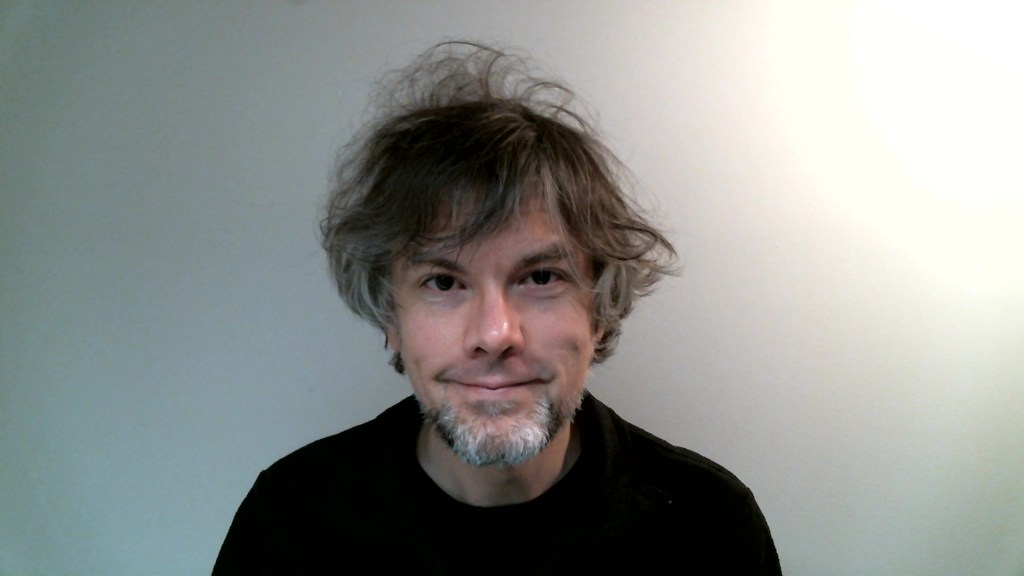
    The end result looks like this:
    Software and Online Services for Distance Learning

    As mentioned above, I use email and the OpenLab for interacting with students, disseminating materials, and collecting student work. And, I am using Google Hangouts for regular office hours since it is a far easier lift for students than official CUNY supported video platforms like Skype and WebEx.

    To create my class lectures, I do the following things.

    First, I create a presentation slide deck using Slides in Google Docs.
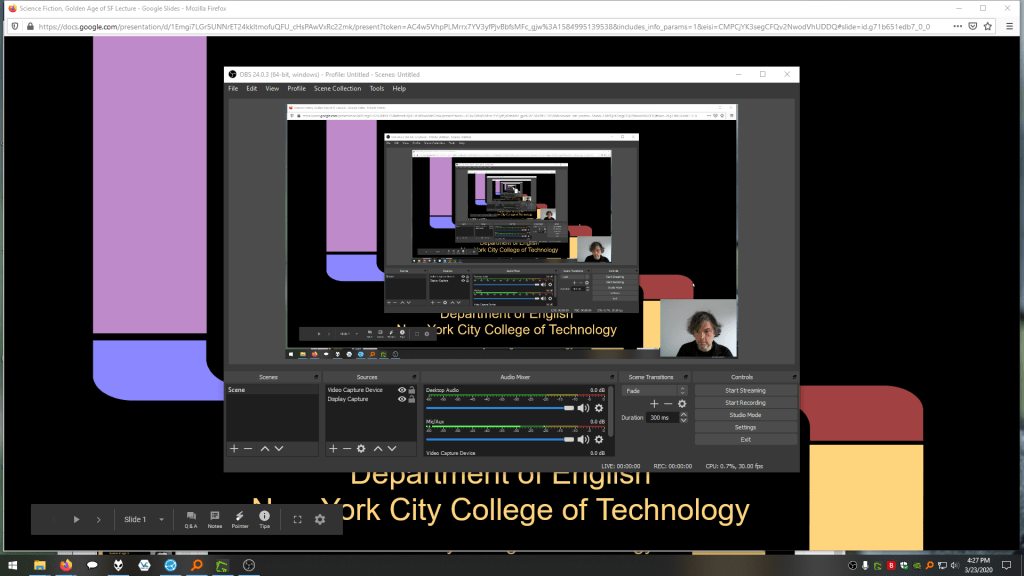
    While presenting my slides in full screen mode, I use OBS Studio, a “free and open source software for video recording and live streaming” that supports Windows, Mac, and Linux, to record a video of my desktop (the Slides presentation) and my webcam video and audio in a smaller picture-in-picture that positioned in the lower right corner of the screen, which produces a video like my recent lecture embedded below.

    Before I can post the video to YouTube, I like to edit it (though, editing isn’t absolutely necessary). I like to use Shotcut, a “a free, open source, cross-platform video editor.” After trimming the video, I then upload it to YouTube, get the video’s sharable link, and embed the video with the link in my class’ OpenLab site.

    OBS Studio and Shotcut have steep learning curves, but each have extensive online documentation and there are communities of users online who share tips and advice about how to setup and use these powerful tools.

    There are many other options for working with video. On Mac OS X, one can use Quicktime Player to record a screencast or iMovie to create something more advanced. On Windows 10, the built-in Xbox Game Bar can be used for creating a screencast movie. Also, there are commercial solutions, such as Screencast-o-Matic.

    In some cases, you might not even need a computer. iPhones with iOS and Android phones can use video recording software that’s built-in or with an app to record and edit video, and there’s a YouTube app for both platforms that you can use for uploading the resulting video.

    In the next section, I will show you step-by-step instructions for uploading a video made on a computer to YouTube.

    Uploading a Video to YouTube

    Once you have a video ready to share with students, the following step-by-step guide for uploading your video to YouTube shows you how to upload and share a link to your video.

    First, navigate to YouTube.com and login to your account. Then, click on the camera icon in the upper right corner and then click “Upload Video.”

    Second, drag-and-drop your video from your computer into the center of the window that opens, or click on “Select File” to navigate to and select your video file on your computer.

    Third, while your video is uploading and processing (updates are shown along the bottom edge of this window shown above), fill out the Title and Description boxes and choose a thumbnail for how the video will initially display before the play button is pressed. Then, scroll down the window.

    To comply with the COPPA law, select if your video is for kids or not. Then, click Next in the lower right hand corner.
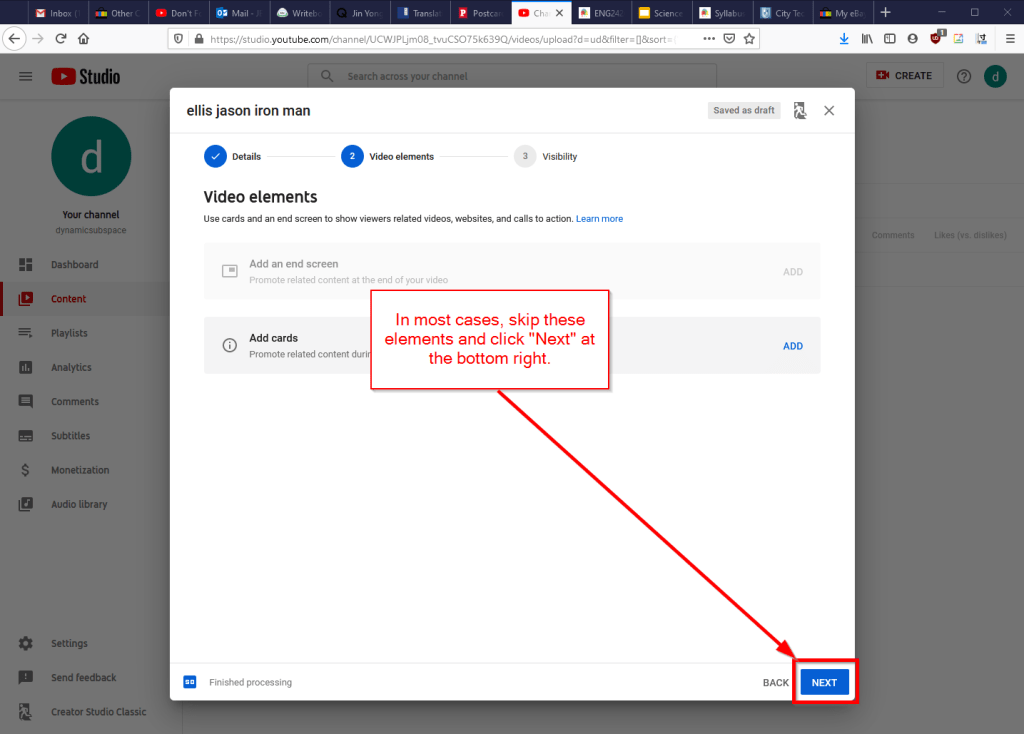
    Fourth, you can skip the options on the Video Elements screen and click Next in the lower right corner.

    Fifth, select the Visibility option for your video. The most versatile choices are Public (this is what I choose) and Unlisted. In these cases, you will have a sharable video link that you can send via email or easily embed in a webpage. Private is also an option, but you have to choose who is permitted to see the video, which requires students having a Google account and you knowing those accounts to grant permission to each one. After making your selection, click Publish in the lower right corner.

    Finally, highlight and copy the video link on the resulting screen, or click on the copy icon on the right to automatically copy the video link to the Clipboard. Click “Close” on the lower right to return to your list of videos on YouTube. With the link on your Clipboard, you can go to email, OpenLab, or another platform to paste and share the video link with your students.

    On OpenLab and WordPress-based sites, pasting the link into a post or page will automatically embed the video so that students can simply navigate to your class site and watch the video on the class site instead of going over to YouTube as an additional step.

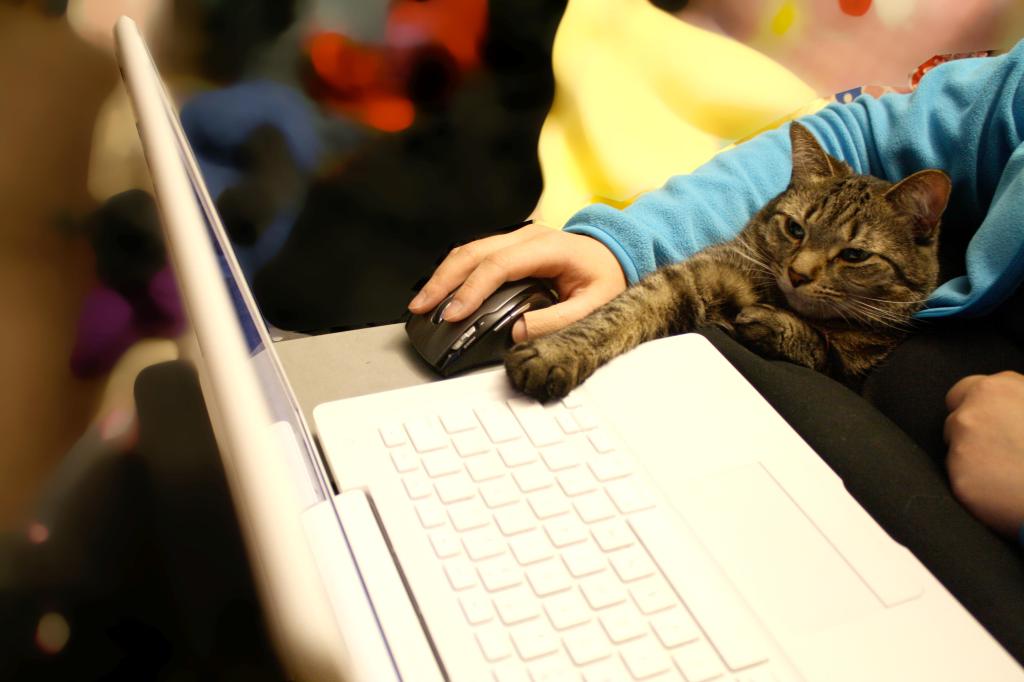
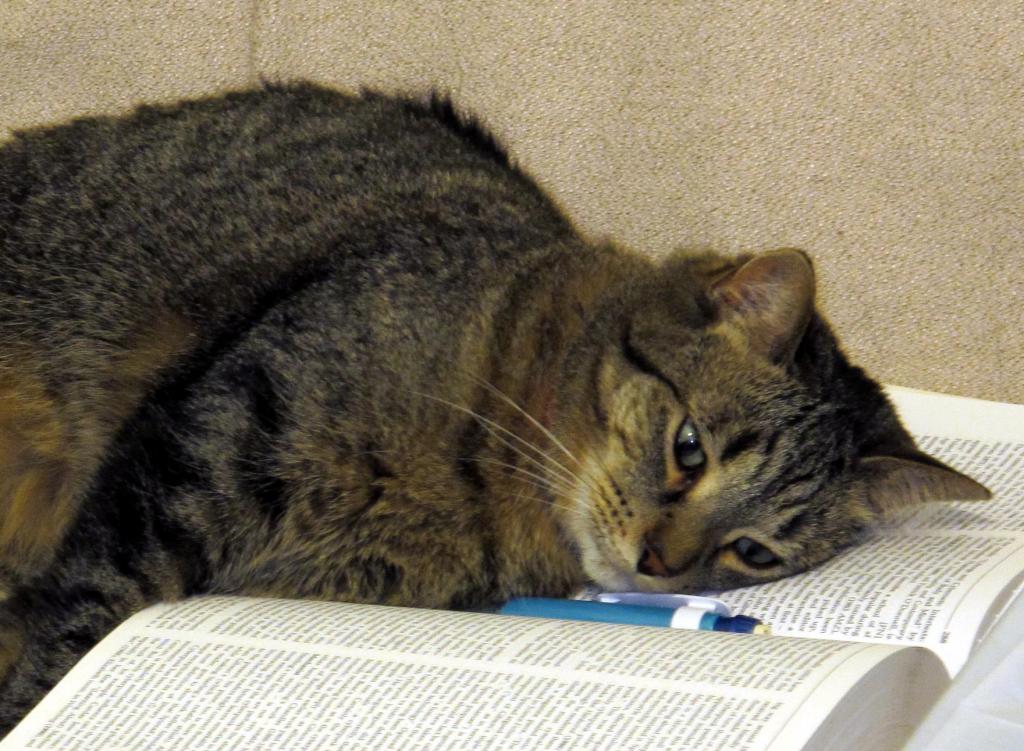
    If you’re working on transitioning your classes to distance learning, it’s okay to feel overwhelmed and frustrated like Miao Miao below. Just don’t give up. We’re doing good work for our students, and it takes time to think through and implement distance learning. Also, it’s okay to let your students know that this is a work-in-progress and things might change based on what works and what doesn’t.
    I republished this post on Open Pedagogy on the OpenLab here.
  • Call for Applicants, City of Print: New York and the Periodical Press, Deadline Mar. 1, 2020

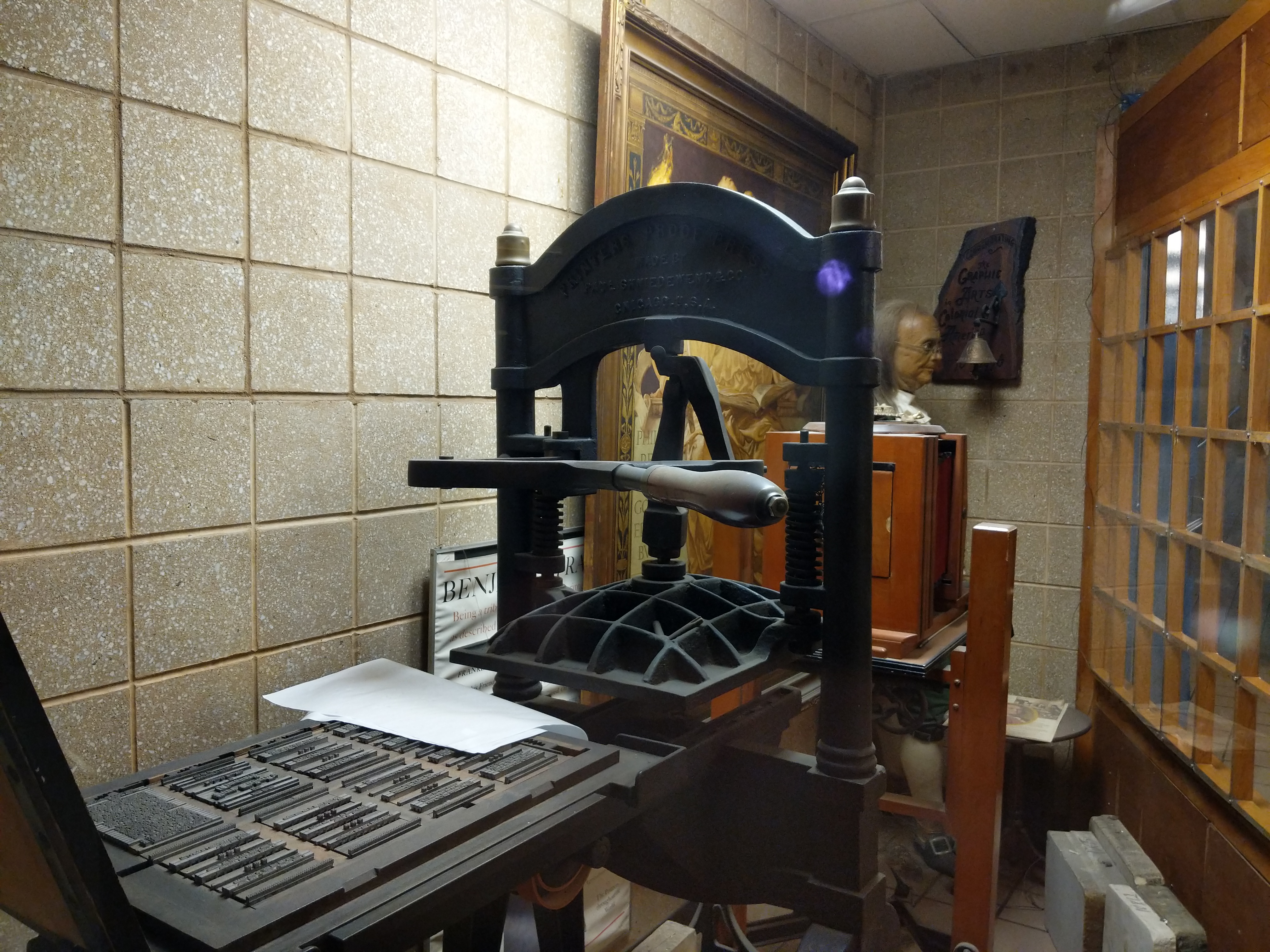
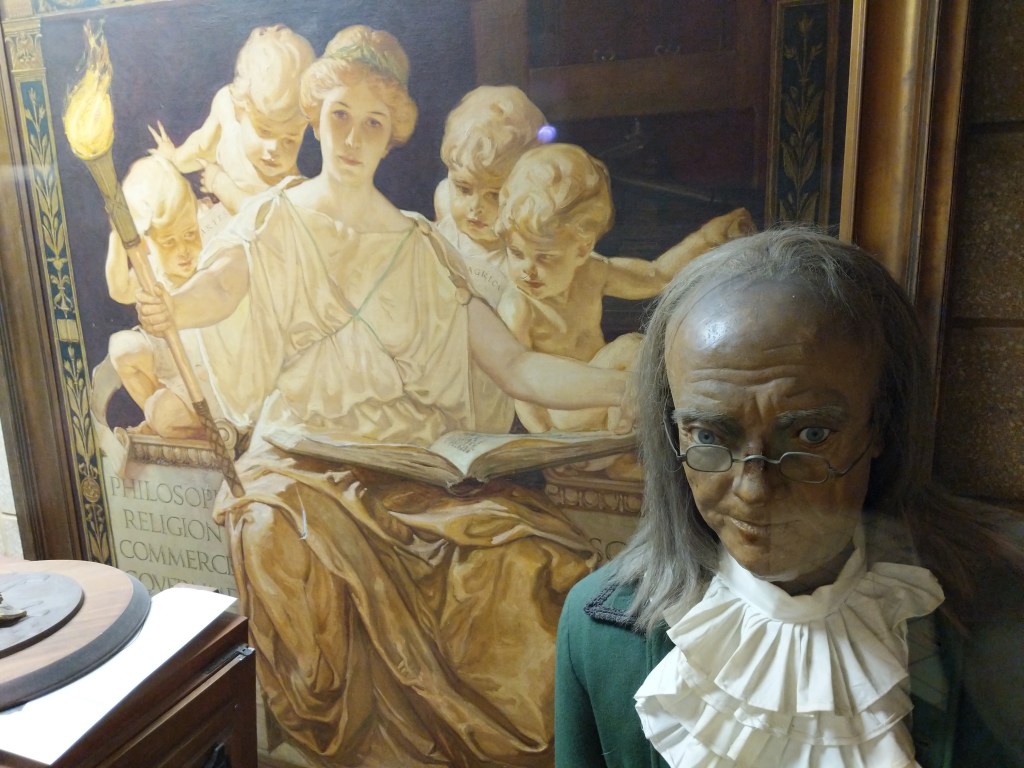
    Benjamin Franklin printing press exhibit at City Tech.
    Benjamin Franklin printing press exhibit at City Tech.

    Mark Noonan, my colleague at City Tech, is running an NEH Summer Institute on the topic, “City of Print: New York and the Periodical Press.” I’ll be contributing to the Digital Methods Workshop on Wednesday, June 24 with my experience working on the City Tech Science Fiction Collection and using digital tools to make archival materials available to students and researchers. See the link below for all the sessions and apply to join us in Brooklyn!

    City of Print: New York and the Periodical Press

    (NEH SUMMER INSTITUTE)
    (June 21 – July 3, 2020)

    New York City College of Technology-CUNY will host a two-week NEH Summer Institute for college and university faculty in the summer of 2020 (June 21 – July 3).

    For more information visit:

    http://www.citytech.cuny.edu/cityofprint/

    Applications to participate will be accepted via our online application system until March 1, 2020.

    The Institute will focus on periodicals, place, and the history of publishing in New York.  As an institute participant, you will take part in discussions led by cultural historians, archivists, and experts in the fields of American literature, art and urban history, and periodical studies; participate in hands-on sessions in the periodicals collection of the New-York Historical Society; visit sites important to the rise of New York’s periodical press, such as Newspaper Row, Gramercy Park, the New York Seaport, the East Village, and the Algonquin Hotel; and attend Digital Humanities workshops.

    You will also be asked to read a rich body of scholarship and consider new interdisciplinary approaches for researching and teaching periodicals that take into account the important site of their production, as well as relevant cultural, technological, aesthetic, and historical considerations. Sessions will be held across New York City including New York City College of Technology, the Brooklyn Historical Society, The Schomburg Center for Research in Black Culture, Pace University, and the New-York Historical Society.

    We encourage applicants from any field who are interested in the subject matter. Scholars and teachers specializing in periodical studies, journalism, urban history, art history, American studies, literature, and/or cultural studies will find the Institute especially attractive.

    Independent scholars, scholars engaged in museum work or full-time graduate studies are also urged to apply.

  • ENG3402, The Graphic Novel: Frank Miller’s The Dark Knight Returns (Continued…)

    Continuing from my previous post on The Dark Knight Returns, I’ve assembled a selection of videos below featuring Frank Miller and others talking about Miller’s work in The Dark Knight Returns.

    In this interview introduced by science fiction writer and editor Harlan Ellison for “The Masters of Comic Book Art (1987), Frank Miller discusses The Dark Knight Returns, Ronin, and other works.

    DC Comics interviews people about their work on and memories of The Dark Knight Returns.

    The Frank Miller episode of G4’s Icons discusses The Dark Knight Returns at the 16:00 mark.

    Frank Miller was interviewed for Comic Book Confidential (1988). His part of documentary is embedded below.

    In this final video, Frank Miller talks about his work and influences.

  • Publishing Studies

    img_20190124_170140
    Printing press on display at City Tech.

    Recently, I had an opportunity to speak with colleagues about what Publishing Studies means to me. I edited my thoughts into the following note.

    Publishing Studies: Theory and Praxis

    Publishing Studies is an interdisciplinary field of study that encompasses rhetoric and composition, media studies, history of the book/newspaper/magazine/websites/etc., and practical skills including writing, editing, design, layout, production, marketing, business administration, etc. Publishing Studies programs prepare students for publishing industry careers.

    Publishing Studies should be grounded in theory and praxis. Theory provides a foundation for understanding the field and its development. It gives ways of seeing and thinking about the process and purpose behind publishing. Theory helps one be a confident problem solver, an open-minded thinker, and a dynamic life-long learner who can adapt to changing work conditions and challenges. Balancing theory is practical skills. These skills are what help students build a portfolio, gain experience through internships and entry level positions, and obtain a job on their desired career path. Through their understanding of theory, students will understand that the skills they have when leaving a program will only go so far as the publishing industry changes. They can leverage their current skills to grow their skill set over time and be engaged members in their profession so that they know what new trends they should pay attention to and what new skills will keep them competitive in the job market.

    Rhetoric

    Publishing Studies is founded on rhetoric and composition. Publishing is all about communicating particular ideas to a particular audience using a particular (production scale/mass communication) medium. Knowing audience, rhetorical techniques, modes of communication (WOVEN=written, oral, visual, electronic, and nonverbal), and the writing process are essential skills for anyone interested in the publishing industry. Furthermore, being a reflective practitioner–using journal writing and reflection–supports the acquisition, integration, and improvement of the use of rhetoric and composition principles in the work place. There is a lot of overlap in this regard (as well as in the tools employed in the publishing field mentioned below) with Technical Communication.

    Media Studies

    Media and materiality are really big components of Publishing Studies, because publishing is all about using mass communication media technologies to reach an audience. Important issues for Publishing Studies from a Media Studies perspective might include: the effect/affect of media on audiences, how does media change over time, how does media influence other media, what biases are built into particular media or how those media are used, and are there issues with particular media at scale (e.g., Facebook and Twitter’s role in Brexit and the 2016 US election). Aesthetics, design, layout, and UX are important, too, and they overlap (as do many aspects of theory) with practical skills.

    History of the Book/Newspaper/Magazine/Website/Etc

    Perhaps under the umbrella of Media Studies, the History of the Book and other produced media such as newspapers, magazines, websites, social media, and others, are key to a fundamental understanding of Publishing Studies. The field encompasses many different forms of mass communication technologies, and the intertwined histories of these media provide a useful context for how we are at this particular moment in publishing history while also revealing how the history of publishing is not a Whig historical progression, but in fact, contains many interesting dead ends and forgotten technologies whose time might not have been right but contained some aspects that were useful and might deserve revisiting in the present. Layered in these histories are issues of labor, capital, production technologies, world historical events, and societal movements, all of which have influenced the development of the publishing history.

    Practical Skills

    Praxis is tempered by theory. Theory is made meaningful by praxis. The two support one another and enrich one’s experience of the publishing field in a way that helps propel students toward dynamic careers instead of cookie-cutter jobs. Publishing careers include writing, editing, design, layout, printing, IT, programming, procurement, representation, marketing, fact checking, research, and business administration. All of these rely on a basic set of writing, communication, and interpersonal skills, and each branches off into a discrete set of current (but always changing) skills involving knowledge-based work (e.g., planning, research, summarizing, extrapolating, etc.) and tool-based work (e.g., Adobe Creative Suite, Microsoft Office, CMS, etc.). Each career path’s set of widely accepted skills (i.e., those skills that employers are looking for in employees) are those that should be researched and taught by faculty. Besides their course work, students can learn more about these through trade publications and books, mentors, and internships.

  • Presentation Videos from the Third Annual City Tech Science Fiction Symposium, Nov. 27, 2018


    IMG_20181127_161342

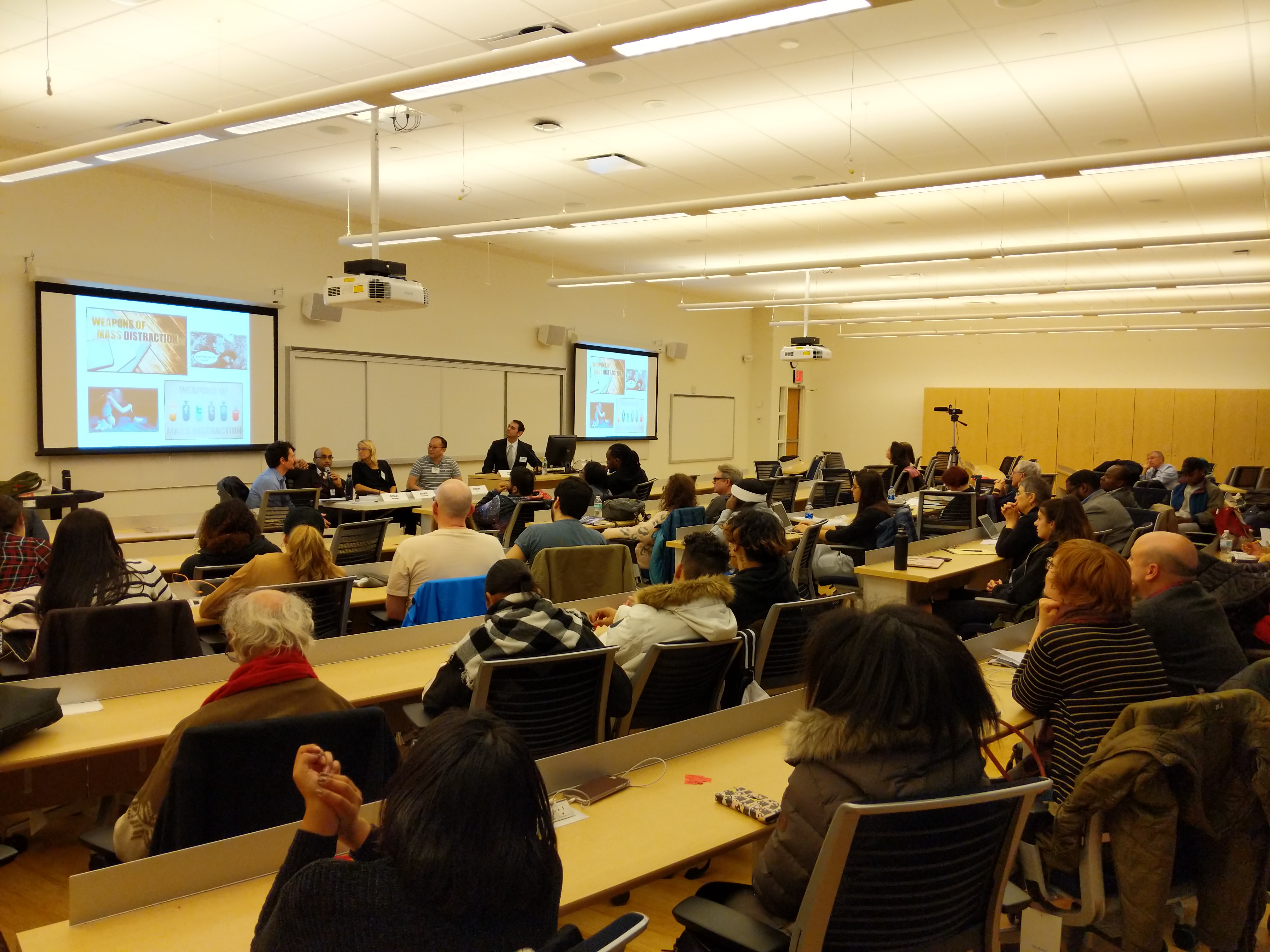
    The Third Annual City Tech Science Fiction Symposium was an amazing success! Here are videos from the symposium’s presentations and discussions from Nov. 27, 2018. Watch them all on YouTube via this playlist, or watch them as embedded videos below.


    9:00am-9:20am
    Continental Breakfast and Opening Remarks
    Location: Academic Complex A105
    Justin Vazquez-Poritz, Dean of the School of Arts and Sciences, New York City College of Technology
    Jason W. Ellis, New York City College of Technology


    9:20am-10:35am
    Session 1: Affect and Experimentation
    Location: Academic Complex A105
    Moderator: Jason W. Ellis
    Leigh Gold, “The Legacy of Frankenstein: Science, Mourning, and the Ethics of Experimentation”
    Lucas Kwong, “The Island Of Dr. Moreau, Fantastic Ambivalence, and the Victorian “Science Of Religion”
    Robert Lestón, “Between Intervals: A Soundscape for all Us Monsters”


    10:45am-12:00am
    Session 2: Identity and Genre
    Location: Academic Complex A105
    Moderator: Jill Belli
    Anastasia Klimchynskaya, “Frankenstein, Or, the Modern Fantastic: Rationalizing Wonder and the Birth of Science Fiction”
    Paul Levinson, “Golem, Frankenstein, and Westworld”
    Joy Sanchez-Taylor, “Genetic Engineering and non-Western Modernity in Paolo Bacigalupi’s The Windup Girl and Larissa Lai’s Salt Fish Girl”


    1:15pm-2:30pm
    Session 3: American Culture and Media
    Location: Academic Complex A105
    Moderator: A. Lavelle Porter
    Aaron Barlow, “‘Fraunkensteen’: What’s No Longer Scary Becomes Funny or, How American Popular Culture Appropriates Art and Expands the Commons”
    Marleen S. Barr, “Trumppunk Or Science Fiction Resists the Monster Inhabiting the White House”
    Sharon Packer, “Jessica Jones (Superhero), Women & Alcohol Use Disorders”


    2:40pm-3:40pm
    Student Round Table: “Shaping the Future: A Student Roundtable on Octavia Butler’s Parable of the Sower”
    Location: Academic Complex A105
    Moderator: A. Lavelle Porter
    Panelists: Zawad Ahmed
    Marvin Blain
    Kartikye Ghai
    Devinnesha Ryan


    4:00pm-4:50pm
    Frankenstein Panel: Mary Shelley’s Novel’s Influence on Scientists and Technologists
    Location: Academic Complex A105
    Moderator: Justin Vazquez-Poritz
    Panelists:
    Heidi Boisvert, Entertainment Technology Department
    Robert MacDougall, Social Sciences Department
    Ashwin Satyanarayana, Computer Systems Technology Department
    Jeremy Seto, Biological Sciences Department


    5:00pm-6:00pm
    Closing and Tour of the City Tech Science Fiction Collection
    Location: City Tech Library L543
    Remarks by Jason W. Ellis