Blog

  • All in a Day’s Work: New AI Workstation Build Completed

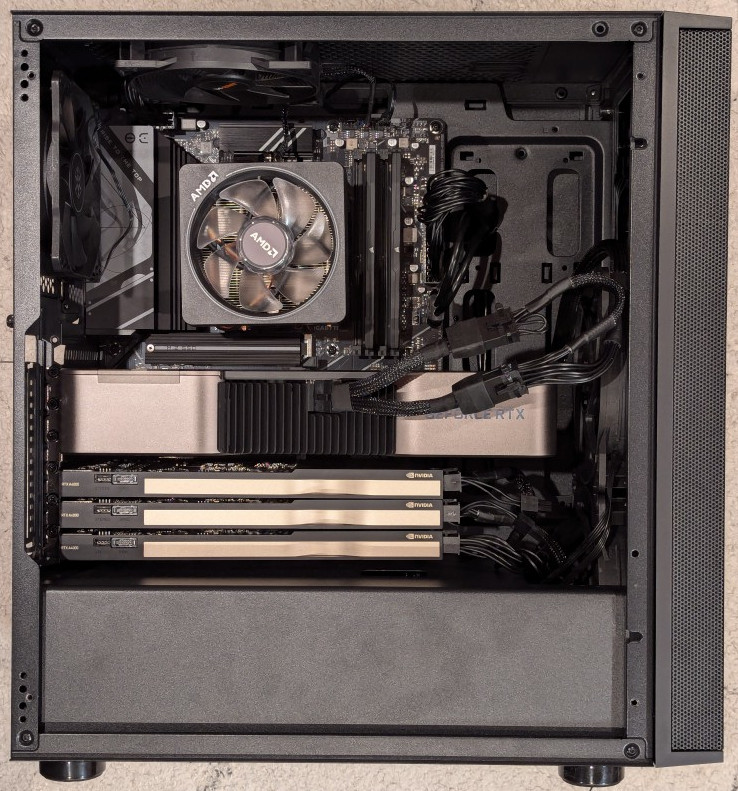
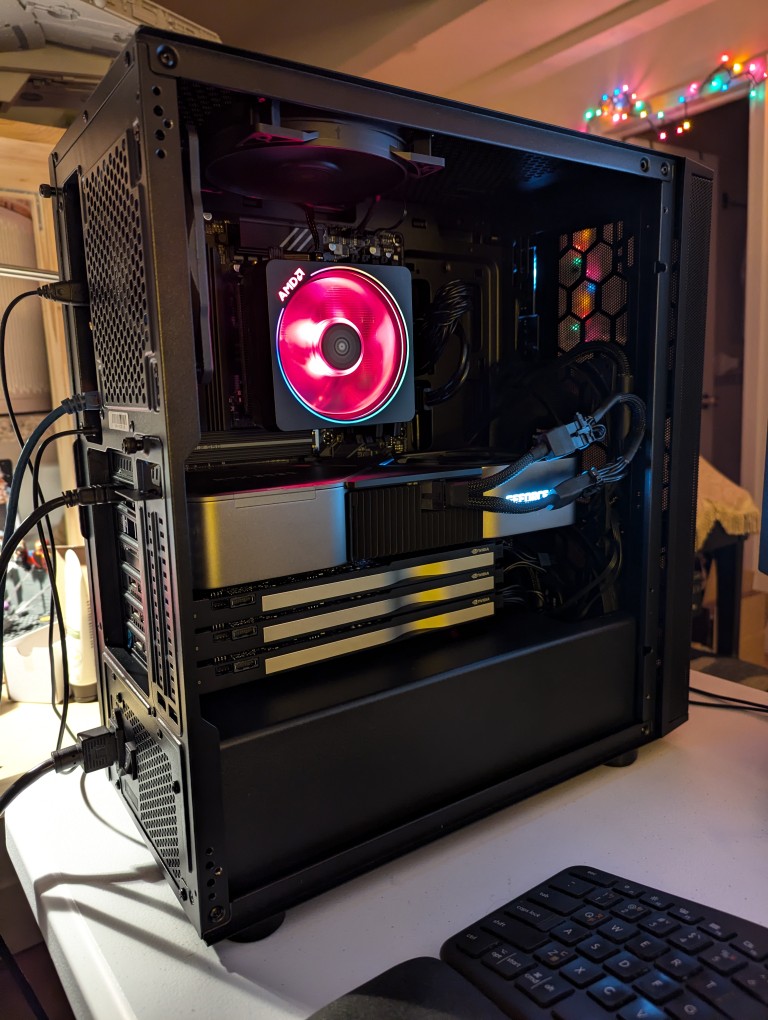
    black computer tower with side panel removed showing the internal components

    This past weekend, I got the final part that I needed to begin assembling my new AI-focused workstation. It took about a whole day from scrounging up the parts to putting it together to installing Debian 12 Bookworm. As you can see in the photo above, it’s running strong now. I’m installing software and testing out its capabilities especially in text generation, which without any optimizing has jumped from 1 token/sec on my old system to 5 token/sec on this system using a higher quantanized model (70B Q4_K_M to 70B Q6_K)!
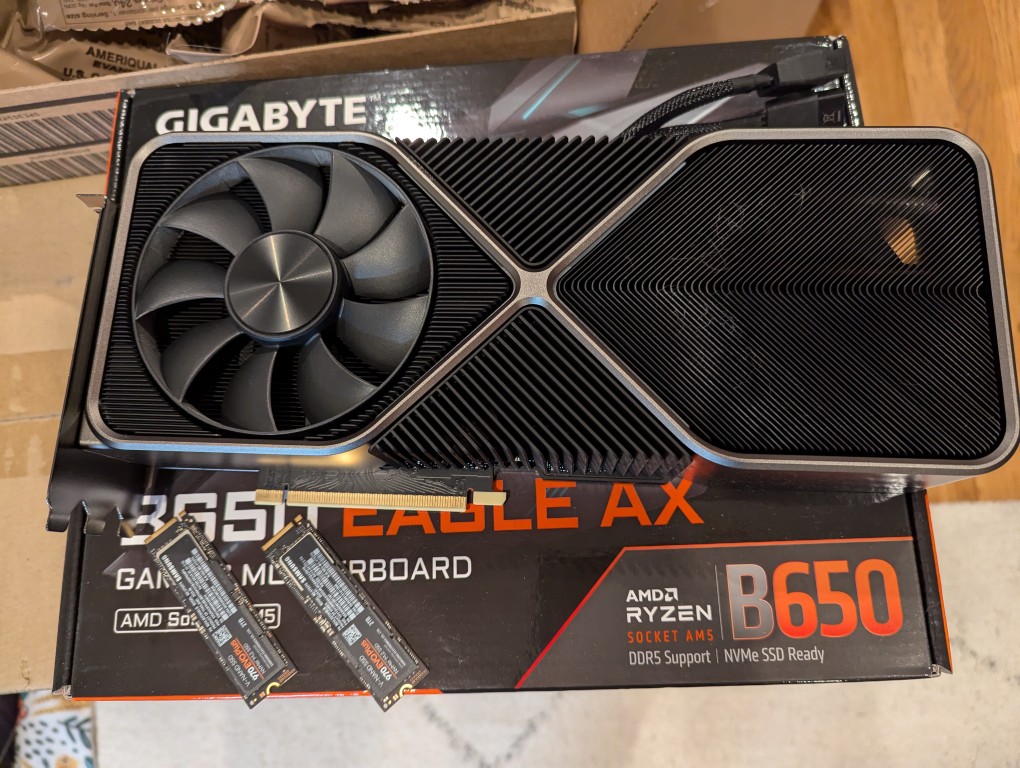
    RTX 3090 video card and two nvme SSDs on a cardboard box

    The first thing that I needed to do with my old system was to remove the components that I planned to use in the new system. This included the NVIDIA RTX 3090 Founders Edition video card and two 2TB Samsung 970 EVO Plus nvme SSDs.
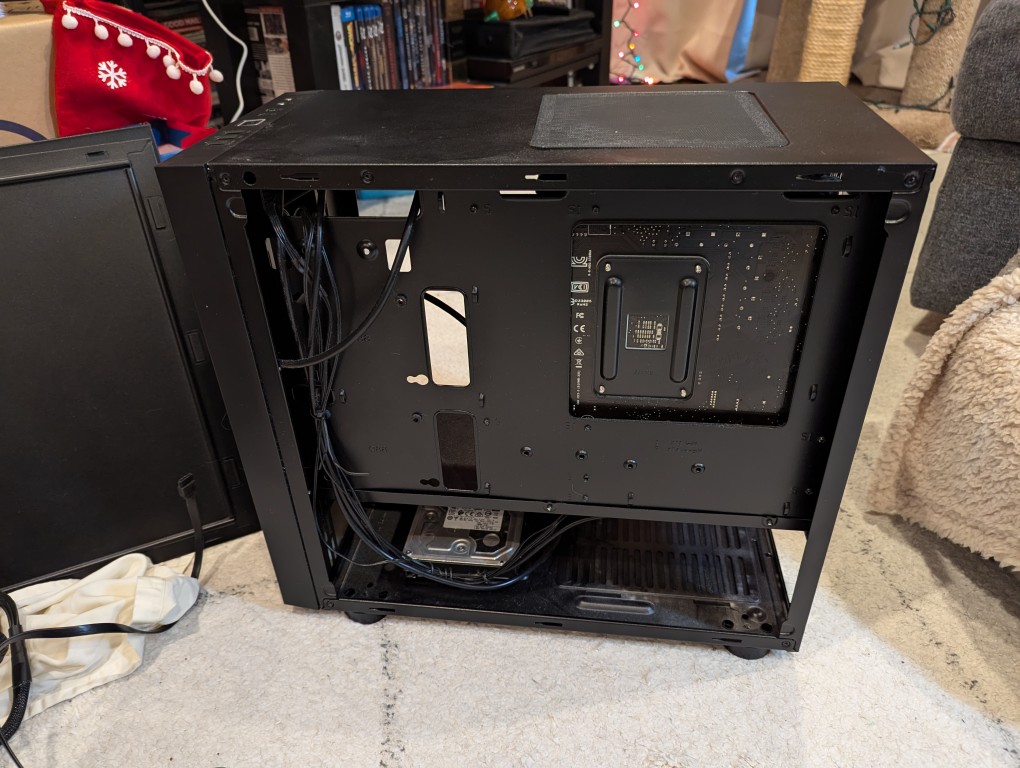
    micro atx case with back side panel removed revealing cables and hard drives

    I almost forgot my 8TB Western Digital hard disk drive that I had shucked from a Best Buy MyBook deal awhile back (in the lower left of the old Thermaltake case above).
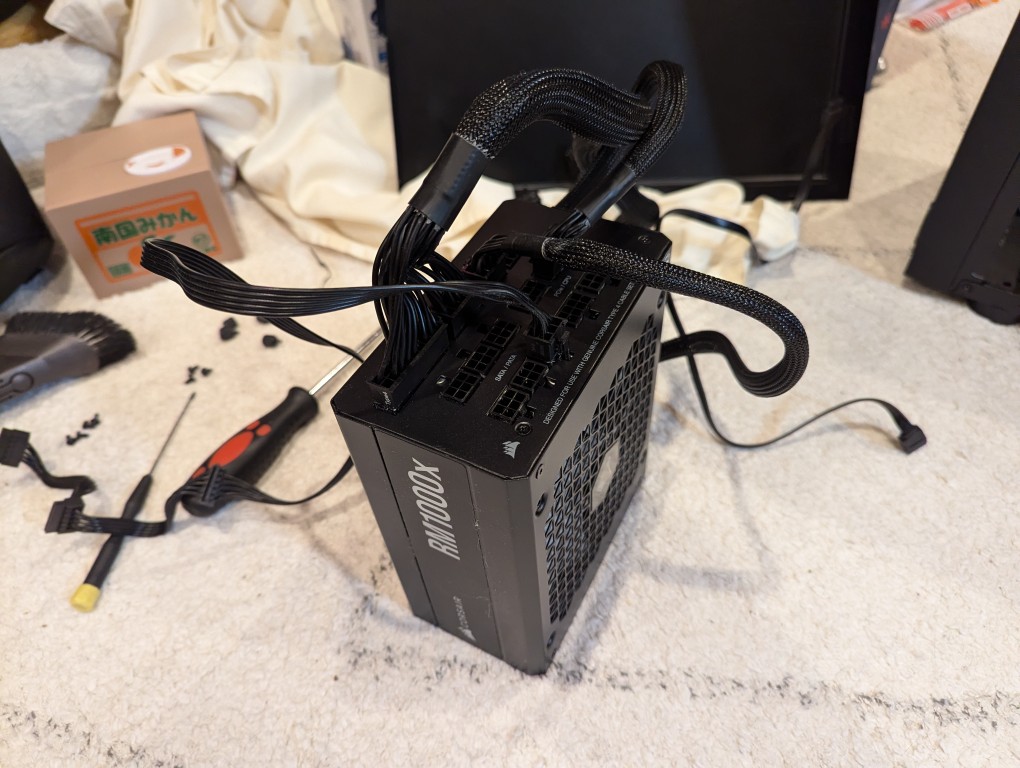
    computer power supply with power cables plugged in

    Finally, I needed the Corsair RM1000X 1000 watt power supply and its many modular connections for the new system’s four video cards.
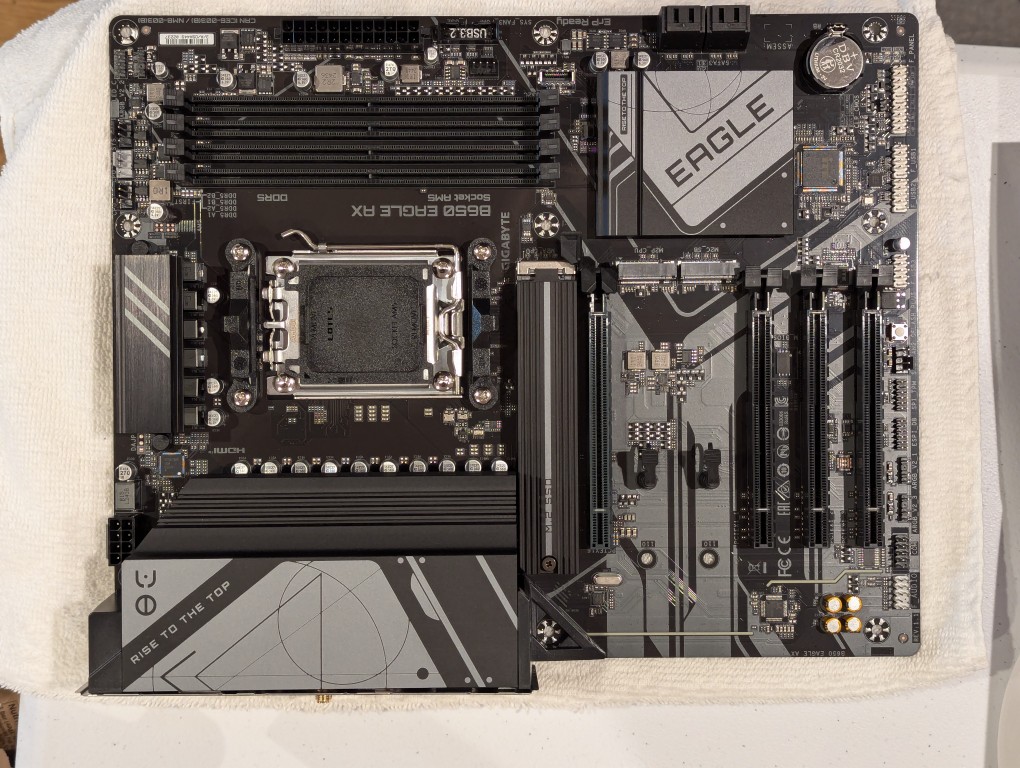
    am5 socket atx motherboard

    The new workstation is built around a Gigabyte B650 Eagle AX motherboard. I selected this motherboard, because it has a unique 16x PCIe slot arrangement–the top one has space for a three slot video card like my 3090, and its lower three slots would support the three NVIDIA RTX A4000 16GB workstation video cards that I had purchased off of eBay used. The lower slots do not run at full speed with 16 PCIe lanes, but when you are primarily doing AI inference, the speed that even 1x PCIe lanes provides is enough. If you are doing AI training, it is better to have a workstation-class motherboard (with Intel Xeon or AMD Threadripper Pro CPUs), because they support more PCIe lanes per PCIe slot than a consumer-based motherboard like this one is built to provide.
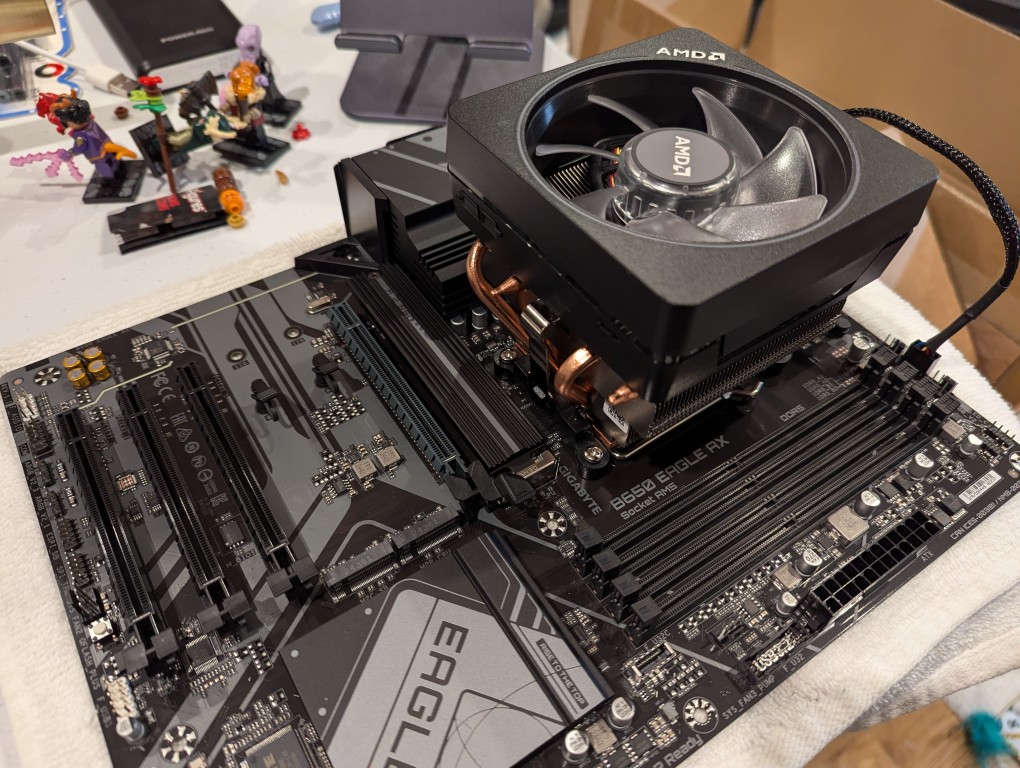
    motherboard with cpu and cpu cooler mounted on top

    The first step with the new motherboard was placing it on a soft surface and installing the CPU. I purchased an AMD Ryzen 7 7700 AM5 socket CPU. It came with AMD’s Wraith Prism RGB Cooler, which is a four heat pipe low-profile CPU cooler. I don’t care for its RGB colors, but it reduced the overall cost and provides adequate cooling for the 7700, which isn’t designed for overclocking.
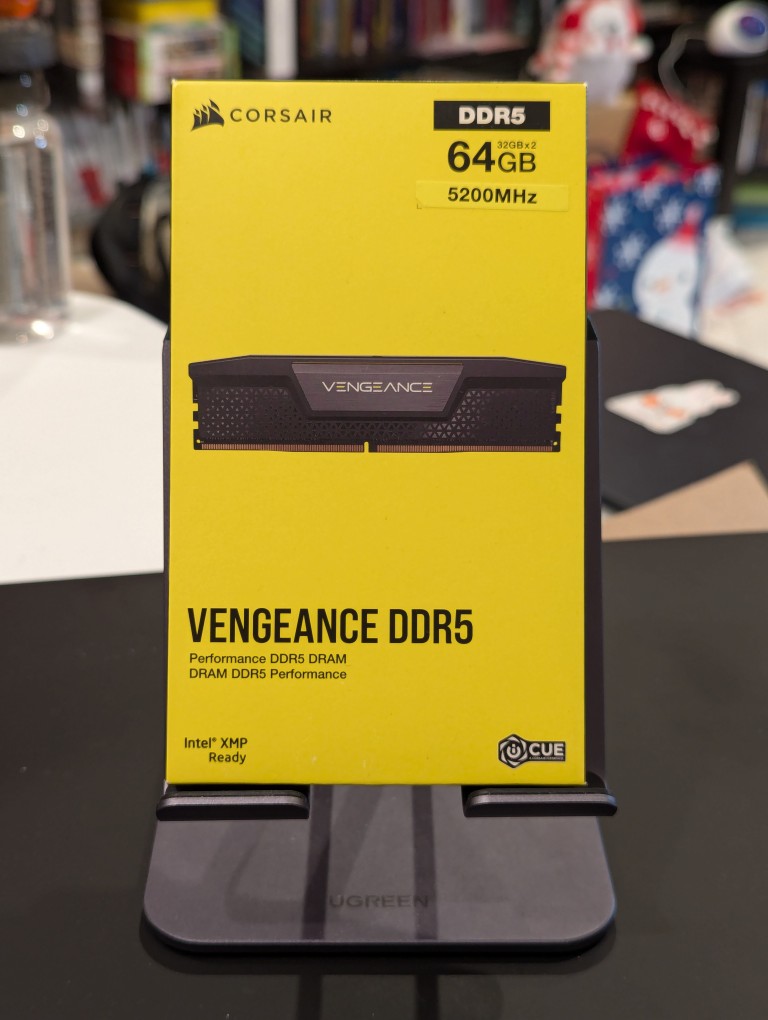
    corsair ddr5 64GB RAM vengeance product box

    Next, I installed the RAM that I just received–64GB Corsair Vengeance DDR5-5200 RAM (32 GB x 2).
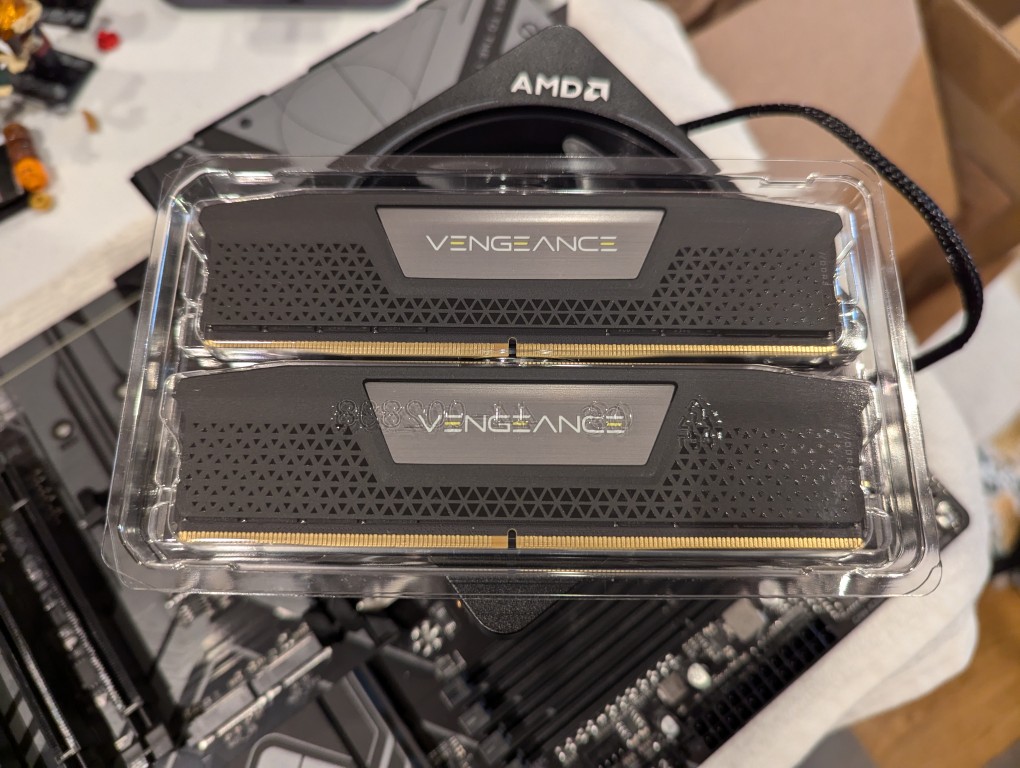
    2 sticks of DDR5 memory in a plastic case sitting on top of a motherboard

    This RAM runs at the stock highest speed for the 7700 CPU (though, I had to manually change the multiplier to 52x in the BIOS as it was registering as only DDR5-4800–it passed memtest86+ at the higher setting without any errors). As you can see above, it has nice heat spreaders built-in.
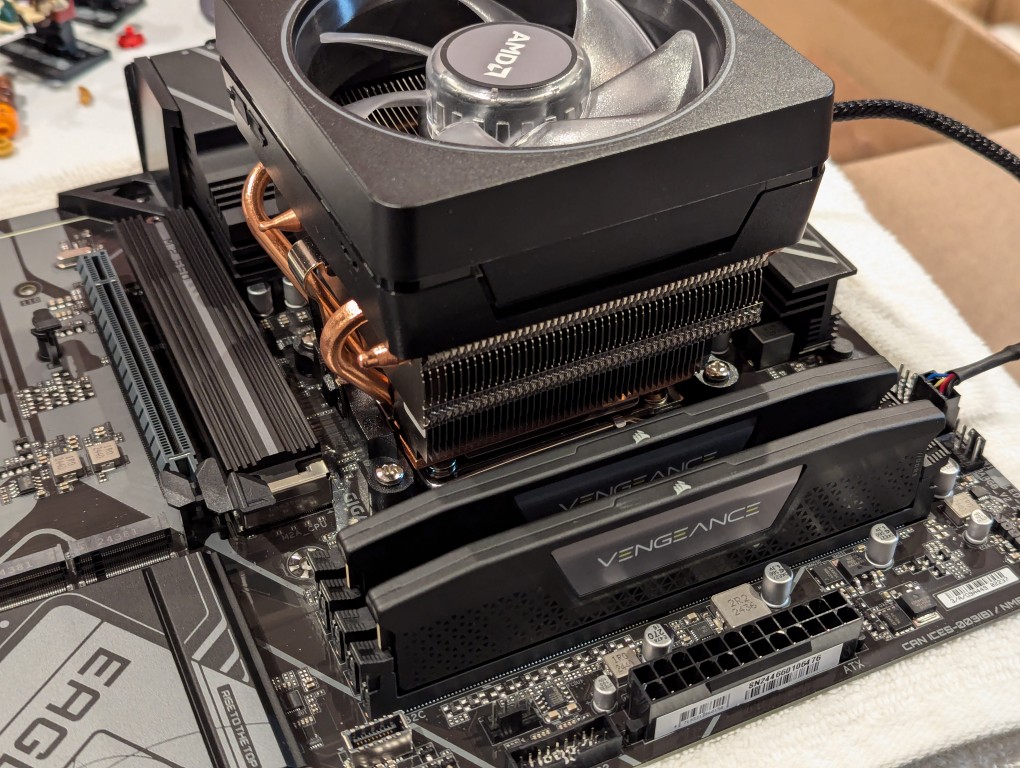
    2 sticks of ddr5 ram installed on a motherboard next to cpu and cpu cooler

    It’s important to note that I went with less RAM than my old system, because it’s well known that the AM5 platform and its current processors are not good at supporting higher RAM speeds for more than two RAM sticks. Since I’m focusing on doing inference with the video cards instead of the CPU (as I had done with the old system), I didn’t need as much RAM. Also, I figured that if I make the leap to a workstation-class CPU and motherboard, I can make a larger RAM investment as those systems also support 8-channel memory (more bandwidth, meaning faster inference) as opposed to the 2-channel memory (less bandwidth, slower CPU inference) on this consumer-focused motherboard.
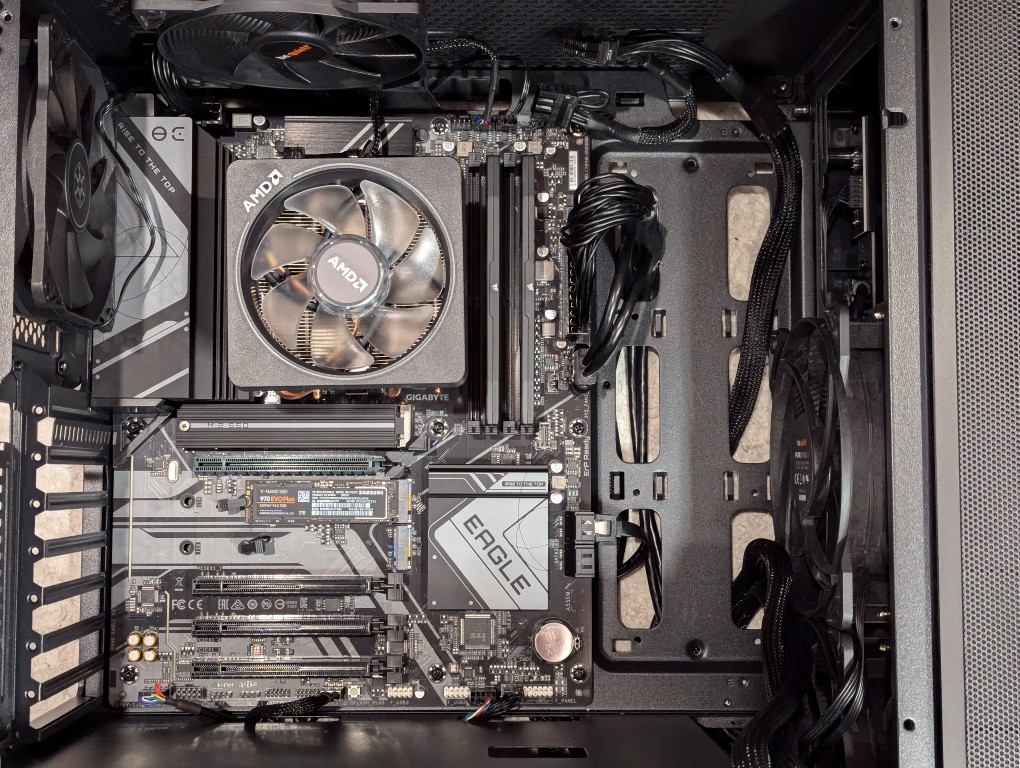
    atx motherboard mounted inside a midtower computer case

    Then, I installed two Samsung nvme SSDs on the motherboard–one under the headspreader directly below the CPU in the photo above and one below the top PCIe slot before installing the motherboard in my new, larger Silverstone FARA R1 V2 ATX midtower case after adding the few additional standoffs that were needed for an ATX motherboard.
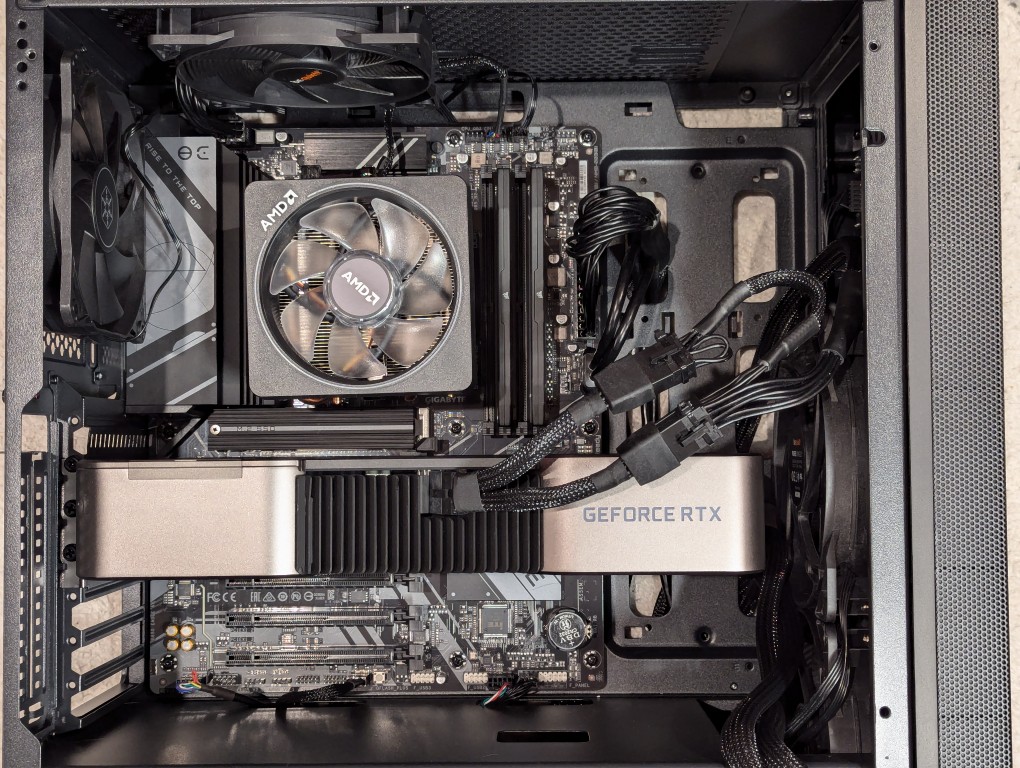
    RTX 3090 video card installed on motherboard inside a midtower computer case

    Out of frame, I installed the Corsair PSU in the chamber below the motherboard compartment after connecting the extra power cables that I needed for the three additional video cards. Then, I plugged in the 3090 video card and connected its two 8-pin PCIe power connectors.
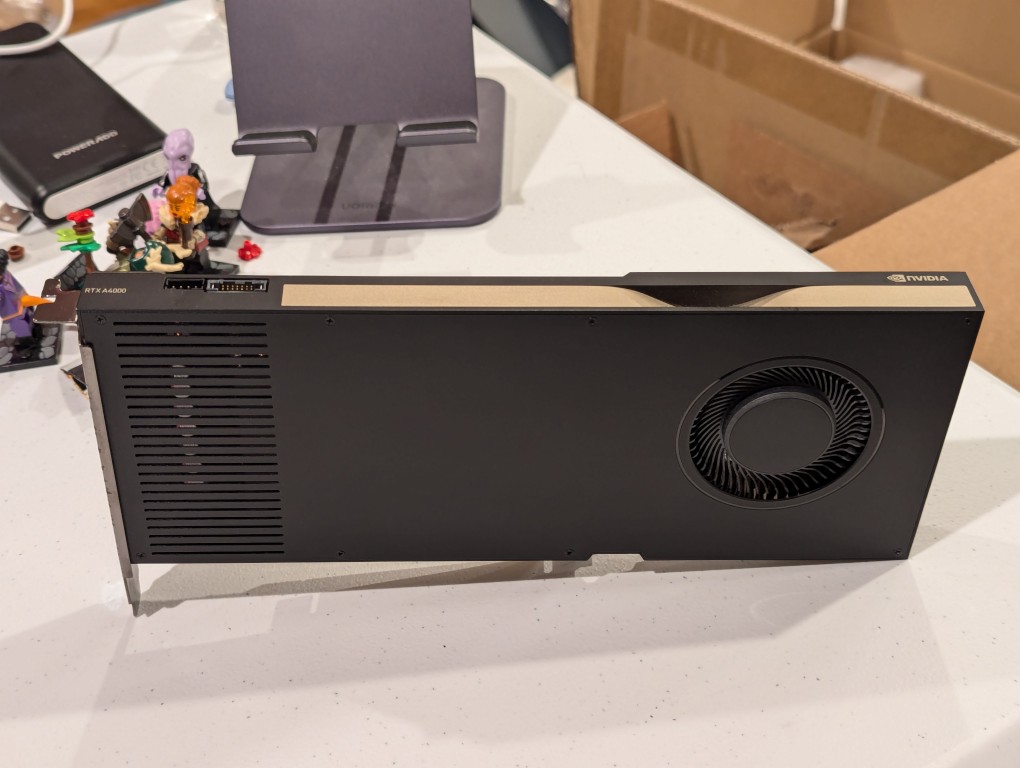
    thin long single slot video card with a single blower fan front

    Then, I turned my attention to the three used RTX A4000 video cards that I got off of eBay. They are single slot PCIe cards with a 6-pin PCIe power connector built into the front of the card close to the top edge.
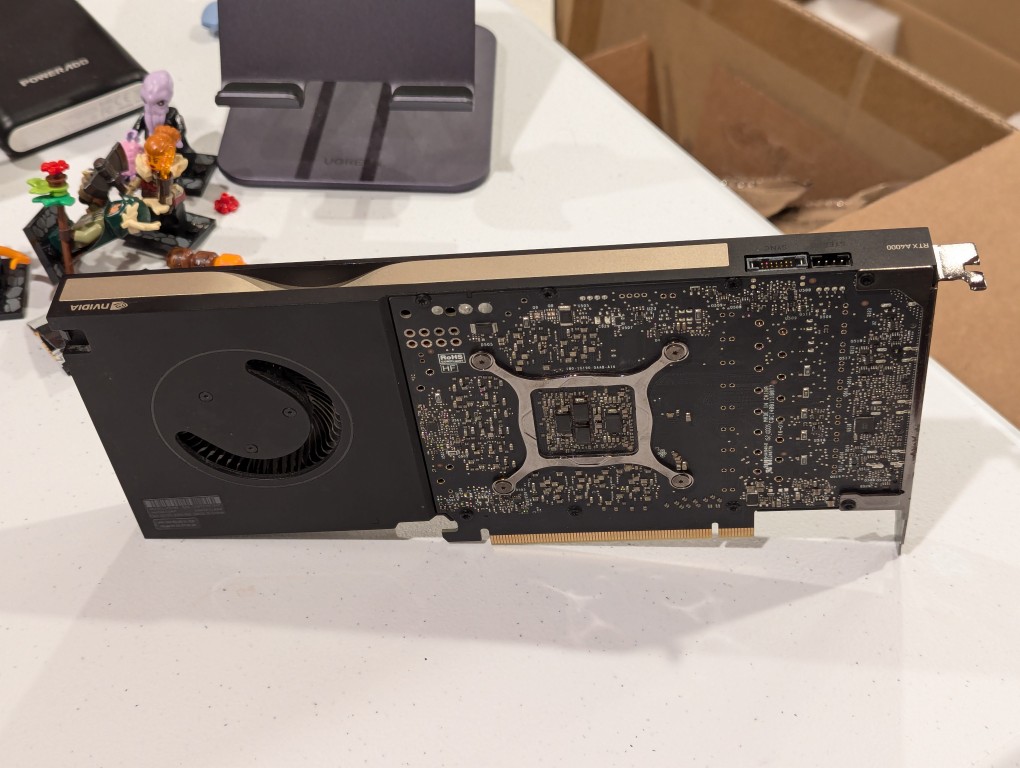
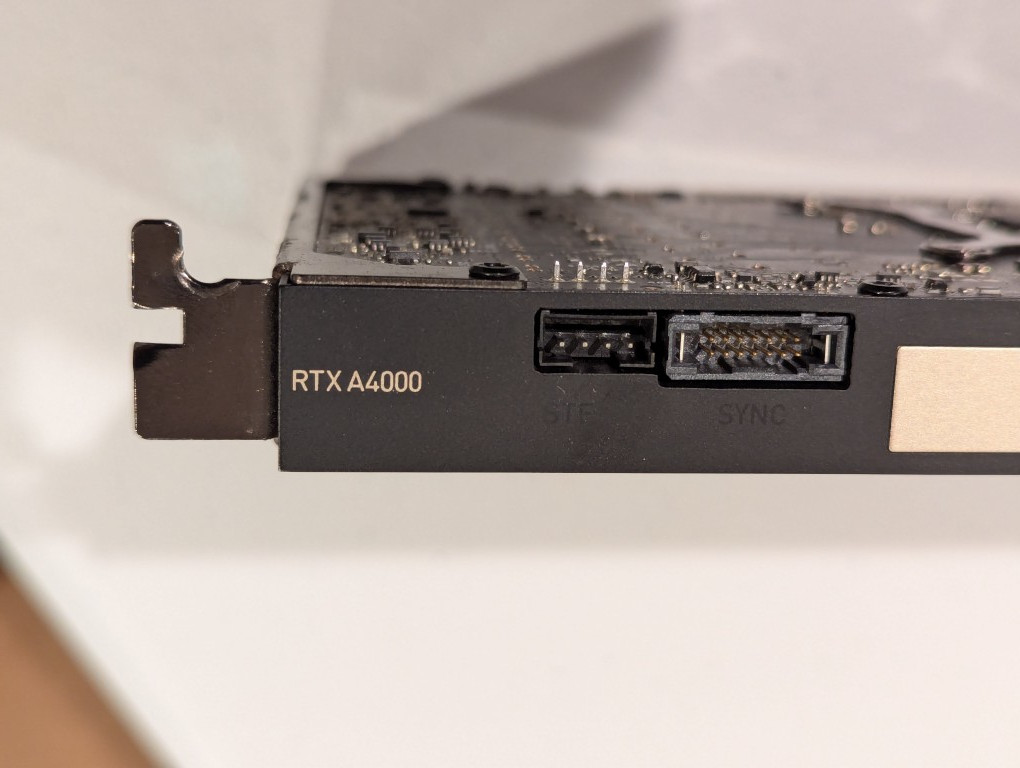
    thin long single slot video card with a single blower fan back with circuit board exposed
    close up of corner of single slot RTX A4000 logo on top edge of video card
    RTX 3090 and three A4000 video cards installed on ATX motherboard in a midtower PC case

    I installed the three RTX A4000s into the lower three slots and connected a 6-pin power cable to each one.
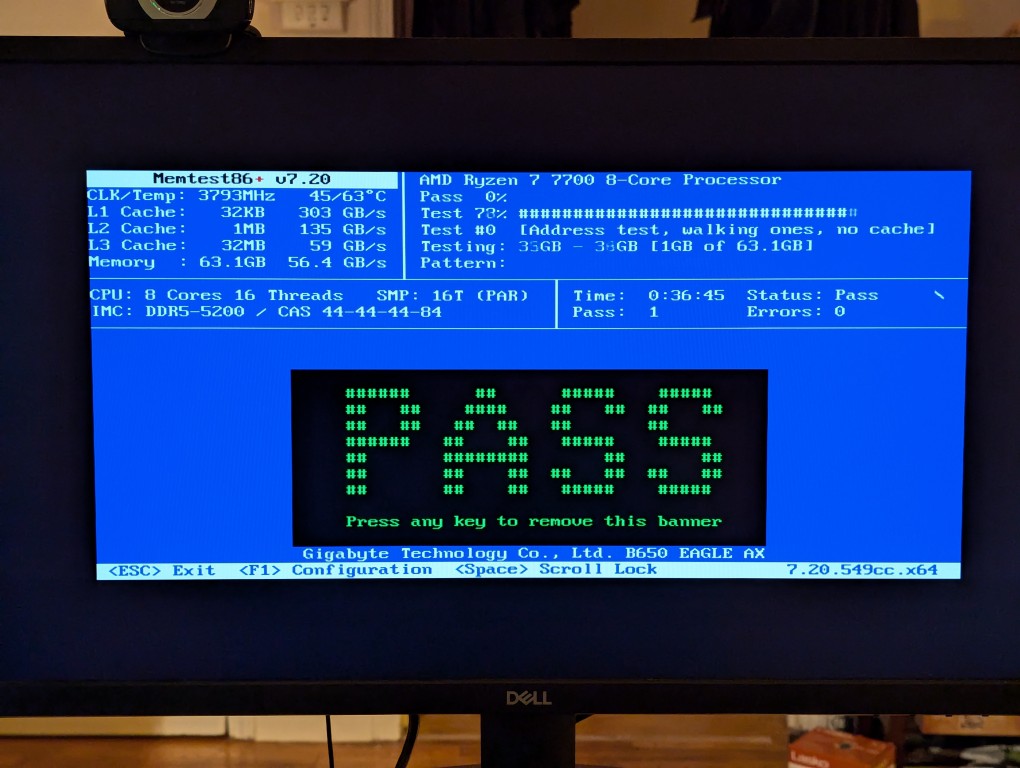
    memtest86+ RAM test screen with the large word "PASS" in the middle of the screen

    After double checking all of the connections, I powered up the system and booted from a thumbdrive loaded with memtext86+ after disabling Secure Boot in the BIOS. Before going to the trouble of installing an operating system, I wanted to make sure that the new RAM was error free.
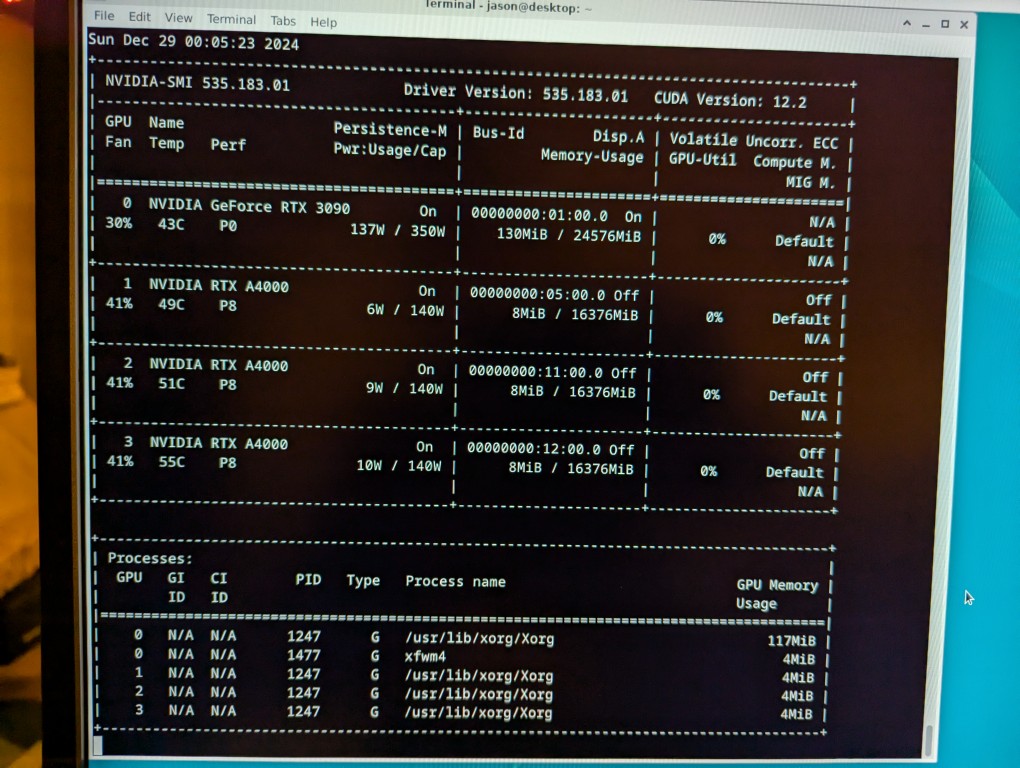
    nvidia-smi screen indicating the presence of four video cards: RTX 3090 and 3x A4000s

    With the RAM checking out, I proceeded to boot from another USB thumb drive loaded with the Debian 12 Bookworm installer. I formatted one of the 2TB Samsung nvme SSDs as the boot drive (LVM with encryption), installed Debian 12, configured the non-free repos, installed the closed source NVIDIA drivers, and checked to make sure all of the video cards were being recognized. nvidia-smi shows above that they were!
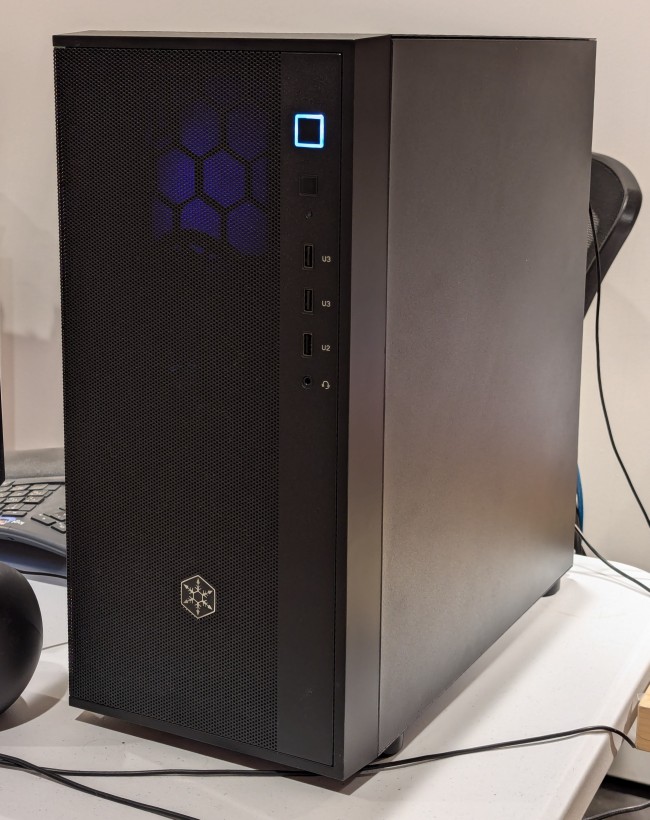
    black midtower atx computer case on a desk

    While testing it, I have it situated on my desk back-to-front, so that I can easily disconnect the power cable and open the side panel.
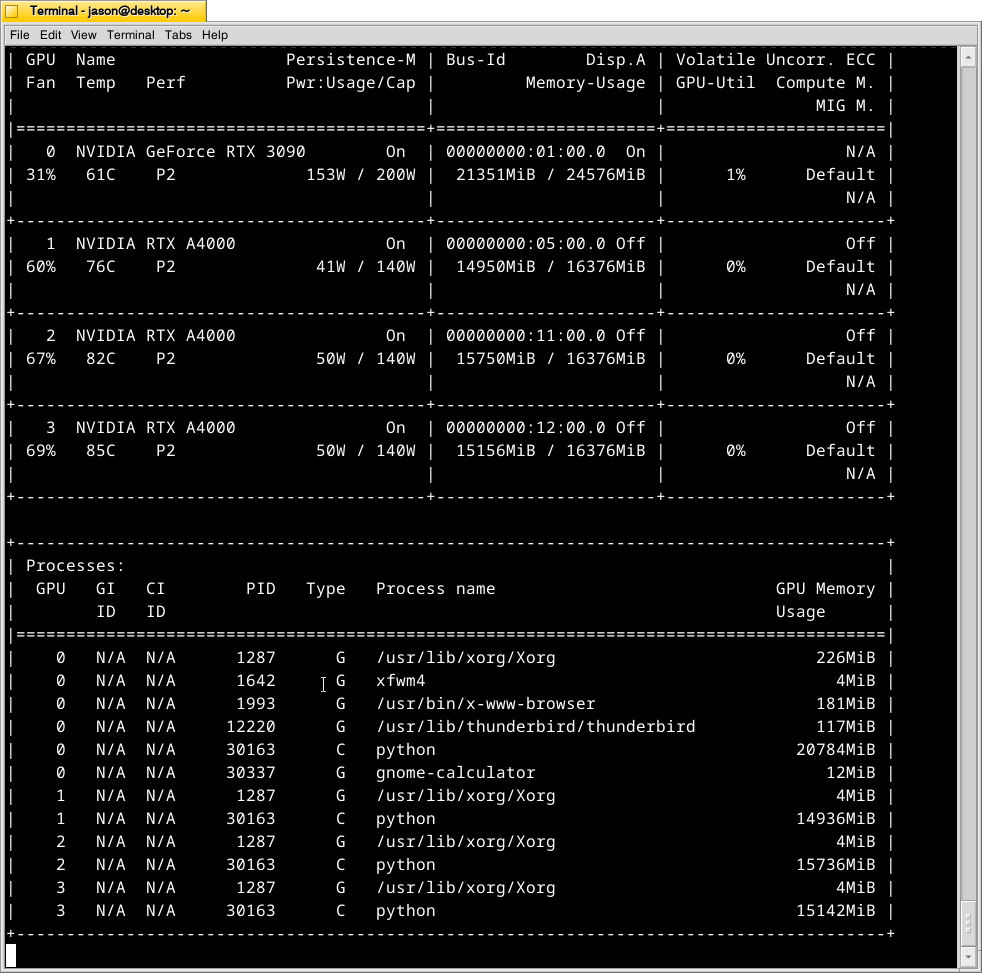
    nvidia-smi screen reporting higher temperatures in each lower video card in the system than the one above it

    The immediate fix that I need to make is improving the cooling for the video cards–especially the three RTX A4000s that are tightly packed at the bottom of the case. Looking at the second column from the left under each video card named is a temperature measurement in Celsius on the nvidia-smi screen captured during a text generating session, each lower card is running hotter than the one above it: the 3090 at the top is reporting 61C, the A4000 beneath it is reporting 76C, the A4000 beneath it is reporting 82C, and bottom most A4000 is reporting 85C. Besides the fact that they are right against one another in the case, there are two other concerns. First, the PCI slot supports on the case are partially covering the exhaust vents on each card. Second, the cooler outside air might not be making it to A4000s as well as I would like even though there are two 140mm fans positioned in the front of the case bringing in cooler outside air, which is exhausted by a 120mm fan in the back above the video cards and a 120mm fan on the top of the case above the CPU cooler. One option is to drill a large hold in the side panel and mount a 120mm fan there to blow outside air directly onto the A4000 cards. Another option that I might try first is rigging a channel from the back of the case to the A4000s to blow air from a two slot port above the A4000 cards to the top edge of those cards. The latter will require less work, so I’ll try it first and see if it changes the temperatures at all.
  • Blue Blocking Orange Glasses for Indoor and Outdoor Use

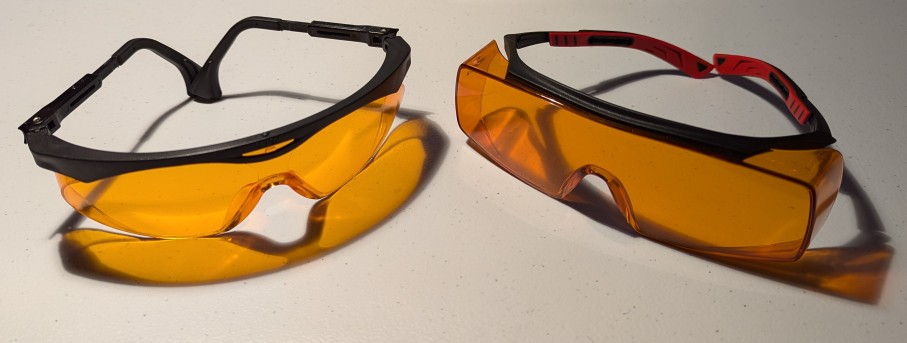
    2 pairs of orange colored glasses

    A long while back, Y suggested that I wear blue-blocking orange colored glasses in the hours leading to bedtime to help me avoid being woken by the blue light coming from my computer display, television, overhead lights, and smartphone. I can report that donning orange colored glasses a couple of hours before sleep (and taking with 1.5mg of melatonin and 700mg of magnesium glycinate about an hour before bed) helps me fall asleep much more quickly than I used to before wearing the glasses every evening.

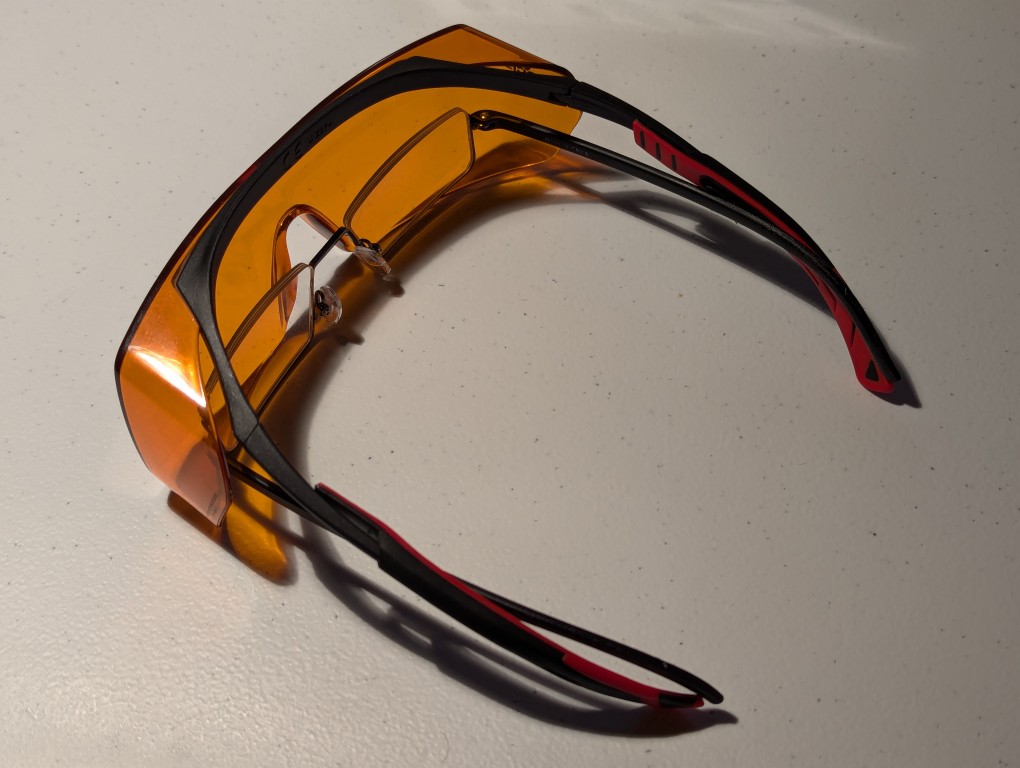
    As I began developing presbyopia or age-related impairment of my eyes to focus on nearby objects, I upgraded from the pair of glasses on the left to the ones on the right to accommodate my reading glasses as shown below.

    reading glasses nested inside a pair of blue blocking orange glasses

    I repurposed my original pair of orange glasses to wear when I go out for walks at night with Y. I noticed that the bright lights of cars could sometimes trigger a migraine. Wearing these glasses reduces the intensity of on-coming car’s headlights on newer vehicles, which as others have noted, seem to be far brighter than halogen lights on older cars and trucks.

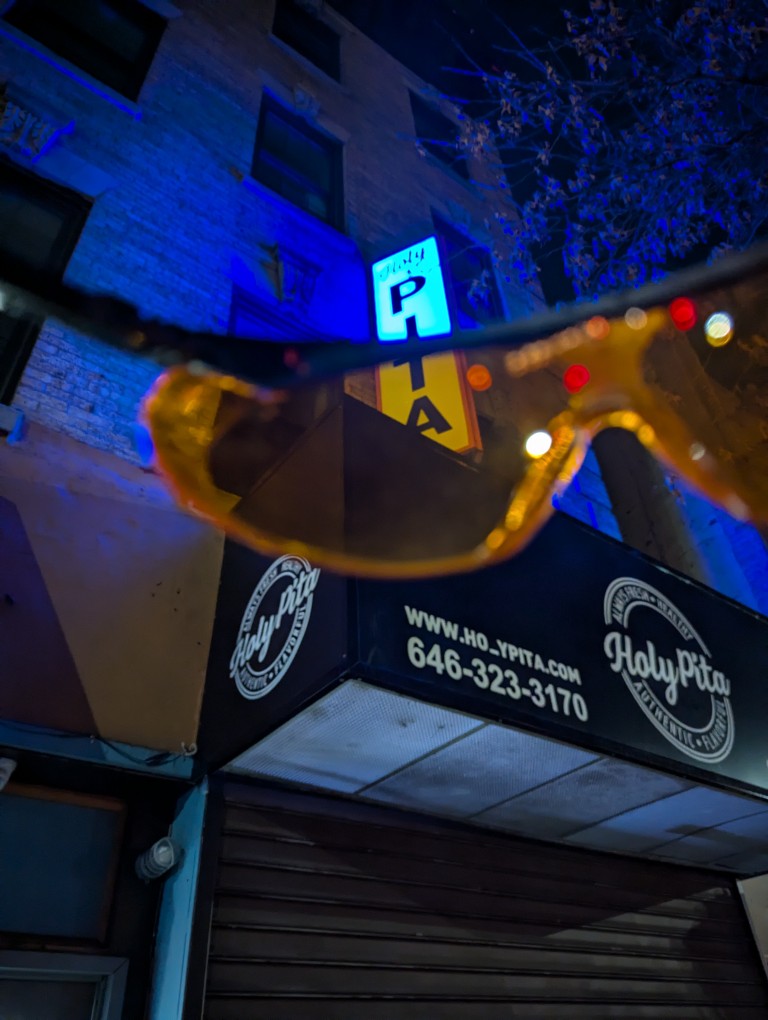
    To illustrate how well these glasses cut out blue light, you can see the blue Prospect Park West Holy Pita restaurant sign turn to an orange-white color through the orange lens below.

    the orange glasses' lens turns a blue sign orangish white
  • Christmas Breakfast with MRE Menu 17: Pork Sausage Patty, Maple Flavored

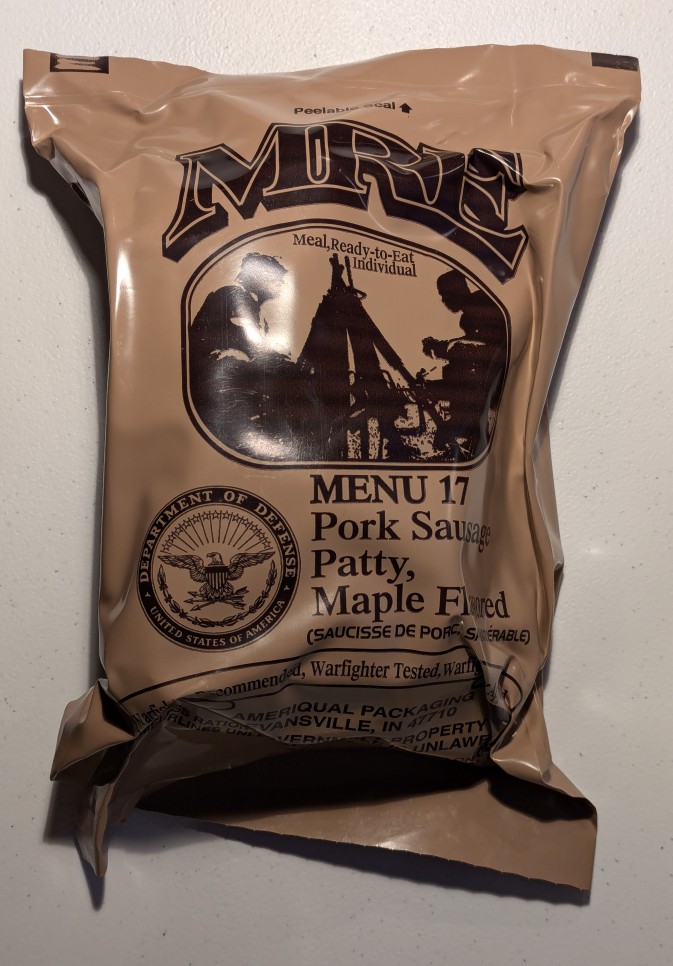
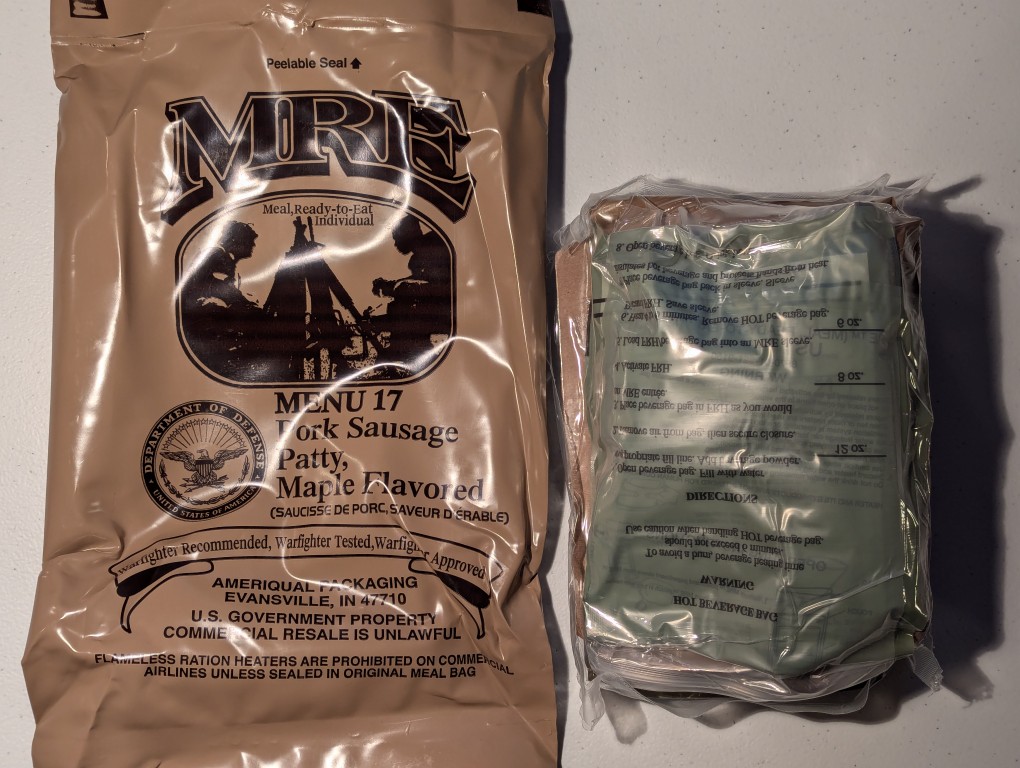
    mre plastic bag with contents inside.

    Yesterday, I wanted to enjoy an MRE meal for breakfast, so I dug into Menu 17: Pork Sausage Patty, Maple Flavored. It comes from a B case (menus 13-24) with an inspection date of 3/25 and a good Time and Temperature Indicator (TTI) sticker.

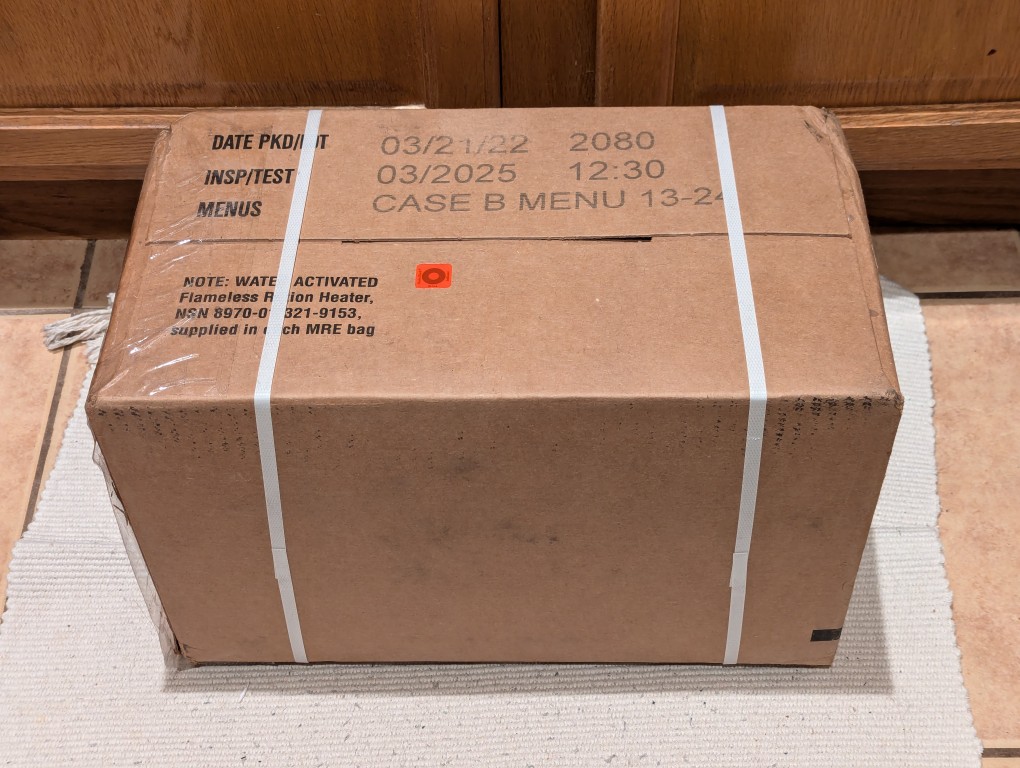
    cardboard case of mres, bound with plastic straps, on floor

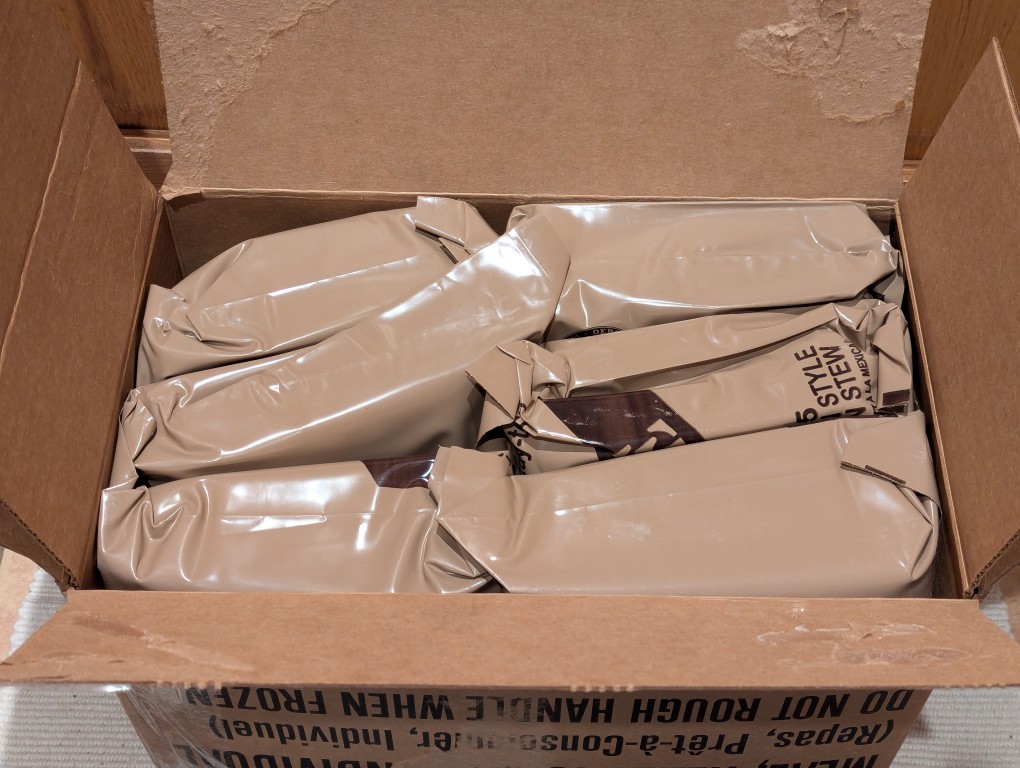
    Each case has twelve meals tightly packed in its dense cardboard box. A case weighs about 20 pounds.

    open cardboard case of mres, 6 mres shown.
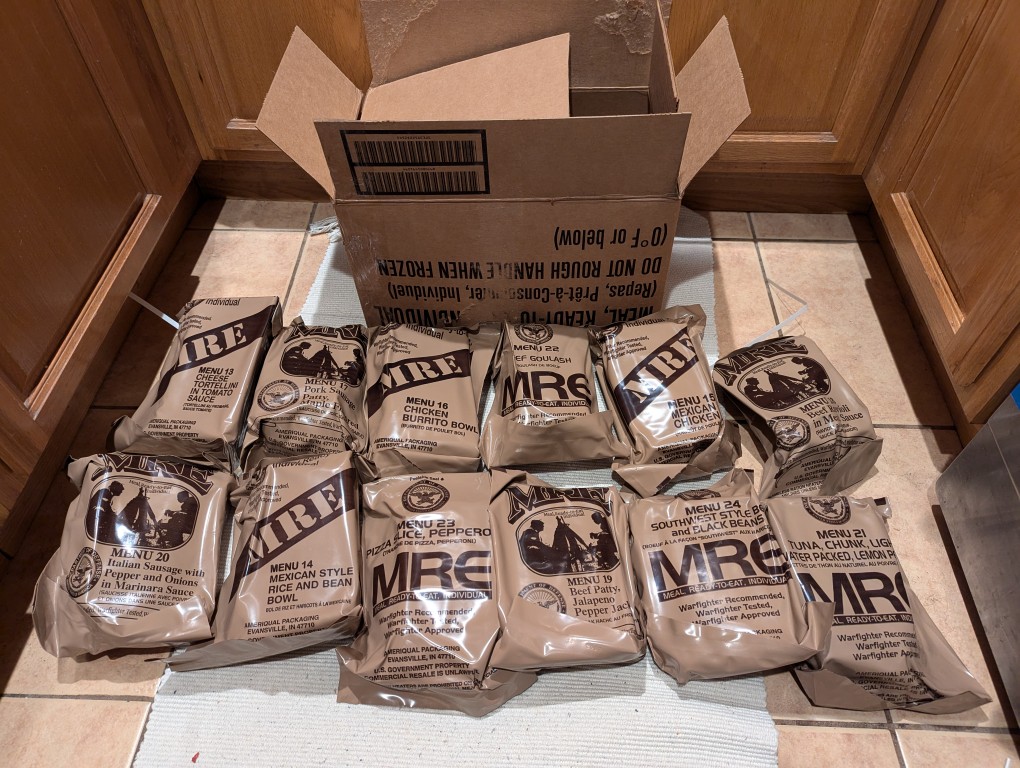
    12 mres on the floor with their cardboard case in the background

    This case included these menu options:

    • Menu 13: Cheese Tortellini in Tomato Sauce
    • Menu 14: Mexican Style Rice and Bean Bowl
    • Menu 15: Mexican Chicken
    • Menu 16: Chicken Burrito Bowl
    • Menu 17: Pork Sausage Patty, Maple Flavor
    • Menu 18: Beef Ravioli in Mat Sauce
    • Menu 19: Beef Patty, Jalapeno Pepper Jack
    • Menu 20: Italian Sausage with Pepper and Onions in Marinara Sauce
    • Menu 21: Tuna, Chunk, Light Water Packed, Lemon Pepper
    • Menu 22: Beef Goulash
    • Menu 23: Pizza Slice, Pepperoni
    • Menu 24: Southwest Style Beef and Black Beans
    mre plastic bag open with inner bag of contents next to it

    Opening the outer heavy-duty bag, reveals a more tightly packed thin plastic bag containing the MRE’s contents.

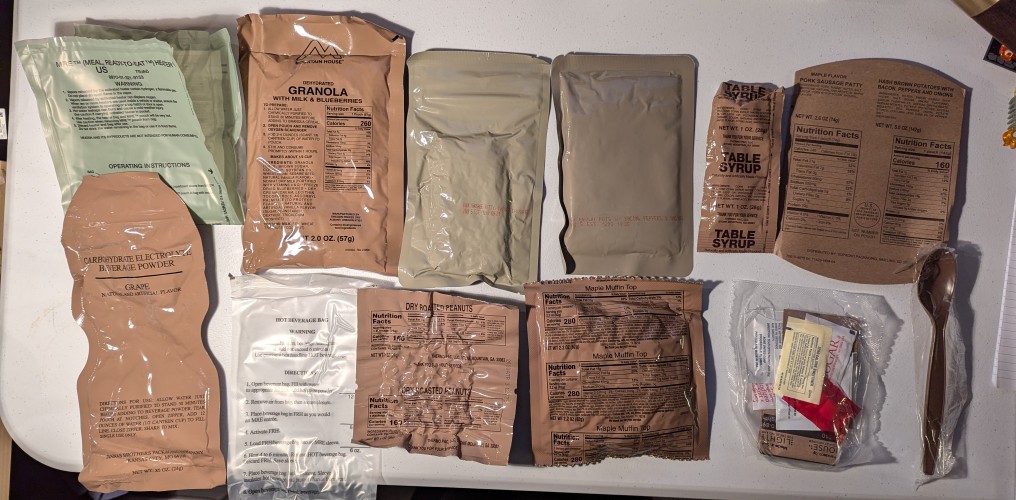
    mre contents spread out, an assortment of pouches and bags with different food items inside

    From the upper left to right, this MRE includes:

    • Water-activated heater bag
    • Mountain House Dehydrated Granola with Milk and Blueberries
    • Pork sausage patty
    • Hash brown potatoes with bacon, peppers, and onions
    • Table syrup
    • Entree and side nutrition info card (can be used as insulating sleeve, paper for writing, sending as a postcard–I have done this before, or kindling for fire)
    • Grape flavored carbohydrate electrolyte beverage powder in drinking pouch
    • Hot beverage bag (for coffee)
    • Dry roasted Peanuts
    • Maple muffin top
    • Accessory pack
    • Spoon
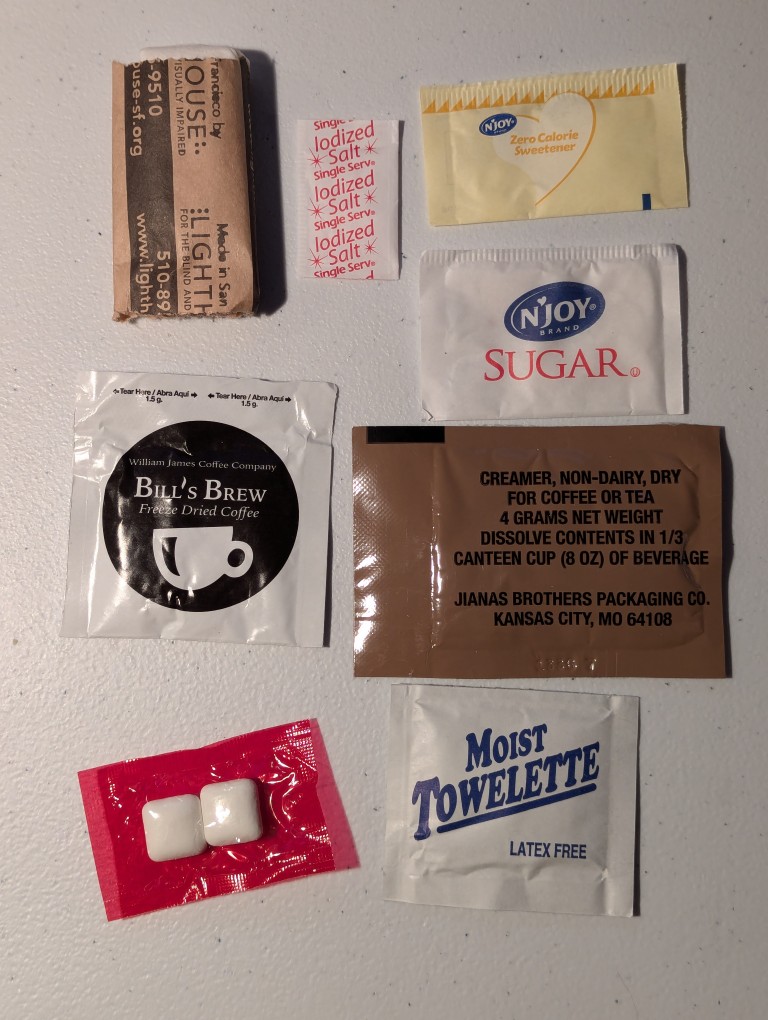
    mre accessory kit spread out

    The accessory pack included clockwise from the bottom left: chewing gum, instant coffee, TP, salt, zero calorie sweetener (dextrose and sucralose), sugar, non-dairy creamer, and moist towelette.

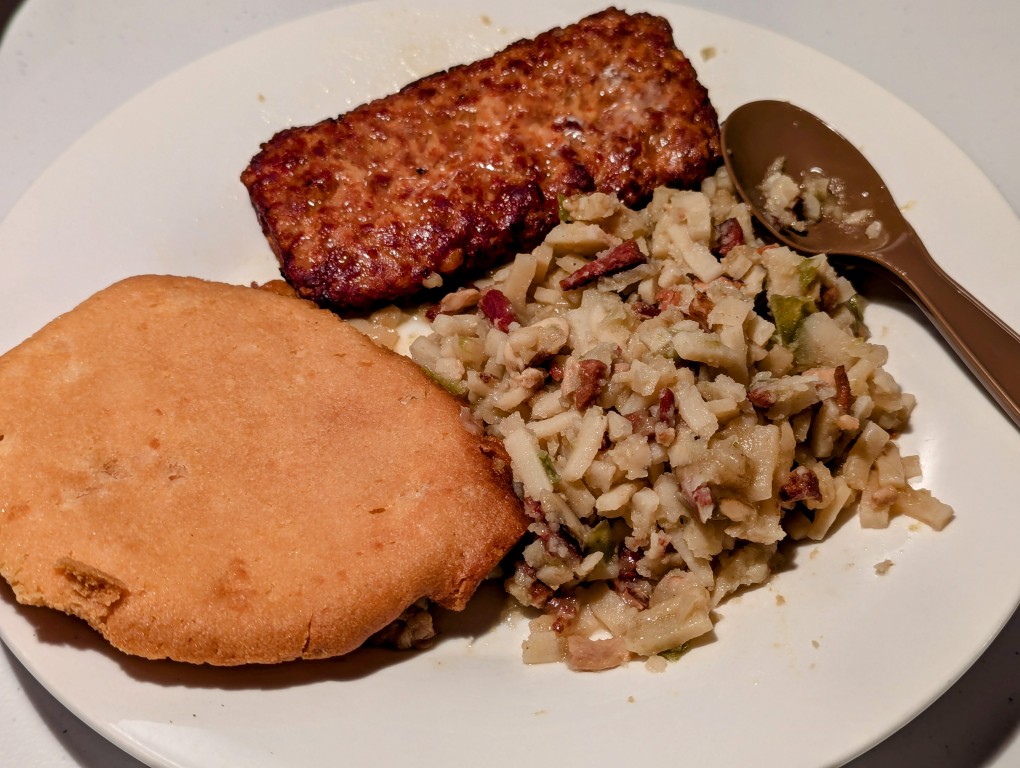
    muffin top, pork patty, and hashbrowns on a white ceramic plate with plastic spoon

    For breakfast, I prepared the patty, hash browns, and muffin top using the microwave. I warmed the patty and hash browns for 45 seconds, then added the muffin top, and microwaved for 15 more seconds. In general, I find MREs taste better by combining the individual elements in it. In this case, I would have a spoonful of patty, hash browns, and muffin together, which I thought was quite flavorful and enjoyable. For some folks, adding the syrup would improve the meal, but I don’t need the extra calories. Regardless, I recommend it.

    I saved the granola for breakfast on another day, and I had the peanuts for dessert with cookies at dinner later that night. I’ll save the other parts for consuming or using another day.

  • Continuing to Receive New Workstation Components

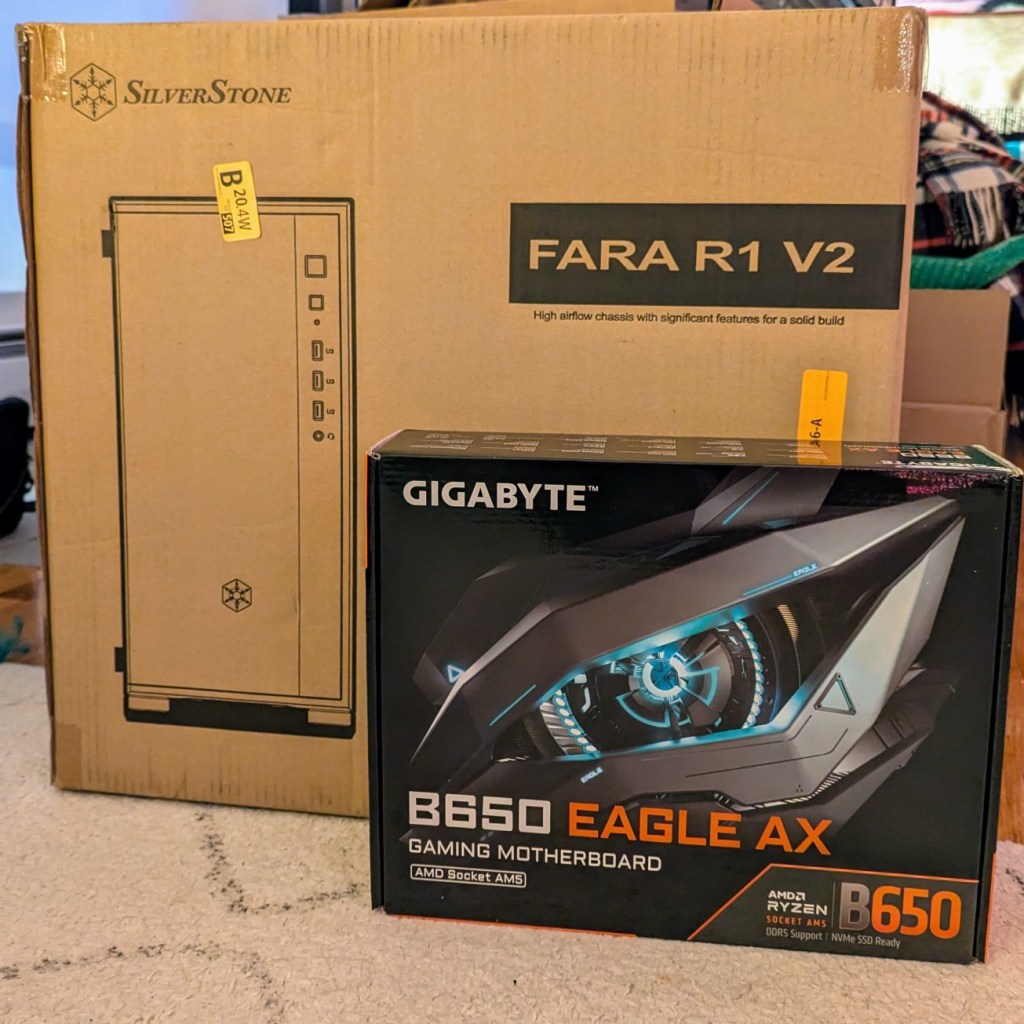
    computer case in a cardboard box and a computer atx motherboard in a cardboard box

    Over the weekend, I received two more pieces of my upcoming AI-focused workstation build to go along with the CPU and A4000 video cards. They are a Gigabyte B650 Eagle AX model ATX motherboard, which has four PCIe slots–one spaced for a 3-slot card like my 3090 and three spaced for single slot cards like the A4000s, and a Silverstone Fara R1 V2 ATX mid-tower case, which was the least expensive steel case without a glass window and good ventilation. My new Corsair DDR5 RAM won’t arrive until after Christmas, so the actual build will have to wait until then.

  • New AI Workstation Build Continues: Three NVIDIA A4000 Video Cards

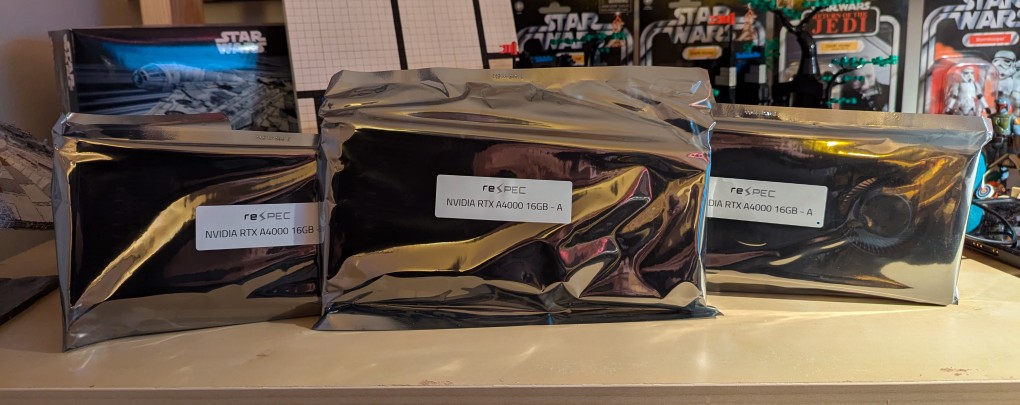
    After receiving a new AMD Ryzen 7 7700 CPU earlier this week, I received the three NVIDIA RTX A4000 16GB VRAM video cards pictured above in antistatic bags today for my new AI workstation. Brand new, these cards run just over $1000, but I got these refurbished ones from an eBay seller for just under $600 each. These three video cards will work alongside my NVIDIA RTX 3090 Founders Edition 24GB VRAM video card for a total of 72GB VRAM, which will allow me to run low-or-no quantized large language models at a much faster output rate than I currently can using the 3090 with system RAM. The limited PCIe lanes on the Gigabyte motherboard that I ordered shouldn’t be too limiting as far as inference work is concerned.