UPDATE: I expanded this design and reported on it here.
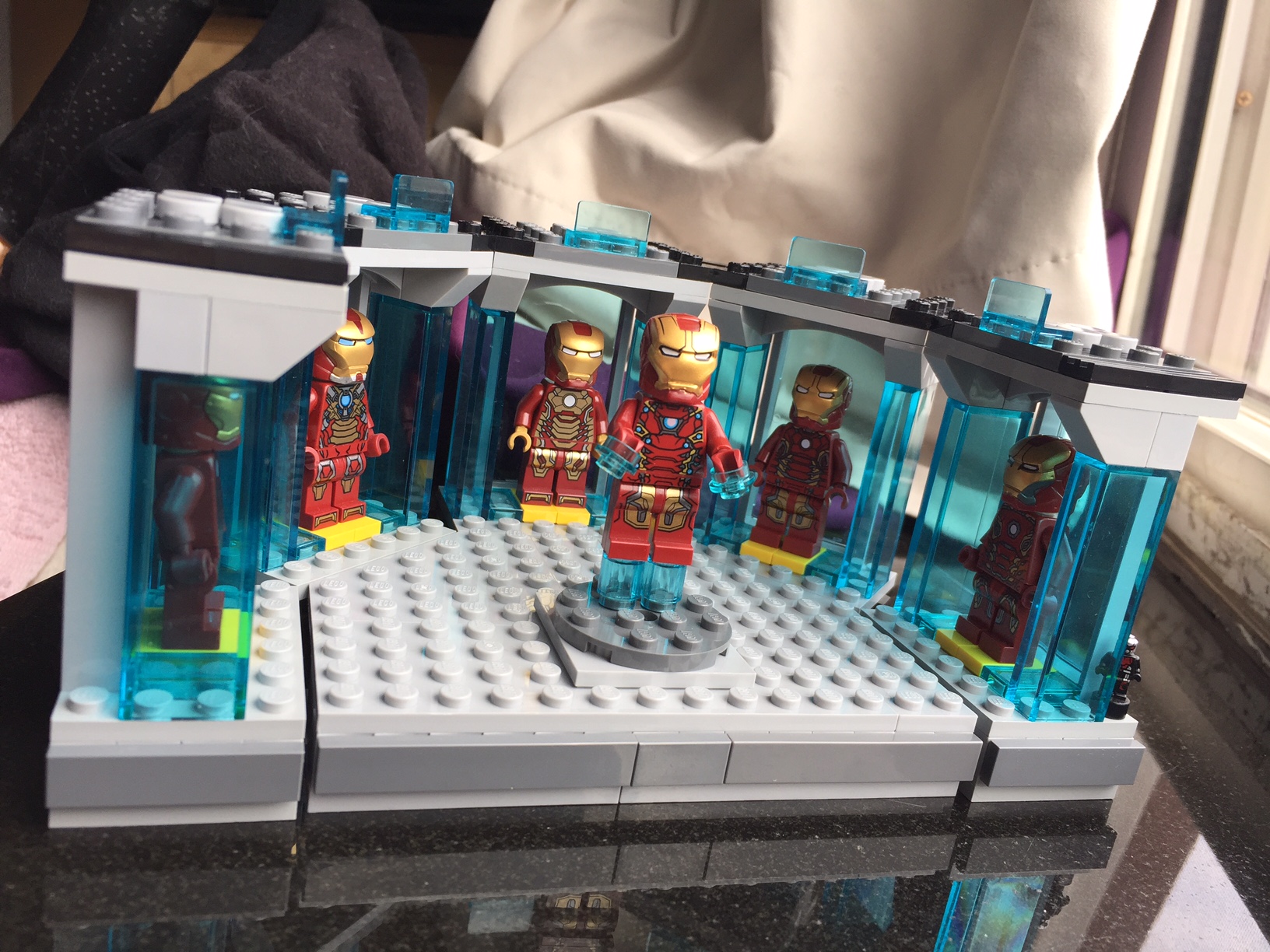
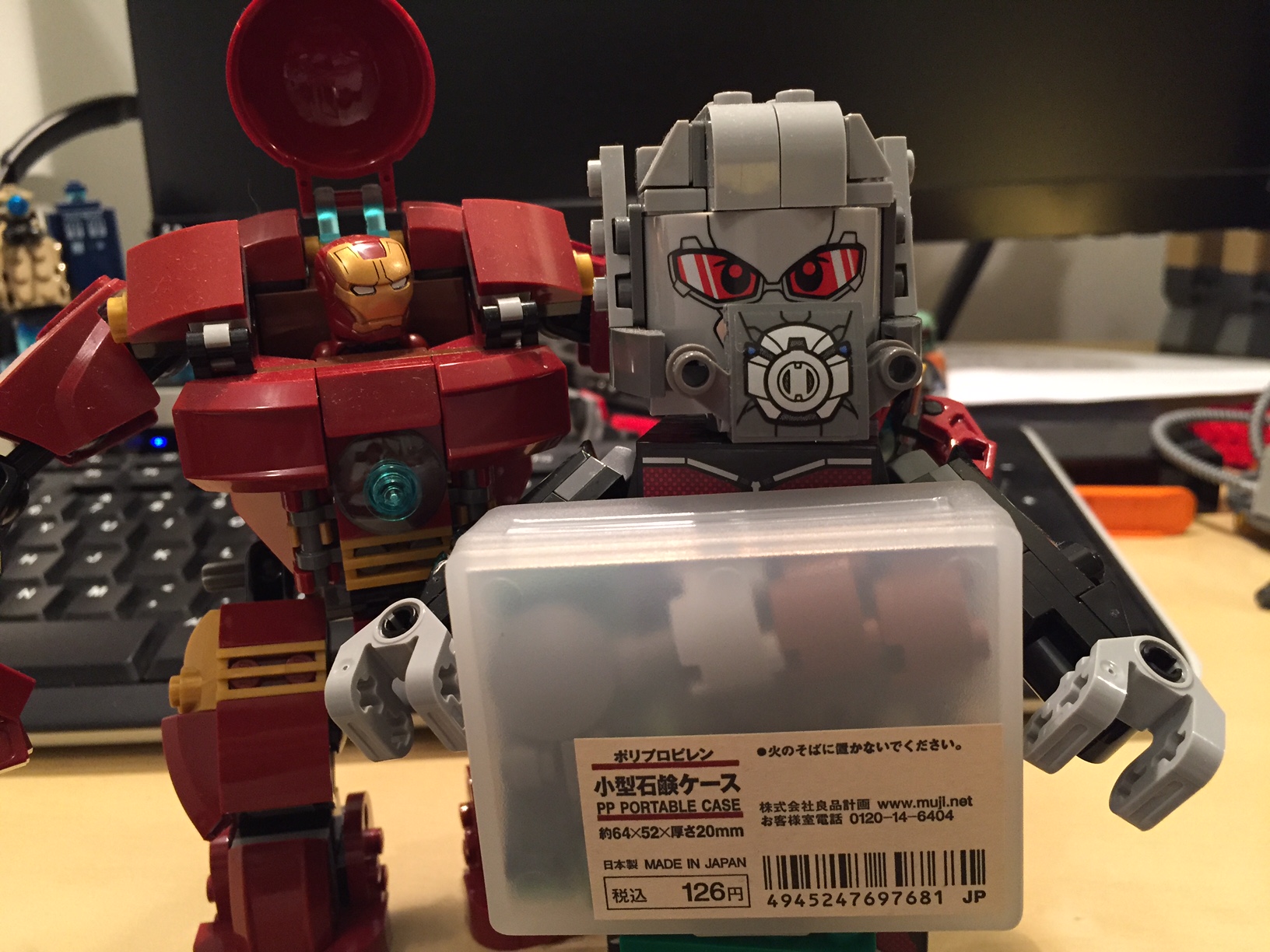
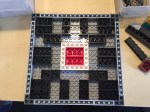
As I wrote in my previous blog post, I have been sorting my LEGO bricks. This has helped me organize the LEGO pieces that I have, and it has helped me count the quantity that I have in a given type or color brick. This greater knowledge about the bricks in my collection inspired me last night to build a better Iron Man’s Hall of Armor (above) using the “A-frame” plates or “Plate (A) 4M 45°” from 75137 Carbon-Freezing Chamber.
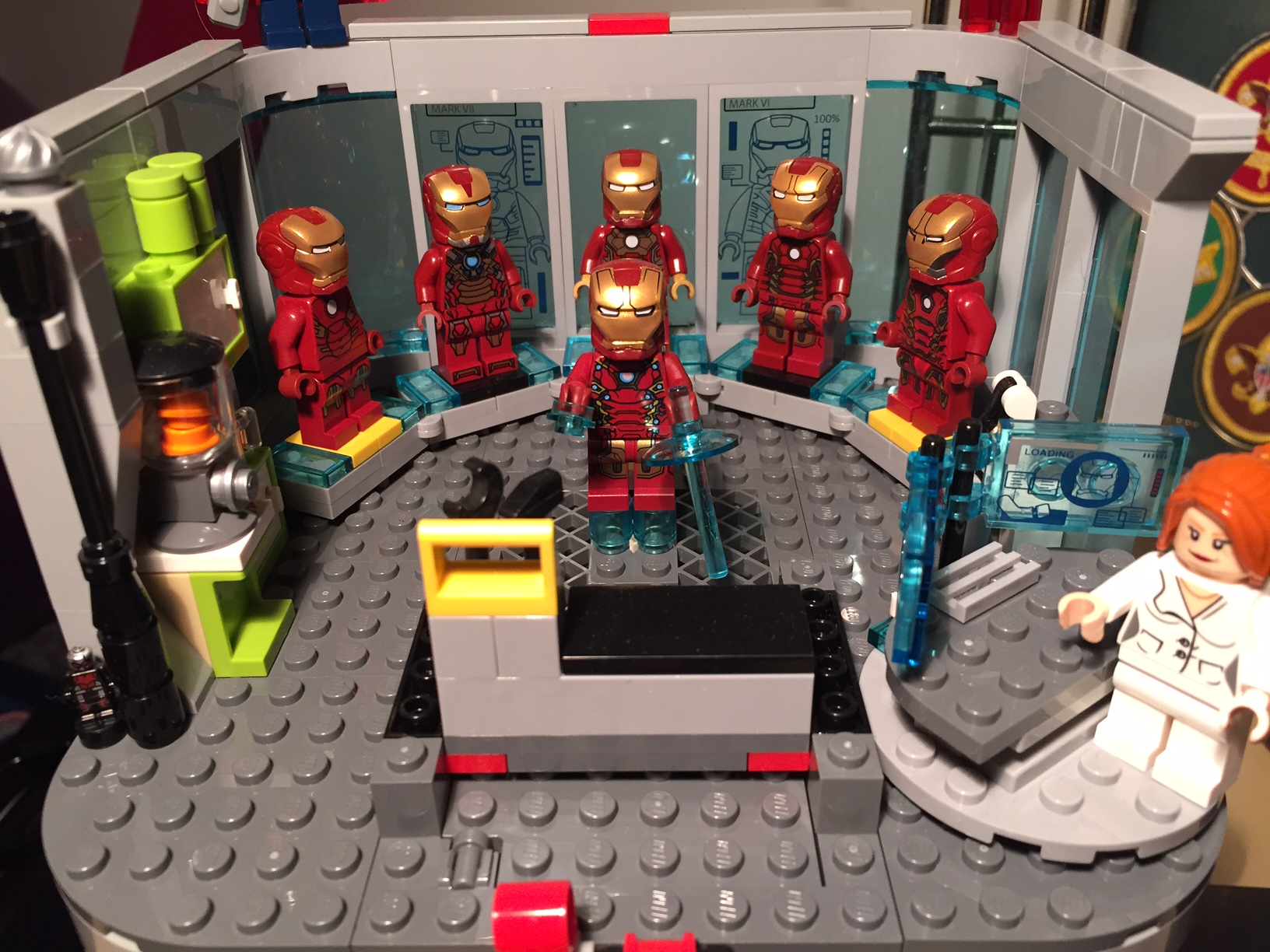
My original Hall of Armor (above) was a play-oriented set, but it admittedly required care in its handling. It borrowed heavily from the Malibu Mansion and Avengers Tower sets. The curve of the armor display was accomplished with the central pad locked to the base with a 2×4 plate, each adjacent pad was connected to it with a plate hinge and supported beneath by non-locking flat plates, and the ends were connected to the base plate with 1×1 round plates. It worked, but it was fragile and admittedly very busy in its appearance. I thought that I could do better with a different approach focused on using system and Technics pieces, repetition, and strength.
First, I designed the display bad for each Iron Man armor suit. I based it around a 4×6 plate and leftover translucent blue elements from the Avengers Tower set.
I connected the five armor display pads at the top and bottom of each using the Plate (A) 4M 45°. The center pad and the end pads are built up to 1 brick height to accommodate the 3-hole Technic connector brick beneath the center pad. This is where the platform between the armor pads will connect.
The central platform has a 3-hole Technic brick at the narrow end. It connects to the hall of armor arc with three Technic connector bushings. I used 1×1 bricks with outward facing stud all along the front of the display (both ends of the Hall of Armor arc and the central platform). I affixed flat dark grey plates to these to create a contrast with the light grey of the platform surface.
This new design is more for display than playability. It is a much stronger model than my previous one, and it uses LEGO elements in new ways that I had not experimented with on a MOC before. In particular, I was very happy when the central platform perfectly interconnected with the sweep of the Hall of Armor arc. Also, I was able to build a MOC that utilized repetition in the design of the armor display pads, because I had an inventory and organizing system for my LEGO bricks. Had I not sorted my bricks, I don’t think that I would have been able to come up with this design and implement it as quickly as I did.
While you’re looking at the images, can you spot a spy in the model?
One of the important tasks that I had set for myself over the Spring Recess was to sort my LEGO brick collection. For many, many years, I would painstakingly look through my bins of bricks for types and colors of bricks as needed for a given project. While it was fun and relaxing to spend time searching and accumulating the bricks that I sought and discover other useful bricks during this process, it was also excessively time consuming. I have bought and sold enormous LEGO collections, but I have never properly sorted any of them. Now, I have ideas that I would like to attempt to build, but they will require a more thought out and planned approach to building than my previous work. Therefore, I realized that I had to sort my bricks so that I could take stock of what I had and be able to access my brick stock as efficiently as possible. Essentially, I would put in time sorting now to improve my knowledge about what I had, access to that inventory, and efficiency when selecting bricks with which to build.
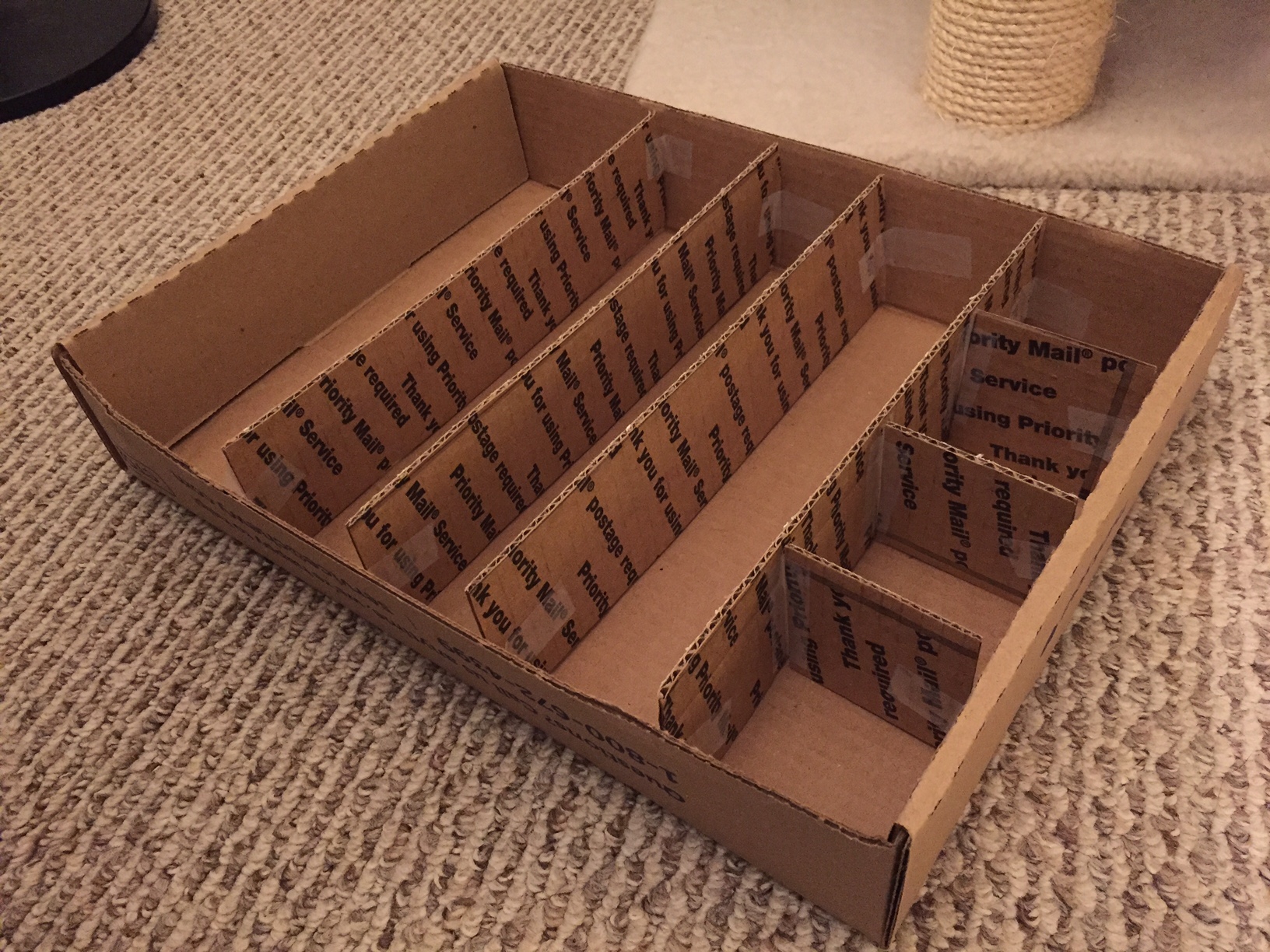
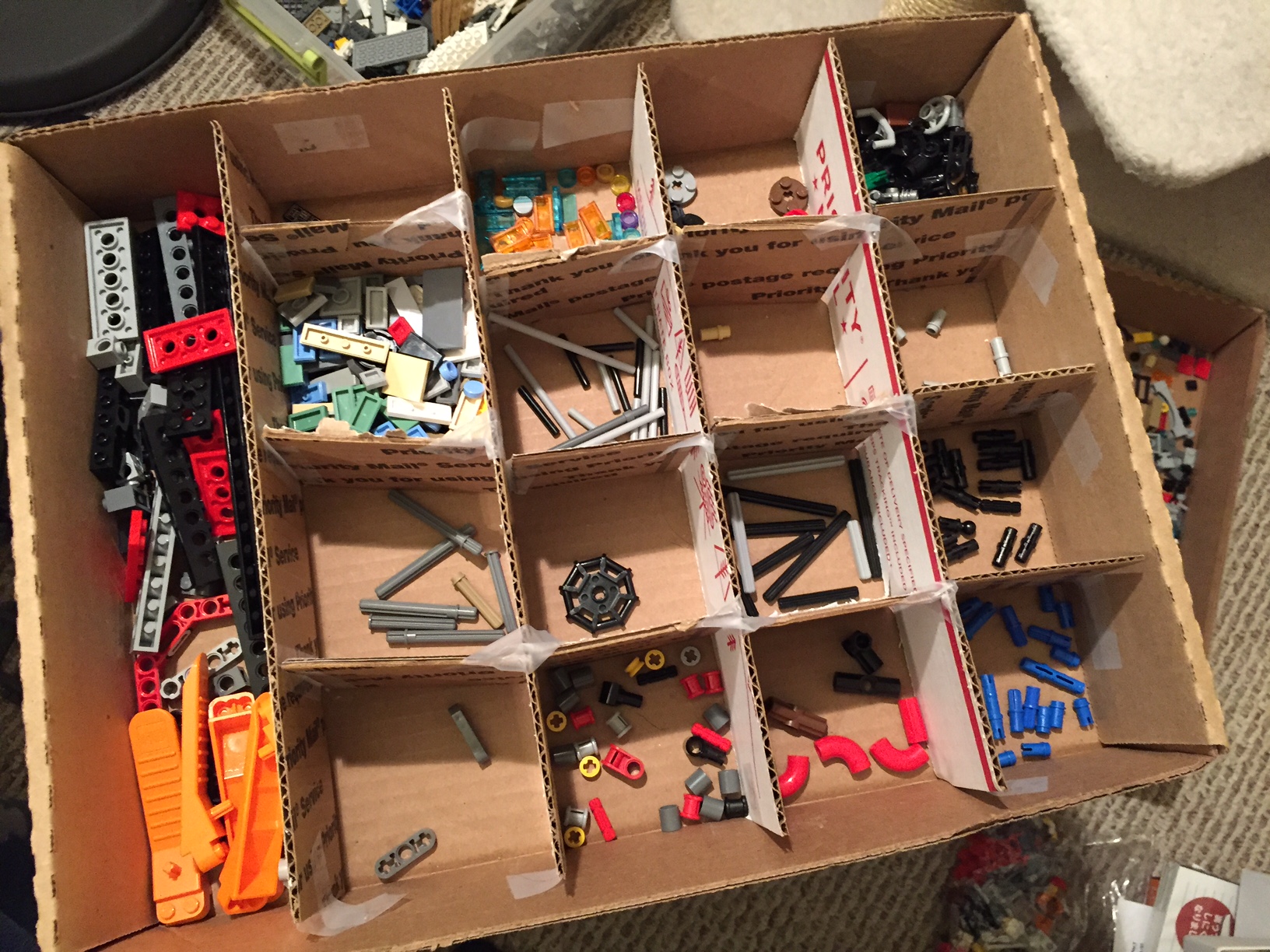
Initially, I wanted to use what I had on hand to begin the sorting process. I often recycled shipping boxes for working with LEGO, so I began there.
My cardboard sorting tray worked well enough to separate bricks and pieces during sorting, but I quickly learned that extracting those bricks and pieces without their intermixing under my makeshift barriers was impossible.
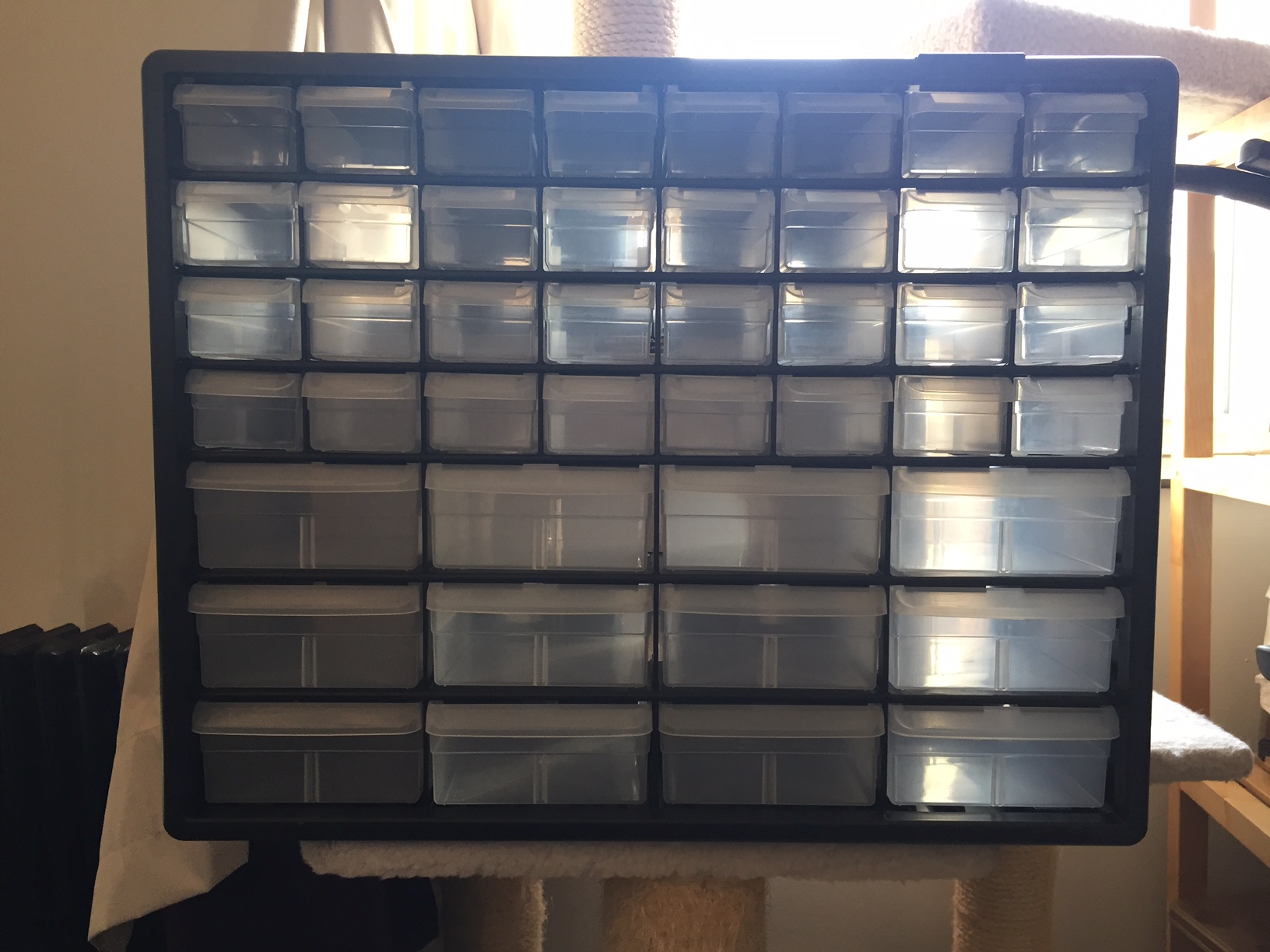
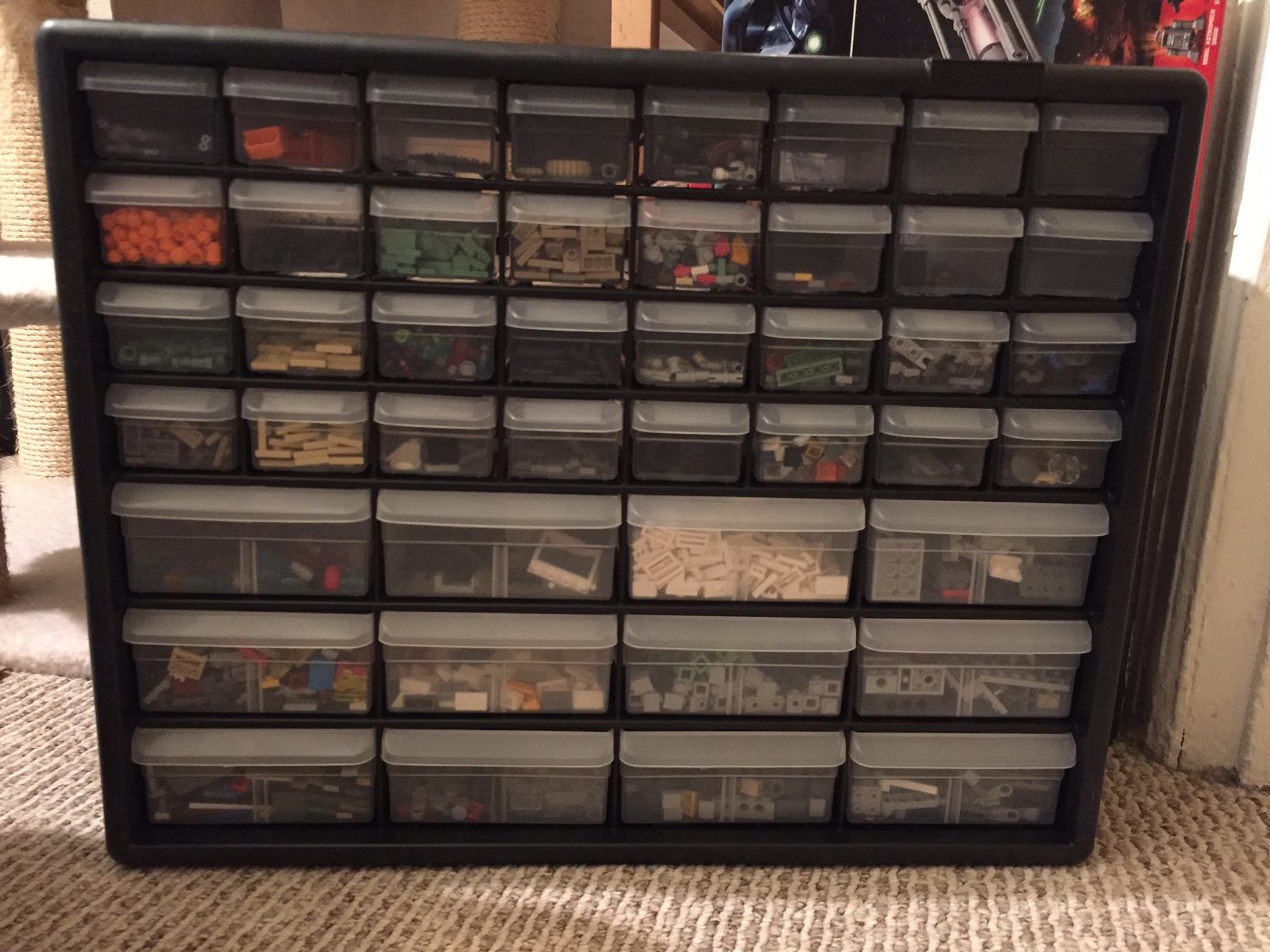
Thus, I invested in a 44-drawer Akro-Mils storage bin. Manufactured one town over from Kent State University in Akron, Ohio, this drawer system works really well for my novice sorting needs.
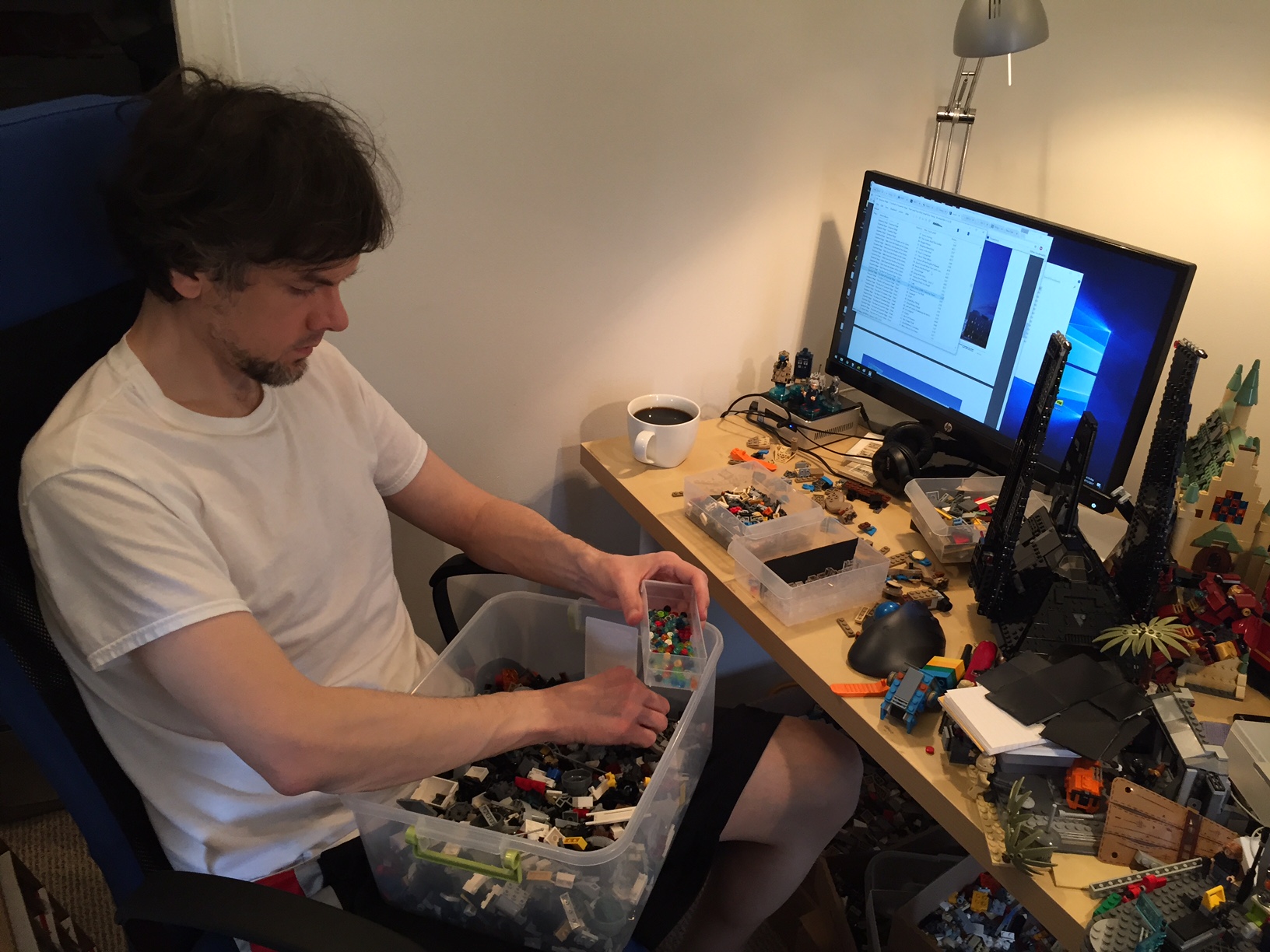
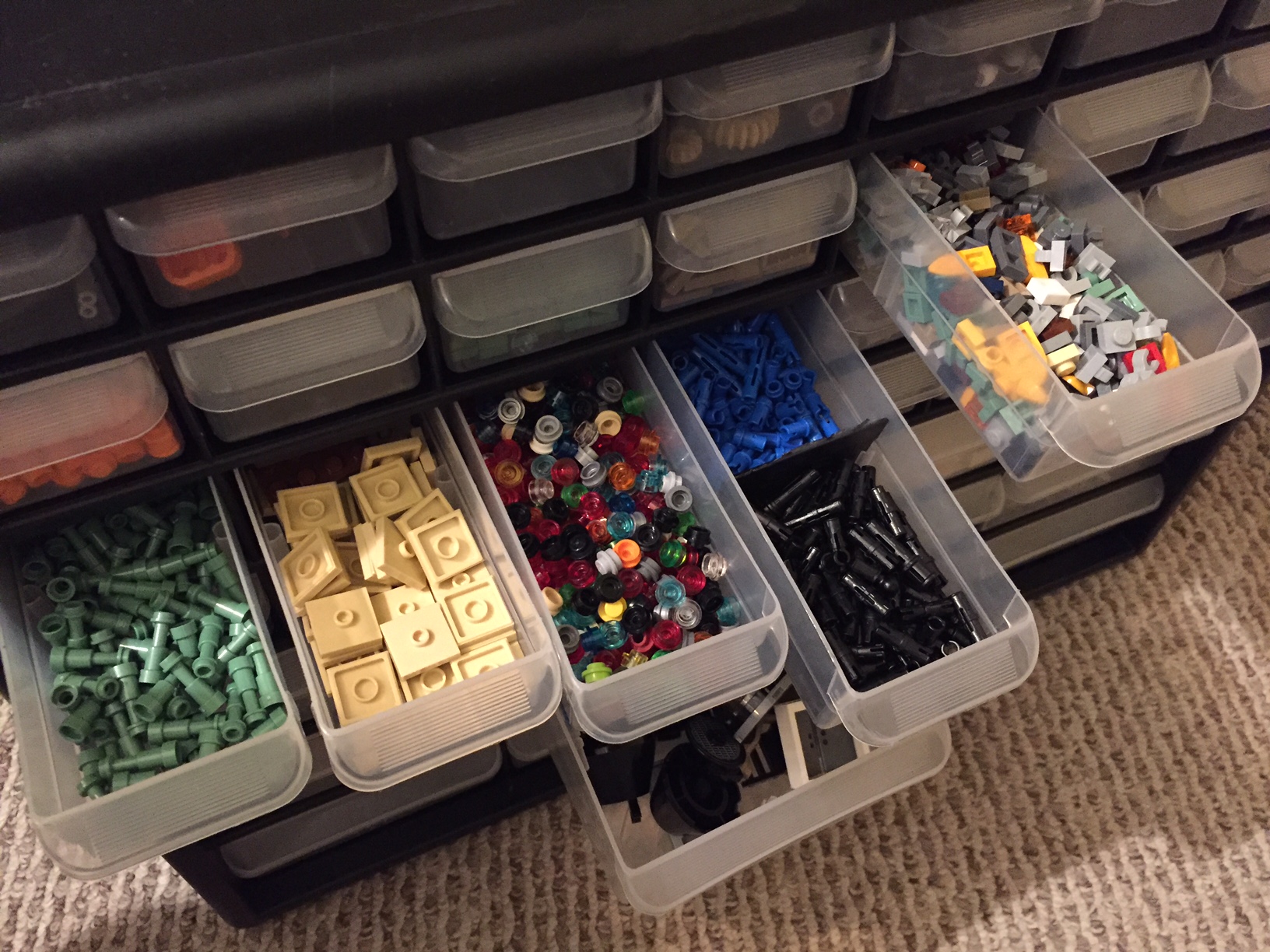
I follow an iterative process for my brick sorting. I have several 12.7 quart Sterilite latch boxes full of LEGO bricks. I pick one box and see what bricks seem to be in greater quantity. I pull out drawers from the Akro-Mils storage bin and being pulling only those types of bricks (focusing on type of brick and collecting all colors of that brick). This reduces the quantity of bricks in this that Sterilite box until it is small enough to dump the remaining bricks into the next Sterilite box. Then, I repeat the process again. However, I focus on different brick types depending on what dominates in a given Sterilite box.
With those bricks (and plates) that I have more than will fit in the drawers of the Akro-Mils bin, I repurpose the empty Sterilite boxes for those larger quantities. For example, one Sterilite box is only 1×1 or larger bricks, and another is only plates 1×3 or larger. I will use another Sterilite for slopes, another for arches, etc. With my system, I am focusing on type of brick instead of colors, because I can’t afford to purchase enough Akro-Mils bins to separate by type and color.
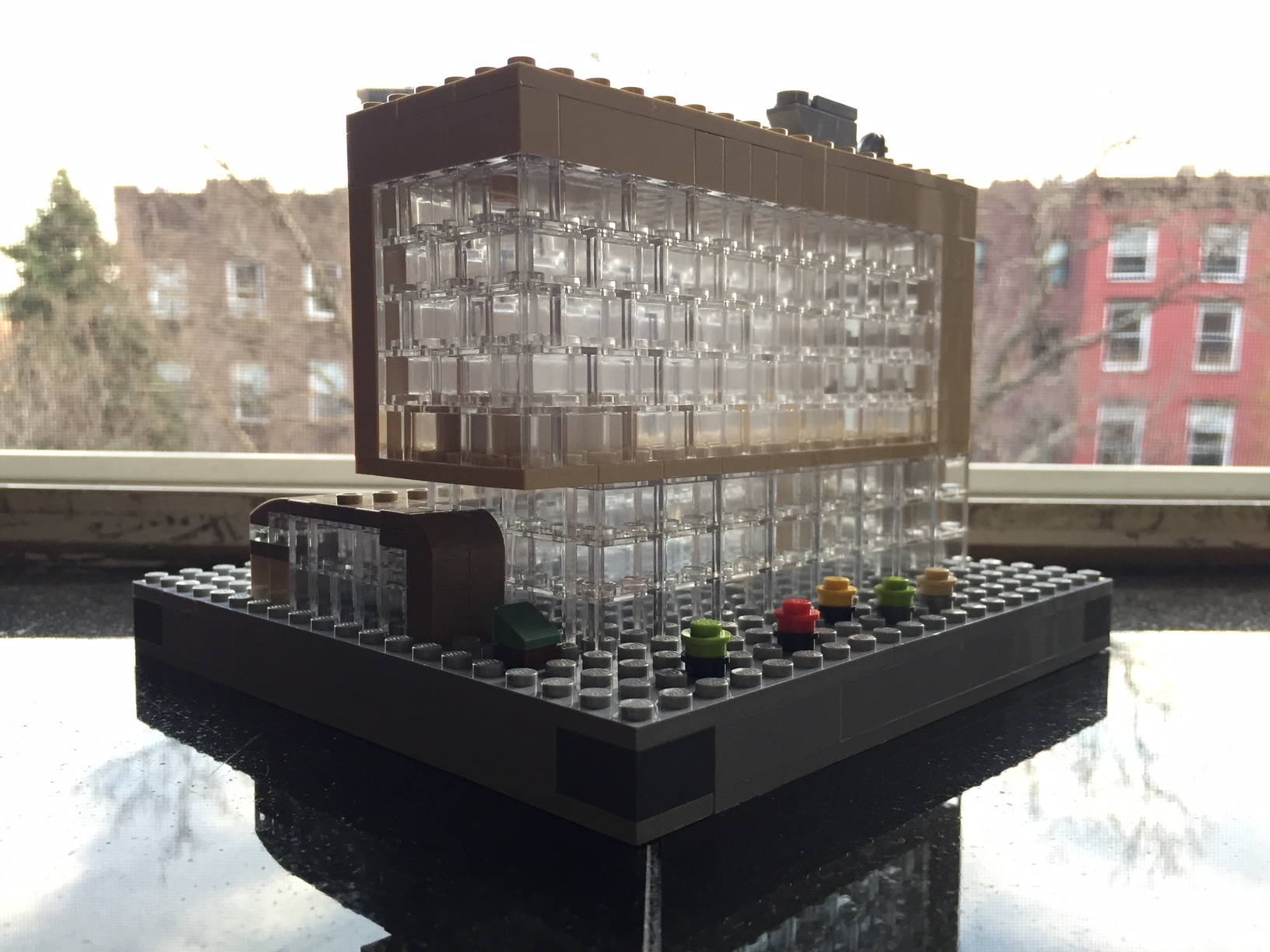
Over the past few days, I build a small scale model of the new City Tech academic building at 285 Jay Street. Still under construction, this model highlights its eventual glass-covered transparency (see this PDF for additional renderings of the building’s completed construction) with the model’s approximately 160 clear 1×2 bricks:
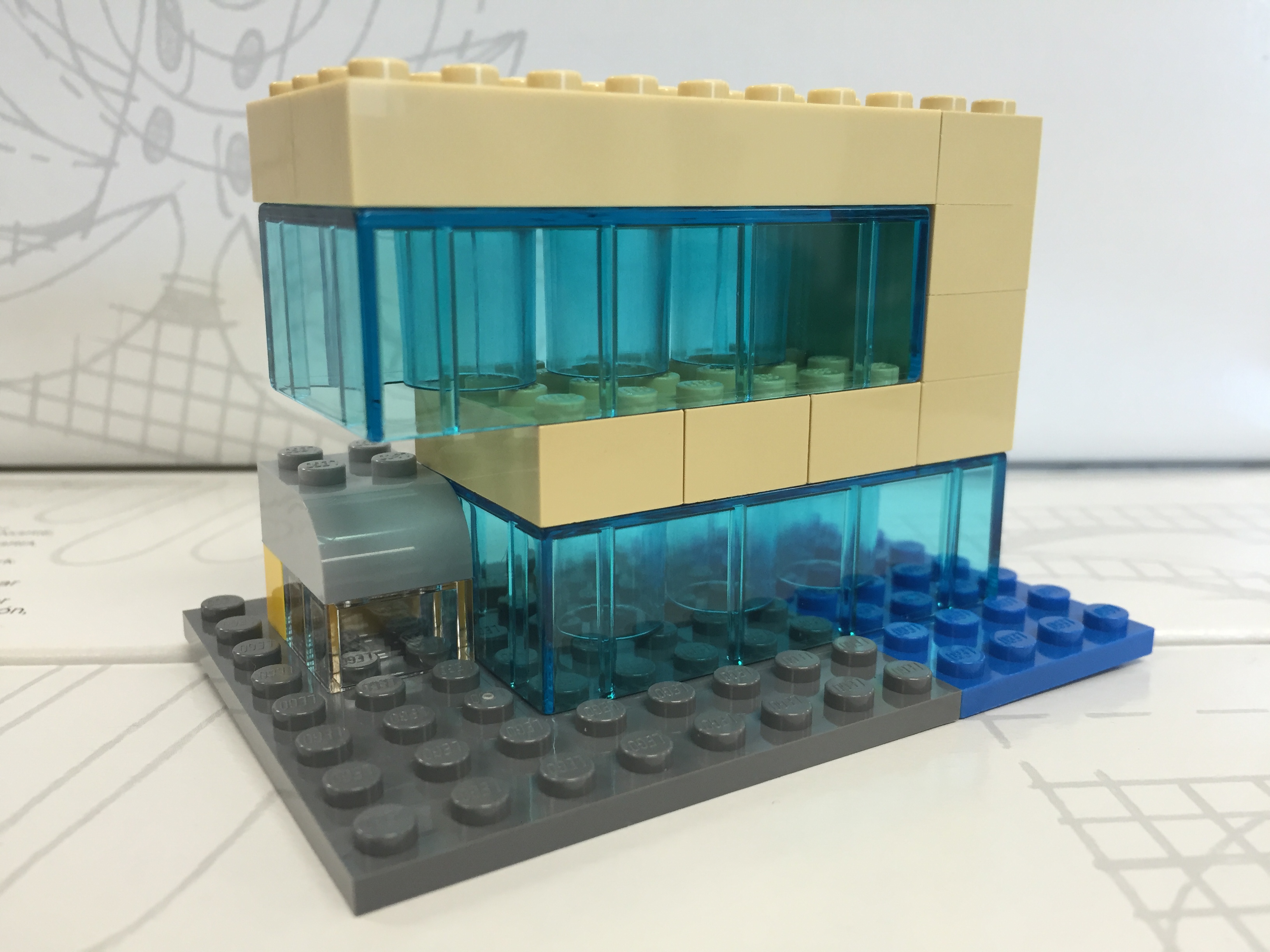
My Serious Change Through Play collaborator Patrick Corbett original gave me the idea to build a model of the new building after we made our first grant-funded LEGO brick purchase. Here is what that first, simple model looked like:
With only a few LEGO and Duplo bricks, I was able to capture the glass structure, upper floors overhang, and intersecting curve of the auditorium. Eventually, we incorporated this model into the Serious Change Through Play branding logo. While I like this smaller model, I wanted to build one that was larger and captured more detail without breaking the bank.
To begin my larger design and assess what extra LEGO pieces that I would need beyond those that I already own, I copied LEGO brick/plate design grids (see Duckingham Design’s grids, which are terrific) into Microsoft Windows’ Paint and drew in a rough sketch of each side’s elevation:
After these initial designs, I knew that I had most of what I would need to build the base and solid-color aspects. However, I didn’t have any of the clear bricks. Luckily, I saw a bin full of clear 1×2 bricks at the Flatiron LEGO store a week ago, so I returned there to purchase those and spare bricks that I thought might be useful during the build:
After disassembling all of the bricks in the pick-a-brick container (NB: if you purchase a pick-a-brick container from the LEGO store, you should assemble all of the bricks in order to maximize how many bricks can fit and minimize wasted empty space), I used plates and bricks to construct a 20×20 stud base with a height of 1 brick and two plates (one plate level on top and one plate level on bottom):
Next, I began the fun part of the build, which I like to think about as similar to the writing process–brainstorm, draft, and revise. While I had my elevations to work from, I thought of specific ways to put the bricks together that represented the building better and served to make a stronger model. For example, using overlapping joints and interlocking corners in the upper stories look good and make the model sturdier.
The intersecting auditorium provided some of the best challenges during this build, because it has an interesting curve that is like the forward leading edge of an airplane wing. This required a lot of digging through my boxes of bricks to find pieces that conveyed this as best as possible at this scale and appear close to the colors in the building design documents:
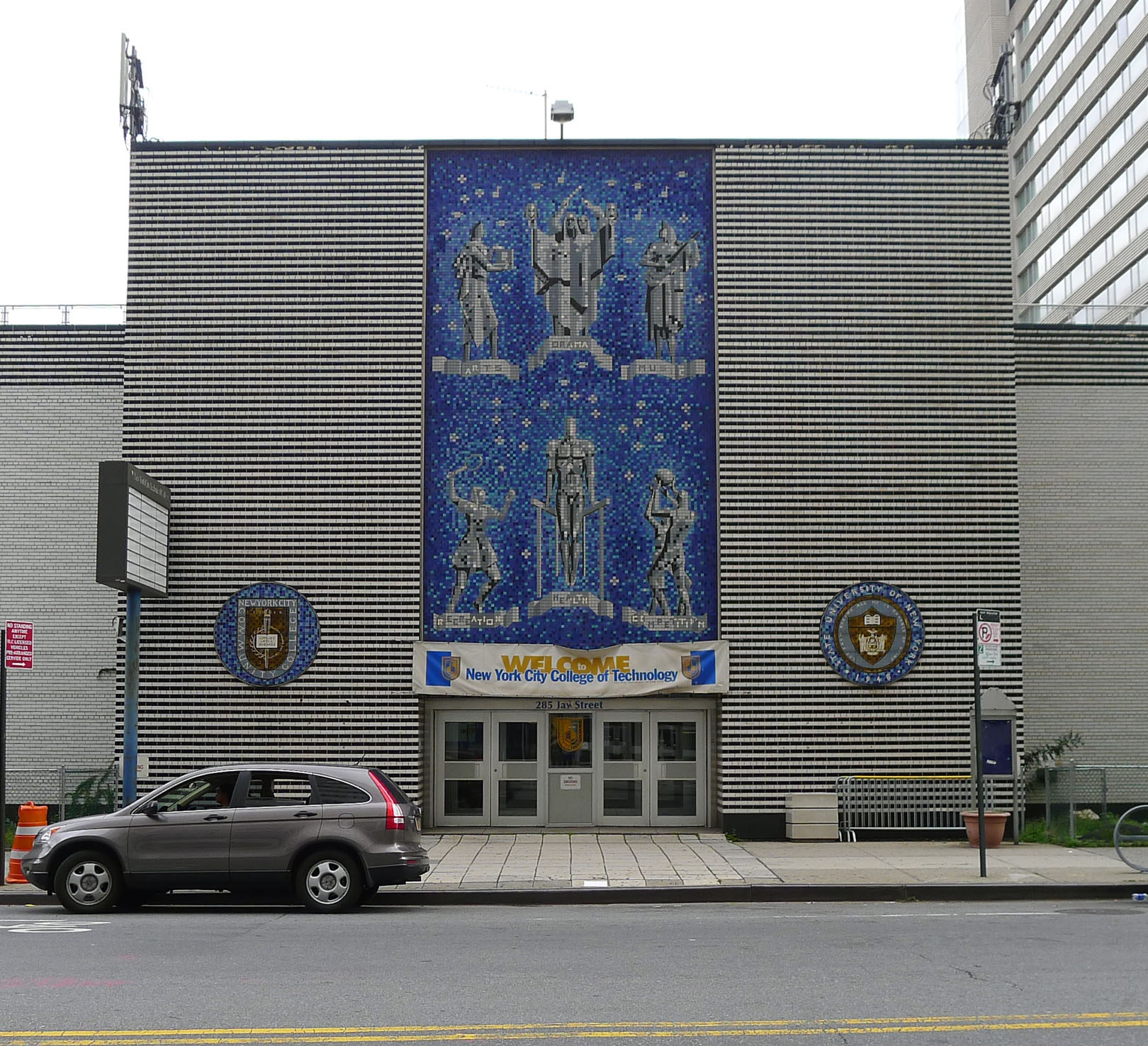
You might have noticed a white, silver, and blue structure in the rear of the building. I felt that I would be remiss if I neglected to include the spirit of the building that used to be at 285 Jay Street–City Tech’s previous auditorium with its Klitgord mosaic (see page 8 of City Tech Connections vol. 6 no. 2 here for more information, or speak to Dr. Mary Nilles, who taught me about the history of the mosaics). The original Klitgord mosaics, crafted by Nathiel Choate and Joseph von Tury in 1962 for the auditorium building, look like this (photo by William Avery Hudson):
Photo by William Avery Hudson.
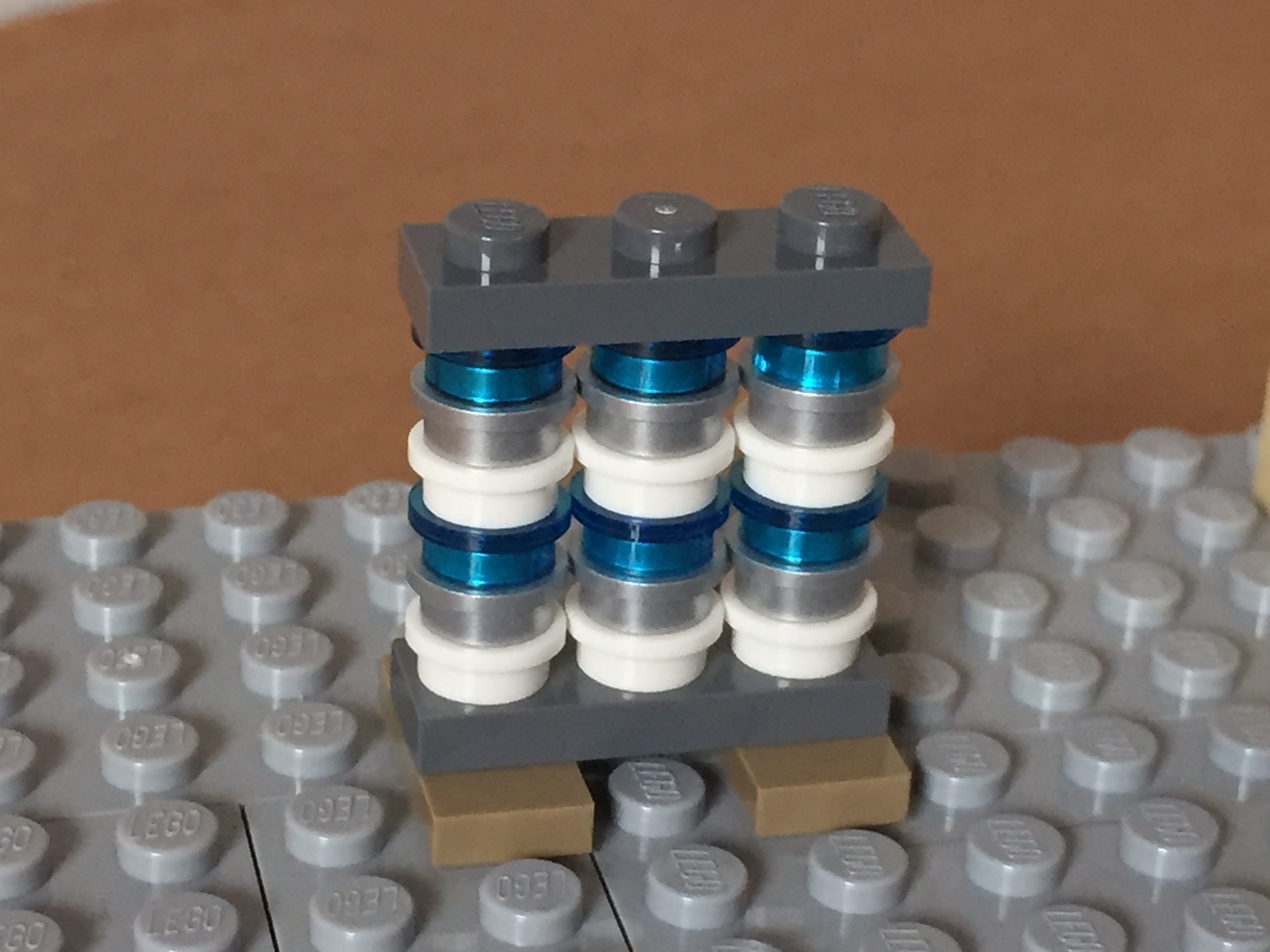
Using the microscale of my model, I wanted to capture the color scheme and figures despite the extremely low resolution of the medium at this scale. Nevertheless, I figured that I could convey that there are six human figures and a color scheme of white, silver, and blue. Therefore, I built this model of the mosaic–perhaps the preserved mosaic will have a home in the new building?
I recently purchased the LEGO Star Wars Rebels 75053The Ghost set to cannibalize for a MOC project. However, before I parted out the set and sold off the minifigures, I built the set one time and purposefully spread the build time across several days even though the set itself should only take a couple of hours of concentrated build time to complete. Why?
A personal reason stems from the enjoyment and stress relief that comes from building something with my hands. I see the model take shape as I place brick after brick. I take joy in the innovative techniques employed by the model’s designers. I reflect on the relationship of the model to its source material–in this case, the television program Star Wars: Rebels.
From a learning perspective, the haptic experience of building the model by following its instructions teaches the builder the process and techniques of the designer. Combined with the builder’s experience gained from model building and creative expression, one can reflect on the model’s design and guess about alternative methods and potential roadblocks encountered by the designer in earlier versions. In a sense, LEGO bricks serve as an interface between builder and designer, and through the interface, the builder learns and imagines new possibilities, which the builder can turn toward future projects. Building, pulling apart, rebuilding, redesigning, and creating forms the basis of a self-perpetuating active learning experience–one that begins guided and ends self-directed.
By spreading the build across several days, it allowed me to enjoy an extended building experience while giving my brain the space to think about and reflect on the building techniques employed by the sets designers. Had I built the model as quickly as I could have otherwise, I would not necessarily learn as much from the instructions and haptic experience of following the instructions to construct the model.
Based on my extensive first-hand experience as a LEGO builder and an educator who uses LEGO in his Technical Writing and Science Fiction classes, the transition from guided to self-directed learning is one of the powerful characteristics of LEGO as a learning platform. Furthermore, its orientation as a technology of play opens engagement and enables learning that is fulfilling because of the enjoyment that it can bring about (of course, LEGO might not be for everyone and the source of enjoyment in learning differs from person to person–as with the projection learning with lecture and PowerPoint, or other forms of active learning exercises, I propose that LEGO is another tool in the educator’s toolbox that can be used, repurposed, hacked, etc. as the case and need arises).
Before I disassemble The Ghost, here are some images of a nice model that accurately captures its source while adding play elements that fans of the series–young and old–will likely enjoy.
After watching Star Wars Episode VII The Force Awakens for the first of four times (so far), I purchased the new LEGO Millennium Falcon 75105 (LEGO website page and Brickset model page). It is a wonderfully designed model that balances play with detail. This latest Falcon model from LEGO captures how the passage of time and change of hands has affected this storied ship’s appearance in the film. Despite the interior and exterior greebling, the layout of the Falcon is spacious and accommodating for customization by the LEGO builder. It was my intention to customize the Falcon to be more screen accurate in the main hold and cockpit, and more detailed in the engine compartment and rear storage/bunk spaces. Through the process of customization, I worked on the exterior dorsal and ventral sides (including an improvement to the boarding platform. Below, I offer some explanation and photos for each before and after stage of my customization, including the cockpit, exterior dorsal, exterior ventral, interior fore, and interior aft.
Cockpit, Before Customization
The original cockpit accommodates two minifigures–one sitting forward on the right (pilot) and one sitting one row behind on the left (copilot). It comes with a single lever for control and a printed wedge brick with cockpit controls. Due to the conical elements used for the cockpit, space is extremely limited. However, the rear of the cockpit has a strange design that is not evocative of the rear of the cockpit, which would have controls, lights, and a door. I targeted these issues in my customization seen below.
Cockpit, After Customization
In my customization of the cockpit interior, I raised the control panel by one plate and gave the pilot and co-pilot handle-bar controls like in the films. Above the directional control bars, there are three adjustable levels sitting on top of the printed control panel wedge brick for controlling the engines.
Exterior Dorsal, Before Customization
These images are of the Falcon’s exterior before any customization. Of note, the Millennium Falcon’s fore running lights are red instead of clear (a change depicted in The Force Awakens), and a less clean exterior to illustrate its aging and modifications.
Exterior Dorsal, After Customization
The one external element that I wanted to accentuate as much as possible was the slightly raised panels above the rear quarter over the engines. This was easily accomplished by adding a single plate above the hinge for each sectional panel, and adding a single plate height to half of the bordering panels. The latter, however, also required finding 1×3 flat plates for the segmented panels as seen below.
Exterior Ventral, After Customization (no Before photos taken)
Originally, the boarding platform does not have hydraulic lifters and the bottom of the Falcon is largely exposed to the Technic beams that form the support skeleton for the model. I added the lifters and covered much of the bottom (more can be done when I have the bricks available to accomplish a better approximation of the Falcon’s bottom exterior (angled forward pods and rear hold pod beneath the engines).
Interior Fore, Before Customization
The 75105 Millennium Falcon model continues the innovative “petal” design forming the dorsal fuselage of the spacecraft, which first appeared in the 4504 set and was improved in the 7965 set. The best change from the earlier designs is for the forward bisecting panel leading from the mandibles to the gun turret. Instead of opening up toward the turret (4504) or opening forward toward the mandibles (7965), the panel now swings forward and down between the mandibles thus giving easier access to the builder for play inside the Falcon. The navigational computer is more accurately captured with a sticker applied to a flat plate than printed wedge bricks in 7965, and the Dejarik table is printed on a round shield element. My complaints with the interior design have to do with the inaccuracy of the placement of the Dejarik table/benches and bunks. I focused on this in my customization.
Interior Fore, After Customization
In my customization, I moved the Dejarik table and benches across from the navigation computer, which required rebuilding part of the mandible supports and the swing components for the center panel (to clear the center bench back). I relocated one of the bunks to the end of the hold to create the medibay where Finn bandages Chewbacca’s arm. In the main hold, I constructed a forward wall with panel details taken from the First Order Snowspeeder 75100 set.
Interior Aft, Before Customization
The engine compartment in the rear of the model is similar to the one in 7965. This part of the Falcon captures the junked essence of the Falcon in general and the effects of the passage of time and unkind handling of the Falcon depicted in The Force Awakens. I wanted to keep its garbage appearance while giving the engine compartment greater substantiality.
Interior Aft, After Customization
In the rear hold/engine compartment, I constructed two storage rooms/bunks with swinging doors (I would have preferred to have sliding doors but I don’t have the elements to do this while conserving the limited space available), and I designed additional mirrored engine modules that go on either end of the original engine included with the set, which I hope makes the engine look more substantial for a spacecraft capable of completing the Kessel Run in 14, er, 12 parsecs!
Conclusion
I hope to further customize the 75105 Millennium Falcon. As I acquire new bricks and elements, I would like to think about how to better integrate the engines into the design and aesthetic of the YT transport. Other goals include, integrate a mechanism for lowering and raising the boarding platform, similar to the 4504 set, design screen accurate landing gear that raise the Falcon by at least one plate higher while on display, and further integrate my customization into the model so that it attains a unity of design instead of a piecemeal added-on quality.
If you have customized the 75105 or other Millennium Falcon sets, please sound off in the comments. Thanks for stopping by!